Share notifications#
With Notify me the server sends you an email when somebody uses a share of yours: when they download from it, or upload into it. You choose it per share, when you make the share or later in Manage Shares, and you say where the emails go.
The row is there only if your administrator turned it on. It is for external shares, the ones with a link.
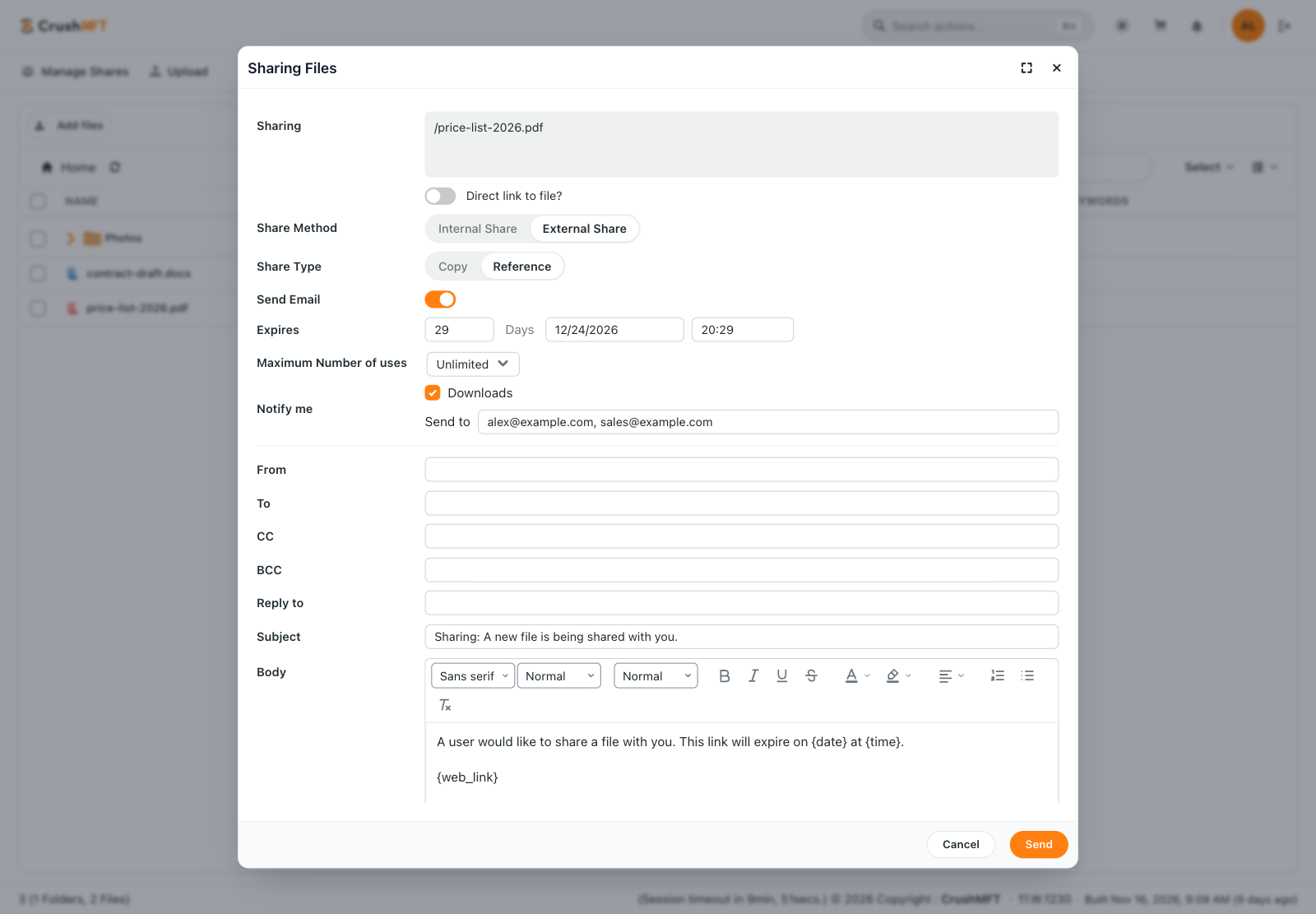
Asking for notices#
In the Sharing Files window, under Maximum Number of uses:
| Field | What it does |
|---|---|
| Downloads | an email when files are downloaded through the share |
| Uploads and changes | an email when files are uploaded into the share, or deleted, renamed or a folder made in it. Shown only while the share allows uploads: Full Access under Advanced. |
| Send to | where the emails go: "Your email address" when you leave it empty, the address of your account. Several with commas, up to 10. |
Tick at least one box. Then Send makes the share as usual.
The row disappears when you pick Internal Share: notices are for link shares only.
Quick Share and Custom Share#
- Quick Share asks no questions. If your administrator set Downloads to be ticked from the start, a quick share asks for download notices to your own address.
- Custom Share has the same row when your administrator's custom share shows it; there, Uploads and changes appears once Full Access or the Upload permission is ticked.
The email#
The server waits until the visitor has done nothing for two minutes, then sends one email for the whole visit: every file downloaded is a line in it. Downloads and uploads come in separate emails.
Unless your administrator wrote a text of their own, it looks like this:
Subject: Files were downloaded from your share Kp7wQ2xRtB

Files were downloaded from a share you made.

Share: Kp7wQ2xRtB
Ends: 12/15/2026 18:00
Visitor IP: 203.0.113.25

/price-list-2026.pdf (2.10 MB)
The share is named by its link's account, which Manage Shares shows as Username in the details. The email never holds the link itself.
Opening your own link counts as a visit too: the server cannot tell you from anybody else who has the link.
Changing it later#
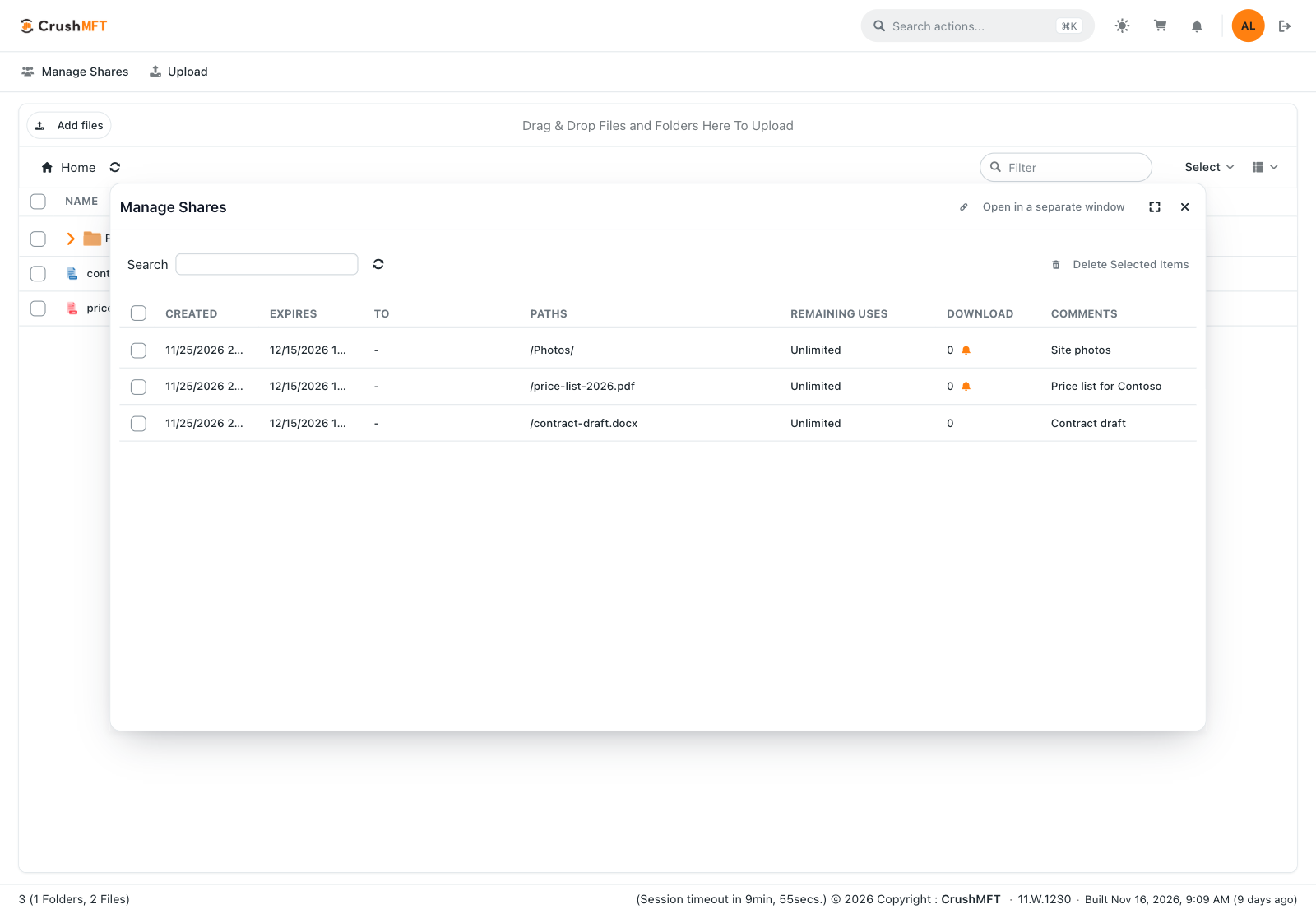
Manage Shares shows a bell after the download count of every share that sends notices, and Share Details has a line Notify me with what is ticked and where it goes.
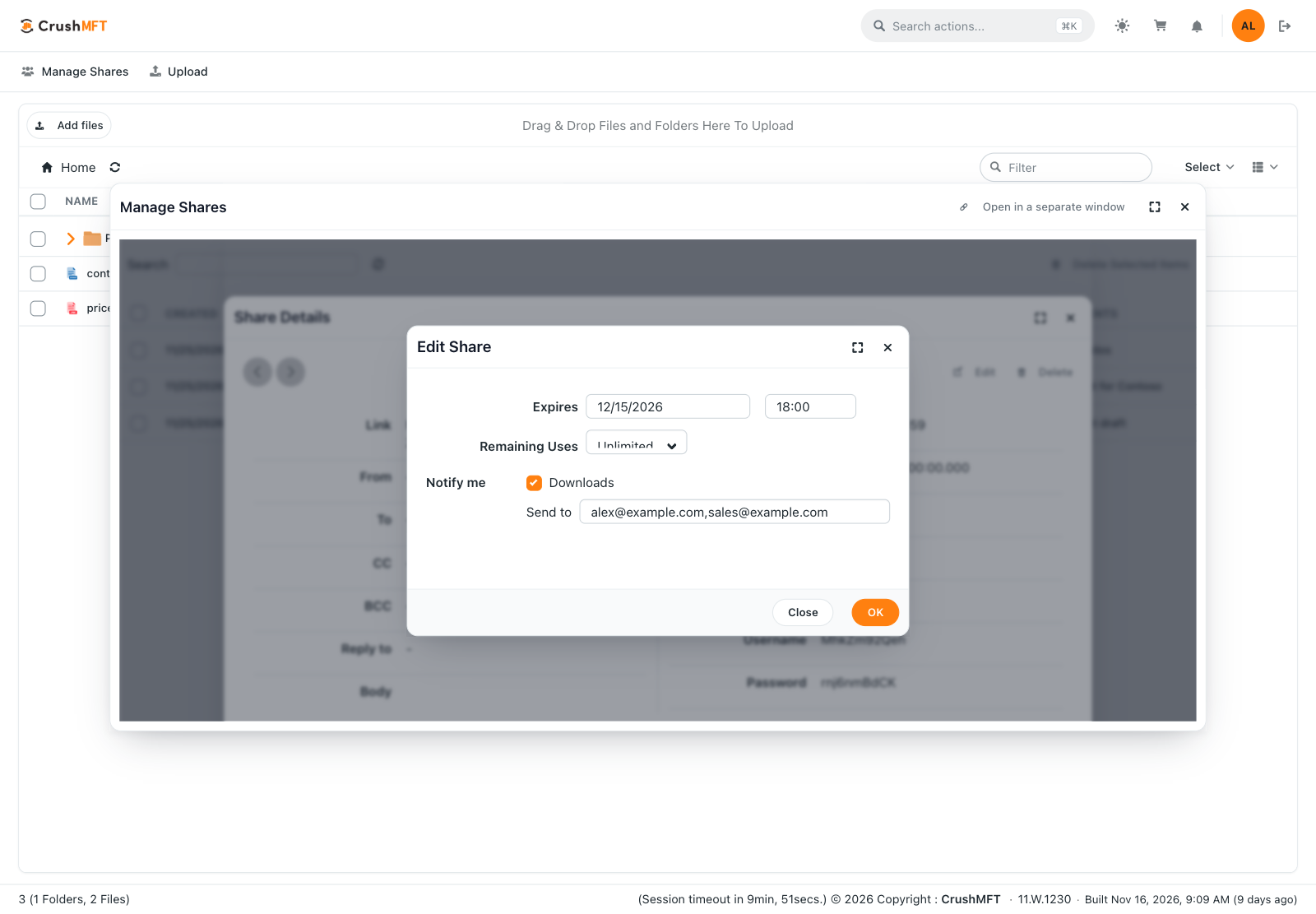
Edit in the details has the same row, filled in from the share: tick or untick, change the addresses, OK. Untick both boxes to stop the notices.
What can go wrong#
| Message | Means |
|---|---|
| "Error: Notifications need plain email addresses, at most 10." | an address is not a plain address (no name like Alex <alex@example.com>), or there are more than 10. The share is not made, or the edit not saved, until you correct it. |
| "Error: Notifications need an email address. Enter one, or ask your administrator to add one to your account." | Send to is empty and your account has no email address |
| No email arrives | it comes two minutes after the visitor stopped. Look in your spam folder, then ask your administrator: the server's mail settings may be wrong. |
For administrators#
How to turn it on, the text of the emails and what the server checks: Share notifications for administrators.