The server log viewer#
The log viewer shows the server's log file as it is written, in the browser. It is in three places: the Server log panel of Status, the Live log of a session there, and a window of its own, which Open in a new window gives you.
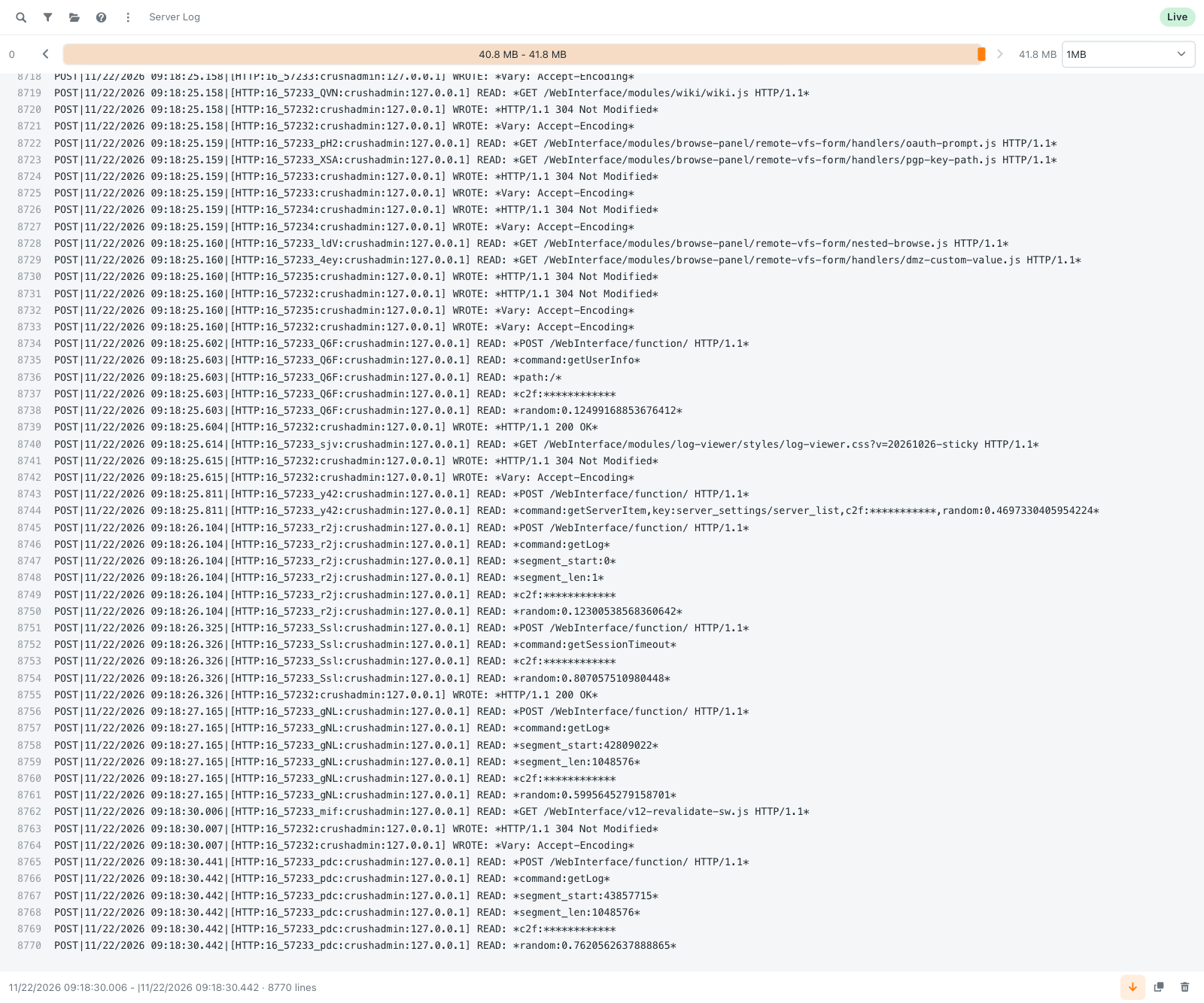
It reads the file in pieces, so even a very large log opens at once: you look at one window of the file, and move that window.
The toolbar#
| Button | What it does |
|---|---|
| Find (Ctrl+F) | searches the part of the log that is loaded |
| Filters | shows only the lines that fit, or hides the ones that do |
| Select log file | opens another log file: an older, rolled one, or a session's |
| Help | explains the search and the filters |
| More | further commands |
| Live | shown while the view follows the file |
Moving through the file#
The bar under the toolbar stands for the whole file. The marked part is what is loaded; the numbers say from which byte to which, and how large the file is.
| Control | What it does |
|---|---|
| the two arrows | move the loaded part one step back or forward |
| the size list | how much is loaded at once: 1, 5, 10, 20, 30 or 40 MB |
Under the log#
| Button | What it does |
|---|---|
| Scroll with activity | keeps the view at the newest line as lines come in. Turn it off to read without the text moving. |
| Copy log | copies what is loaded |
| Clear log (view only) | empties the view. The file is not touched. |
The line under the log gives the time of the first and the last line that are loaded, and how many lines that is.
Reading a line#
POST|11/20/2026 19:20:11.060|[HTTP:17_50223_D05:crushadmin:127.0.0.1] READ: *GET /WebInterface/... HTTP/1.1*
A line begins with its kind, then the date and time, then in brackets the protocol, the session, the user and the address, then what happened. Which kinds are written at all, and how detailed, is set in Logging and What is logged.
In the Status section the panel waits for a click ("Click to activate") before it starts, so that it reads nothing from the server while nobody looks at it.