Advanced options of a VFS item#
Two places hold the finer settings of an item of a VFS: the dialog VFS Item Properties, with the options every remote item has, and the button Advanced beside the permissions, with encryption, sync, owners and two extra switches.
Options every remote item has#
These are in VFS Item Properties, under the fields of the item's own type.
| Option | What it does | New item |
|---|---|---|
| Encrypt URL | the address, with the login in it, is stored encrypted: see Encrypted VFS | on |
| Name | the folder name the user sees | |
| Expires, Quick Set | a date after which the item no longer works. Quick Set fills in a date some days ahead. | never |
| Delete when expired | the item is taken out of the user when it expires | off |
| Route connection through DMZ when possible | No: the server connects by itself. Any: the connection is made by one of the server's DMZ servers, so that it leaves from the DMZ's address. Custom: by the DMZ you name. | empty; Any for the Microsoft and OAuth types |
| HA Download Recovery, HA Upload Recovery | a transfer that loses its connection to the other system is picked up again by the server: it reconnects and goes on where it stopped, while the user's own transfer keeps running | off |
| Connection Timeout | how long to wait for the other system to answer the connection, in milliseconds | 20000 |
| Write Timeout, Read Timeout | how long a transfer may stand still in either direction before it is given up, in milliseconds | 20000 |
| Use KeyVault Connection Profile | takes the password from a key vault instead of storing it: see Special types | |
| Use OAuth Connection Profile | signs in with a token from an OAuth profile: see Special types | |
| Custom Script | for FTP and SFTP: commands to send before or after a step, such as before login or after an upload | |
| Save As Connection Profile | keeps the connection under a name: see Connection profiles | |
| Test | tries the connection: see Testing a VFS item |
Raise the time-outs for systems that answer slowly, such as archive storage. Lower them where a dead partner should be noticed fast.
The Advanced button#
Select an item in the VFS editor and press Advanced. The settings belong to that folder and what is below it.
Encryption#
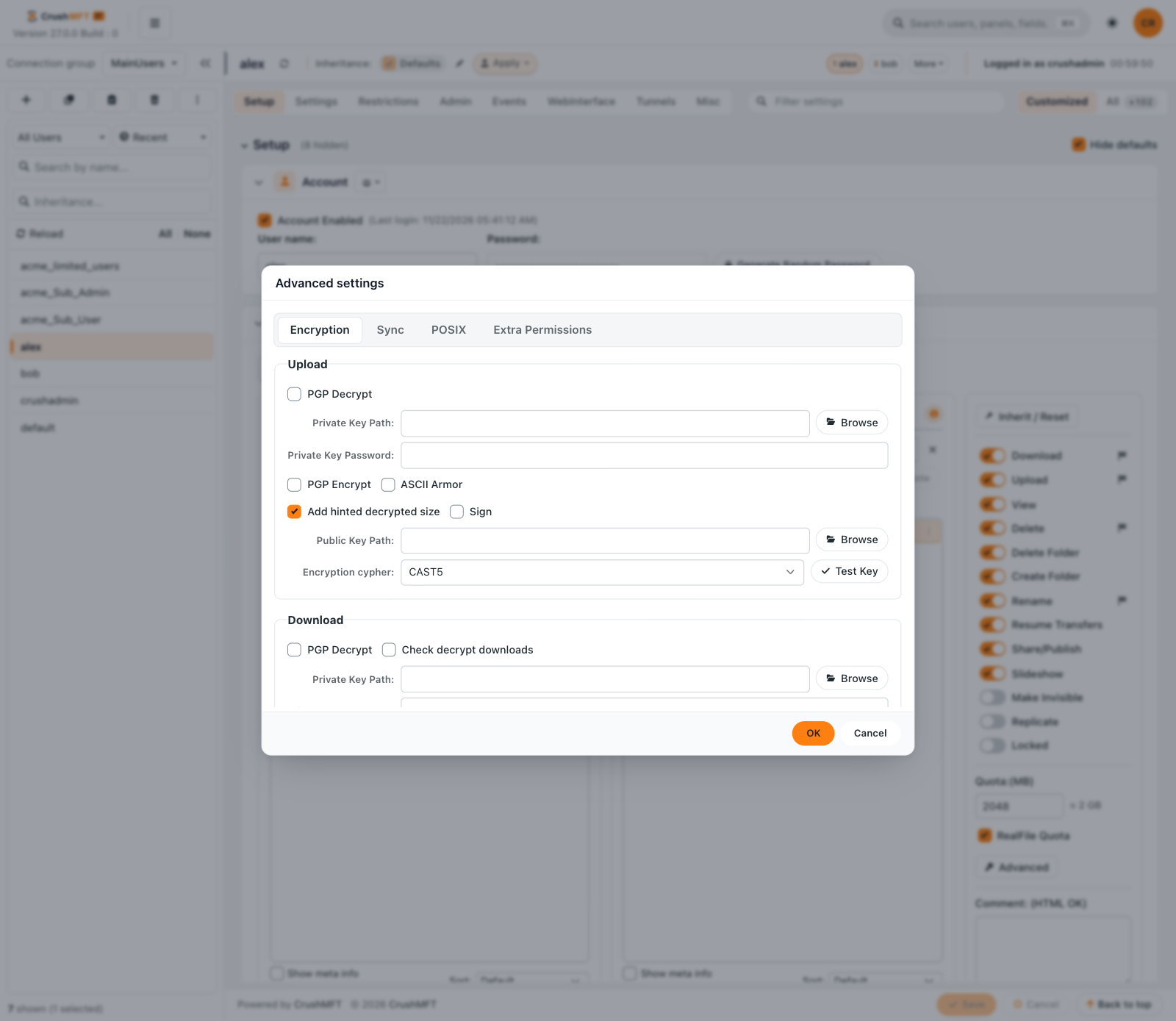
PGP while the data passes through, in two halves:
| Half | Setting | What it does |
|---|---|---|
| Upload | PGP Decrypt, with Private Key Path and Private Key Password | what users upload encrypted is decrypted as it arrives |
| PGP Encrypt, with Public Key Path, ASCII Armor, Sign, Encryption cypher, Add hinted decrypted size | what users upload is stored encrypted | |
| Download | PGP Decrypt, Check decrypt downloads | stored encrypted files are decrypted for the user who downloads them |
| PGP Encrypt, Check encrypt downloads, Sign | files are encrypted for the user as they leave |
Both can be on at once: a partner uploads with the transfer key, the file is decrypted in the stream and stored under the company's key, without ever lying on disk in the clear. Test Key checks that a key can be read. Keys are made in PGP.
To encrypt everything the server stores, whoever the user is, use the server-wide file encryption in Encryption.
Sync#
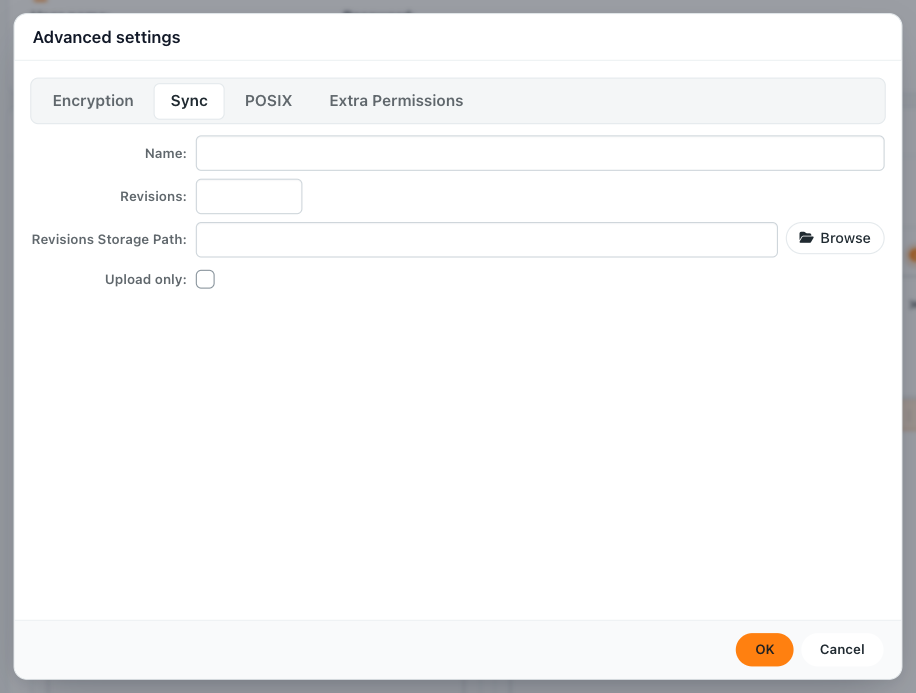
| Setting | What it does |
|---|---|
| Name | the name under which the folder is offered to CrushSync. A folder with a name is kept in step with the computers that subscribe to it. |
| Revisions | how many earlier versions of a file are kept when it is replaced: see File revisions |
| Revisions Storage Path | where those versions are kept |
| Upload only | the computers send their changes and take none |
POSIX#
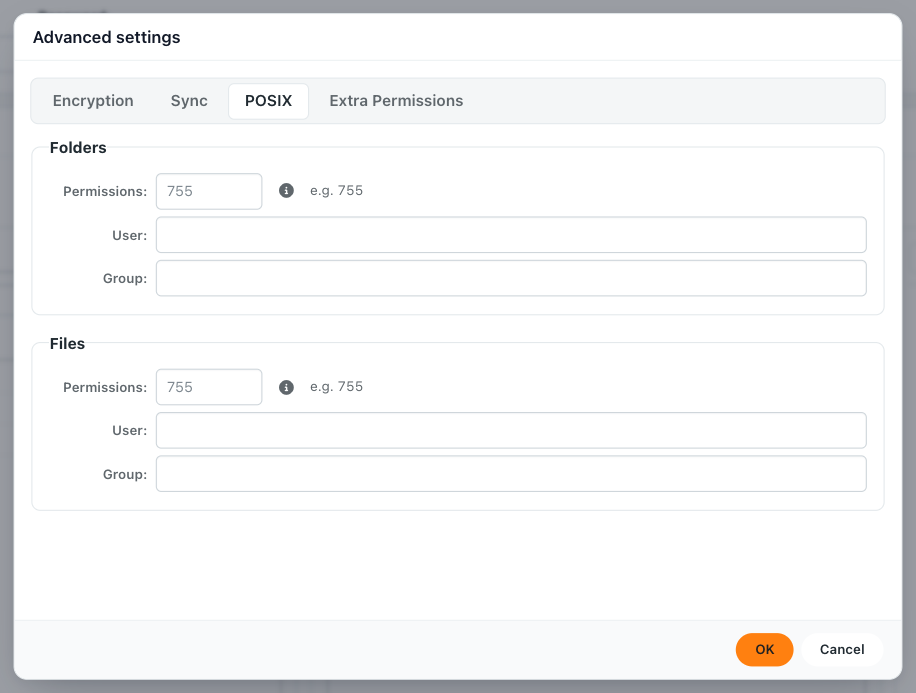
For Folders and for Files: Permissions ("e.g. 755"), User and Group that new folders and files get in this item, on a server on macOS, Linux or Unix. They win over what is set for the whole user: see POSIX owner and permissions, which also explains the digits.
Extra Permissions#
| Switch | What it does |
|---|---|
| Free Ratio | transfers in this folder do not count for the user's ratio of uploads to downloads, set in Settings |
| Dynamic Size | for folders whose files change size while they are read, such as logs that are still written: a web download is sent without a fixed length, and the server does not hold a download back to wait for a growing file to settle |