Alerts#
An alert watches for one kind of happening on the server, such as a disk that runs full, an address that was banned or a cluster node that went down. When it happens, the alert can send a mail, run a job, send an SNMP trap, or all three. Alerts are set up in the Alerts section of Preferences.
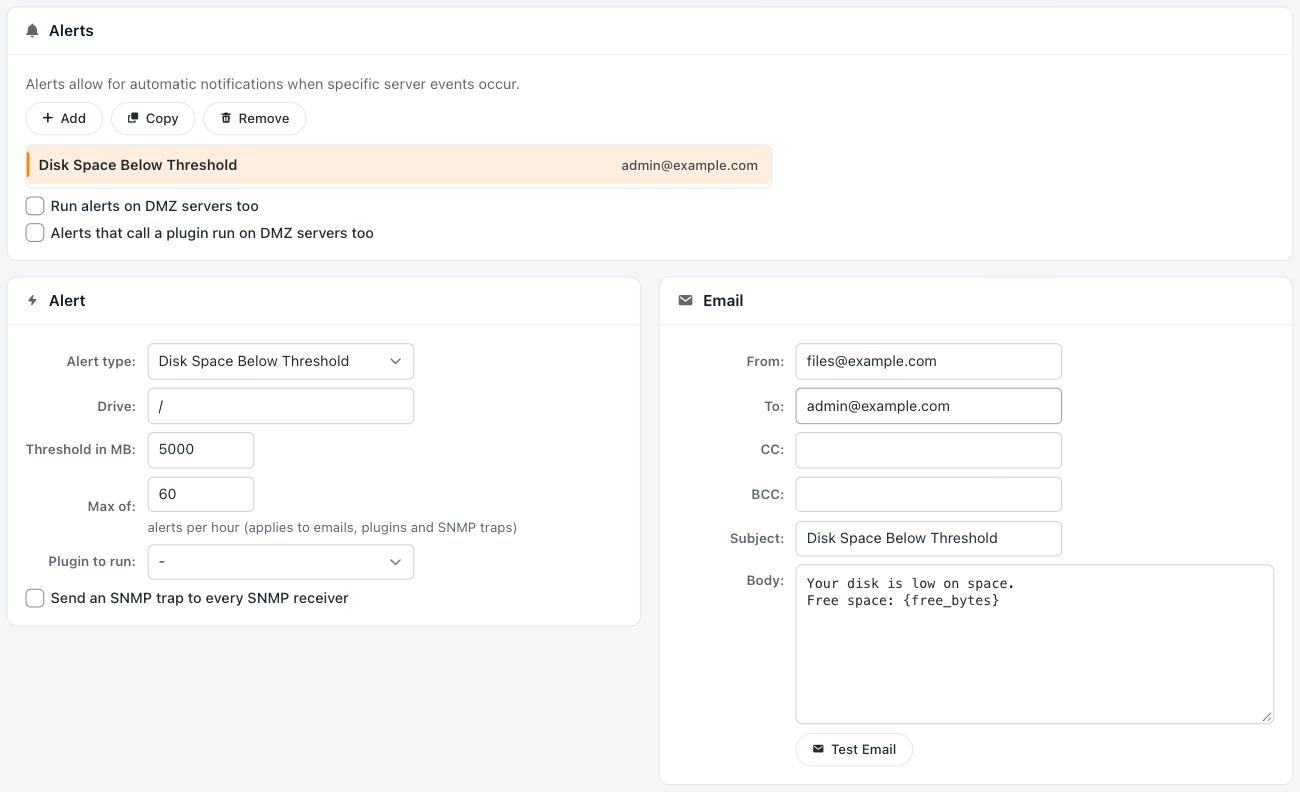
A new server has no alerts: "No alerts defined."
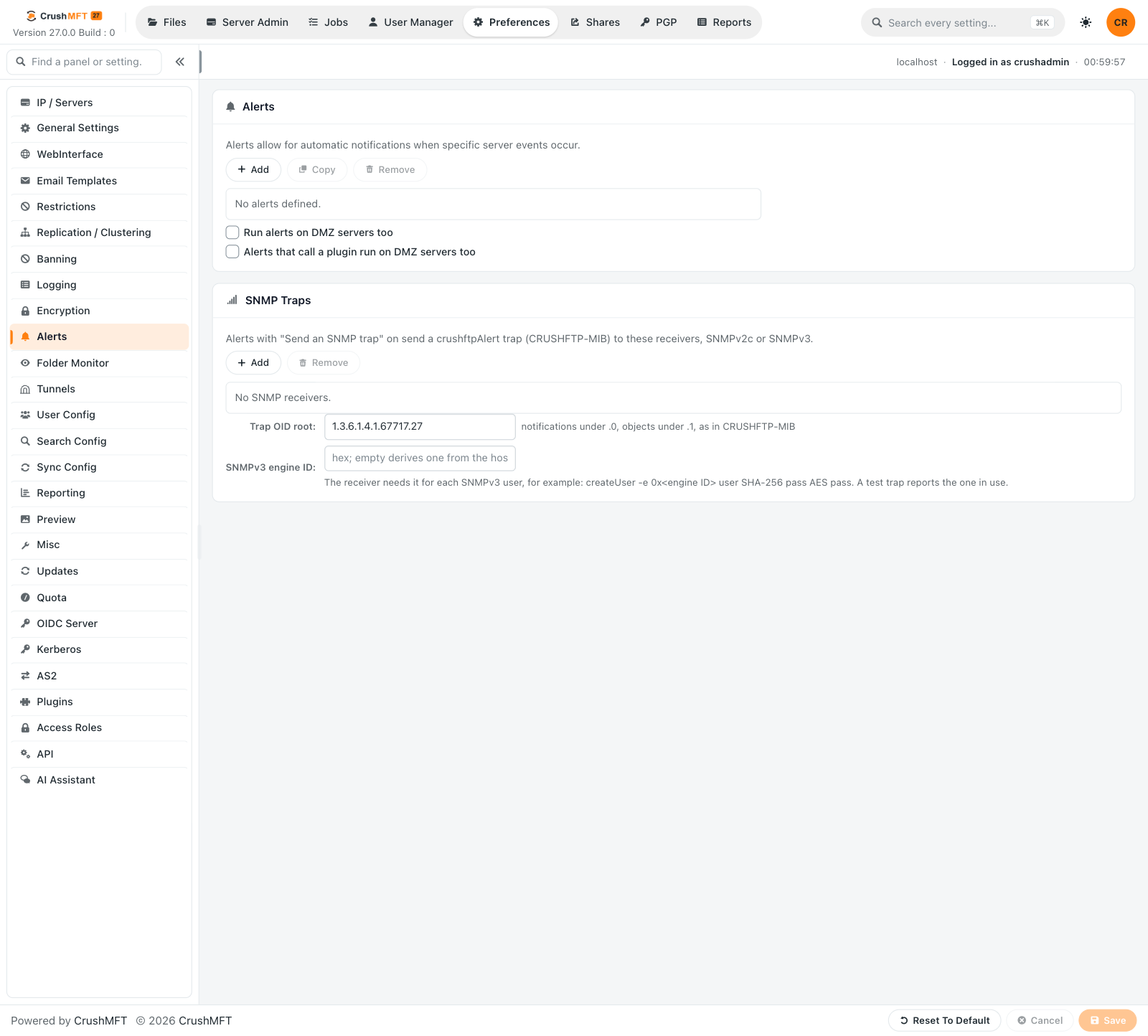
The list#
| Control | What it does |
|---|---|
| Add | adds an alert of the type No Action and opens it below |
| Copy | adds a copy of the selected alert |
| Remove | removes the selected alert, after asking "Are you sure you wish to remove this item?" |
| the list | every alert with its type and the address it mails. Click one to open it. |
There can be several alerts of the same type, for example to tell different people or to watch several disks.
An alert#
What fires it#
| Setting | What it is |
|---|---|
| Alert type | what the alert watches for, see The alert types. Choosing a type fills in a subject and a body that fit it. |
| the fields under it | some types need more: a drive and a size, a count and a time. They are listed with the types below. |
| Max of … alerts per hour | the most times this alert acts within one hour of the clock; more than that is dropped until the next hour begins. It counts mails, jobs and traps together. 60 on a new alert. |
What it does#
An alert does only what you fill in. With no To address, no job and no SNMP trap, it does nothing at all.
| Setting | What it does |
|---|---|
| Plugin to run | a job, or a CrushTask plugin, that runs each time the alert fires. The job gets the alert as its item, with the alert's subject, body and addresses and the alert's own values as variables. - runs nothing. |
| Send an SNMP trap to every SNMP receiver | sends a trap to the receivers at the bottom of the page, see SNMP traps |
| From, To, CC, BCC | the mail to send. Several addresses are separated by commas. It goes through the mail server of General Settings. |
| Subject, Body | the text of the mail, of the trap, and what a job receives |
| Test Email | sends the mail now, see Testing an alert's mail |
Each time an alert fires, the server log has a line "ALERT:" with the type, whatever the alert does.
Variables#
The subject and the body can hold variables, written {name} or %name%. Three kinds work in every alert:
| Variables | Stand for |
|---|---|
| the alert's own | what happened: each type has its own, and the body a type fills in shows them. {free_bytes} for a disk alert, {alert_msg} in many others. |
{user_name}, {user_ip} and the other {user_…} |
the user and the session the alert is about, when there is one |
{hostname}, {concurrent_users}, {ram_free} and the server's other values |
the state of the server. Every value of the server's status works, also as %server_ and its name %. |
The alert types#
The names are the ones in the Alert type list. Where a type has fields of its own, they are in the last column.
The server#
| Type | Fires when | Its own fields |
|---|---|---|
| CrushMFT Started | the server has started or restarted | |
| CrushMFT Update Available | a new version can be installed | |
| Disk Space Below Threshold | a disk has less free space than the threshold. Checked once a minute. | Drive: a path on the disk to watch, such as / or D:\. Threshold in MB. |
| Low Memory Alert, 1, 2, 3 | the server's free memory falls below a level. The three numbered types go with the three levels set in Misc: 60, 70 and 80 percent of the memory in use on a new server. The mail ends with a list of what the server was doing. | |
| Server Port Failed | a listener stopped unexpectedly | |
| Big Directory | a user listed a folder with more items than Giant directory alert in Misc allows | |
| Slow Login | a login took long, which often points at a slow LDAP or other outside service | |
| Corrupt XML Read or Write | a settings or user file could not be read or written | |
| Invalid Email Attempted | a mail the server tried to send was refused | |
| Plugin Message | a plugin reported something | |
| Update Object | an administrator changed settings or a user. The mail holds what was changed ({update_object_path}) and the list of changes ({update_object_log}). |
Path filter: a pattern for what was changed. Log filter: a pattern for the list of changes. * in both for every change. |
| Variable Watcher | a value of the server meets a condition you set, see Watching a value | Compare, Condition, With |
| No Action | never. A new alert has this type until you choose one. |
Logins, bans and security#
| Type | Fires when | Its own fields |
|---|---|---|
| Security Alert | the server banned an address for hammering, or met another security problem | |
| IP Banned for Failed Logins | an address was banned for too many failed logins | |
| Repeated Login Failure | a user name has failed to log in this many times | Failure count |
| Repeated Login Failure User Banned | a user name was blocked for too many failed logins | |
| Login Frequency | a user logged in more than Login count times within Seconds interval | Seconds interval, Login count |
| Login Frequency Banned | a user name was blocked for logging in too often | |
| Too Many Active Logins | one user has more than Login count sessions open that all began within the last Seconds interval | Seconds interval, Login count |
| Proxy Blacklisted Site Attempted | someone tried to reach a site through the server's proxy that is not allowed | |
| Admin Operation Blocked Due to IP Policy Violation | someone tried to administer the server from an address that is not allowed to | |
| Certificate Pin Blocked | the server refused a connection to another machine because its certificate was not the pinned one | |
| VFS Bad Credentials | a user's storage could not be reached with the name and password it is set up with |
What bans an address or blocks a user name is set in Banning.
Users#
| Type | Fires when | Its own fields |
|---|---|---|
| New User Created | an administrator made a new user | |
| User Changed Password | a user changed their password | |
| User Changed Property | a user changed a field of their own account | |
| User Updated TwoFactor Secret | a user set up two-factor sign-in anew | |
| User reached quota percentage | an upload took a user's used space over this share of their quota | Percentage of quota to be reached for this alert: a number |
| User Exceeded Upload Transfer Amount Per Session, Per Day, Per Month | a user went over their upload limit for a session, a day or a month | |
| User Exceeded Download Transfer Amount Per Session, Per Day, Per Month | the same for downloads | |
| User Upload Speed Below Minimum, User Download Speed Below Minimum | a transfer of a user ran slower than the least speed set for that user |
Jobs#
| Type | Fires when |
|---|---|
| Job Changes | a job was changed. The mail says which job and what changed. |
| Skipped scheduled job | a job did not start at its scheduled time |
| Job Engine Not Responding | a job engine stopped answering, and again when it is back |
| Job Max Runtime Reached | a job run, or one of its tasks, reached the longest time it may take and was stopped |
Reports#
| Type | Fires when |
|---|---|
| Report Alert | a report alert fired, an expected file is missing, or a report schedule had a problem |
| Report Store Problem | the activity record behind the reports dropped events, could not write, or its database fell behind |
Cluster, replication and ServerBeat#
| Type | Fires when |
|---|---|
| Cluster Node Down, Cluster Node Recovered | a server of the cluster stopped answering, and when it is back |
| Cluster Node Partly Reachable | a server of the cluster is reachable from some servers only |
| Cluster Member Added, Cluster Member Removed | a server joined the cluster or was taken out |
| Cluster Member List Behind | a server has had another member list than the rest for ten minutes |
| Cluster Peer Refused | a connection from another server was refused |
| Cluster Enrolment Failed | joining codes were made void after wrong tries |
| Cluster Identity Cloned | two processes report as the same server |
| Cluster Identity Unreadable | the key of a server cannot be used |
| Replication Falling Behind, Replication Peer Unreachable | replication to another server is late, or the other server cannot be reached |
| ServerBeat Alert, ServerBeat Impaired | ServerBeat reports something, such as the shared address changing hands, or cannot do its work |
The types marked "and when it is back" tell about a state: they fire when it turns bad and once more when it is good again. {health_state} in their text says which.
Watching a value#
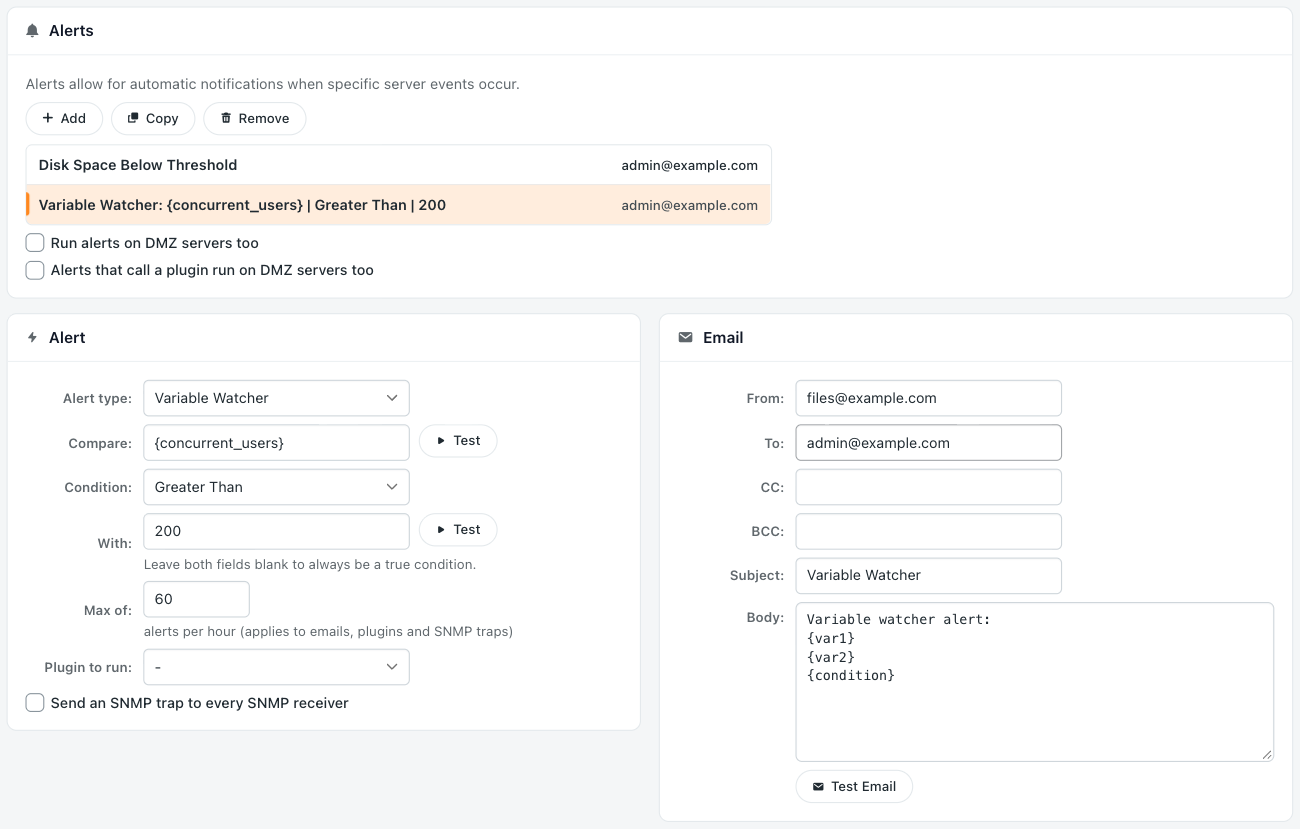
A Variable Watcher compares two things once a minute and fires while the condition holds.
| Field | What it is |
|---|---|
| Compare | a variable of the server, such as {concurrent_users}, or a fixed text |
| Condition | Contains, Doesn't Contain, Equals, Doesn't Equal, Greater Than, Greater Than Or Equal, Less Than, Less Than Or Equal, Matches Pattern, Doesn't Match Pattern |
| With | what to compare with: a number, a text, a pattern, or another variable |
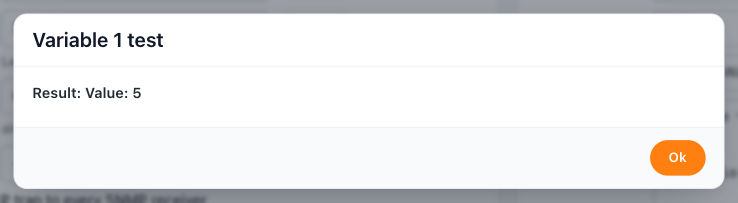
| Test | shows what the field stands for right now |
The four greater and less conditions compare numbers; if either side is not a number, the alert does not fire. With both fields empty the condition is always true: the alert then fires every minute, as often as Max of allows.
In the mail, {var1}, {var2} and {condition} stand for the two values and the condition.
Testing an alert's mail#
Test Email sends the alert's mail at once, to the addresses on the screen, with the subject and the body as they are typed: variables are not filled in. It uses the mail server as it is saved in General Settings.
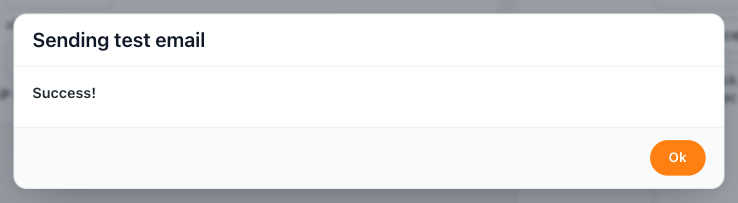
"Success!" means the mail server took the mail. Other answers are explained in Testing settings.
Saving#
Save at the bottom saves the alerts and the SNMP receivers together (saving). A quota alert whose percentage is not a number stops the save: "User quota percentage value is invalid, it must be numeric value".
On a DMZ server#
An alert that fires on a DMZ server is passed to the internal server, which sends the mail and runs the job.