TFTP#
TFTP is a very simple file transfer over UDP, without login and without encryption. Hardly anything uses it any more, except network devices and other appliances that fetch their firmware or save their configuration with it.
A listener of the protocol TFTP (TFTP://) lets such devices hand files to CrushMFT. It is made in IP / Servers; the usual port is UDP 69.
How it works: a way through#
TFTP has no users, and everything in CrushMFT belongs to a user. So the TFTP listener is a way through: what arrives over TFTP is passed on, by the listener, to another server over another protocol, with a login that you set. That other server is nearly always CrushMFT itself.
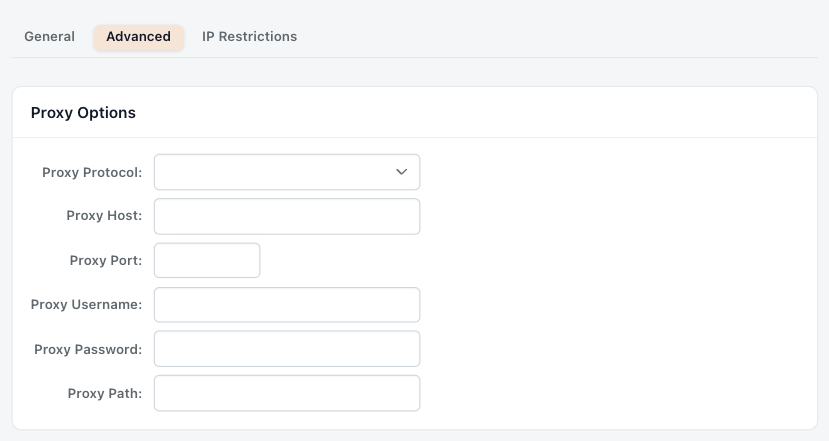
| Setting | What it is |
|---|---|
| Proxy Protocol | how the listener passes requests on: FTP, FTPS, FTPES, HTTP, HTTPS, WEBDAV, WEBDAV2, or Normal |
| Proxy Host, Proxy Port | where: usually 127.0.0.1 and the port of a listener of this same server |
| Proxy Username, Proxy Password | the user the files belong to |
| Proxy Path | the folder of that user in which the files of the devices are |
Setting it up#
- Make a user for the devices, such as
tftp, with one folder and only the permissions the devices need: download to hand out firmware, upload to take configurations. - Make sure a listener for FTP or HTTP exists on
127.0.0.1. - Add the TFTP listener and fill in the proxy fields with that listener and that user.
- Point a device at the server's address.
To store the files somewhere else, such as a file server or a cloud bucket, give the user tftp a folder that points there: see The virtual file system. The TFTP listener stays as it is.
A login in the file name#
A device can name a user itself, in the file name it asks for:
user:password:/file.bin
The listener then logs in as that user instead of the one in the proxy fields. Without it, the proxy user is used.
Before you use it#
TFTP has no protection of its own: no password that is not sent in the clear, no encryption, no check of who is asking.
- Give the listener an address of the device network only, and restrict it to the devices: IP restrictions of a port.
- Keep the TFTP user's folder small and separate. Never let it reach anything else.
- Do not open it to the internet.