The email designer#
The email designer builds the body of an email template from blocks: a header bar, a text, a button, a footer. It writes the HTML for you, in the form mail programs show the same way: tables and inline styles.
To open it, choose a template in Preferences › Email Templates and tick Advanced. The designer takes the place of the plain body editor. Untick Advanced to go back.
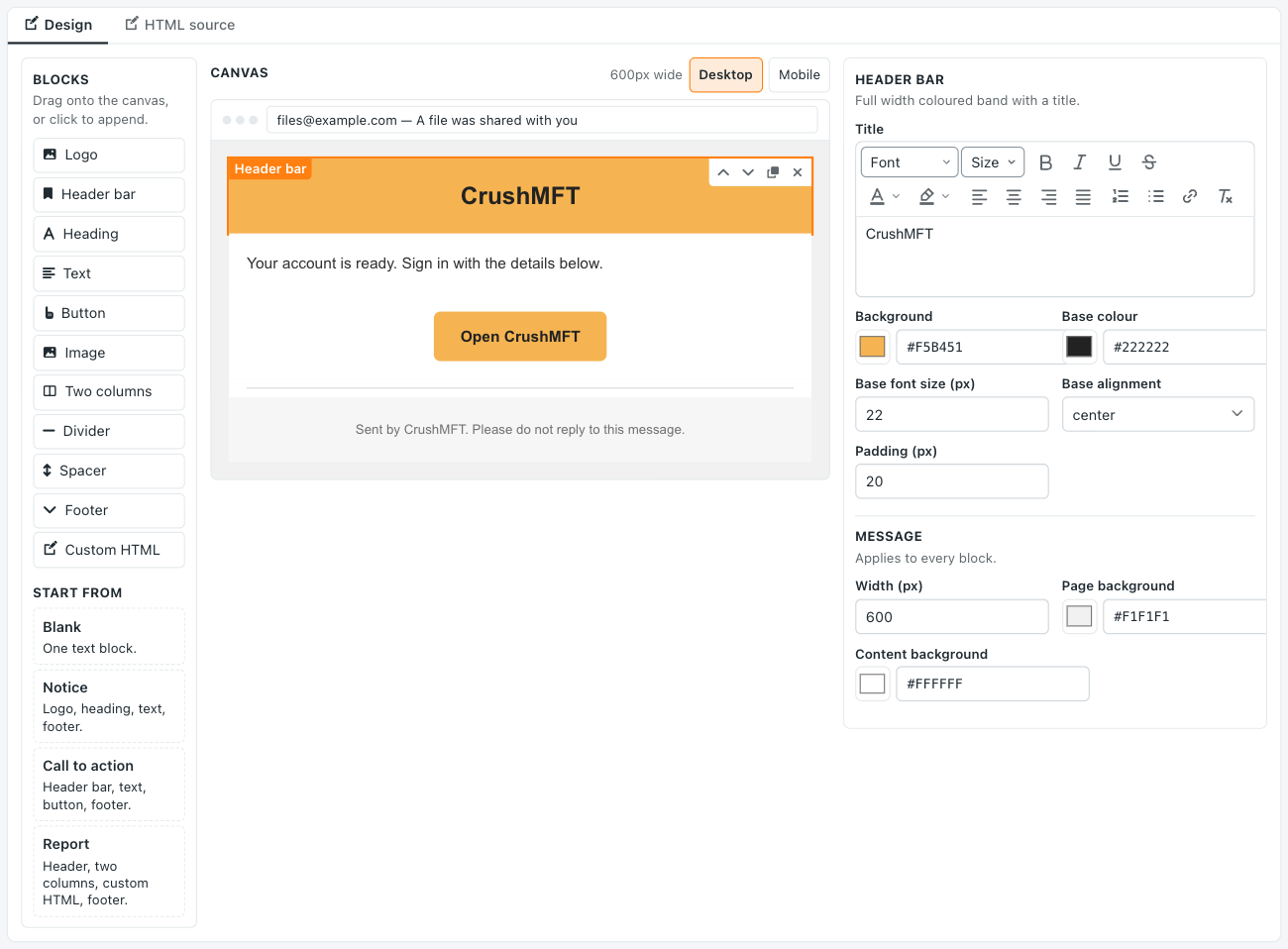
| Part | What it is |
|---|---|
| Blocks (left) | the kinds of block you can add |
| Start from (left, below) | four ready layouts |
| Canvas (middle) | the mail as it will look, with its sender and subject in the bar above it |
| the panel on the right | the settings of the selected block, and under Message those of the whole mail |
| Design, HTML source (tabs) | the canvas, or the HTML the designer wrote |
Starting a mail#
Click a layout under Start from. It replaces what is on the canvas.
| Layout | Holds |
|---|---|
| Blank | one text block |
| Notice | logo, heading, text, footer |
| Call to action | header bar, text, button, footer |
| Report | header bar, two columns, custom HTML, footer |
An empty template shows "Nothing here yet": pick a layout, or drag a block in.
Working with blocks#
| To | Do this |
|---|---|
| add a block | click it under Blocks to put it at the end, or drag it onto the canvas to where it belongs |
| select a block | click it on the canvas. Its name appears on its corner and its settings on the right. |
| change its text | type on the canvas, in a header bar, heading, text or footer; or use the box on the right |
| move it | drag it, or use the arrows up and down on its corner |
| copy it | the copy button on its corner puts a second one below it |
| remove it | the × on its corner |
The blocks#
Every block has Padding (px), the space around it. Blocks with text have Base colour, Base font size (px) and Base alignment for the text as a whole; single words can be formatted in the text box. Blocks without a background of their own have Block background, which is empty for "the same as the message".
| Block | What it is | Its settings |
|---|---|---|
| Logo | a centred picture, sized for the top of a mail | Image URL, Alt text, Width (px), Align |
| Header bar | a coloured band across the mail with a title | Title, Background |
| Heading | a line of large text. New ones read "Hello {user_name}". | Text |
| Text | a paragraph | Text |
| Button | a coloured button that opens a link | Label, Link, Background, Corner radius (px) |
| Image | a picture | Image URL, Alt text, Width (px), Align |
| Two columns | two texts side by side | Left, Right |
| Divider | a thin line | Colour |
| Spacer | empty space | Height (px) |
| Footer | small print at the bottom | Text, Background |
| Custom HTML | HTML of your own, put into the mail as it is | HTML |
A picture is not stored in the template. Image URL must be an address the receiver's mail program can load, such as a picture on your web site.
Variables work in every text, and in the link of a button.
A colour is set with the colour box or typed as #RRGGBB.
The whole mail#
Under Message, for every block together:
| Setting | What it is | Default |
|---|---|---|
| Width (px) | the width of the mail | 600 |
| Page background | the colour around the mail | #F1F1F1 |
| Content background | the colour behind the blocks | #FFFFFF |
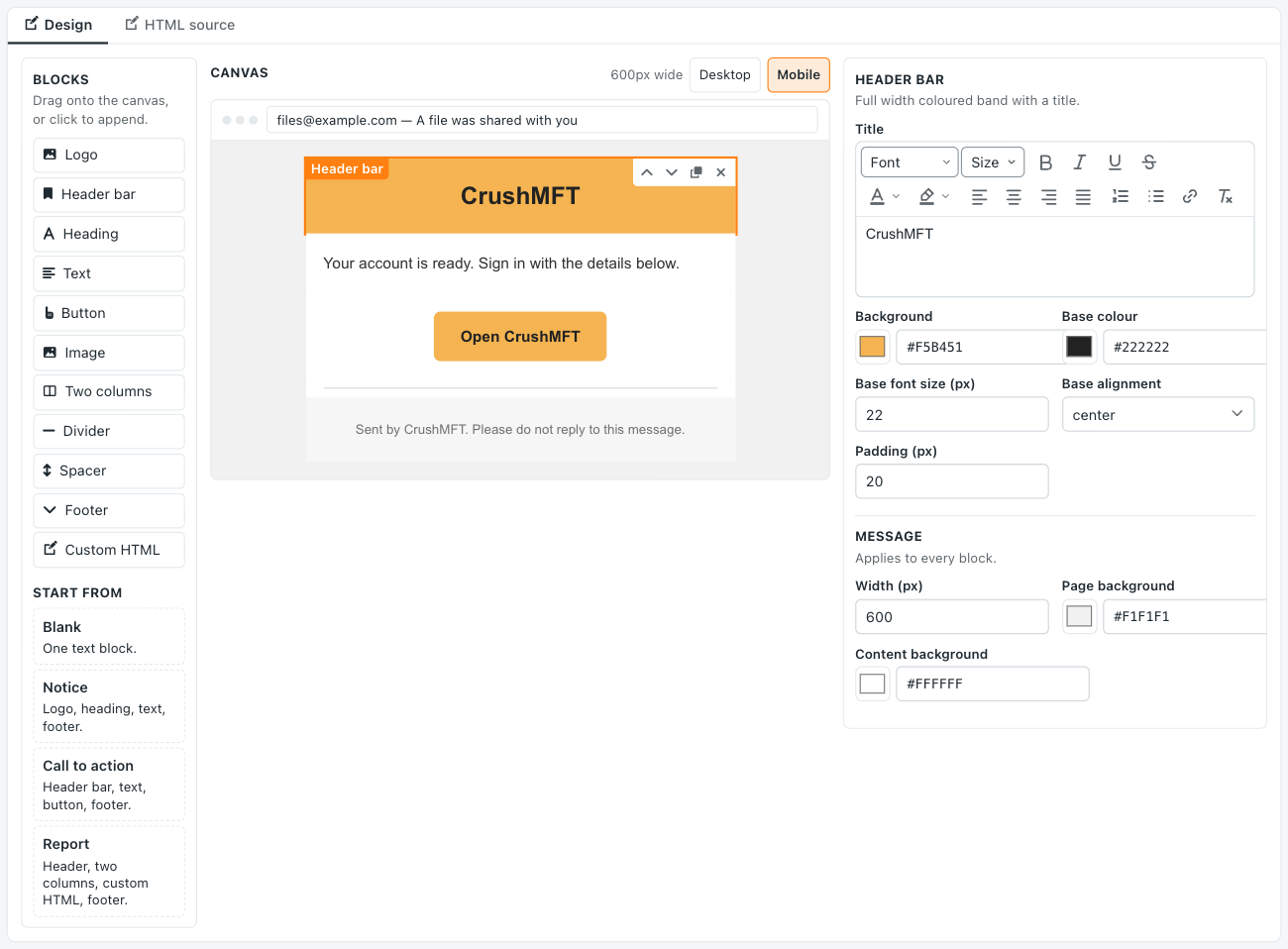
Desktop and Mobile above the canvas show the mail at its full width and at the width of a phone.
The HTML#
The HTML source tab shows what the designer wrote, and lets you change it.
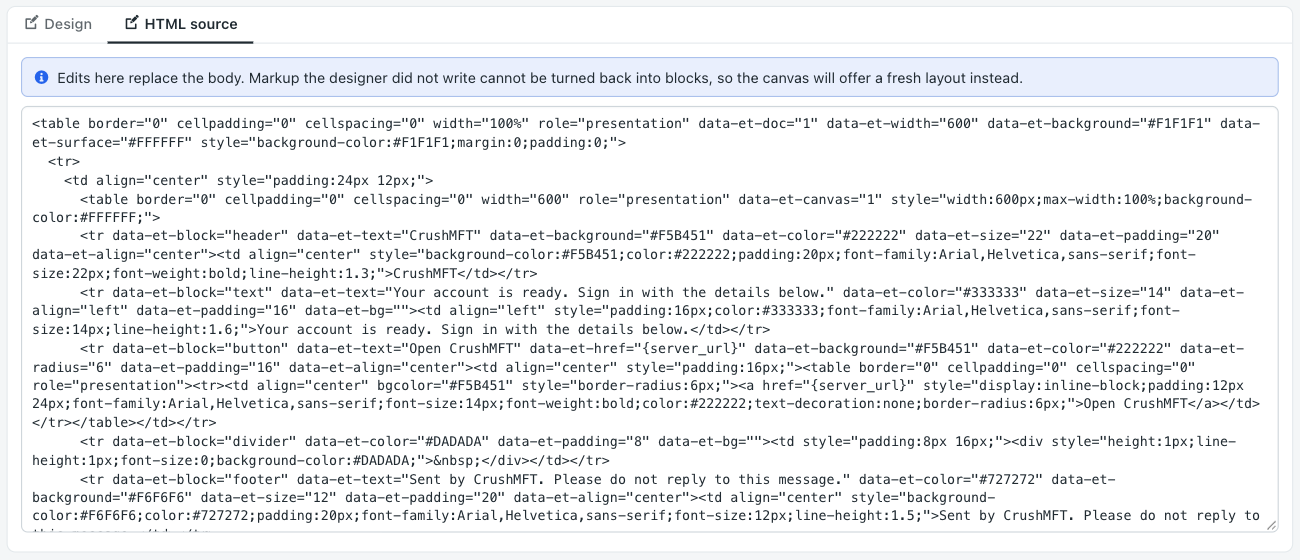
What you change there replaces the body. The designer can only turn HTML it wrote itself back into blocks. After you change the HTML by hand in ways it does not know, the canvas says "This template was not built here": the body is intact and is sent as it is, you can go on changing it as HTML, but the canvas cannot show it as blocks. Picking a layout then replaces it.
The same holds for a template that was written by hand or came from an earlier version.
Saving#
The designer changes the template on the screen. Save at the bottom of the page stores it (saving). As for every template, the body is cleaned when it is saved: scripts and other active content are taken out.