The Telnet client#
The Telnet client answers one question: can the server reach that host on that port? The connection is made by the server, not by your browser, so it tests the server's own network path: its firewall, its routes, its DNS. Use it when a remote connection of a user, a job or a mail server fails and you want to know whether the network is the reason.
It is under Admin tools on the Dashboard of Server Admin.
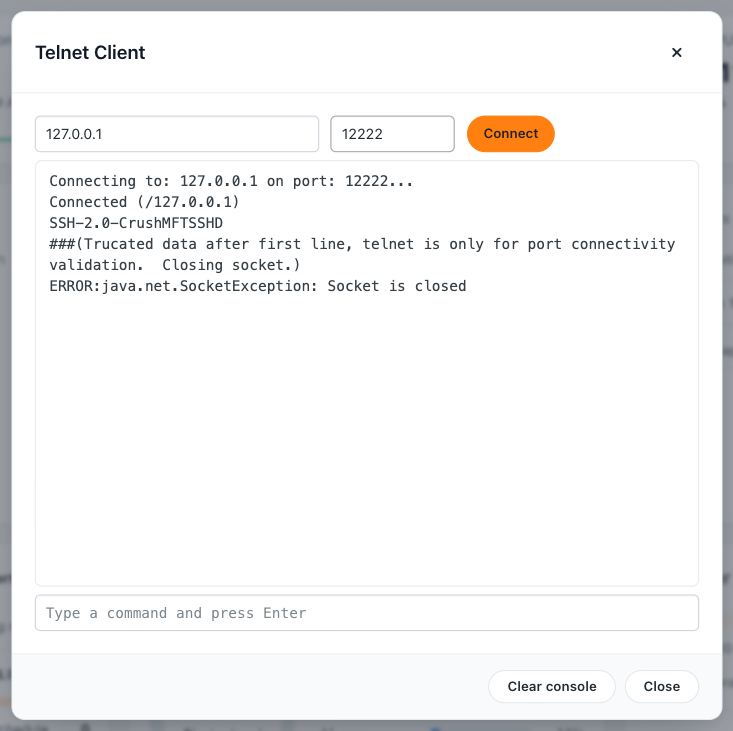
| Control | What it does |
|---|---|
| Hostname | the host to reach, as a name or an address |
| Port | the port |
| Connect | tries the connection and writes what happens into the console below |
| Telnet command | a line to send to the other side while the connection is open |
| Clear console | empties the console |
Reading the answer#
| The console says | It means |
|---|---|
Connected and a first line from the other side, such as SSH-2.0-... |
the server reached the port, and something answers there |
ERROR:java.net.ConnectException: Connection refused |
the host was reached, and nothing listens on that port, or a firewall refuses it |
| a time-out | no answer at all: a firewall drops the connection, or the address is wrong |
ERROR:java.net.UnknownHostException |
the server cannot find the name: check its DNS |
The tool is for checking that a port can be reached, not for a conversation. After the first line of the other side it says so and closes the connection:
Connecting to: 127.0.0.1 on port: 12222...
Connected (/127.0.0.1)
SSH-2.0-CrushMFTSSHD
###(Trucated data after first line, telnet is only for port connectivity validation. Closing socket.)
ERROR:java.net.SocketException: Socket is closed
The last line here is not a failure: it only says that the connection was closed again. What counts is Connected and the line under it. A command sent afterwards gets "Please connect before sending commands."