Connection profiles#
A connection profile is a saved connection to another system: the address, the login, the keys and the options, under a name. Users' folders and jobs then point at the name. When the partner changes a password, you change it in one place.
Profiles also keep secrets away from people: somebody who may use a profile does not need to know the password in it.
Saving a profile#
A profile is saved from the dialog in which a connection is described, VFS Item Properties: in the User Manager when a remote item is added to a user (see The VFS editor), and in the same dialog elsewhere in the admin pages.
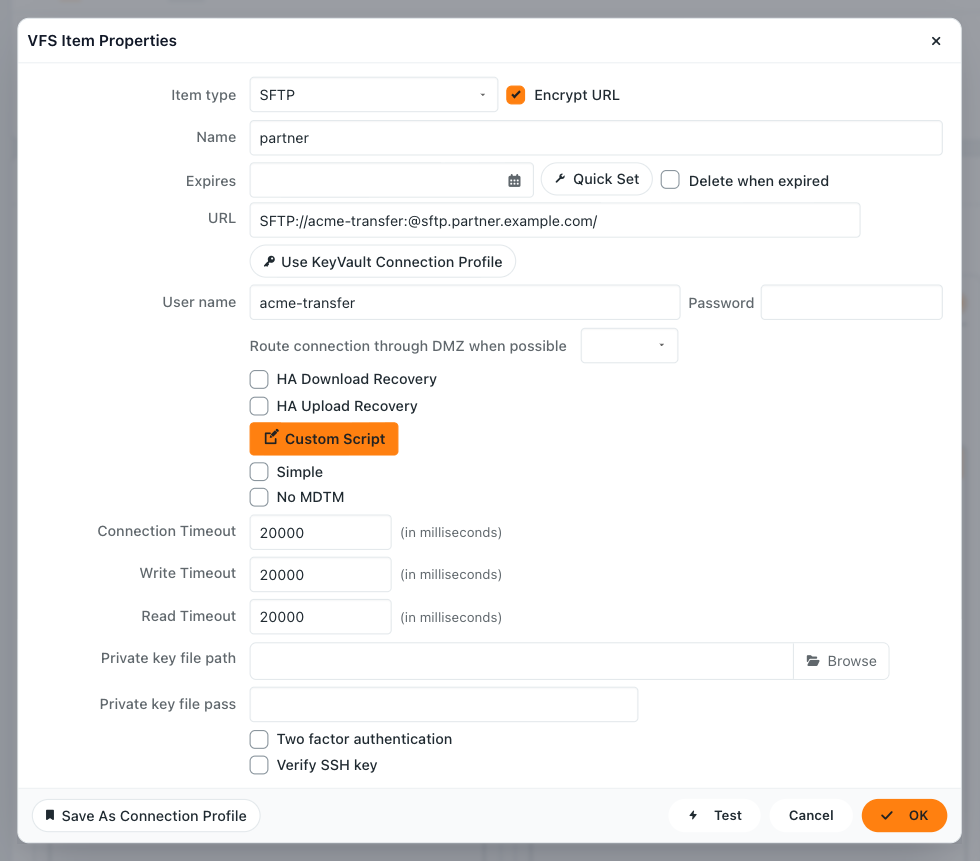
- Choose the Item type and fill in the connection.
- Press Test to see that it works.
- Press Save As Connection Profile and give it a name.
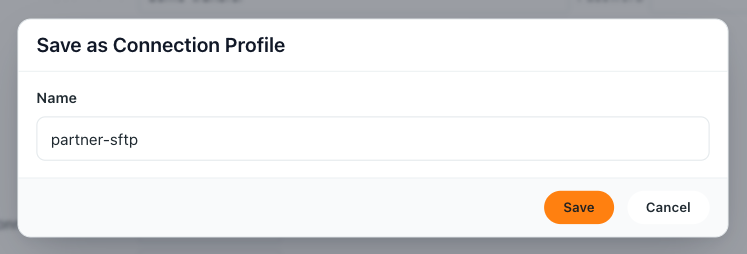
The name is a single word or phrase without /, \ or ... Saving under a name that exists replaces that profile.
Using a profile#
In the same dialog, choose the item type Connection Profile and pick one with the button Connection Profiles. The item then holds only the name of the profile, written as {connect_start}NAME{connect_end}, and a folder below it if you add one. The connection itself is read from the profile each time it is used.
Profiles are offered
- for the folders of users, in the VFS editor,
- in the tasks of jobs that connect somewhere,
- for mail: Use OAuth Connection Profile in SMTP,
- for the two special kinds OAuth and KeyVault, which hold a sign-in or a key store that other connections use.
Where profiles are kept#
As accounts of a connection group of their own, ConnectionProfiles, in the server's users folder. The address is stored encrypted. Profiles are always kept in files, also on a server whose users are in a database: see User Configuration.
They are part of a backup of the users folder, and they are replicated with the users.
Who may do what#
| Who | May |
|---|---|
| a full administrator | everything, and alone may save profiles of the kinds OAuth and KeyVault |
| an account that may edit jobs | list and save profiles |
| an account that may see or edit users | list profiles, to use them |
| a limited administrator | sees only profiles whose name starts with the name of their group and -_-, such as Sales-_-partner-sftp, and may give their users only subfolders of a profile their own template has |
With roles, what an account may point at is set under Storage in Giving a user roles: profile:Name allows one profile.
Scripts read and write profiles through the API: see Connection profiles.
Things to know#
- Deleting a profile breaks every folder and task that uses it. Search the users first: Search user settings in the menu of the user list.
- A profile is the connection as a whole. Two partners with the same server and different logins are two profiles.
- Renaming a profile does not rename it where it is used.