Connection Profiles#
Connection Profiles allow common usage in other areas.
Setup#
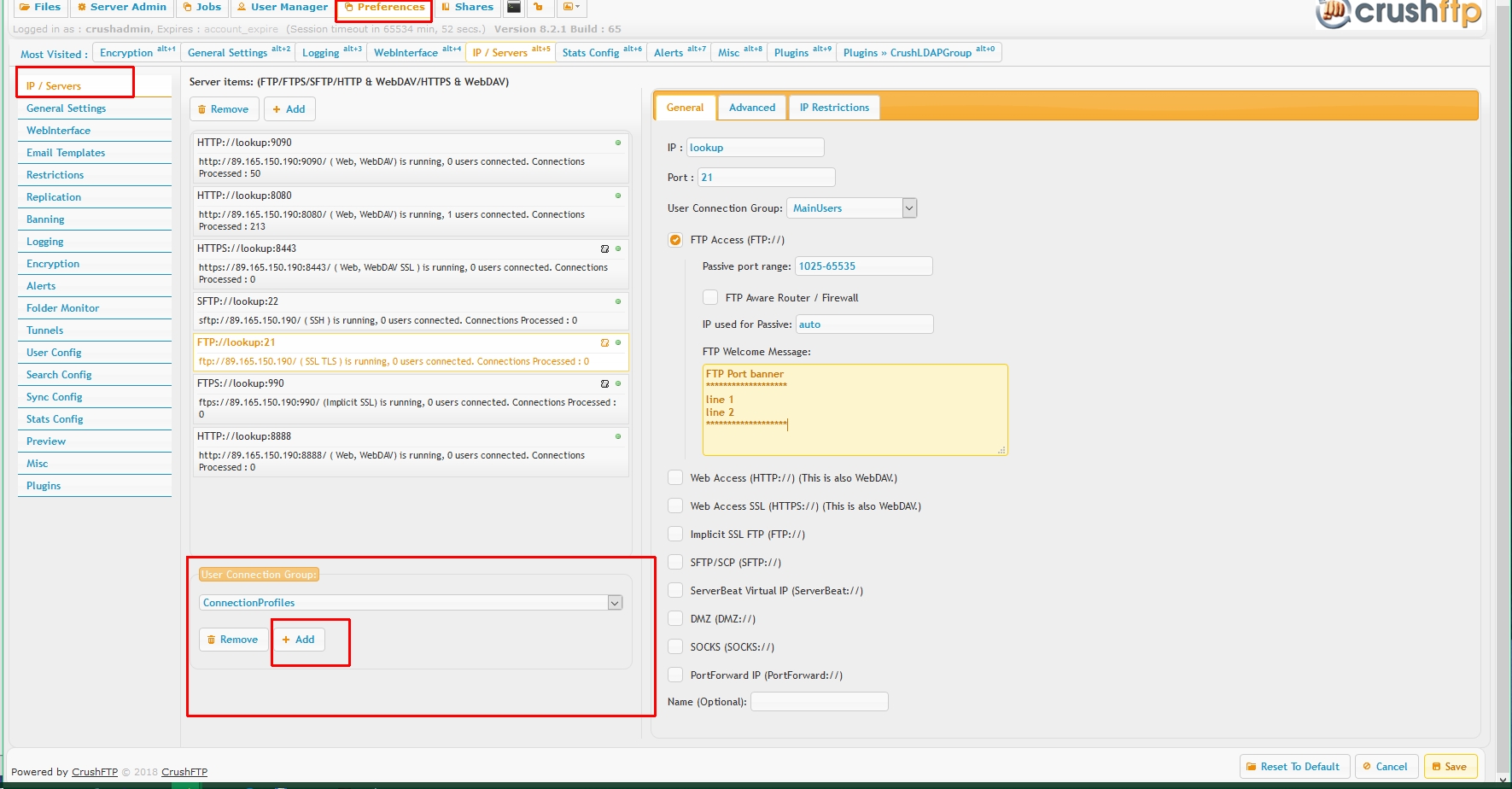
Create a User Connection Group specifically named *exactly* "ConnectionProfiles" , on Preferences->IP/servers page.
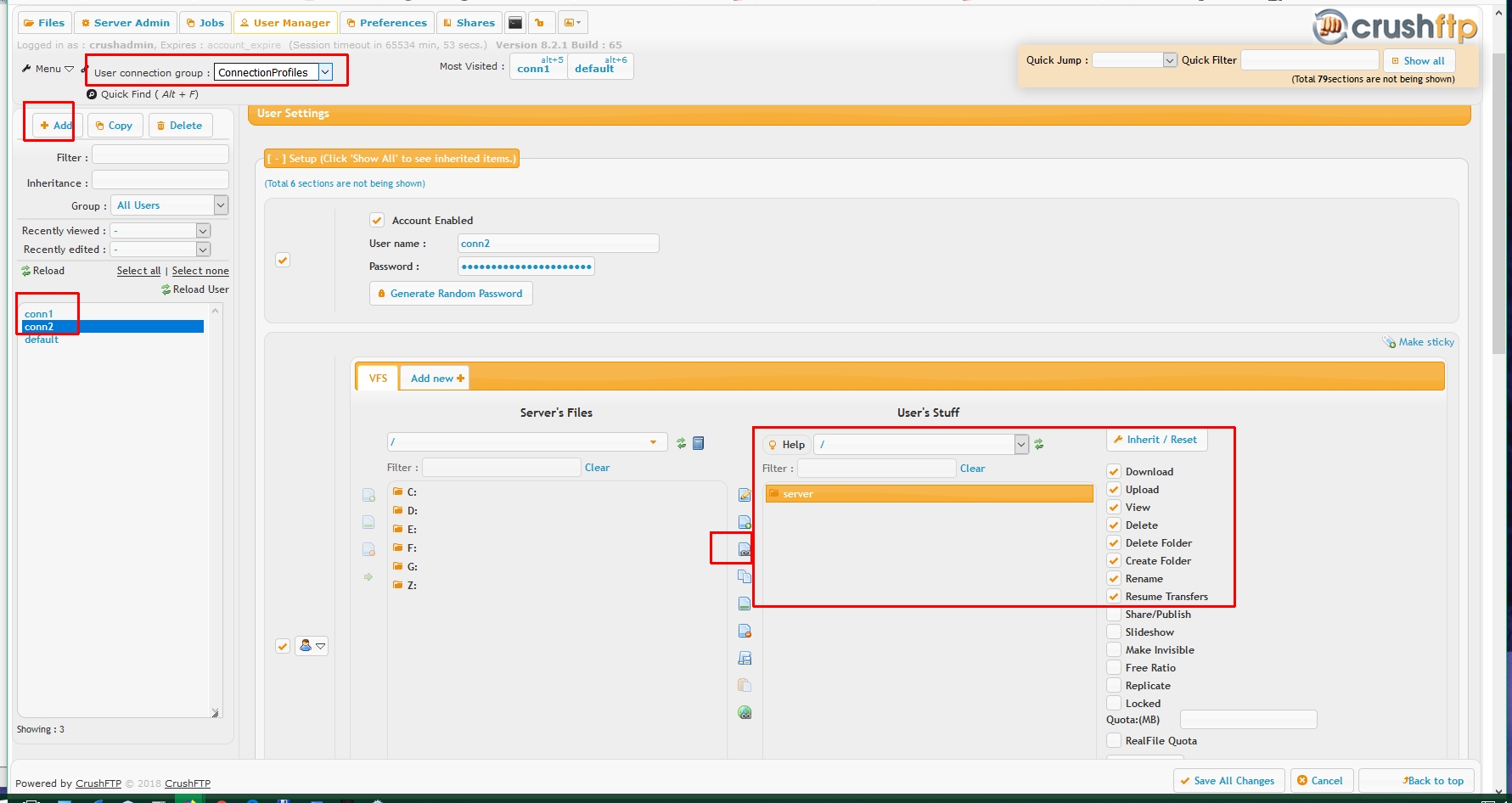
Go to user Manager, select the "ConnectionProfiles" group, create a new user, add to it a remote VFS named *exactly* "server"
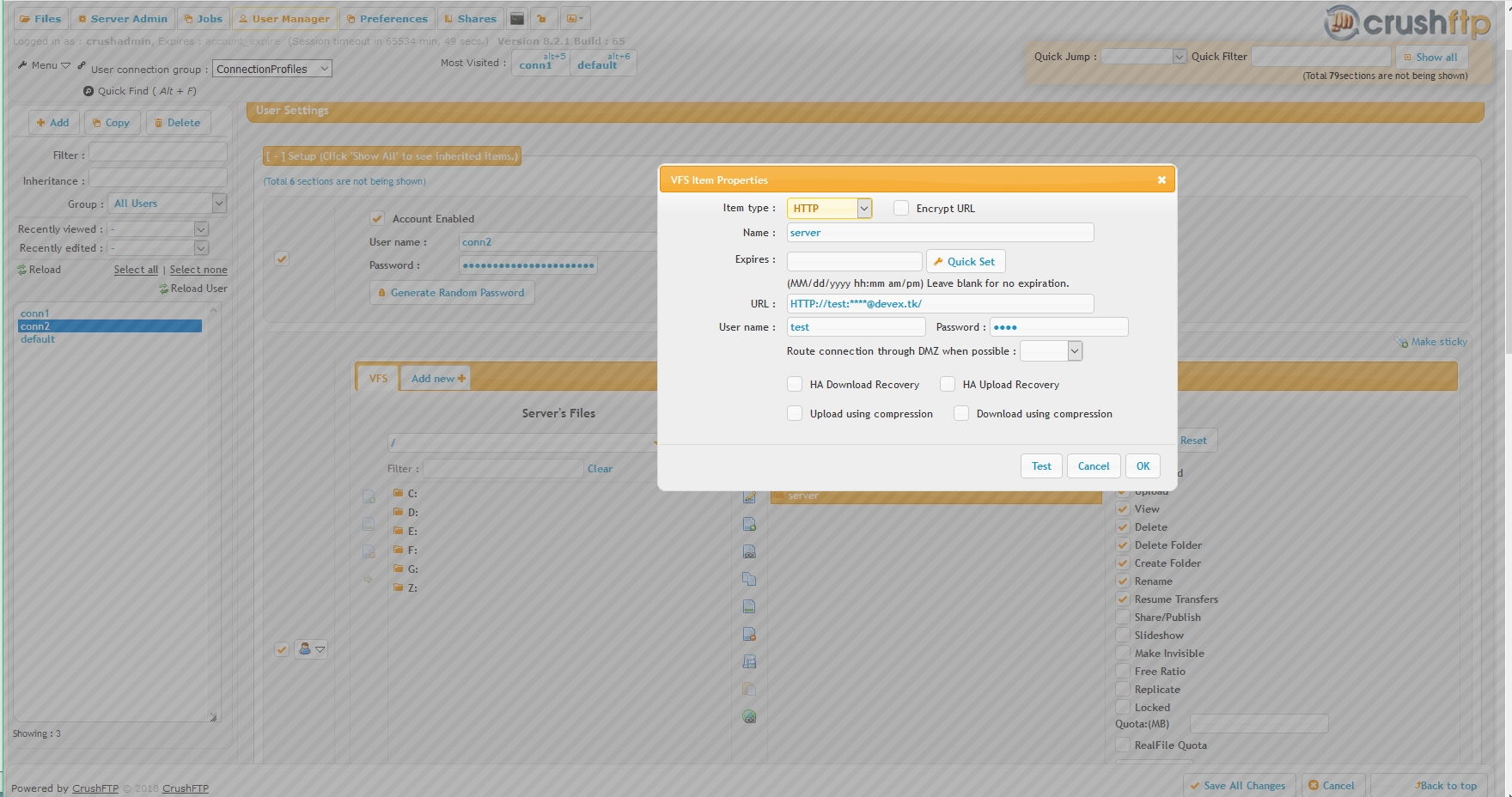
Configure this VFS item to point to a remote location:
Usage#
Then use in Job tasks with the syntax {connect_start}profilename{connect_end}. This will bring in the URL for the connection profile where that is configured.
Special Usage (rarely used functionality):#
In a UserVariable task item, you can use the name of that task item to have the connection profile. Example: {connect_start}conn2{connect_end}
Now the UserVariable task can reference any aspect about this connection.
{connect_url}
{connect_x_myvariable} - where myvariable is an Extra Text item you added at the bottom of the User Manager for this profile.
{connect_other} - where other is any other property from the XML item that was loaded.