User Connection Group Reference in job#
You can configure external connections that can be referenced a later use.
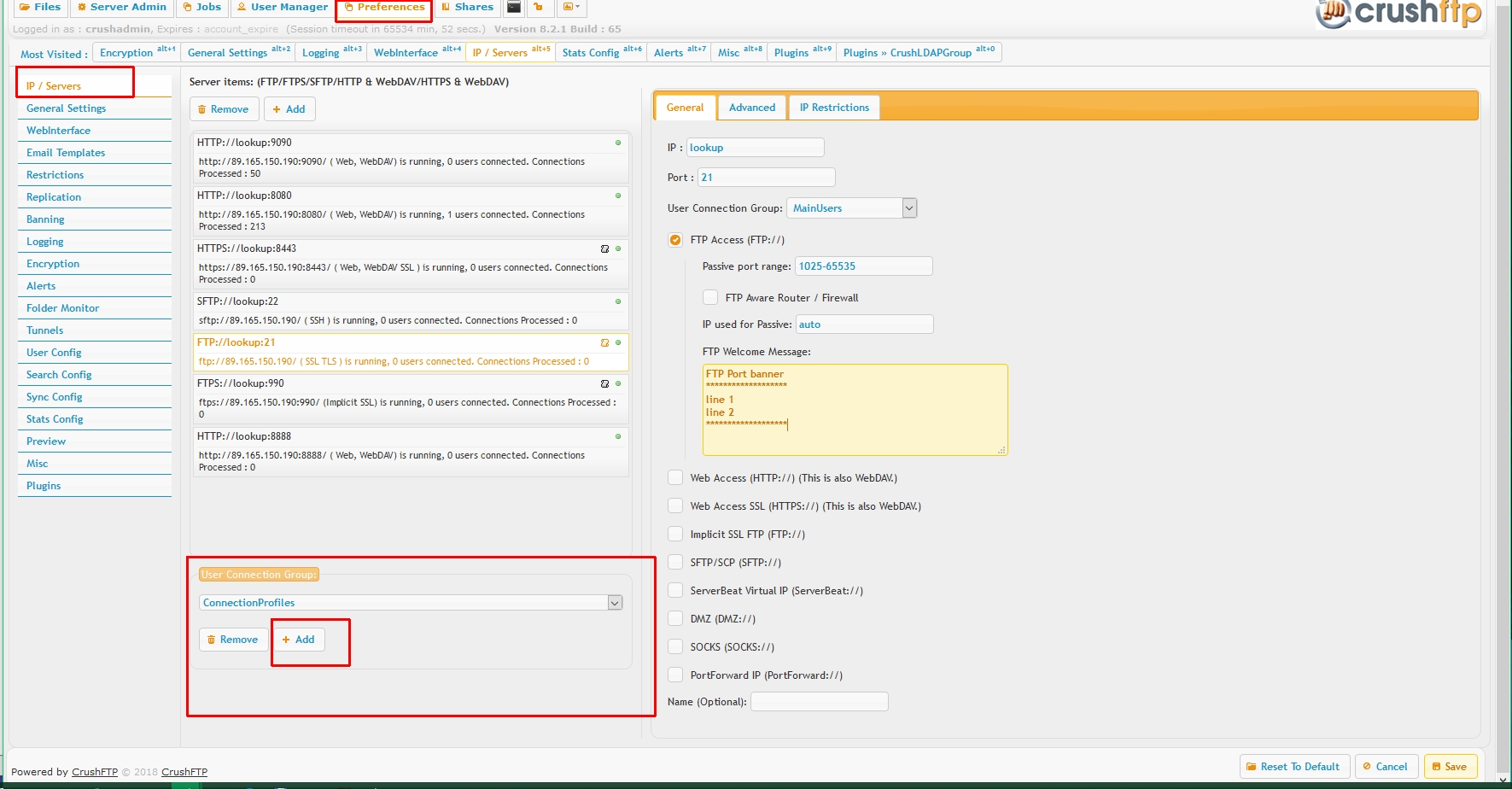
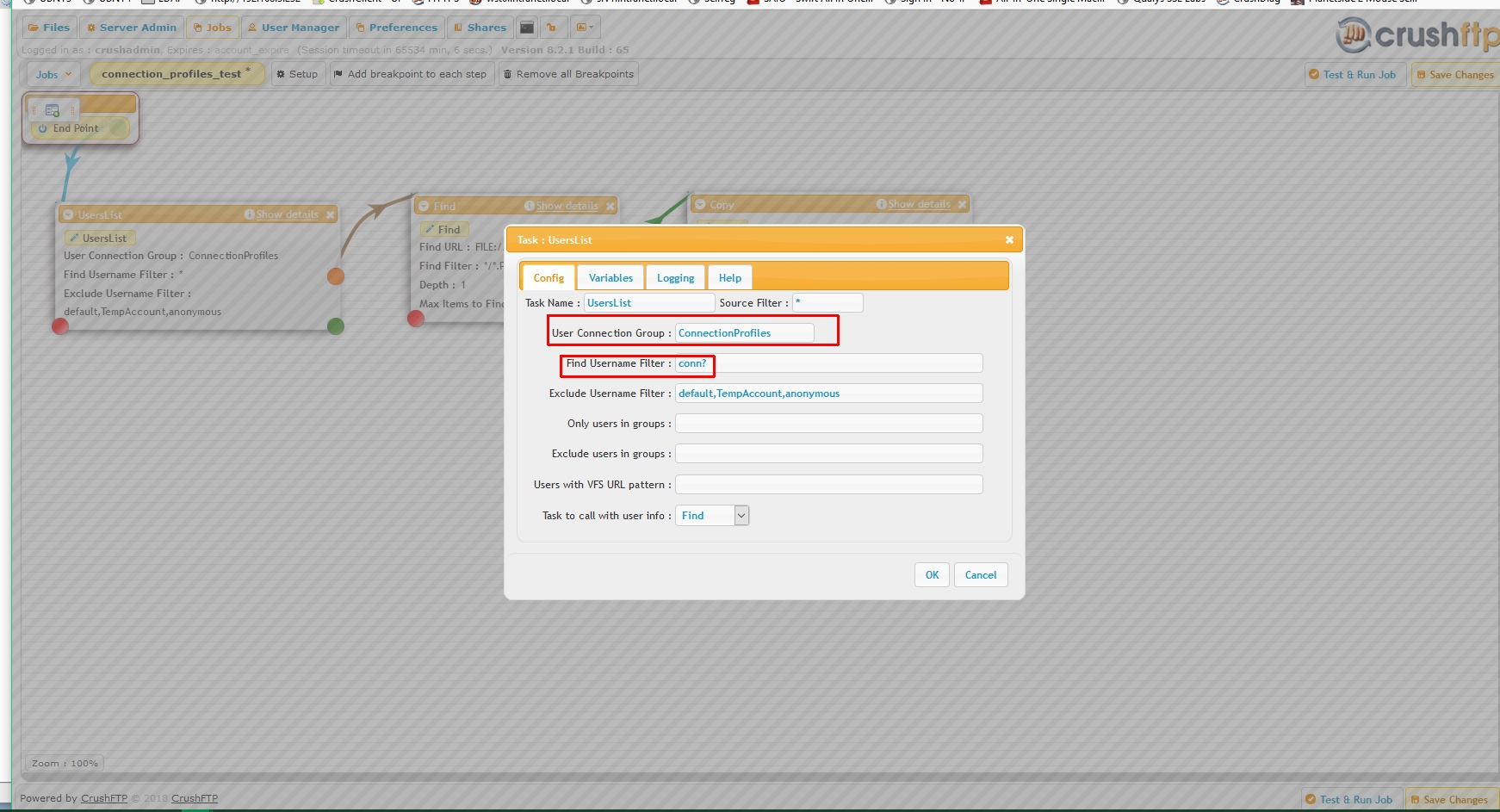
Create a User Connection Group specifically named "ConnectionProfiles" , on Preferences->IP/servers page.
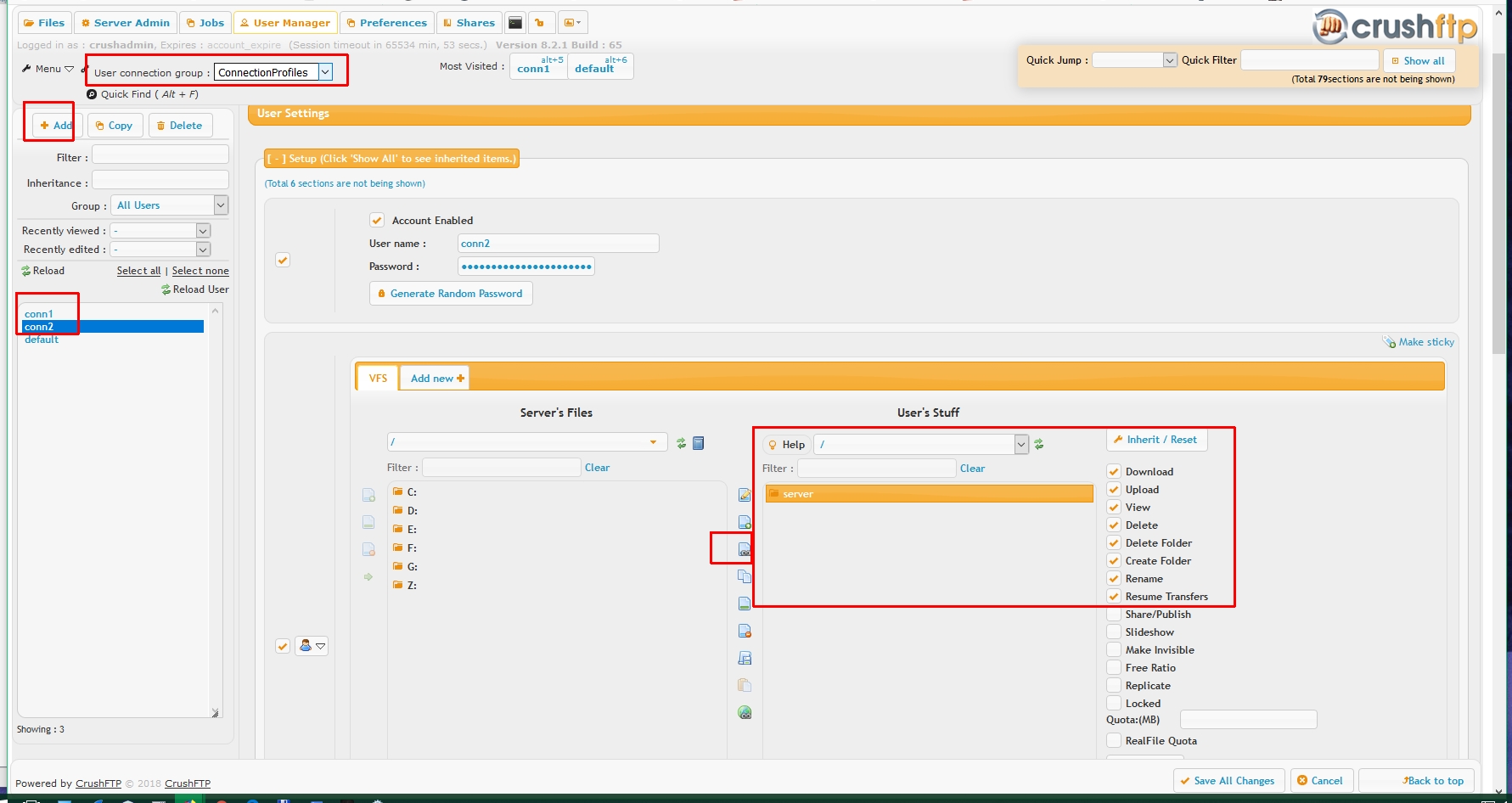
Go to user Manager, select the "ConnectionProfiles" group, create a new user, add to it a remote VFS named specifically "server"
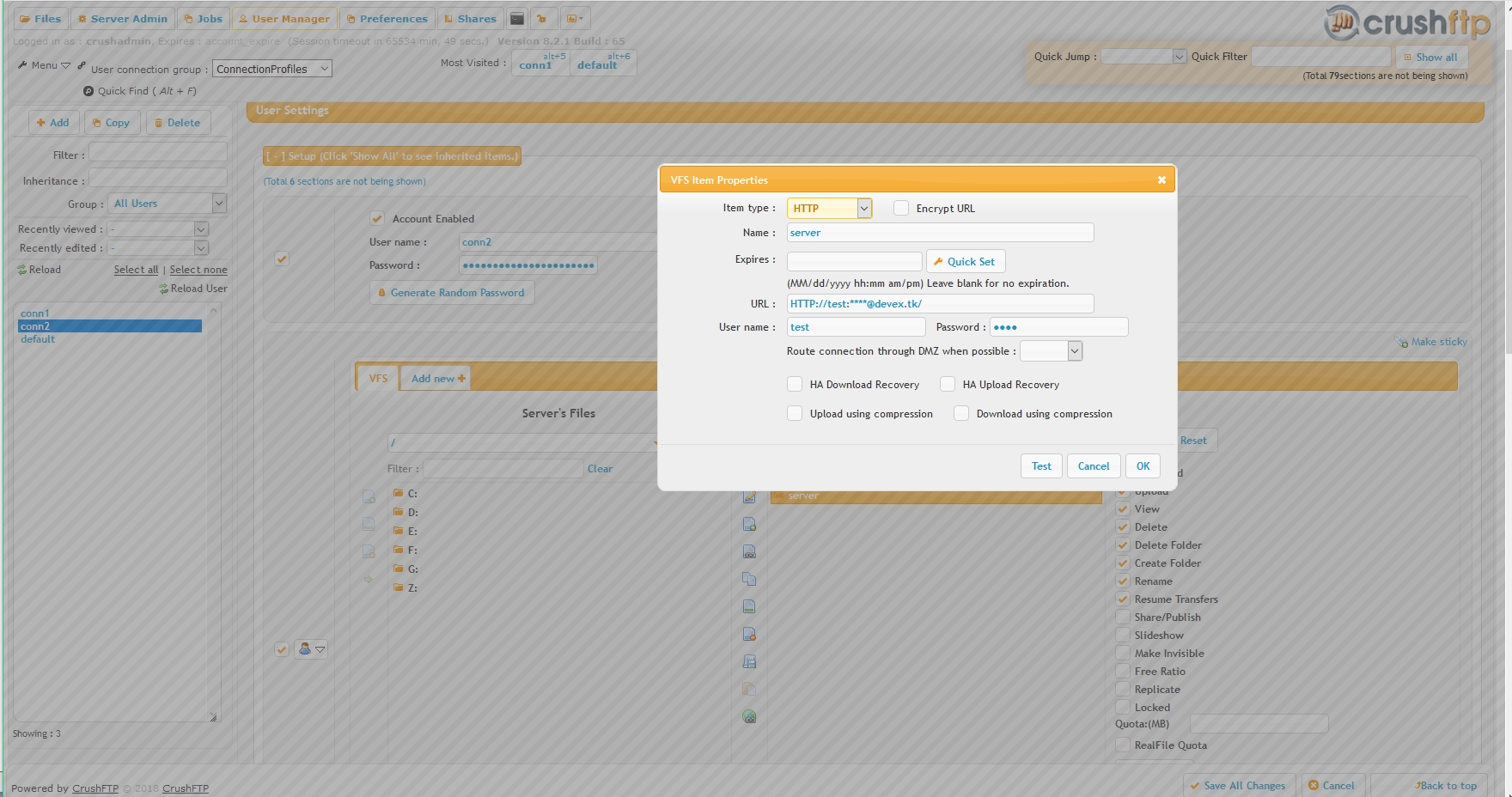
Configure this VFS item to point to a remote location ( in this example I have 2 accounts with an SFTP and an HTTP profile)
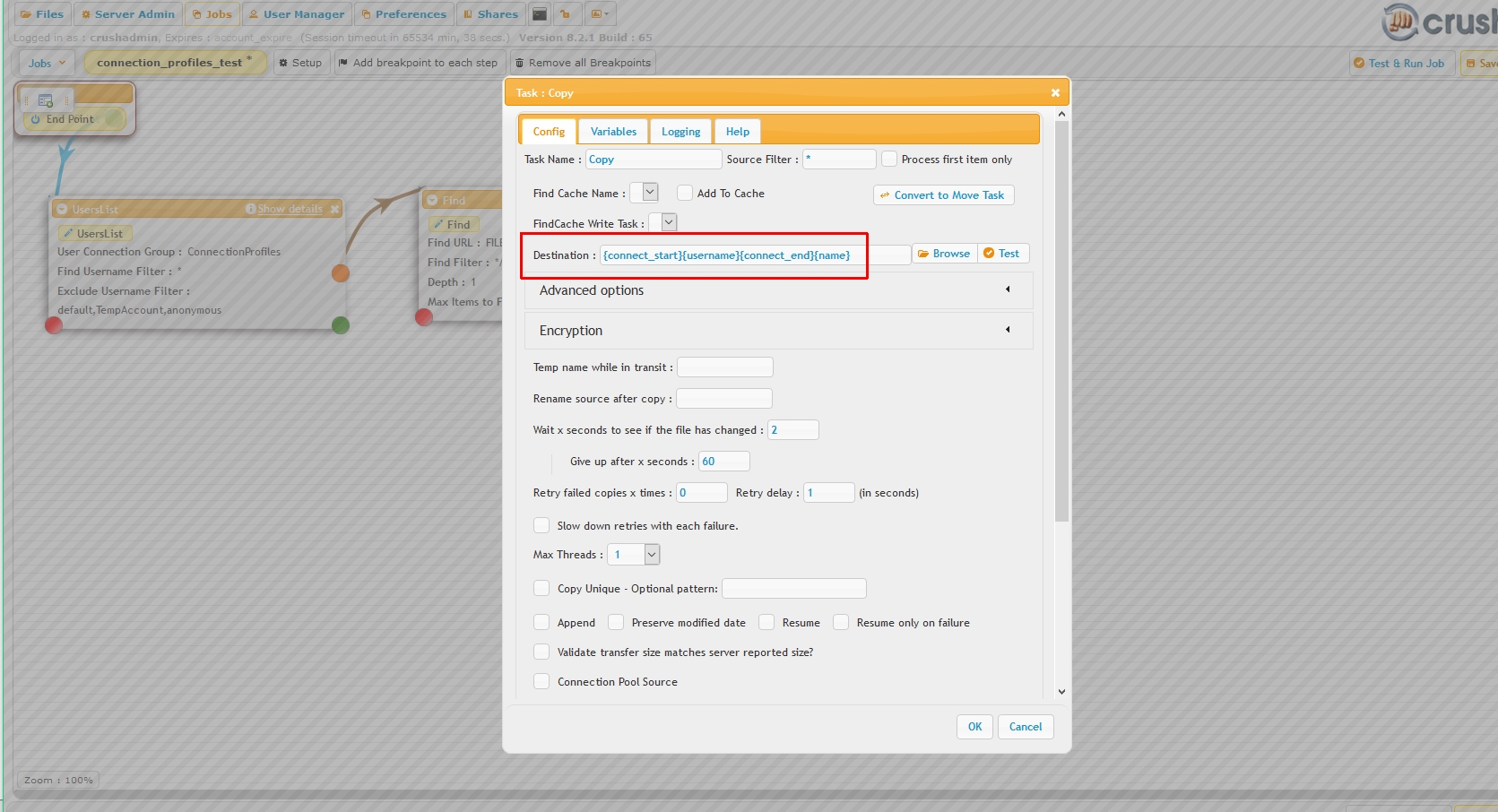
Then use in Job tasks the syntax {connect_start}profilename{connect_end}.
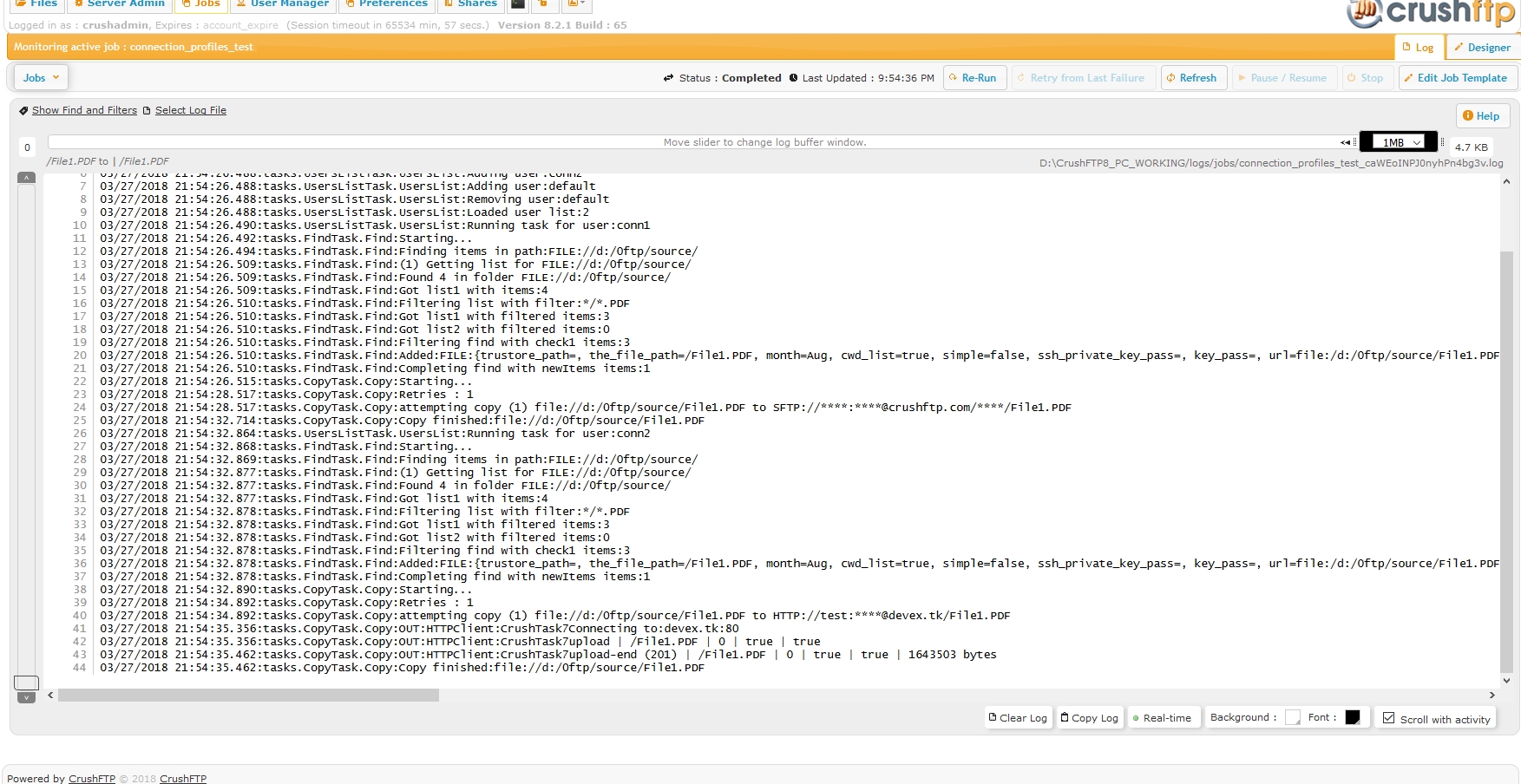
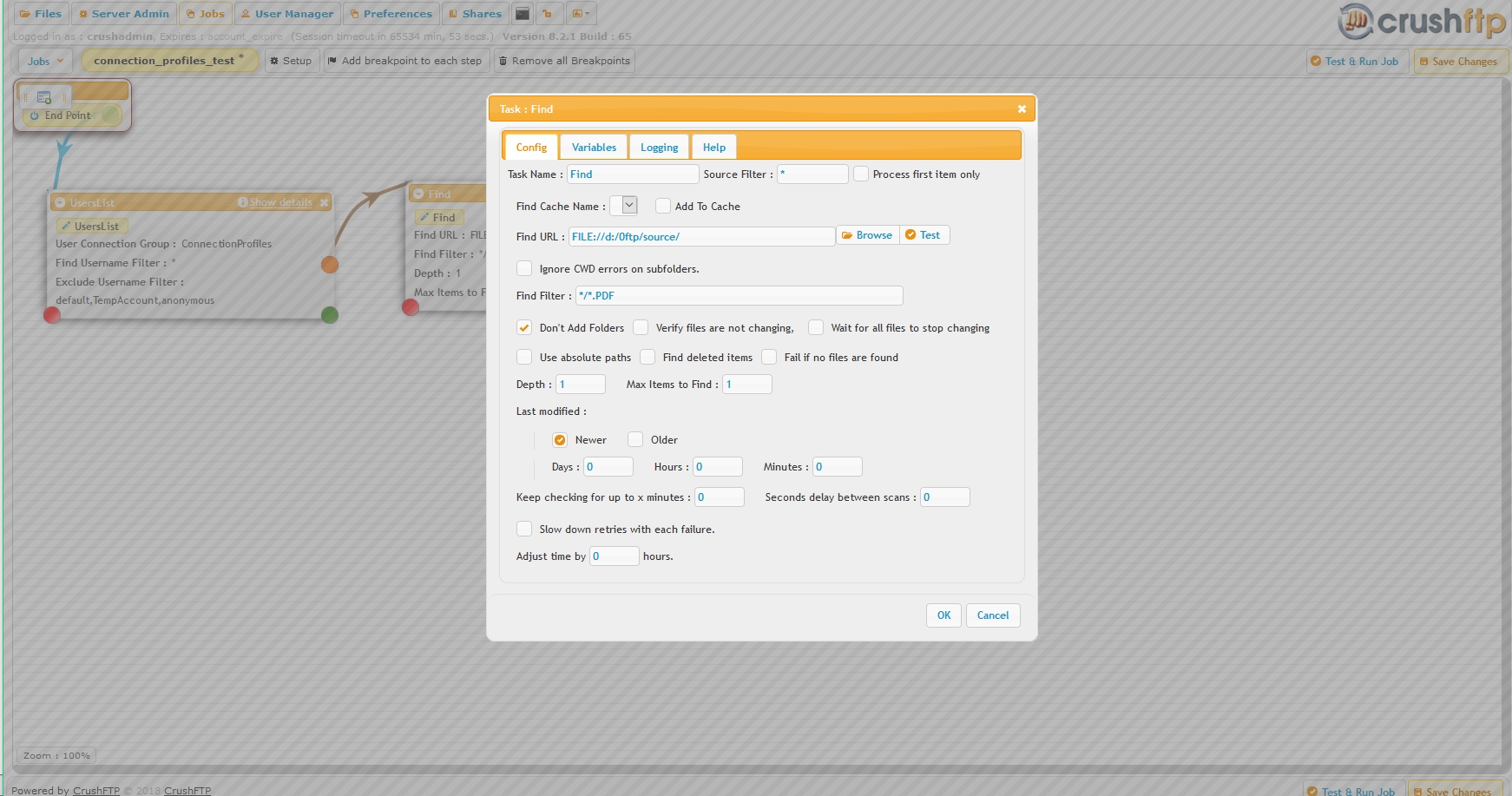
The example job here finds files in a local folder, loops through both connection profiles, then pushes the files onto both locations.
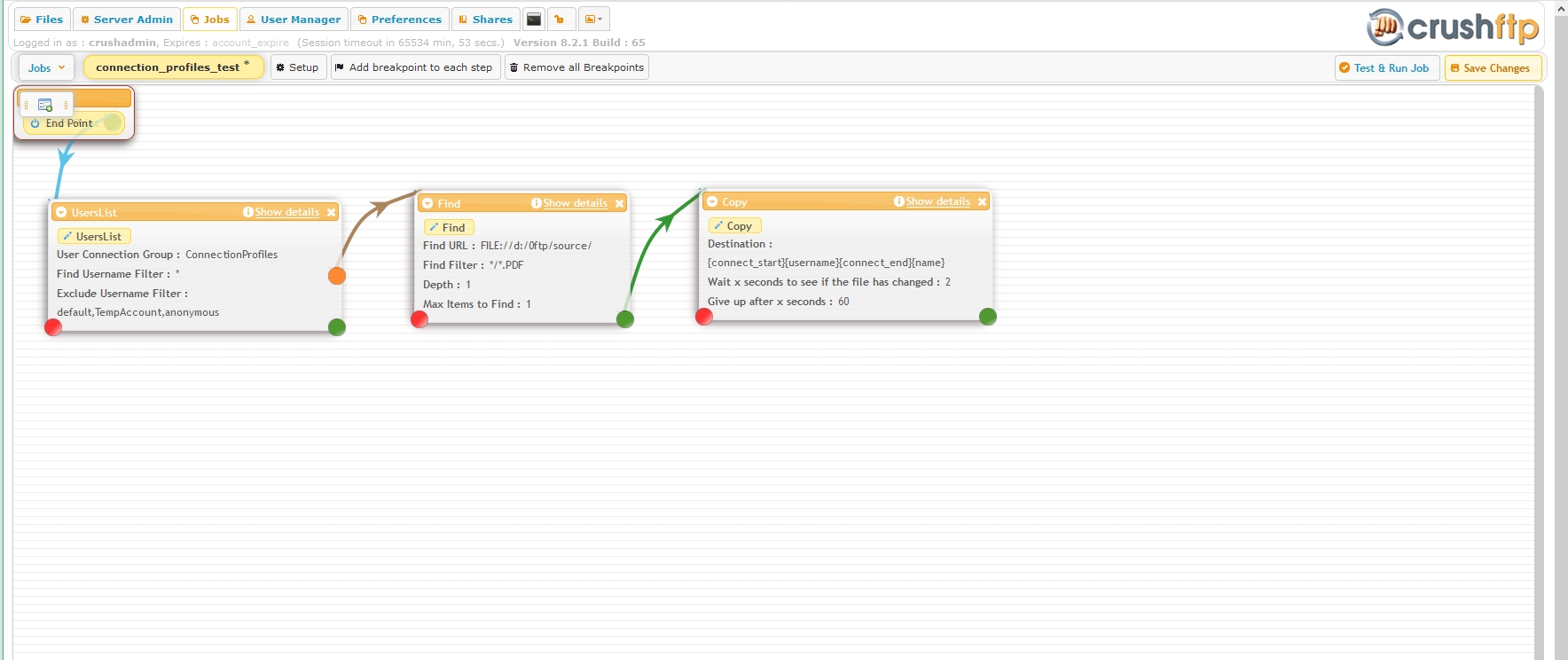
Last screenshot of job in action.