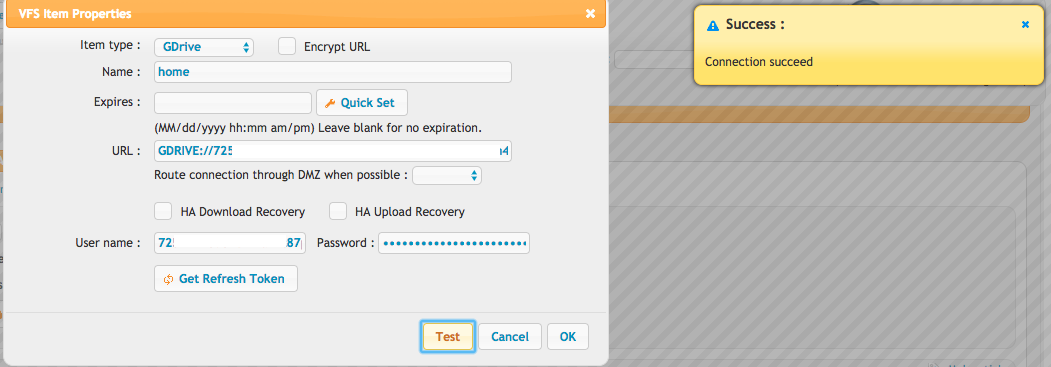
GDriveSetup#
GDrive requires several steps to configure. It requires several steps to configure.
You will start at Google API's and Service:
https://console.developers.google.com/projectselector/apis/credentials
Setup Oauth Consent (if was not yet created), make an internal one:
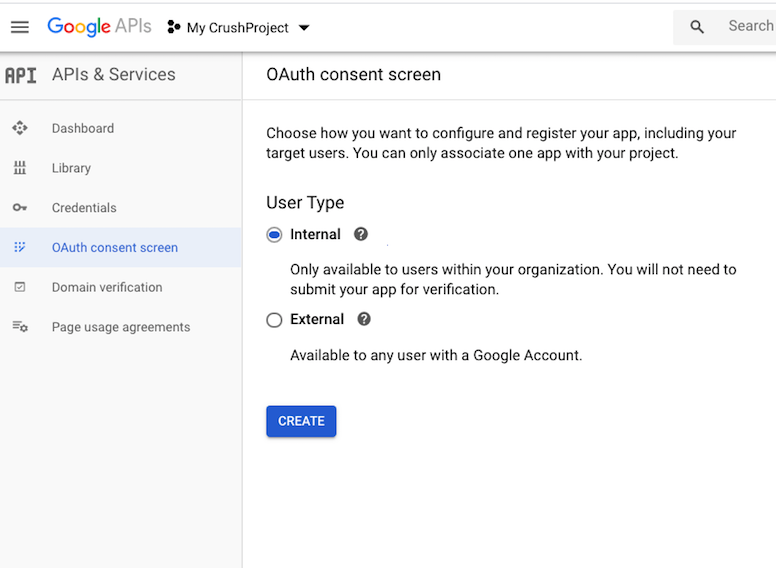
Set the support emails, the application domain and save it.
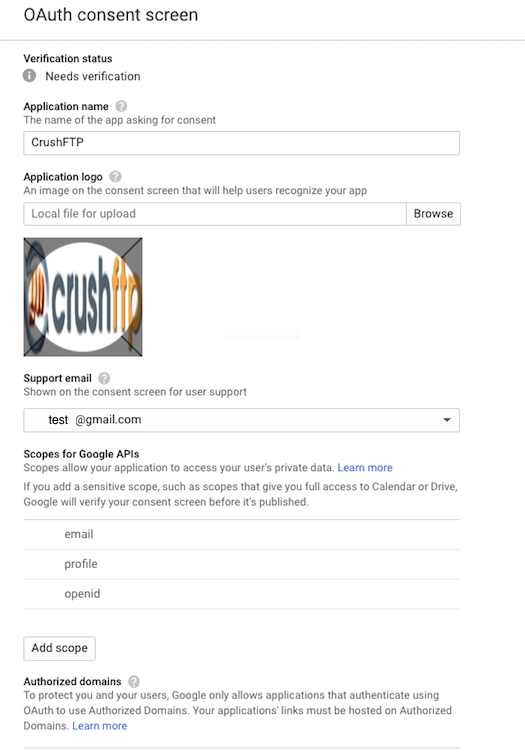
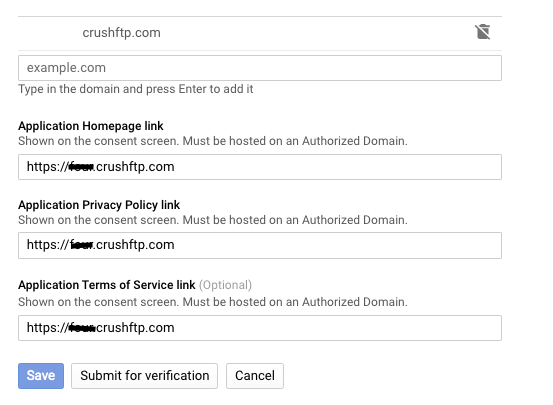
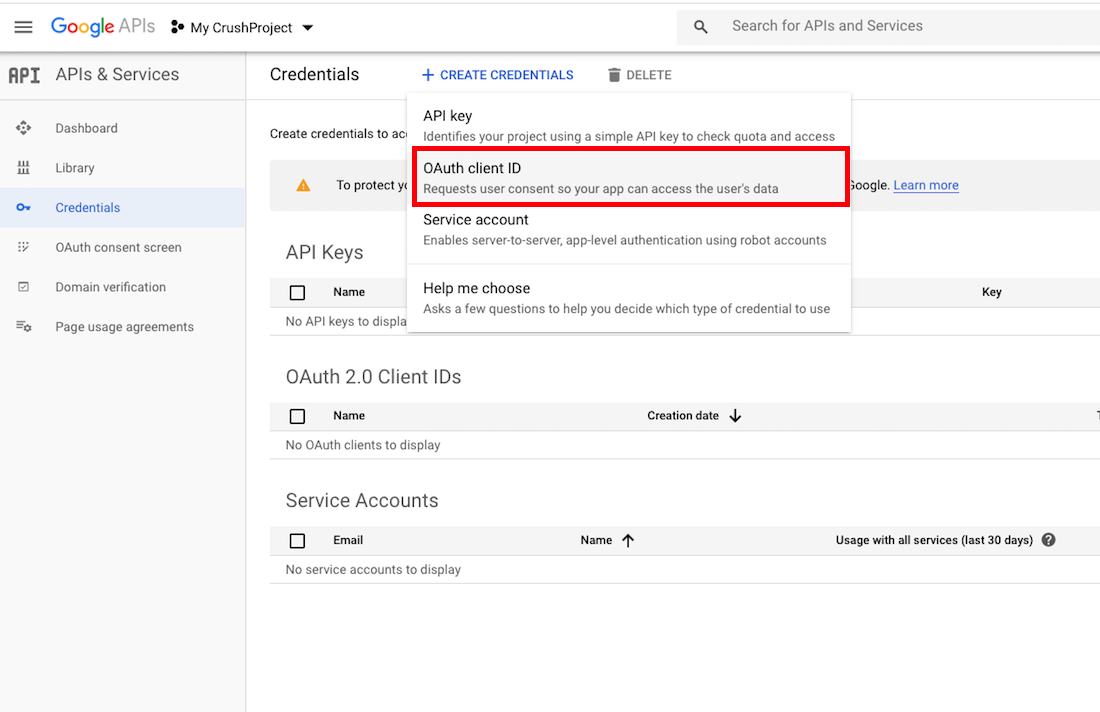
Go to the Credentials menu and create new credentials, choose OAuth client ID:
Choose Web application:
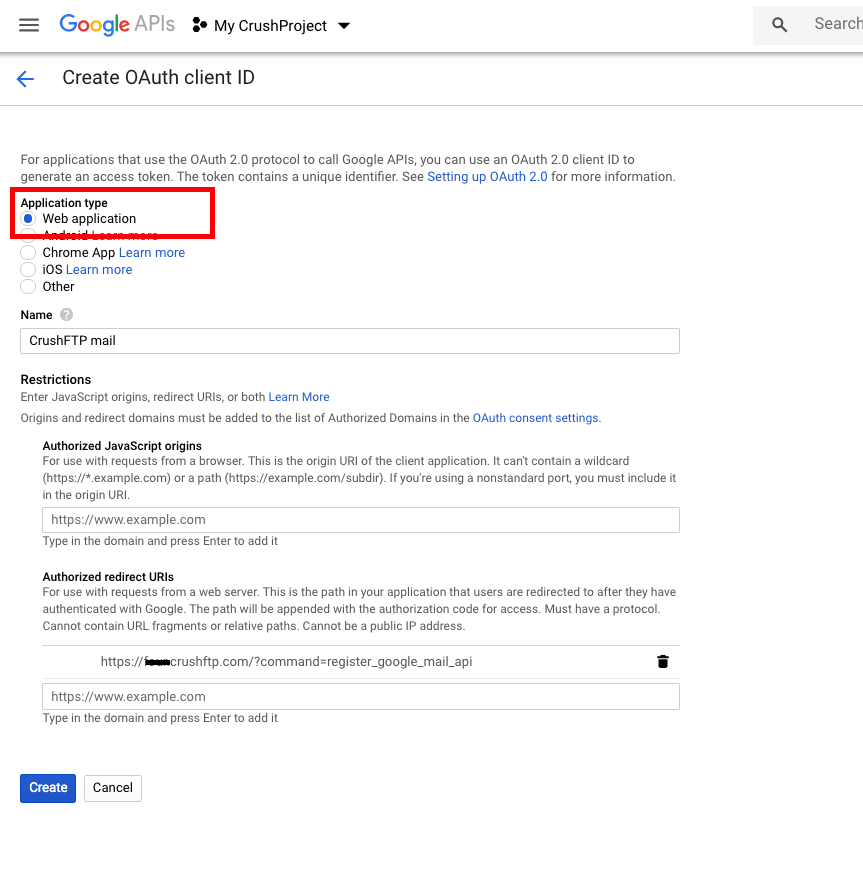
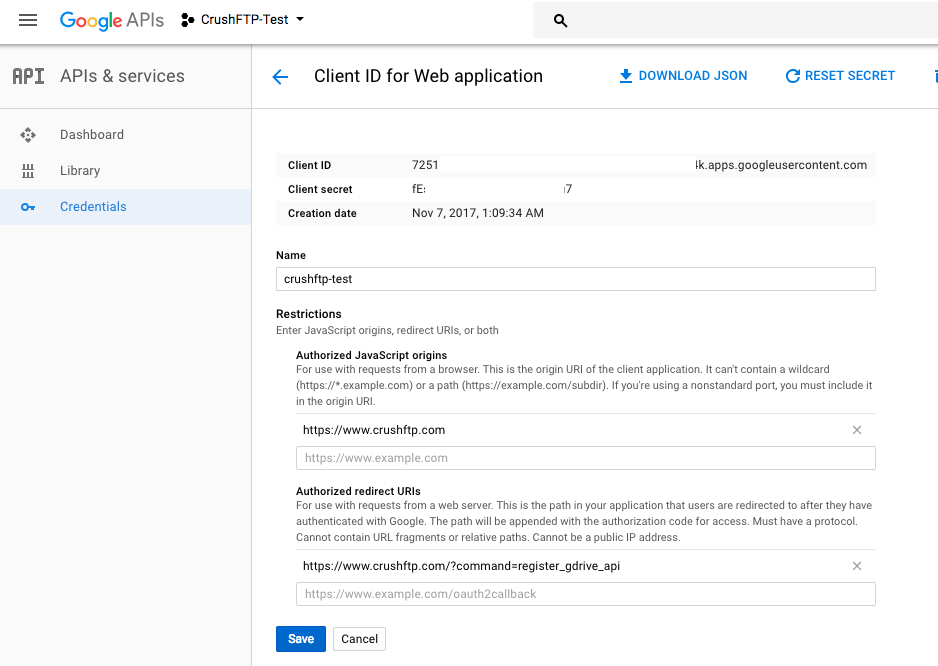
It is required to set up the Authorized Redirect URIs. You can put a domain (where your CrushFTP is available), or localhost. The URI needs to end with:
?command=register_gdrive_api
And one last important step, you need to enable the GoogleDrive API for your account if its not already.
https://console.developers.google.com/apis/library/drive.googleapis.com/
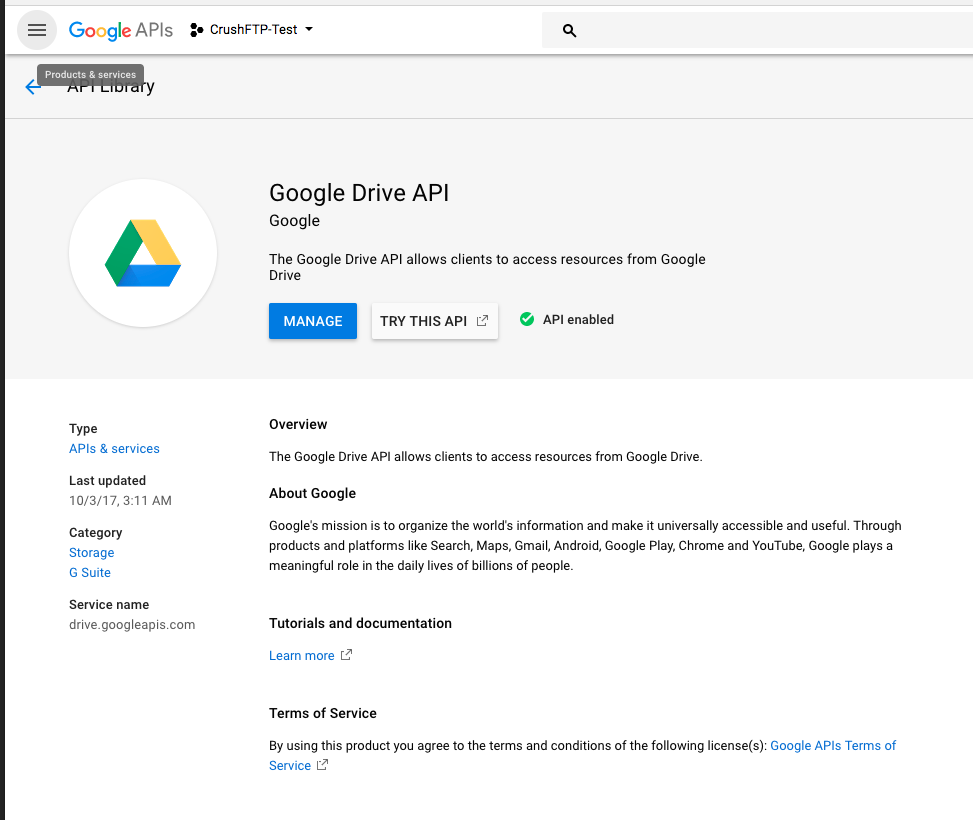
Now that the API is enabled, and your credentials are setup, and your redirect domains are configured, you can use the credentials in CrushFTP to get your google auth token and get access.
CrushFTP admin page url must match with the redirect url. In our example: http://XXXXcrushftp.com
In the User Manager, add a new remote VFS item type and set the protocol to be "GDrive".
Take your google client_id and secret and combine them together with a tilda as separator:
client_id: 725111111110-7kaimtXXXXXXXXXXXXXXXXXXXXX64m4k.apps.googleusercontent.com
secret: fEsXXXXXXXXXXXXXXXXPggg7
results in:
725111111110-7kaimtXXXXXXXXXXXXXXXXXXXXX64m4k.apps.googleusercontent.com~fEsXXXXXXXXXXXXXXXXPggg7
That whole long string becomes your "username" to GDrive://.
Copy and paste it into the user field. Then click "Get Refresh Token" to finish the config.
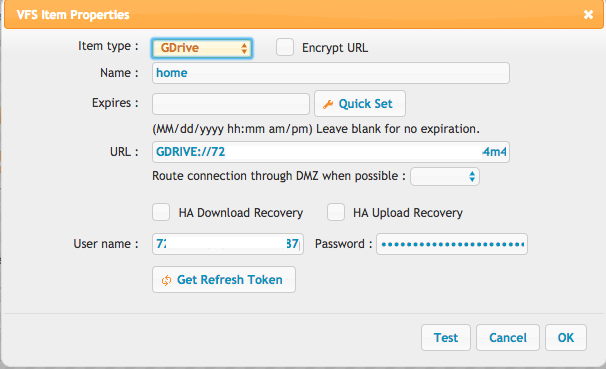
Finally!