OTP Settings#
Enterprise Licenses Only#
OTP settings
This settings allows you to configure two factor authentication. Before two factor authentication will even be considered, you must set the flag "otp_validated_logins" in your prefs.XML file to true.
1. SMS based:#
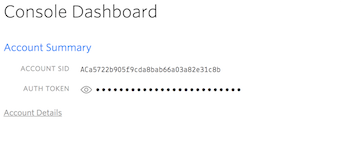
- You must have a twilio account. Using Twilio: https://www.twilio.com/
The ACCOUNT SID as username and AUTH TOKEN as password:
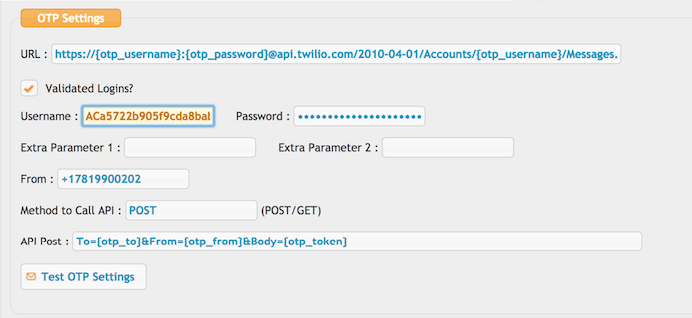
Url :
https://{otp_username}:{otp_password}@api.twilio.com/2010-04-01/Accounts/{otp_username}/Messages.json
API post :
To={otp_to}&From={otp_from}&Body={otp_token}
Provide your twilio phone number. Checking the "Validated Logins?" will enable to use otp in user login.
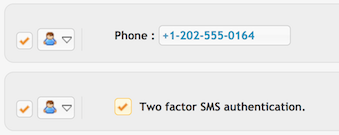
The config will be used only for users which have a phone number and the "Two factor SMS authentication" flag enabled in the User Manager.
2. Email based:#
Email usage requires a SMTP server configured in the Preferences, General Settings area.
Url : SMTP
(Just those 4 uppercase letters, nothing else.)
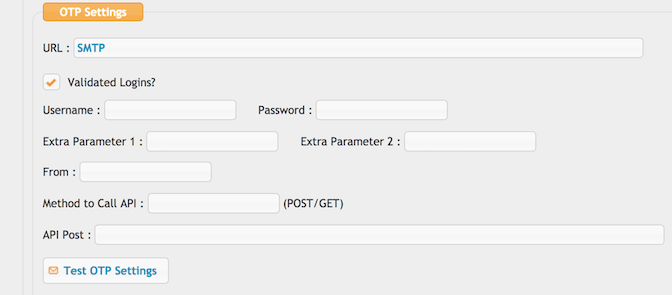
The config will be used only for users which have an email and the "Two factor OTP/SMS authentication" flag enabled in the User Manager.
The email can be customized by creating an email template: "Two Factor Auth"
This step is required.
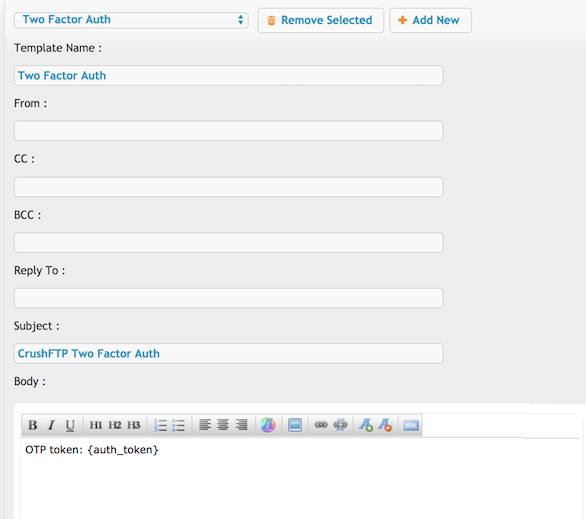
Variable for the one time password : {auth_token}