UserManagerPanels#
Each panel section in the user manager can be collapsed, or expanded. By default they are all expanded...although you may not see anything in a section unless you are overriding the default setting.
When a section is collapsed, it will have the '+' sign to expand it. In my example screenshot, the 'Tunnels' section is expanded.
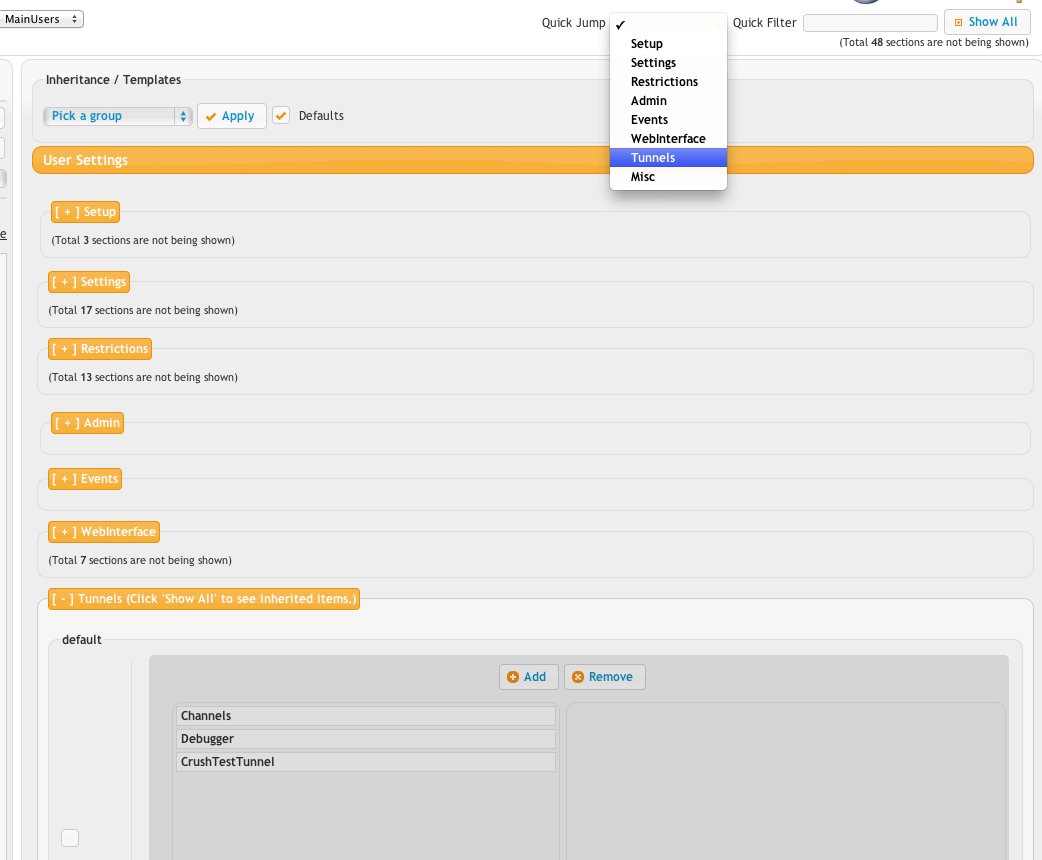
The 'Quick Jump' selection that is selected in the example will quickly jump down to a specific panel, and flash it once to get your attention.