Microsoft Sign in Configuration#
It requires Microsoft Graph Application registration. Start at the Microsoft azure portal:
https://azure.microsoft.com/en-us/features/azure-portal/
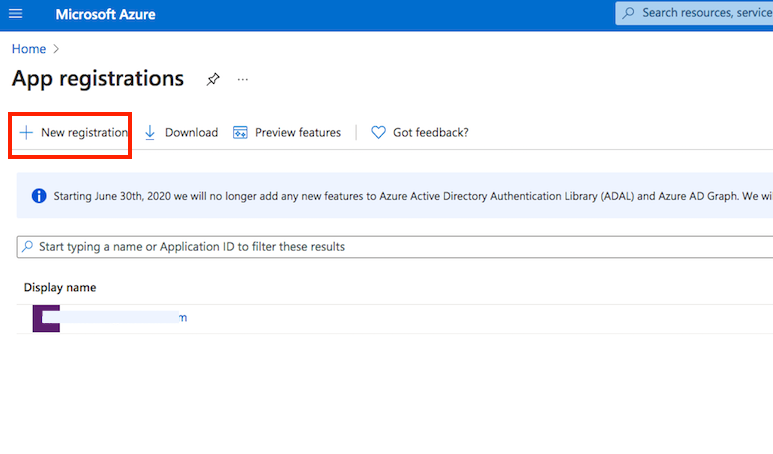
Application registration: Go to the App registrations and click on New registration:
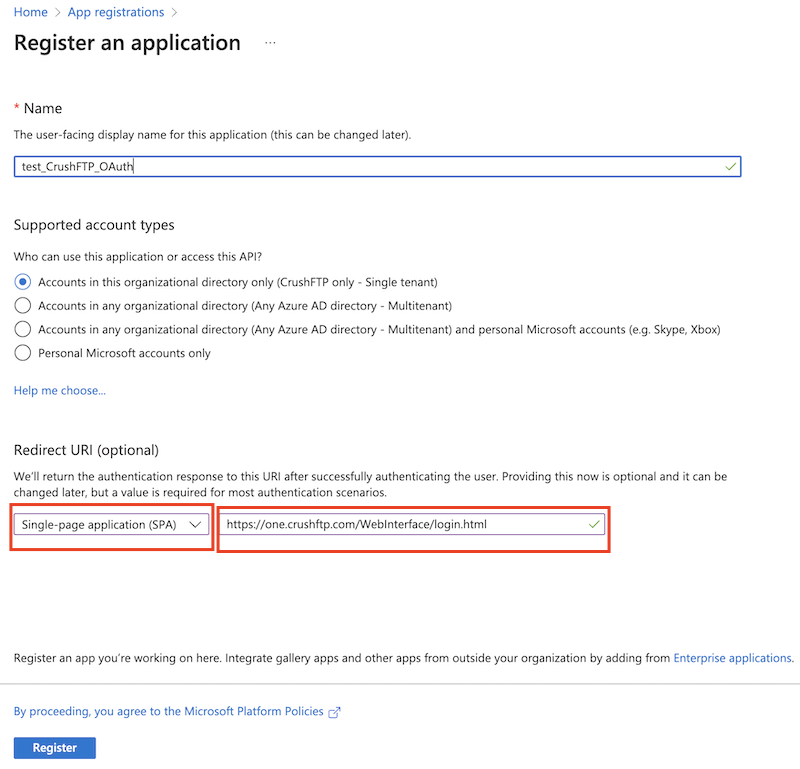
Name it. Select Single-page Application as platform. The redirect url must ends with :WebInterface/login.html. Then click on register.
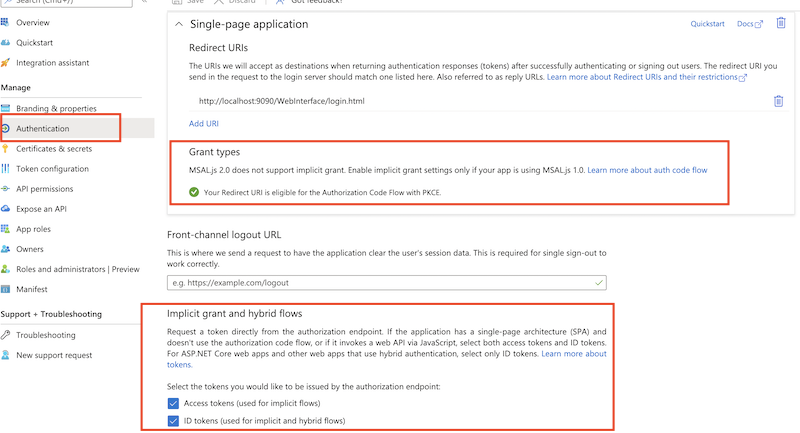
Make sure that MSAL.js 2.0, Implicit grant (Access Token, ID Token) grant types are permitted.
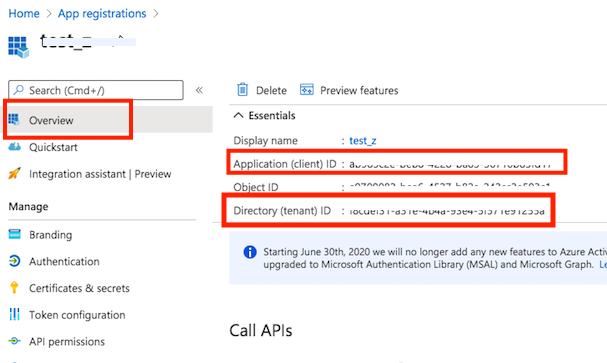
Get Client Id and Tenant Id from App registration -> Overview.
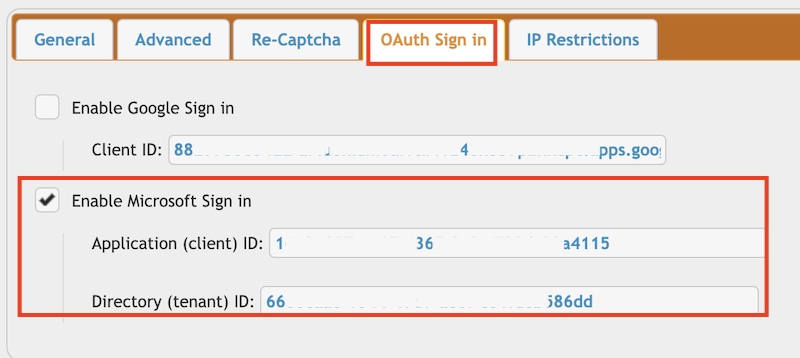
Go to the Preferences-> Ip/Servers and select the HTTP or HTTPS port item(OAuth Sign in Tab) where you want to enable the Microsoft Sing-In button. Check the "Enable Microsoft Sign in" flag and provide the Client ID and Tenant ID of your App registration(mentioned above).
!!!Continue on: CrushOAuth