MicrosoftMails#
Based on Microsoft Graph REST API ( for more info see : https://docs.microsoft.com/en-us/graph/api/resources/message?view=graph-rest-1.0).
Microsoft Graph Application Registration#
It requires Microsoft Graph Application registration. Start at the Microsoft Azure portal:
https://azure.microsoft.com/en-us/features/azure-portal/
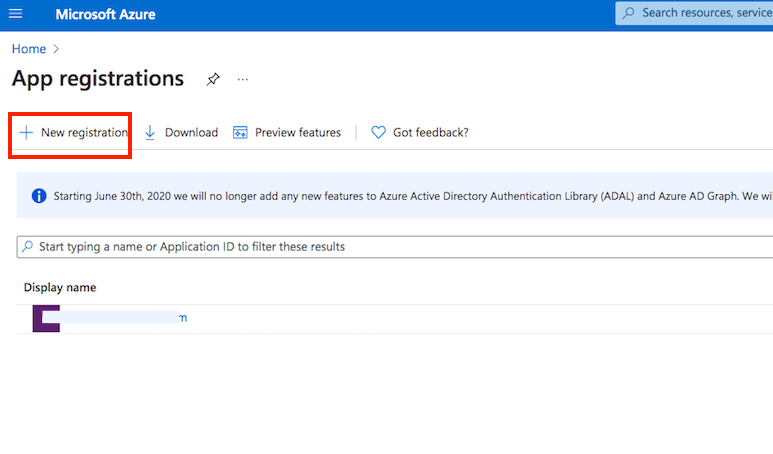
Application registration: Go to the App registrations and click on New registration:
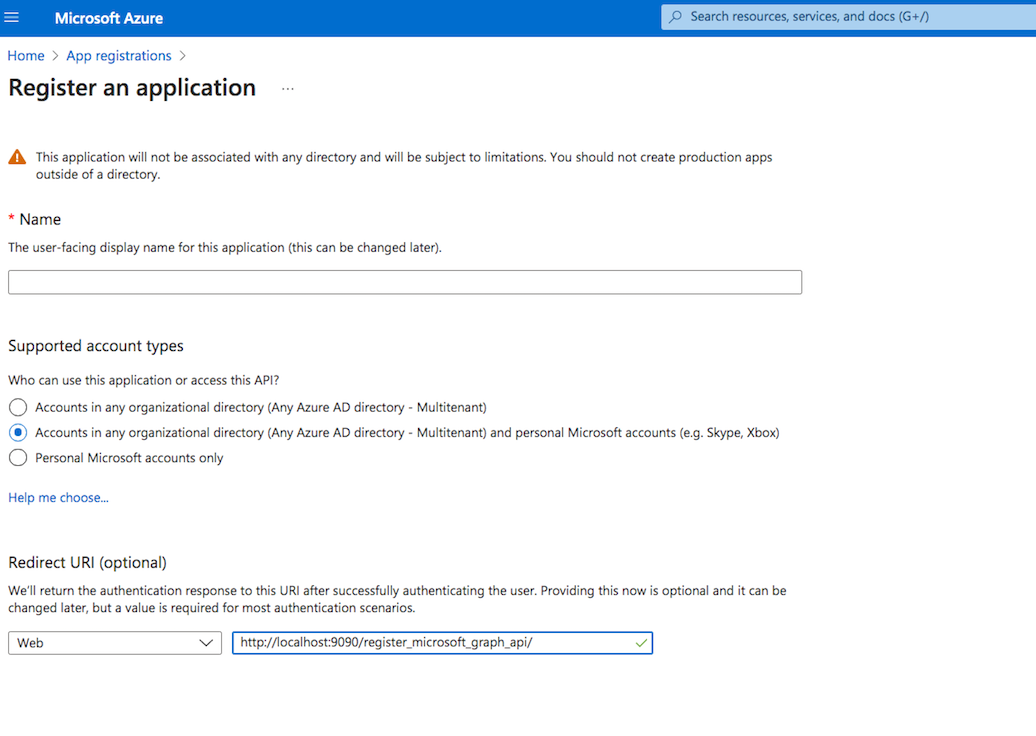
Name it. Select the Multitenant and personal Microsoft accounts type. The redirect URL must end with "register_microsoft_graph_api/". Then click on register.
Under the redirect URL configuration enable the Access Token to be issued by the authorization endpoint:

API permissions :
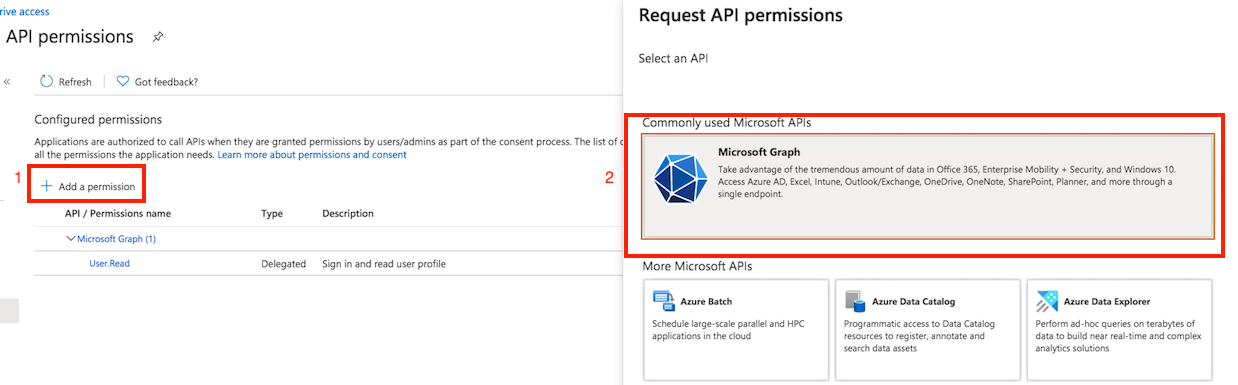
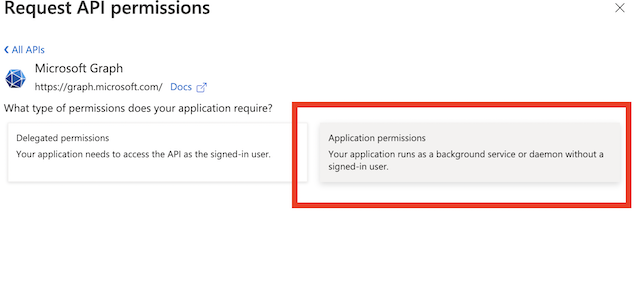
MicrosoftMails task support OAuth 2.0 client credential grant. It requests permissions from a directory admin. Go to the API permission. Click on Add permission, and select Microsoft Graph. Choose "Application permissions".
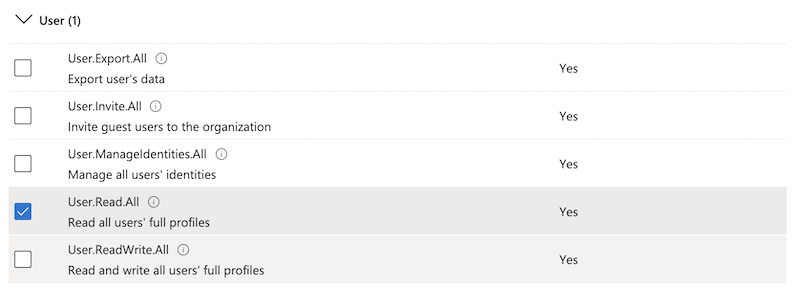
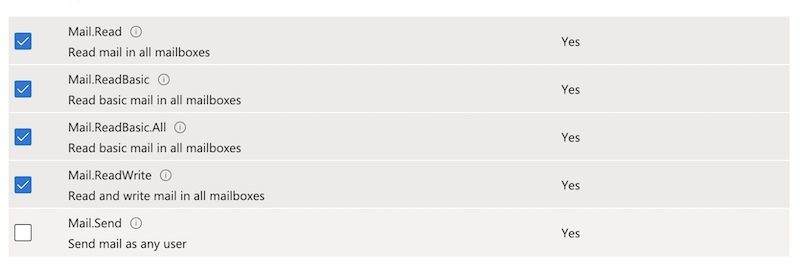
To grant permission for CrushFTP click on the "Get Admin consent" button. Make sure your Webinterface host and port match with the host and port specified in the App registration's redirect URL.
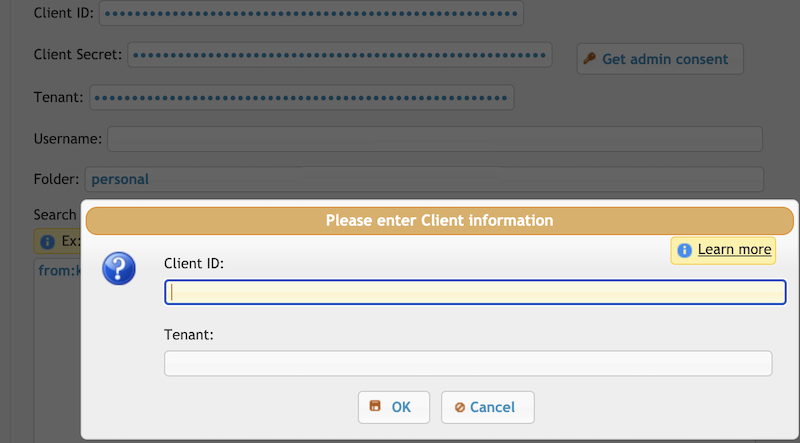
You need to log in with an admin account and grant permissions for your CrushFTP. Any changes on Azure App Registration -> API permissions require new admin consent.
Settings#
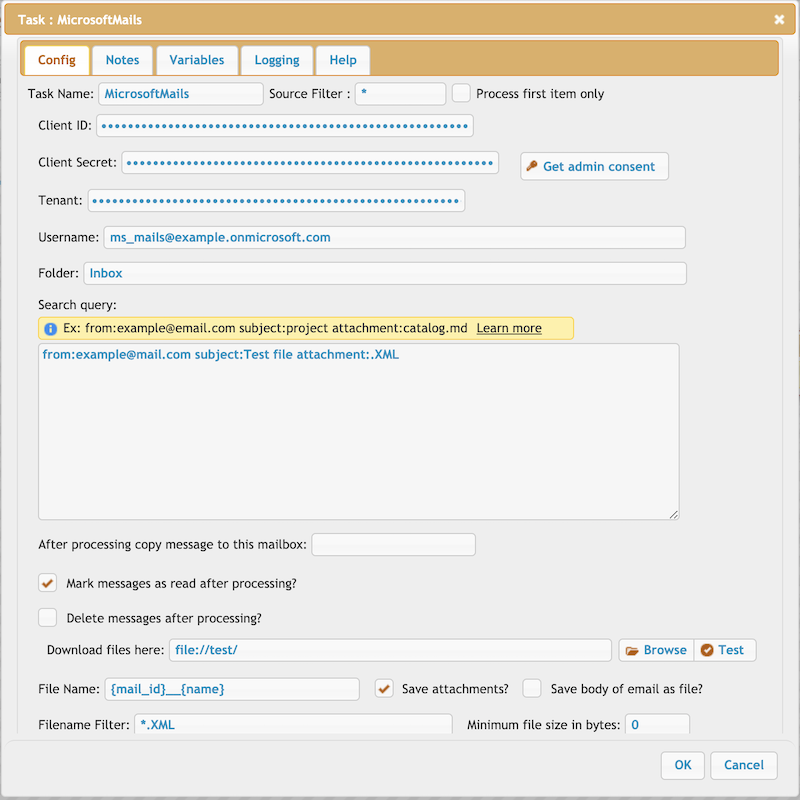
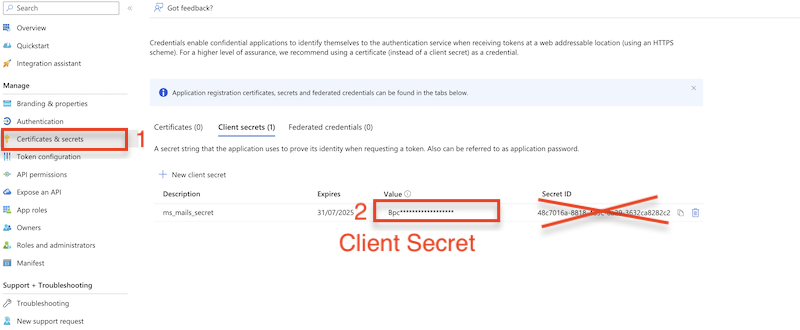
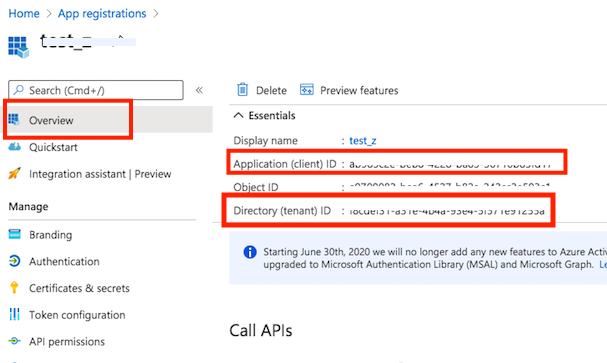
Client ID, Client Secret, Tenant: Authentication-related setting. Azure App registration -> Overview.
Folder: Supports subfolders too like Folder/Subbolder/SubSubFolder
Search query: Search settings for messages. See https://docs.microsoft.com/en-us/graph/query-parameters#search-parameter.
After processing copy message to this mailbox: Supports subfolders too.
Variable patterns:
Message-related variables:
{mail_id}, {mail_createdDateTime}, {mail_lastModifiedDateTime}, {mail_hangeKey}, {mail_sentDateTime}, {mail_receivedDateTime}, {mail_hasAttachments}, {mail_internetMessageId}, {mail_subject}, {mail_body_content}, {mail_body_type}, {mail_importance}, {mail_parentFolderId}, {mail_conversationId}, {mail_isRead}, {mail_isDraft}, {mail_sender}, {mail_from} , {mail_to}, {mail_cc}, {mail_bcc}, {mail_reply_to}
Attachment-related variables:
{id}, {contentType}, {size}, {name}, {lastModifiedDateTime}