BackBlaze(b2) integration#
Backblaze supports external integration through an HTTP-based REST API.
Restriction: REST API does not support resume on upload and mdtm(File modification time) changes. You can use the S3 connection endpoint as a workaround.
1. Access through B2 REST API#
Create App keys on https://www.backblaze.com/
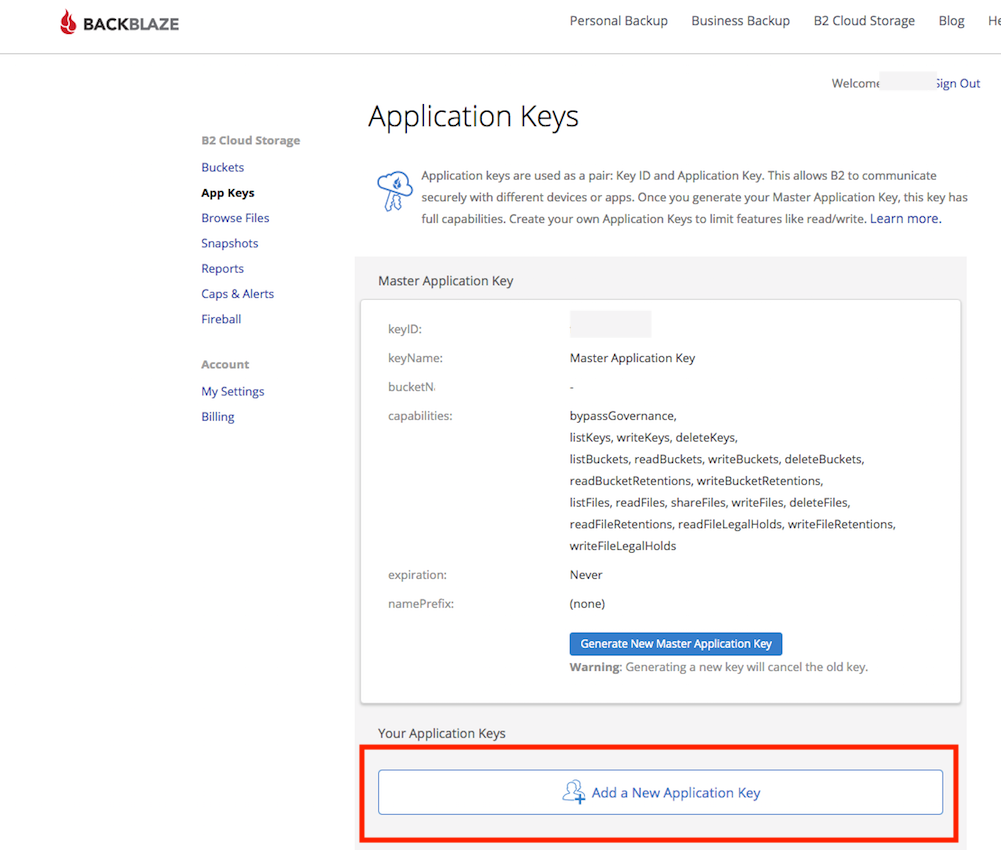
Use the "KeyId" as username and the application Key as password.
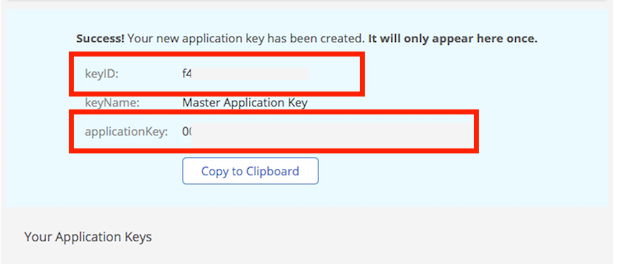
The URL pattern looks like this:
b2://<<KeyId>>:<<applicationKey>>@api.backblazeb2.com/<<Bucket Name>>/
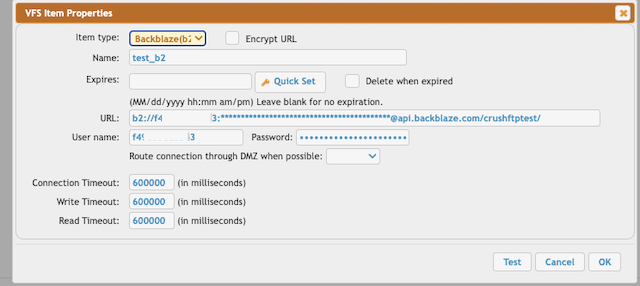
3. Access through S3 API#
Open the bucket settings and use the s3 endpoint URL for S3 connection.
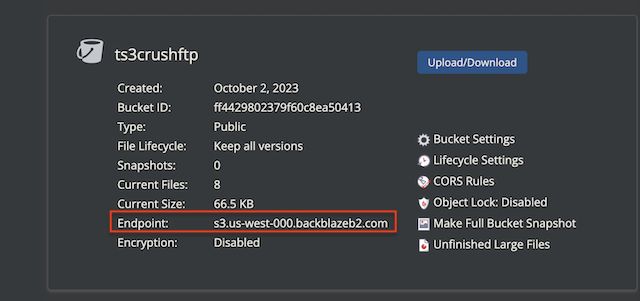
Create App keys on https://www.backblaze.com/ Enable s3 related permission.
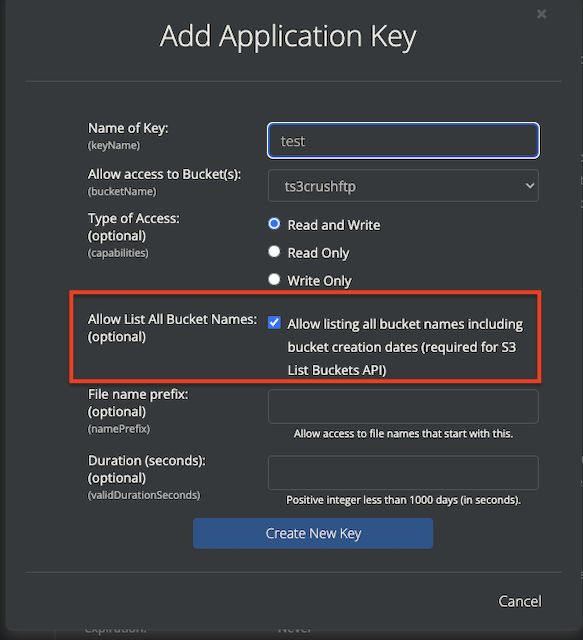
Use the "KeyId" as username and the Application Key as password.
The URL pattern looks like this:
s3://<<KeyId>>:<<applicationKey>>@s3.us-west-000.backblazeb2.com//<<Bucket Name>>/
Required flags:
SHA256 enabled on signing (Signing Version 4) and Include SHA256 to request headers (Signing Version 4 related) flags must be checked.
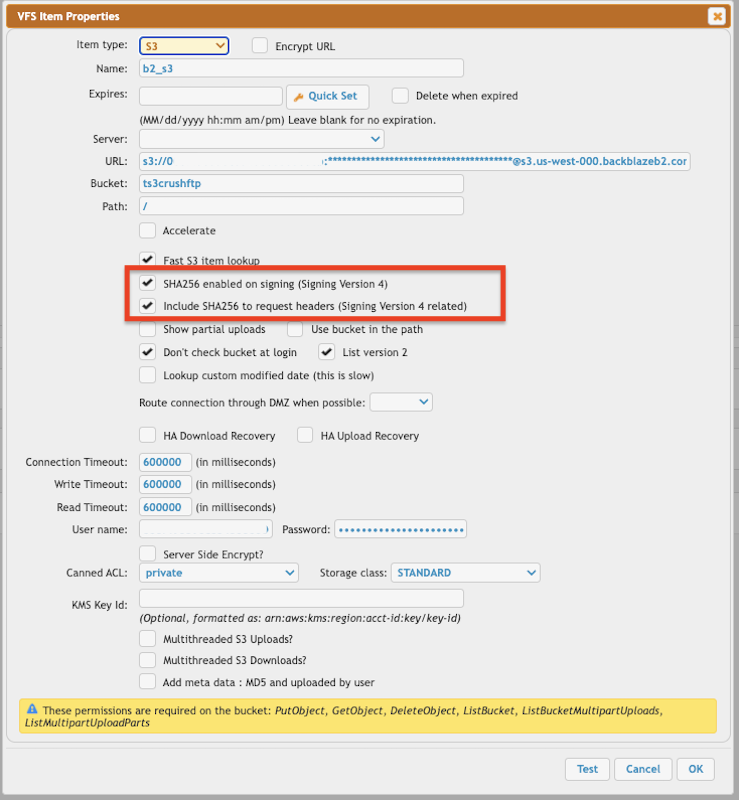
More info about s3 VFS configuration: S3 integration