Box integration#
Box supports external integration through an HTTP-based REST API.
Restriction:
-REST API does not support resume on upload
-No mdtm(File modification time) changes.
-REST API does not support streaming on upload. At Large file (greater then 25 MB) upload: CrushFTP stores the uploaded file temporary at CrushFTP install folder/box/<<box username>>
Create new custom app at https://app.box.com/developers/console.
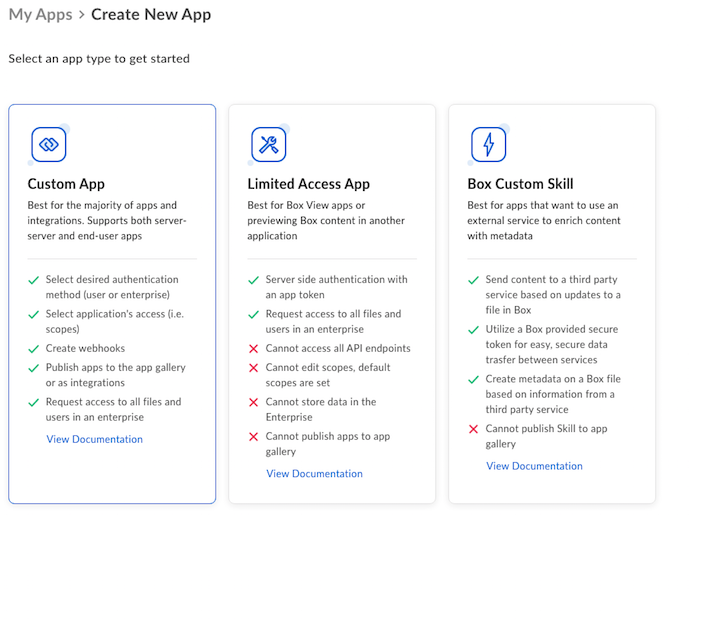
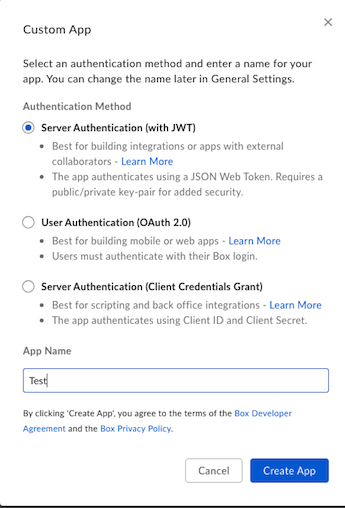
CrushFTP use JWT Authentication method (https://developer.box.com/guides/authentication/jwt/), and not OAuth2. Select JWT based authentication.
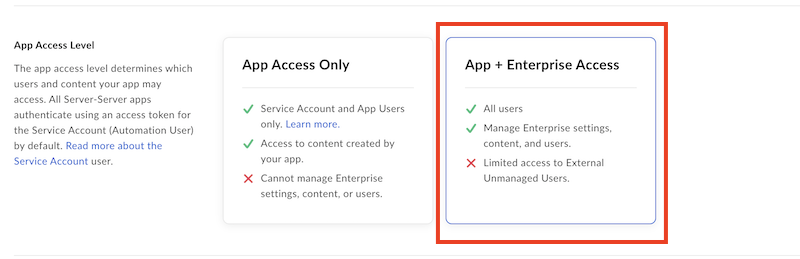
At Custom App's Configuration :
Choose APP + Enterprise Access.
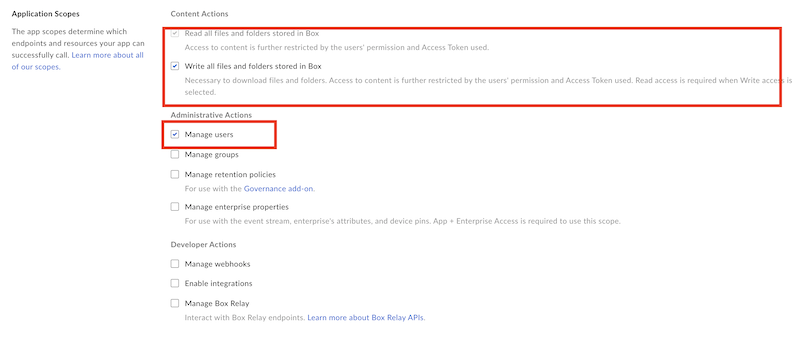
At applications scopes: Check the flags : "Write all files and foldoers stored in box" and "Manage users"
Check the "Make API calls using the as-user header" checkbox at Advanced Features

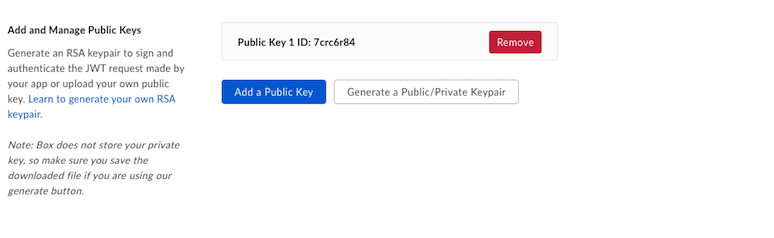
Generate the RSA keypair for JWT at Configuration -> Add and Manage Public Keys
Save your Custom App changes.
At Authorization tab : Review and submit for app approval. Requires Box admin approval.
Important!!! : Any change on Custom App configurations requires reauthorization. The box admin needs to re-authorize your Custom Application.
Dwonload JSON file from Configuration -> App Settings
The JSON file should contains:
{
  "boxAppSettings": {
    "clientID": "ogXXXXXXXXXXXXXXXX",
    "clientSecret": "laAXXXXXXXXXXXX",
    "appAuth": {
      "publicKeyID": "cgXXXXXXXXX",
      "privateKey": "-----BEGIN ENCRYPTED PRIVATE KEY-----\nXXXXXXXXXXXXXXXXXXXXXnblc=\n-----END ENCRYPTED PRIVATE KEY-----\n",
      "passphrase": "aXXXXXXXXXXXXXXXXXXXXe"
    }
  },
  "enterpriseID": "2XXXXXXXXX5"
}
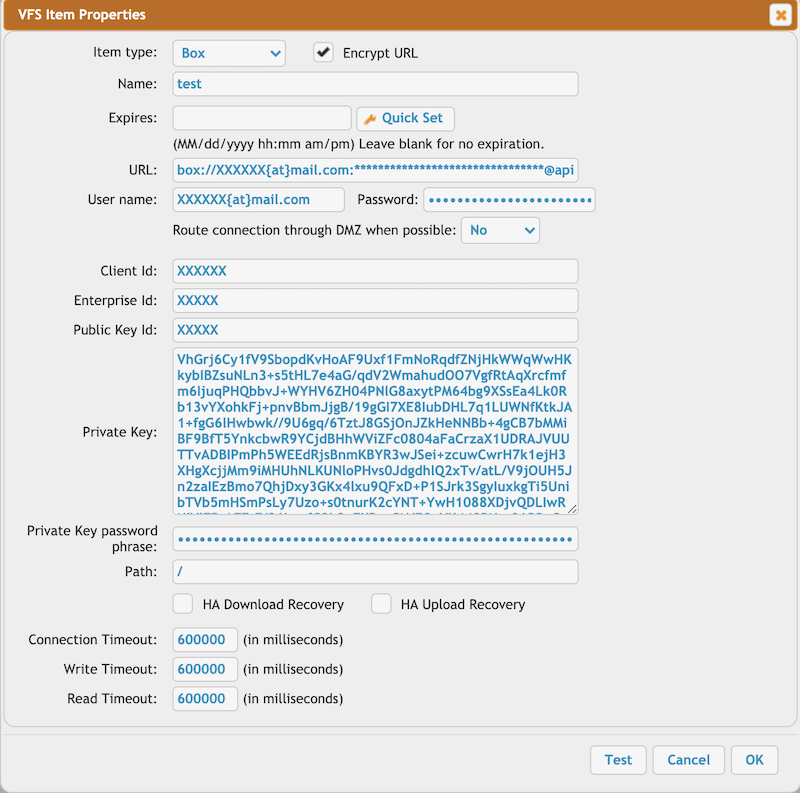
Configuration: On CrushFTP at remote connection settings:
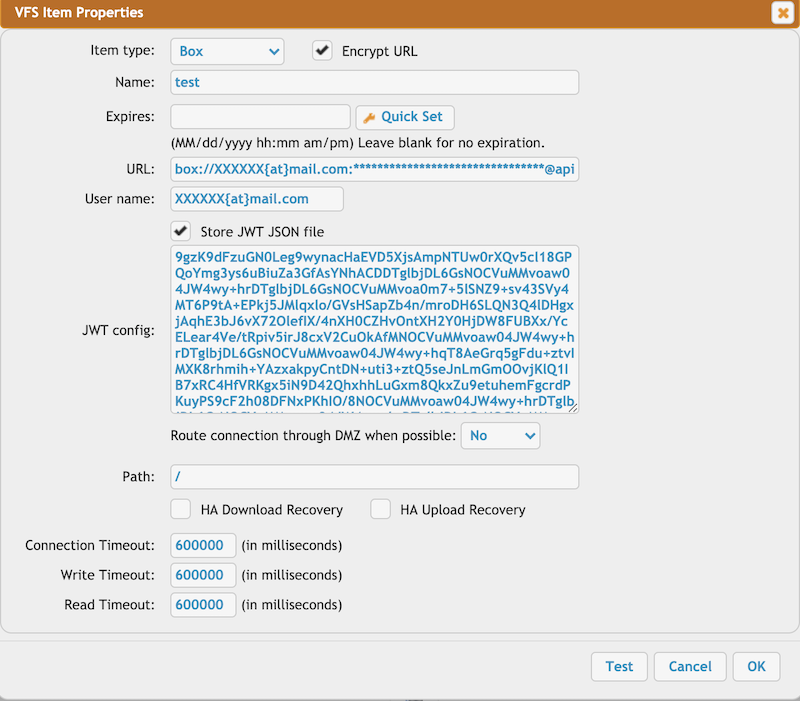
1. If flag "Store JWT JSON file" is checked.
User name : - box login user name
JWT config: - Copy the entire JWT config JSON file content to the input field.
2. "Store JWT JSON file" is unchecked:
User name : - box login user name
Password: - "clientSecret" from the JSON config file
Client Id: - "clientID" from the JSON config file
Enterprise Id: - "enterpriseID" from the JSON config file
Public Key Id: - "publicKeyID" from the JSON config file
Private Key: - "privateKey" from the JSON config file
Private Key password phrase: - "passphrase" from the JSON config file