SAMLSSO_AMAZON#
Enterprise Licenses Only#
Prerequisits: on the Preferences panel Misc page need to set the Remember invalid usernames parameter value to 0 and clear the HTTP Redirect Base field value. This is a must with any plugin integration scenario.#
Amazon supports custom SAML 2.0 applications. See https://docs.aws.amazon.com/singlesignon/latest/userguide/samlapps.html
Restriction!!!: Redirect of CrushFTP user to the SAML provider is not supported.
https://domain.com/?u=SSO_SAML&p=redirect
1. Amazon SSO SAML 2.0 Configurations:#
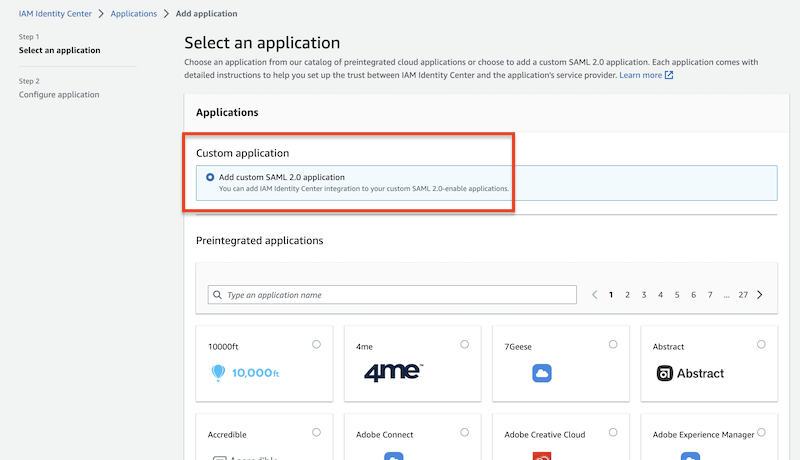
Open the IAM Identity Center Console https://console.aws.amazon.com/singlesignon and create a new custom application.
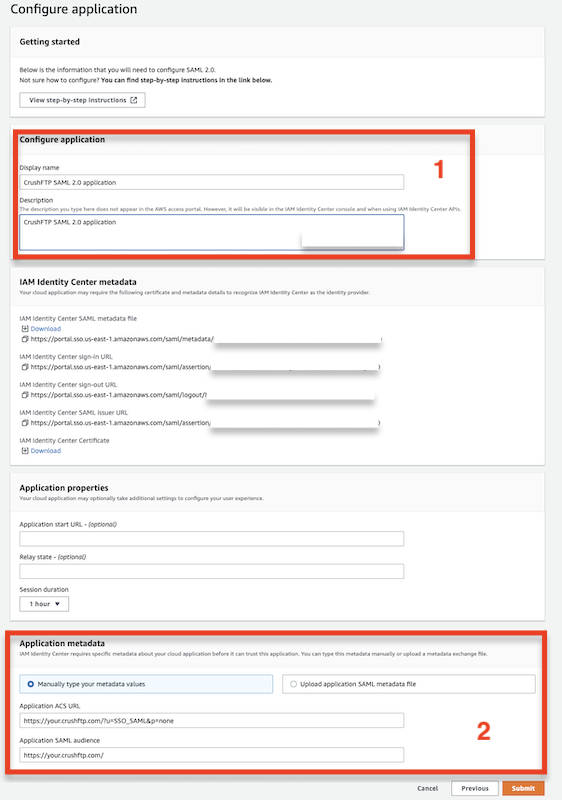
Configure the name, Application ACS URL, and SAML Audience, then submit the application.
Application ACS URL example:
https://your.crushftp.com/?u=SSO_SAML&p=none
SAML Audience example:
https://your.crushftp.com/
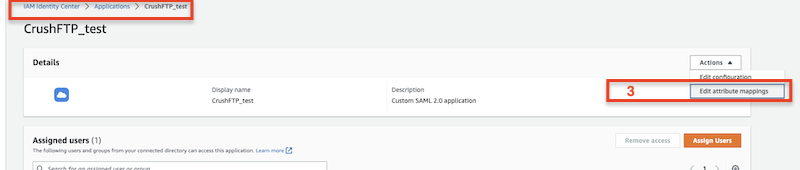
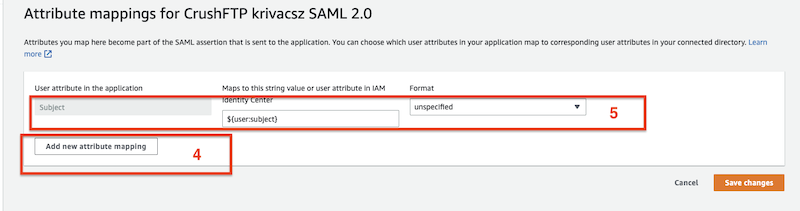
Configure the attribute mappings of your application.
Add new attribute mapping.
Maps to this string value or user attribute in IAM Identity Center:
${user:subject}
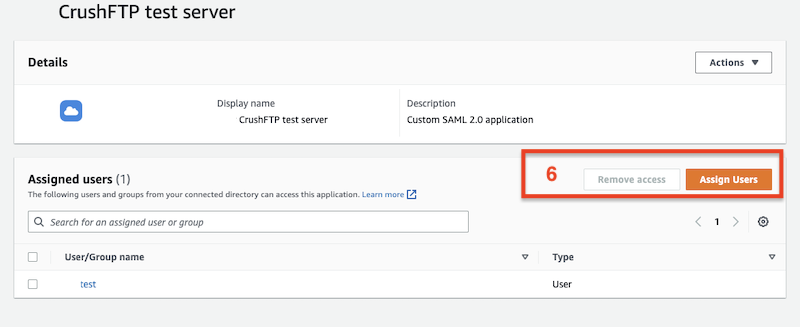
Warning: Assign users/groups to the created application!
2. SAMLSSO plugin configuration#
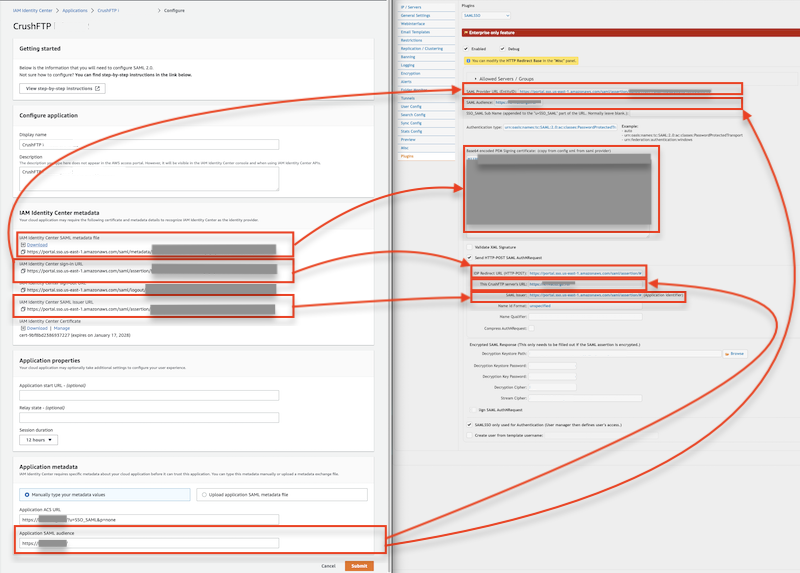
Download the IAM Identity Center SAML metadata file.
[Amazon SSO SAML 2.0 Configuration]                                    [CrushFTP settings]

entityID value of IAM Identity Center SAML metadata XML file        -> SAML Provider URL (EntityID)

Application SAML audience                                           -> SAML Audience

SingleSignOnService SAML:2.0:bindings:HTTP-POST Location value
of IAM Identity Center SAML metadata XML file                       -> IDP Redirect URL (HTTP-POST)

IAM Identity Center SAML issuer URL                                 -> SAML Issuer

X509Certificate value of IAM Identity Center SAML metadata XML file -> Base64 encoded PEM Signing certificate
On CrushFTP SAMLSSO plugin for "Authentication type:" set "urn:oasis:names:tc:SAML:2.0:ac:classes:PasswordProtectedTransport".
urn:oasis:names:tc:SAML:2.0:ac:classes:PasswordProtectedTransport