Azure Active Directory B2C Configuration#
About Azure Directory B2C : https://docs.microsoft.com/en-us/azure/active-directory-b2c/overview
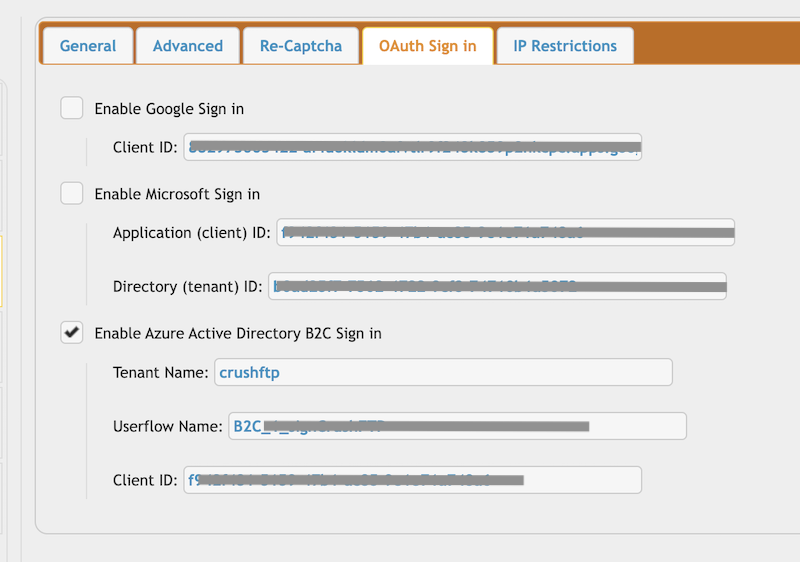
CrushFTP requires : Tenant name, User flow name, Client ID of the App registration.
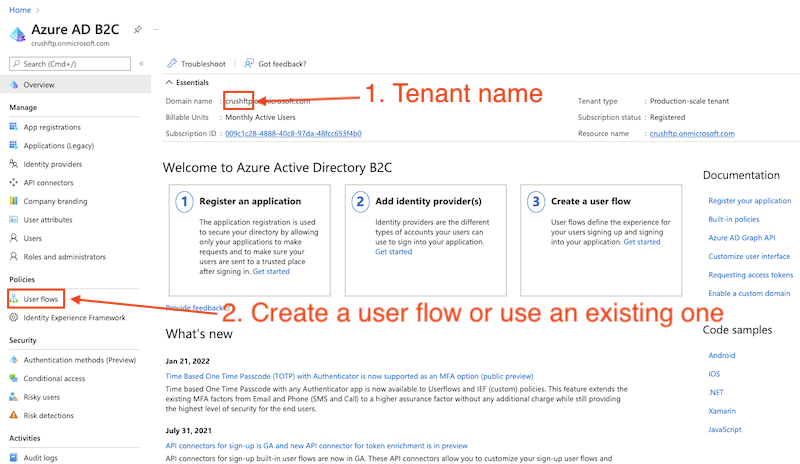
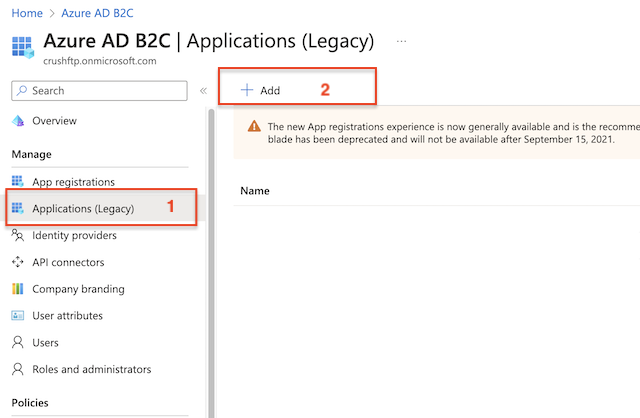
Applications Legacy:
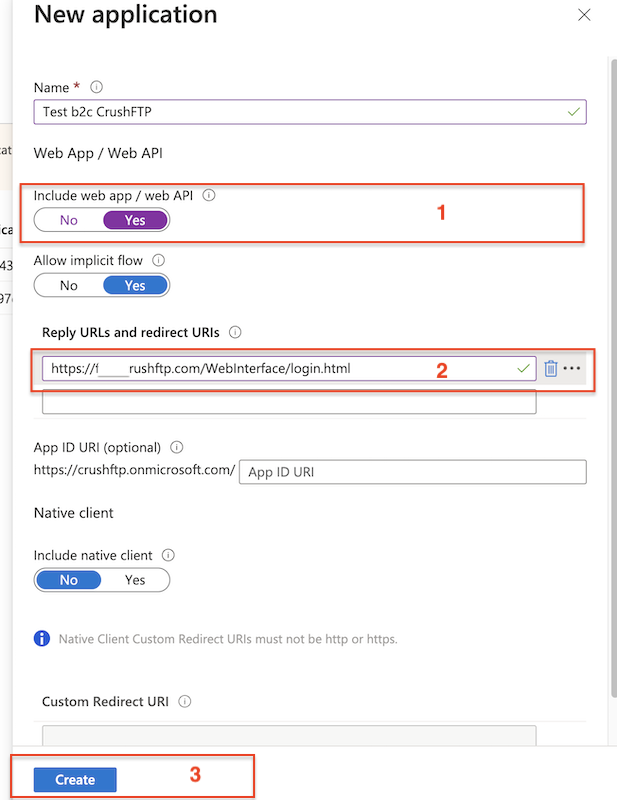
Create a new application. Set yes for "Include web app". Provide the redirect URL (https://<<your crushftp domain>>/WebInterface/login.html)
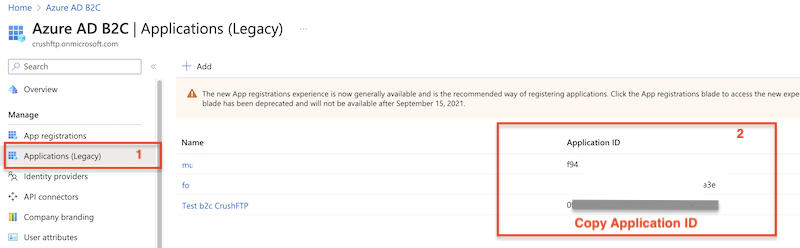
Go to the Preferences-> Ip/Servers and select the HTTP or HTTPS port item(OAuth Sign in Tab) where you want to enable the Azure Active Directory B2C button. Check the "Enable Azure Active Directory B2C Sign in" flag and provide the Tenant name, User flow name, Application ID (mentioned above).
Configure the CrushOAuth plugin and enable the flag: "Enable Azure Active Directory B2C Auth".
Continue on: CrushOAuth