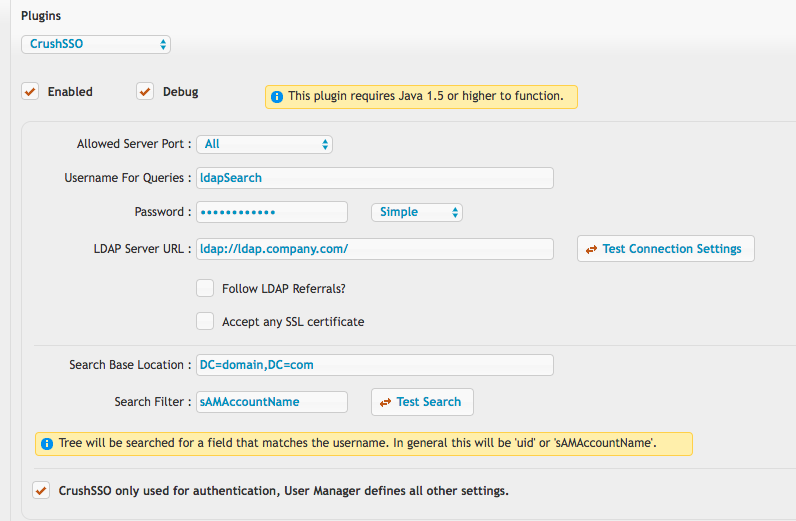
CrushSSO#
Enterprise Licenses Only#
Example usage to make a new token:
curl -kv --data "command=generateToken&username=JohnDoe" https://crush_limited_admin:password@your_server.com/
The limited admin username used must in fact be a limited admin, not a full admin.
The plugin must be enabled in preferences, CrushSSO.
You will get a response back something like this with a HTTP status code of 200:
<commandResult><response>AngUeC7PtcJ0zQPfm8E2</response></commandResult>
That token value is now valid for one use as a login token for the username specified in the prior call. Example
https://your_server.com/?u=JohnDoe&p=AngUeC7PtcJ0zQPfm8E2
The CrushSSO plugin has full configuration for doing LDAP validation of the account too if needed...otherwise just enable the username only used for authentication checkbox and the entire LDAP scenario is ignored.