Connection Profiles#
Connection Profiles allow common usage of remote connections in other areas.
Setup#
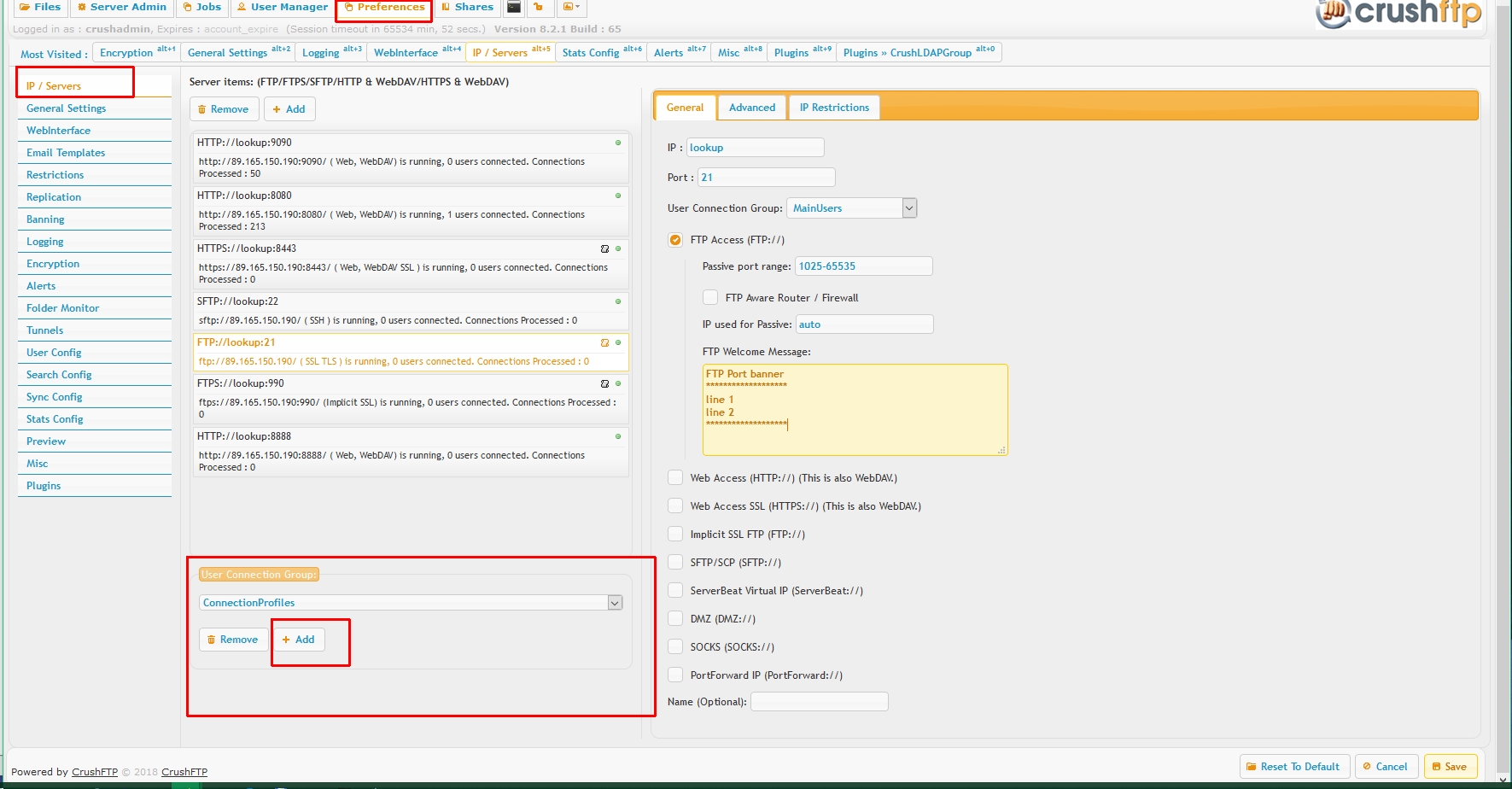
Create a User Connection Group specifically named *exactly* "ConnectionProfiles" , on Preferences->IP/servers page.
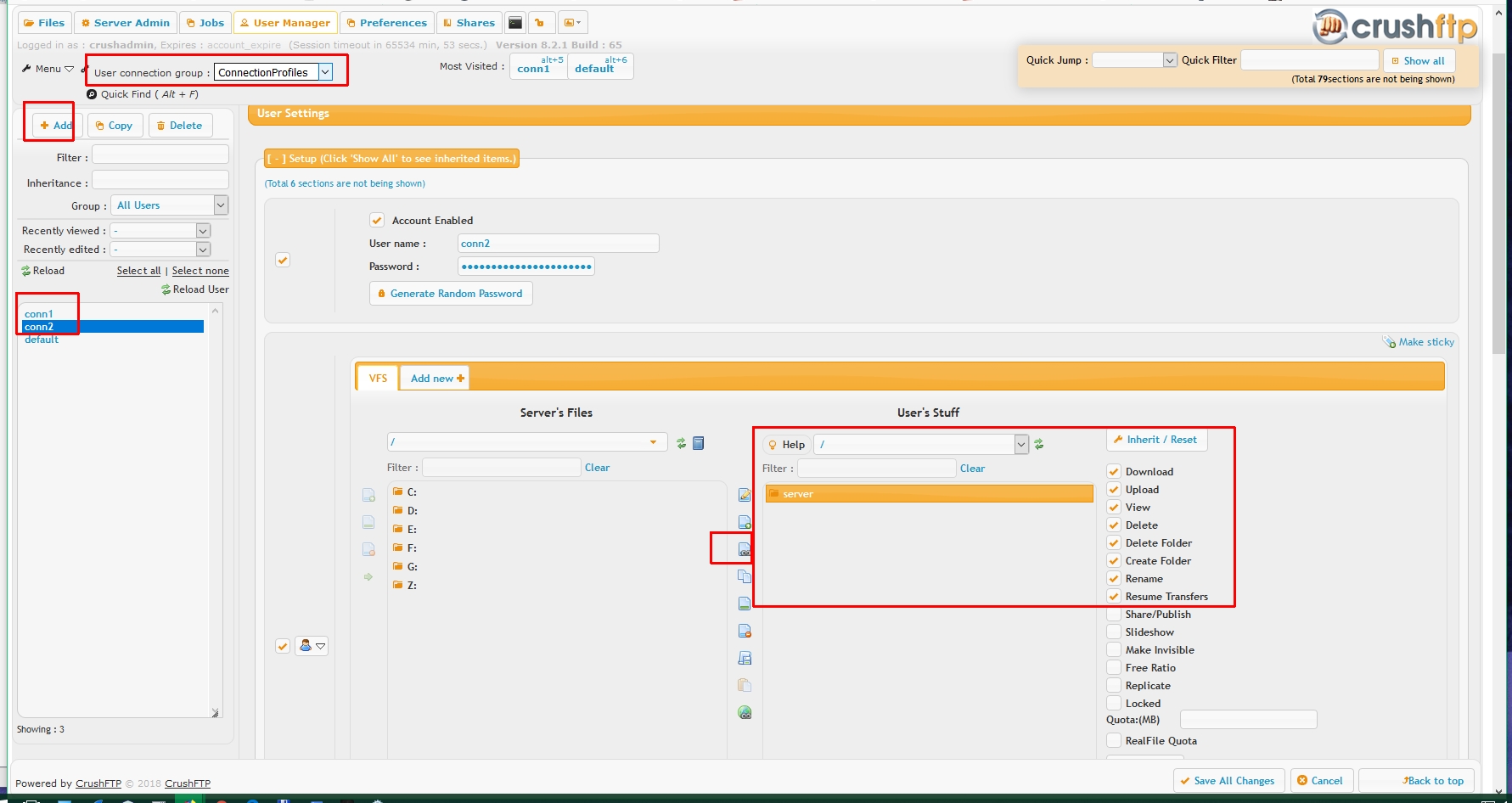
Go to user Manager, select the "ConnectionProfiles" group, create a new user, and add to it a remote VFS named *exactly* "server"
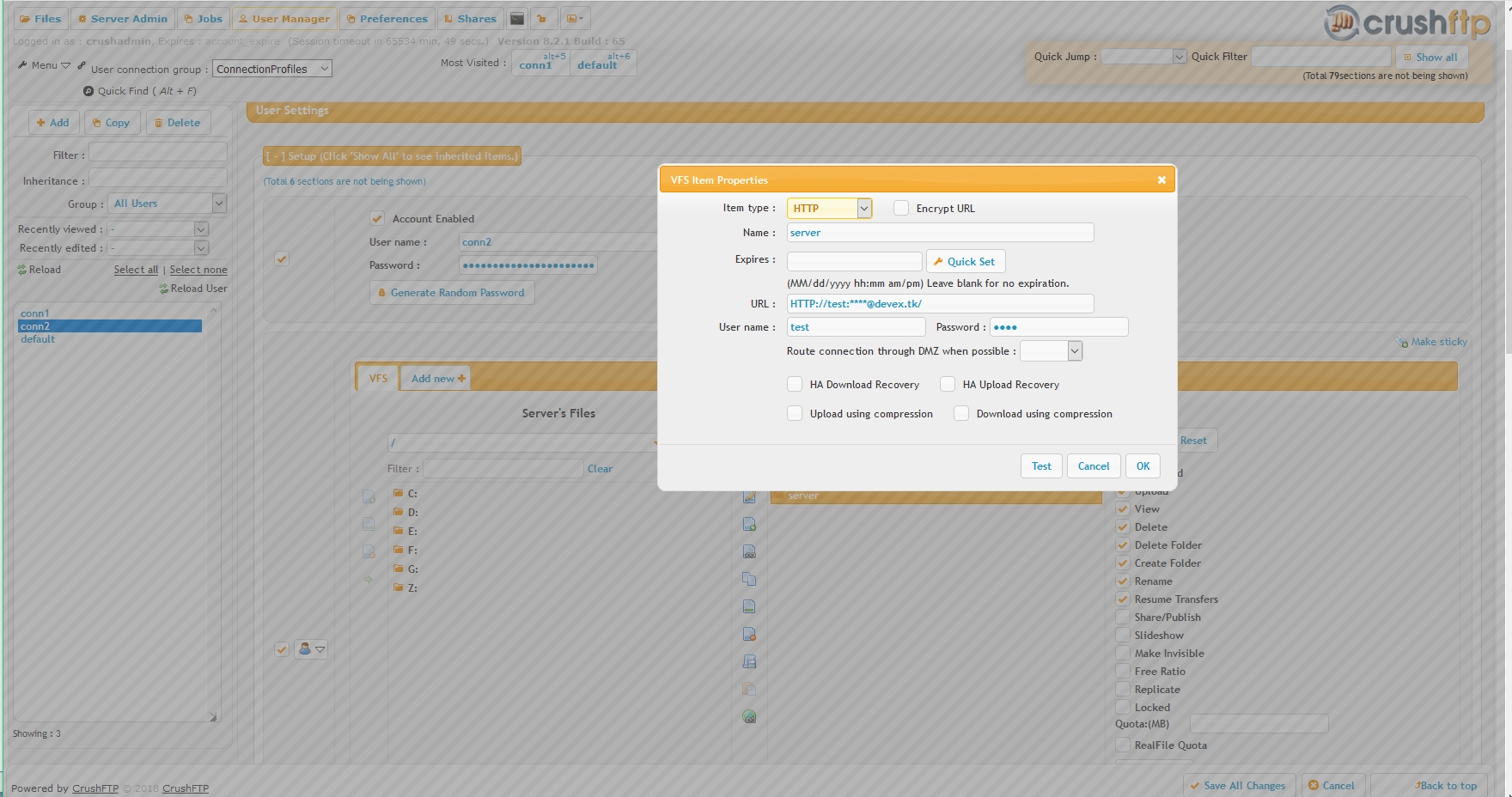
Configure this VFS item to point to a remote location:
Usage#
Then use in Job tasks with the syntax:
{connect_start}profilename{connect_end}
This will bring in the URL for the connection profile where that is configured.
Special Usage (rarely used functionality):#
In a UserVariable task item, you can use the name of that task item to have the connection profile. Example: {connect_start}conn2{connect_end}
Now the UserVariable task can reference any aspect of this connection.
{connect_url}
{connect_x_myvariable} - where myvariable is an Extra Text item you added at the bottom of the User Manager for this profile.
{connect_other} - where other is any other property from the loaded XML item.
11.2.2_10+ has greater potential for utilizing Connection Profiles.
I. Jobs: Save a remote item as a connection profile.
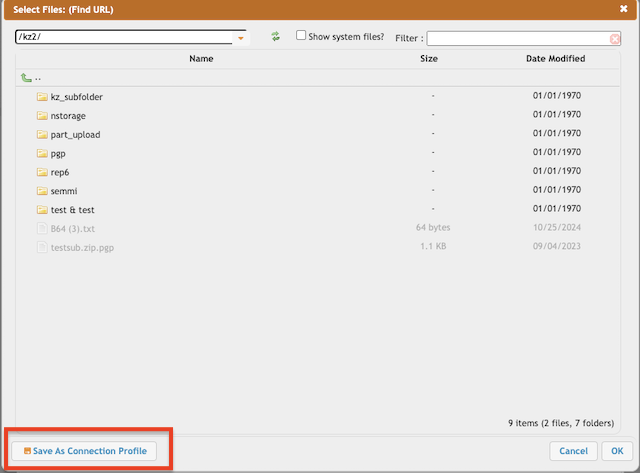
Browse the remote connection and save it as a connection profile.
List Connection Profiles, and consider filtering deleting, or renaming them as needed.
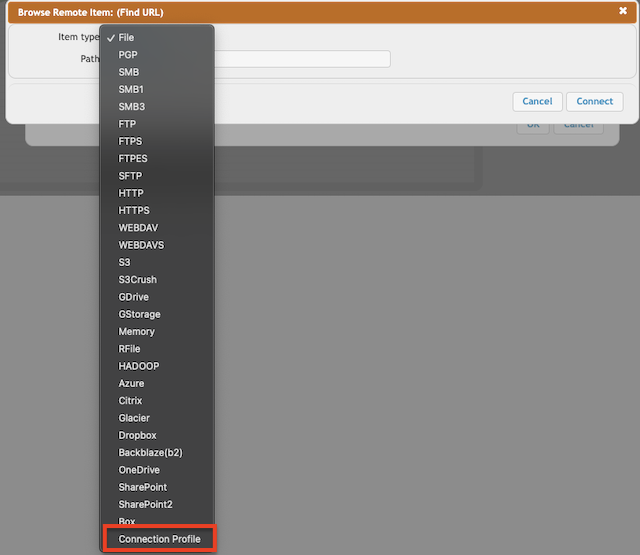
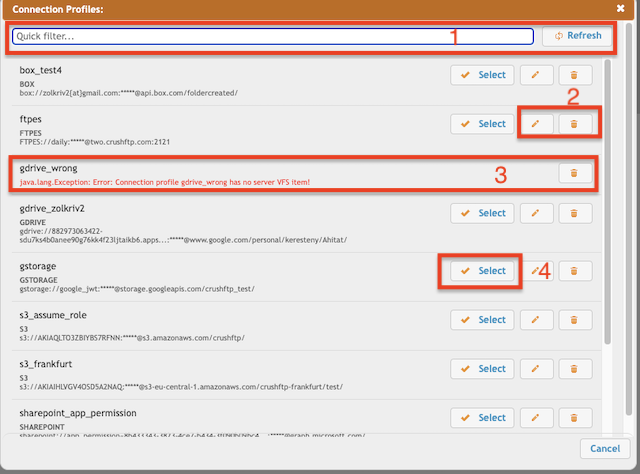
1. Filter Connection Profiles
2. Rename or delete the Connection Profiles
3. The error message indicates that the connection profile is incorrectly configured.
4. Choose the Connection Profiles, and the task URL will be automatically populated with the corresponding connection profile variable (e.g., {connect_start}gstorage{connect_end}).
II. User Manager
Some remote items have longer expiration periods (ranging from 6 months to 2 years). It makes sense to maintain a single location for configuring and renewing the connection, allowing all other users to simply reference it.
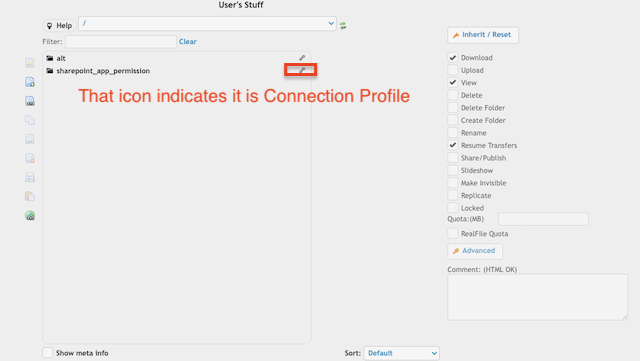
III.Plugins
The remote locations for both the Plugin and Preview also support Connection Profiles.