Dashboard#
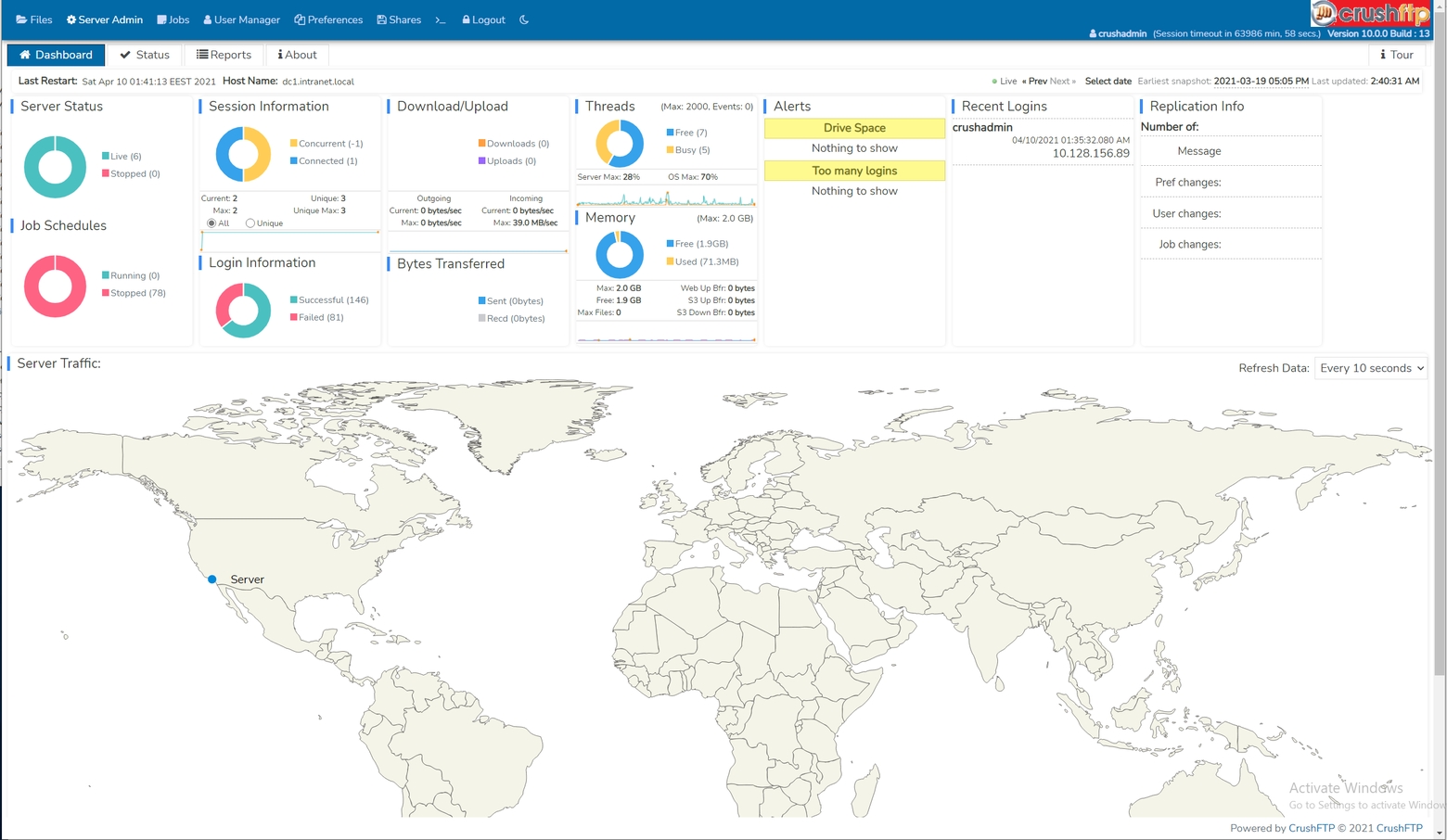
Most of the dashboard widgets names are self explanatory:
Server Status
shows the status of the server listener configured on the IP/Servers page
Job Schedules
displays the number of existing Jobs and their current running state
Session Information
user sessions
Login Information
basic statistics about user login states
Download/Upload and Bytes Transferred
traffic volume related statistics
Threads
the number of active (busy) and recently released (free) threads within the sampling time window
CPU Usage Graph
usage of the host CPU and the virtual JVM CPU
Memory
JVM heap usage and upper limit
Recent logins
most recent user sessions within the sampling time frame
Some more special widgets:
Alerts
by default, not animated. Need to add in first a Drive space and/or a Too many logins type alert on the Alerts config page
Replication info
by default, not animated. Meaningful only in a cluster scenario with Replication enabled.
Server Traffic
by default, not animated. When it is enabled, displays user geoip statistics. Requires an active subscription for Ipstack's free geolocation API at least, and requires outbound Internet access to their API hosts as prerequisite, to function. The API key is to be applied on our Misc config page.