UserManagerMenu#
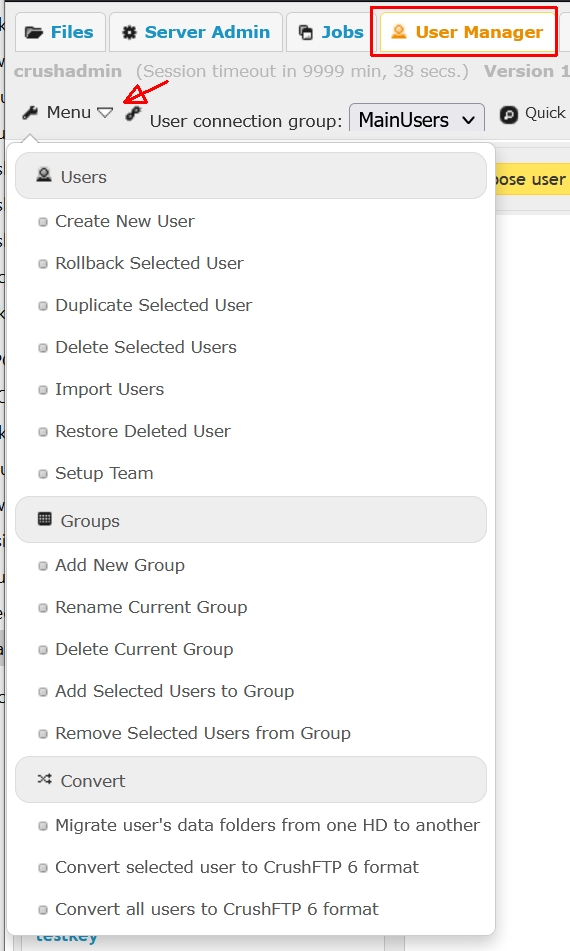
A set of utilities organized into functional groups. Naming convention is self-explanatory:
Users
Create New User
Add a new user account. Same as the _Add button above the Users list pane.
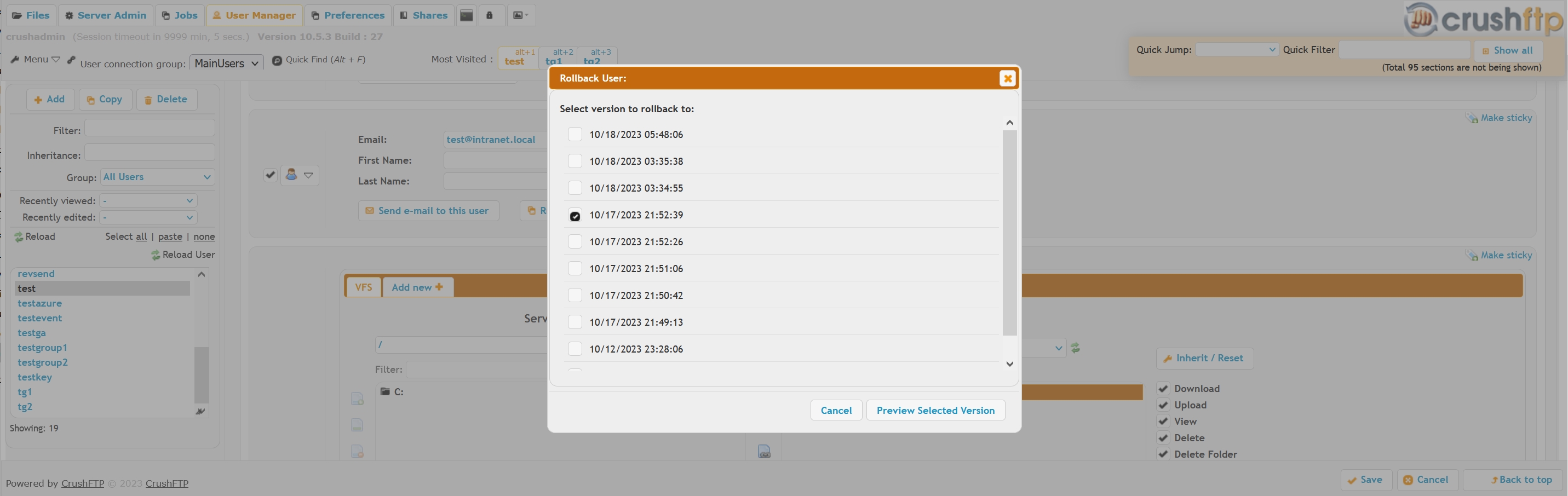
Rollback Selected User
Roll back to an automatic backup of a user account, allows previewing the rolled back version's settings.
Duplicate Selected User
Clone copy the user, same as the Copy button above the Users list pane.
Delete Selected Users
Delete the user account, same as the Delete button above the Users list pane.
Import Users
Import users from various popular server applications, or a CSV file. There is a separate wiki on this. For importing users from a CSV document, see this wiki instead.
Restore Deleted User
Restore a deleted user from an automatic backup.
Groups
Add New Group
Creates a new user Group. If a user account is selected, will also drop those into the newly created group.
Rename Current Group
Renames the currently selected group
Delete Current Group
Deletes the currently selected group, drops back the user accounts into the Not In A Group placeholder
Add Selected Users to Group
Adds one or more users to the group in a single action.
Remove Selected Users from Group
The opposite of the above, drops back the user accounts into the Not In A Group placeholder
Convert
Migrate user's data folders from one HD to another
A find-replace tool, to bulk convert all user VFS data paths. Doesn't move the data directory structure itself.
Convert selected user to CrushFTP 6 format
Obsolete. Needed followup step when upgrading from CrushFTP v5 and prior.
Convert all users to CrushFTP 6 format
Obsolete. Needed followup step when upgrading from CrushFTP v5 and prior.