# UserManagerMenu
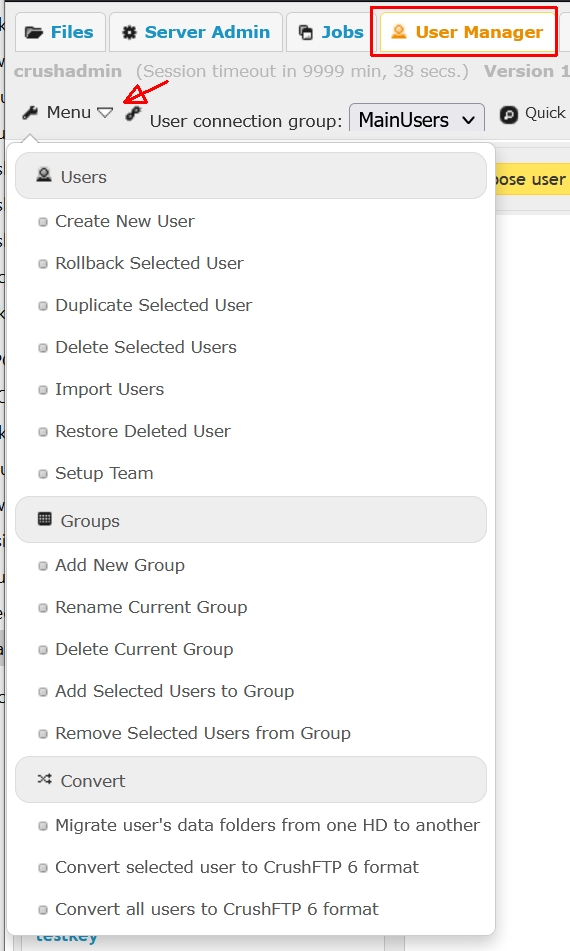
A set of utilities organized into functional groups. Naming convention is self-explanatory:
 ---
**Users**
**Create New User**\
Add a new user account. Same as the \_Add **button above the Users list pane.**
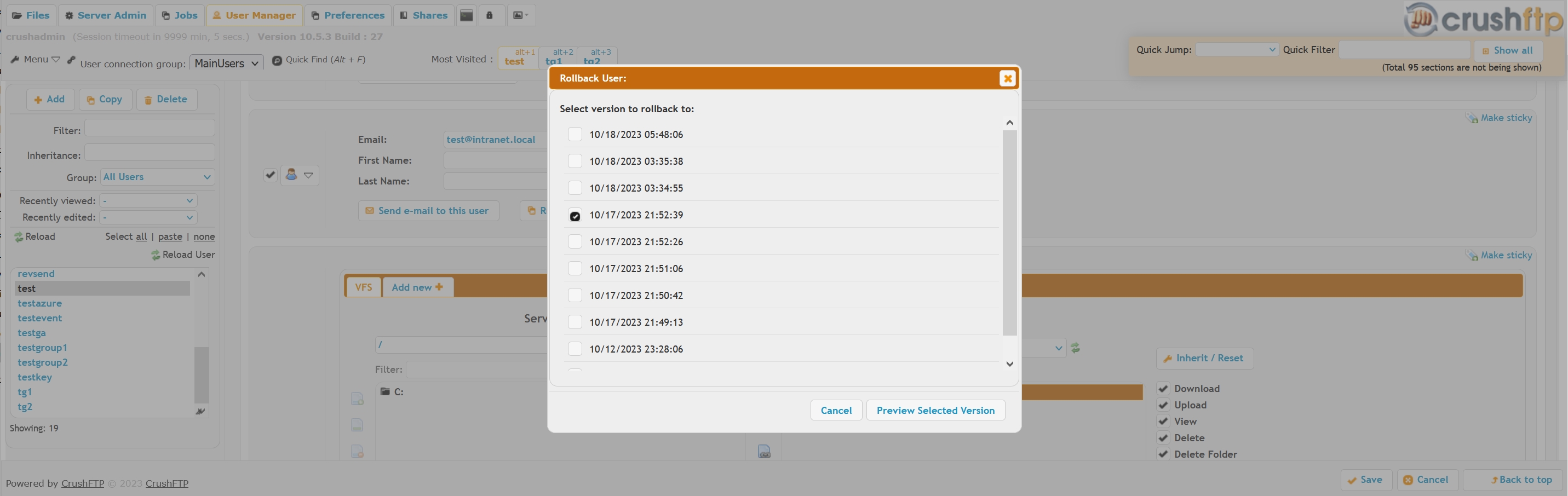
**Rollback Selected User**\
Roll back to an automatic backup of a user account, allows previewing the rolled back version's settings.
 **Duplicate Selected User**\
Clone copy the user, same as the **Copy** button above the Users list pane.
**Delete Selected Users**\
Delete the user account, same as the **Delete** button above the Users list pane.
**Import Users**\
Import users from various popular server applications, or a CSV file. There is a separate **[wiki](Import-Users-from-other-applications.md)** on this. For importing users from a **CSV** document, see **[this wiki](Import-Users-from-CSV.md)** instead.
**Restore Deleted User**\
Restore a deleted user from an automatic backup.
---
**Groups**
**Add New Group**\
Creates a new user **[Group](Groups.md)**. If a user account is selected, will also drop those into the newly created group.
**Rename Current Group**\
Renames the currently selected group
**Delete Current Group**\
Deletes the currently selected group, drops back the user accounts into the **Not In A Group** placeholder
**Add Selected Users to Group**\
Adds one or more users to the group in a single action.
**Remove Selected Users from Group**\
The opposite of the above, drops back the user accounts into the **Not In A Group** placeholder
---
**Convert**
**Migrate user's data folders from one HD to another**\
A find-replace tool, to bulk convert all user VFS data paths. Doesn't move the data directory structure itself.
**Convert selected user to CrushFTP 6 format**\
Obsolete. Needed followup step when upgrading from CrushFTP **v5** and prior.
**Convert all users to CrushFTP 6 format**\
Obsolete. Needed followup step when upgrading from CrushFTP **v5** and prior.