CrushClient#
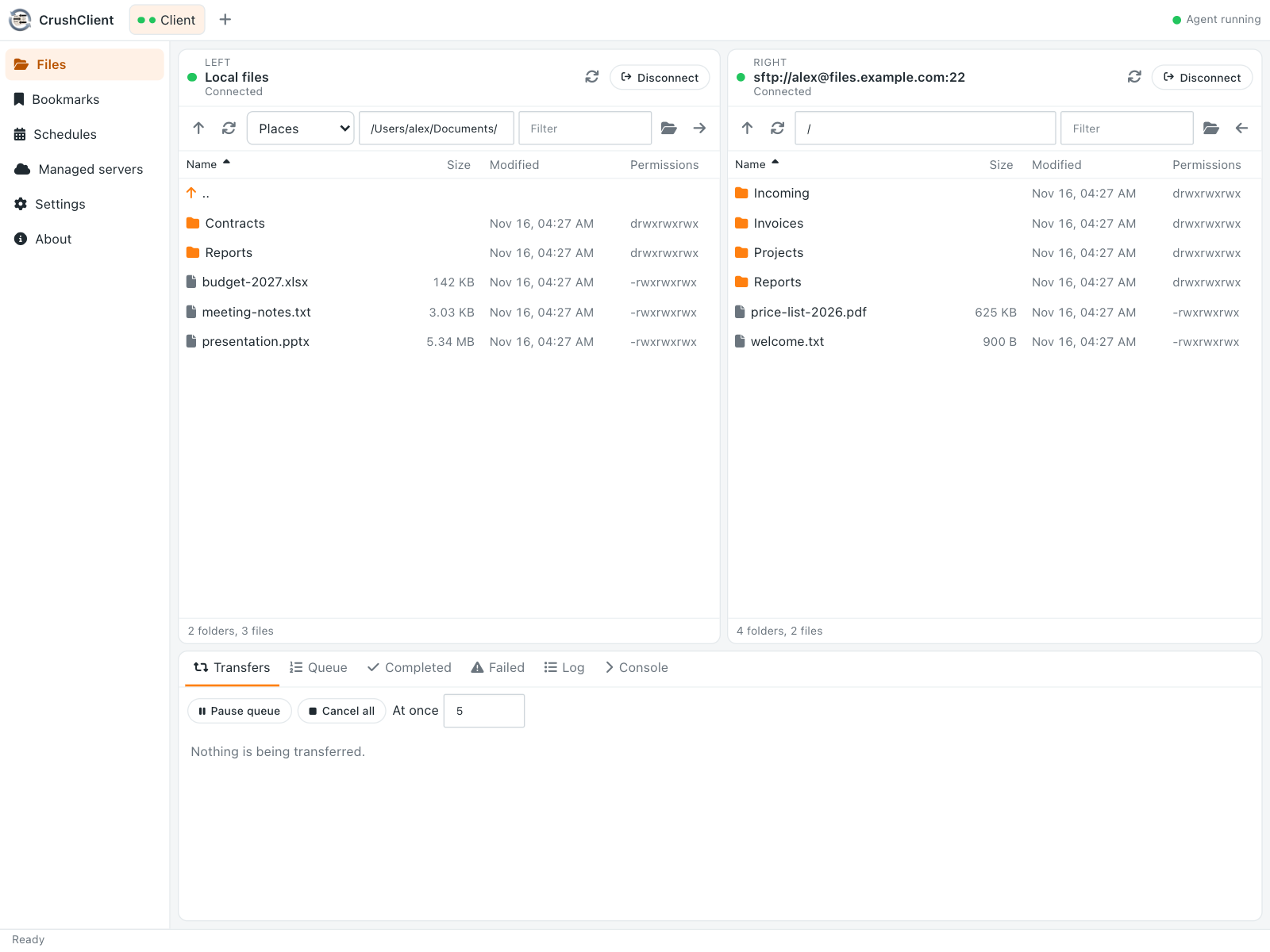
CrushClient is a file transfer app for Windows, macOS and Linux. It shows two locations side by side, one in each pane, and moves files between them: this computer, a CrushMFT server, or any FTP, SFTP, WebDAV, SMB, NFS, S3 or Azure server. The same program also runs from the command line and in scripts.
What it does#
- Two panes, any two locations. Local to server, server to local, or server to server, with the files streaming through CrushClient.
- Many protocols: FTP, FTPS, FTPES, SFTP, HTTP and HTTPS to CrushMFT, WebDAV, SMB, NFS, Amazon S3 and compatible storage, and Azure Storage. See Protocols.
- Transfers that finish. They queue, run several at once, resume, retry by themselves, and continue after CrushClient restarts.
- Fast against CrushMFT: segmented uploads and downloads over HTTPS, and the high speed tunnel for links with high latency.
- Bookmarks keep your connections, with their passwords encrypted on your computer.
- Schedules run transfers at set times, from a script of CrushClient commands.
- Tabs: several connections at once.
- Safe by default: it asks before it trusts an unknown SSH host key or a certificate it cannot verify, and remembers your answer.
- Simple or advanced mode, light or dark.
- Managed agent: a CrushMFT Enterprise server can send jobs to a CrushClient installed on another machine.
- Command line and scripting with the same engine:
put,get, differential transfers, one-way sync, PGP, and a one-linecopy/move/deleteform. - For administrators: lock an installation down (allowed protocols, a fixed server list, no local files on one side), or build it under your own name.
What you need#
| Windows | Windows 10 or 11, 64-bit |
| macOS | a Mac with Apple Silicon |
| Linux | 64-bit (x86_64) with a desktop; GTK 3 and WebKitGTK |
| Java | none to install: the app brings its own |
| Server | any server for the standard protocols. For the CrushMFT features (HTTPS transfers, the tunnel, managed agent): CrushMFT 27; most of it also works with CrushFTP 11. |
Download#
The download links will be added here when the builds are published (https://www.crushftp.com/early27/…): the Windows installer, the macOS app and the Linux package. Install has the steps for each.
Where to start#
| If you want to | Read |
|---|---|
| Install it | Install |
| Make your first transfer | Quick start |
| Find your way around | The window |
| Connect to a server | Connecting and Protocols |
| Run transfers at set times | Schedules |
| Use it from a script | Command line and Single command |
| Let your CrushMFT server send it jobs | Managed agent |
| Roll it out to other people | Admin defaults |
| Move from the older CrushClient | Upgrading |