Quick start#
Your first transfer, in five steps.
1. Pick a local folder#
The Left pane starts on Local files. Type a folder, or click the folder button to choose one, and press Connect.
2. Connect to a server#
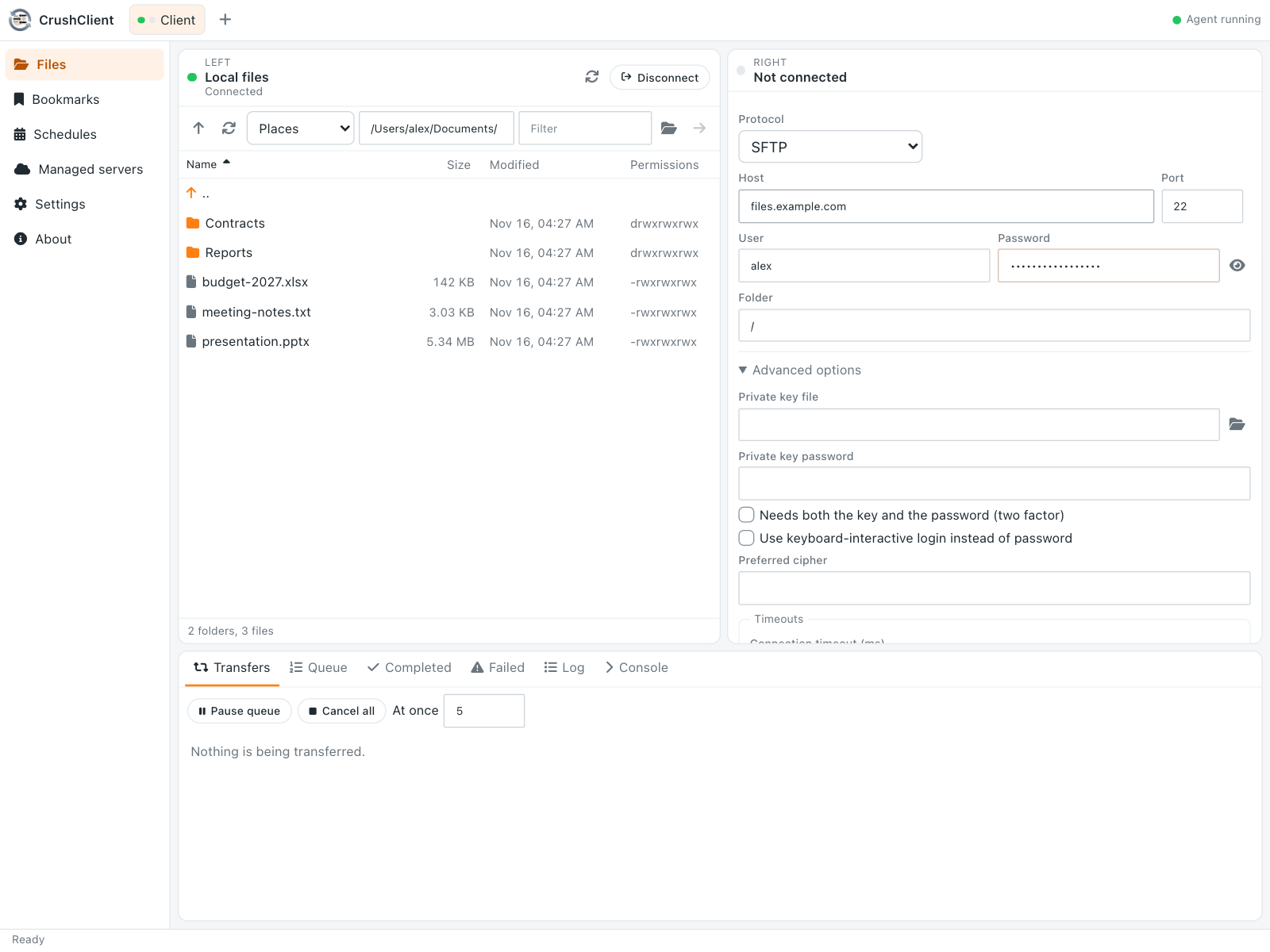
In the Right pane:
- Choose the Protocol, for example SFTP, or HTTPS for a CrushMFT server.
- Enter the Host, your User and Password. The port is filled in for the protocol.
- Tick Save as bookmark if you want to keep the connection.
- Press Connect.
3. Answer the trust question#
The first time you connect to an SFTP server, CrushClient shows the server's key and asks whether to trust it. Check the fingerprint with the server's administrator, then choose Trust and remember.
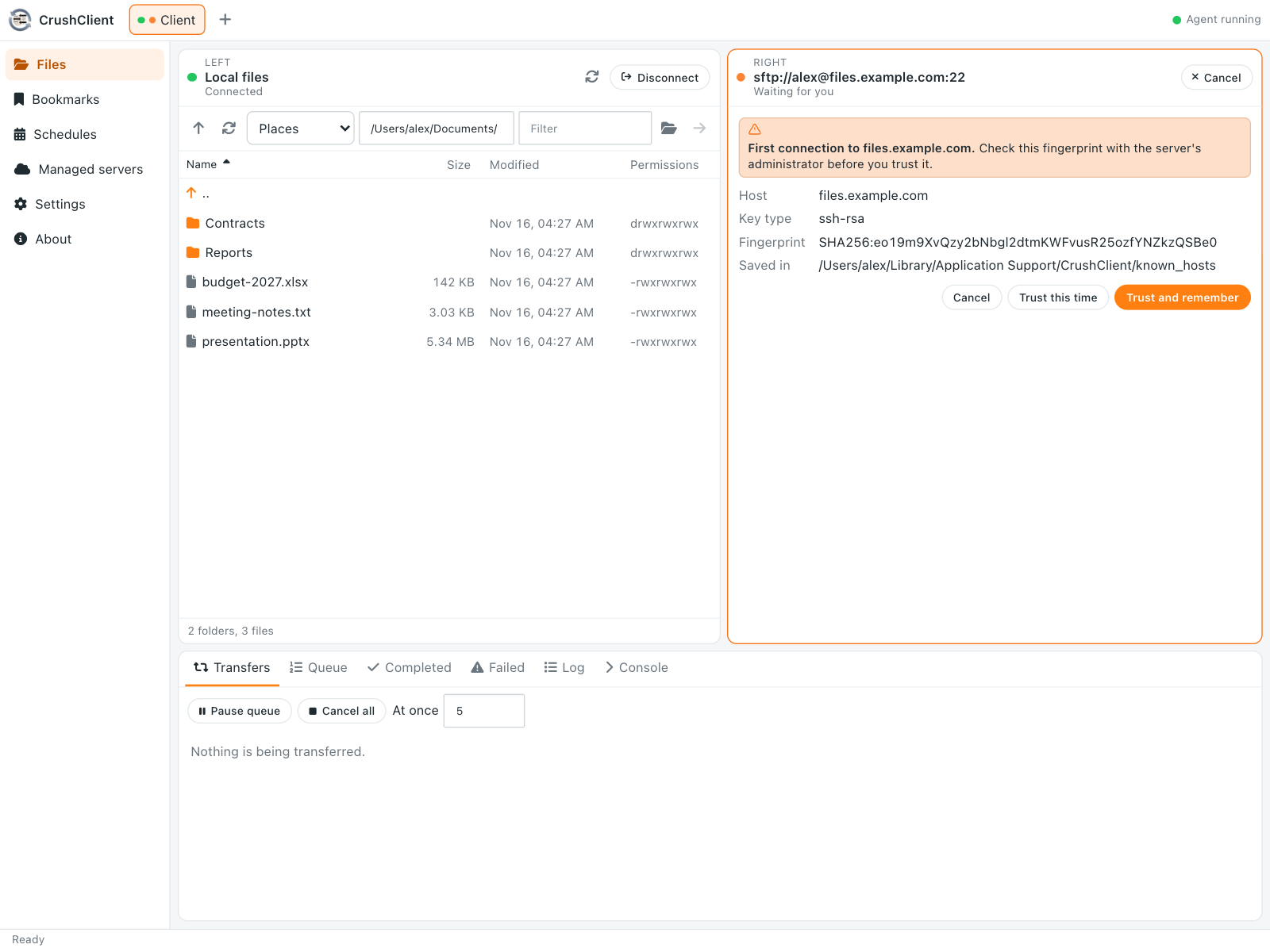
For HTTPS and FTPS it asks the same about a certificate it cannot verify. See Trust prompts.
4. Send files#
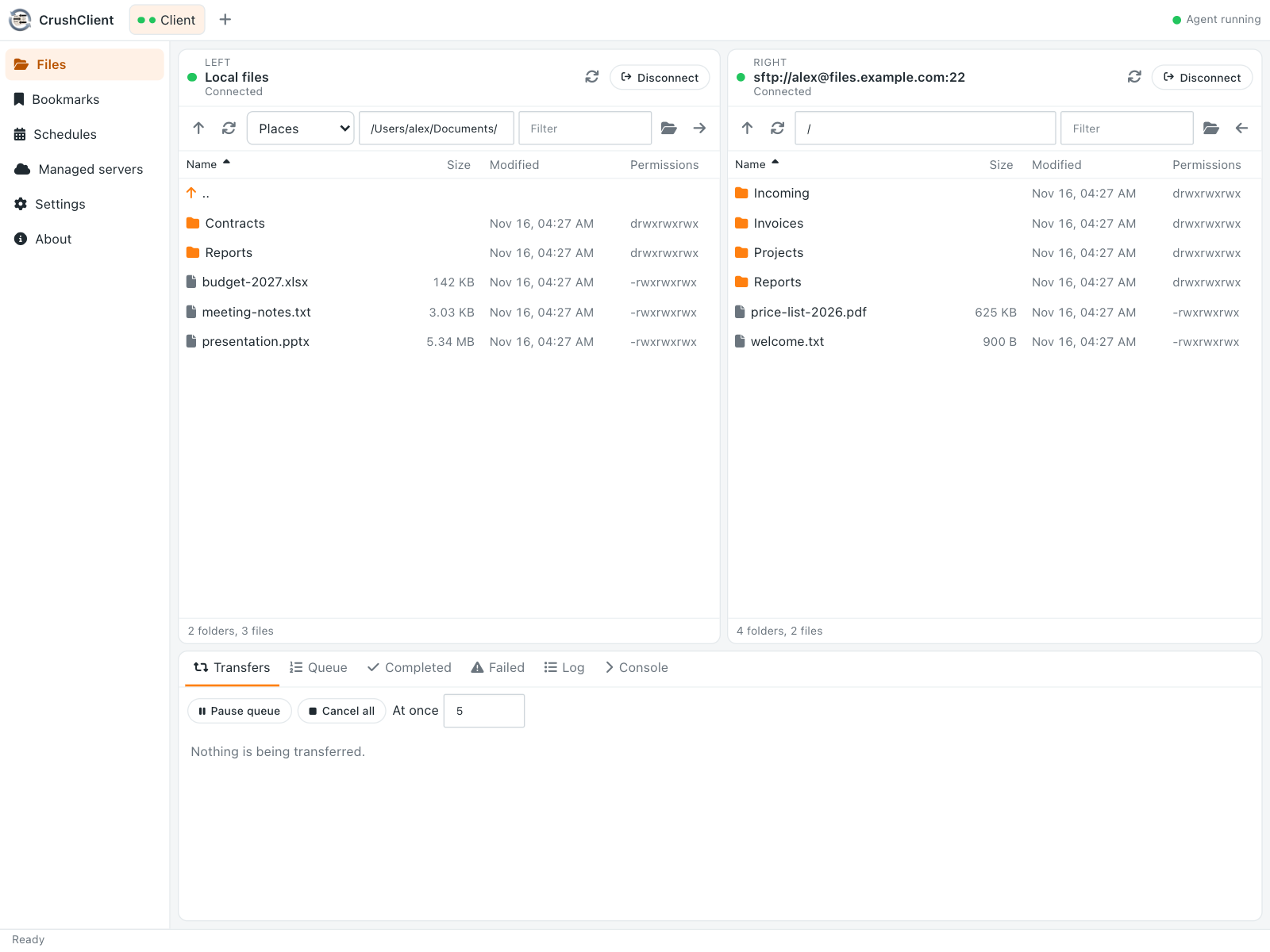
Both panes now list files. Select what you want on one side and send it to the other:
- drag it onto the other pane, or onto a folder there; or
- press the arrow button above the list (Send selected to the right / to the left); or
- right-click and choose Send to the right.
If something with the same name is already there, CrushClient asks what to do with it (Transfers).
5. Watch it finish#
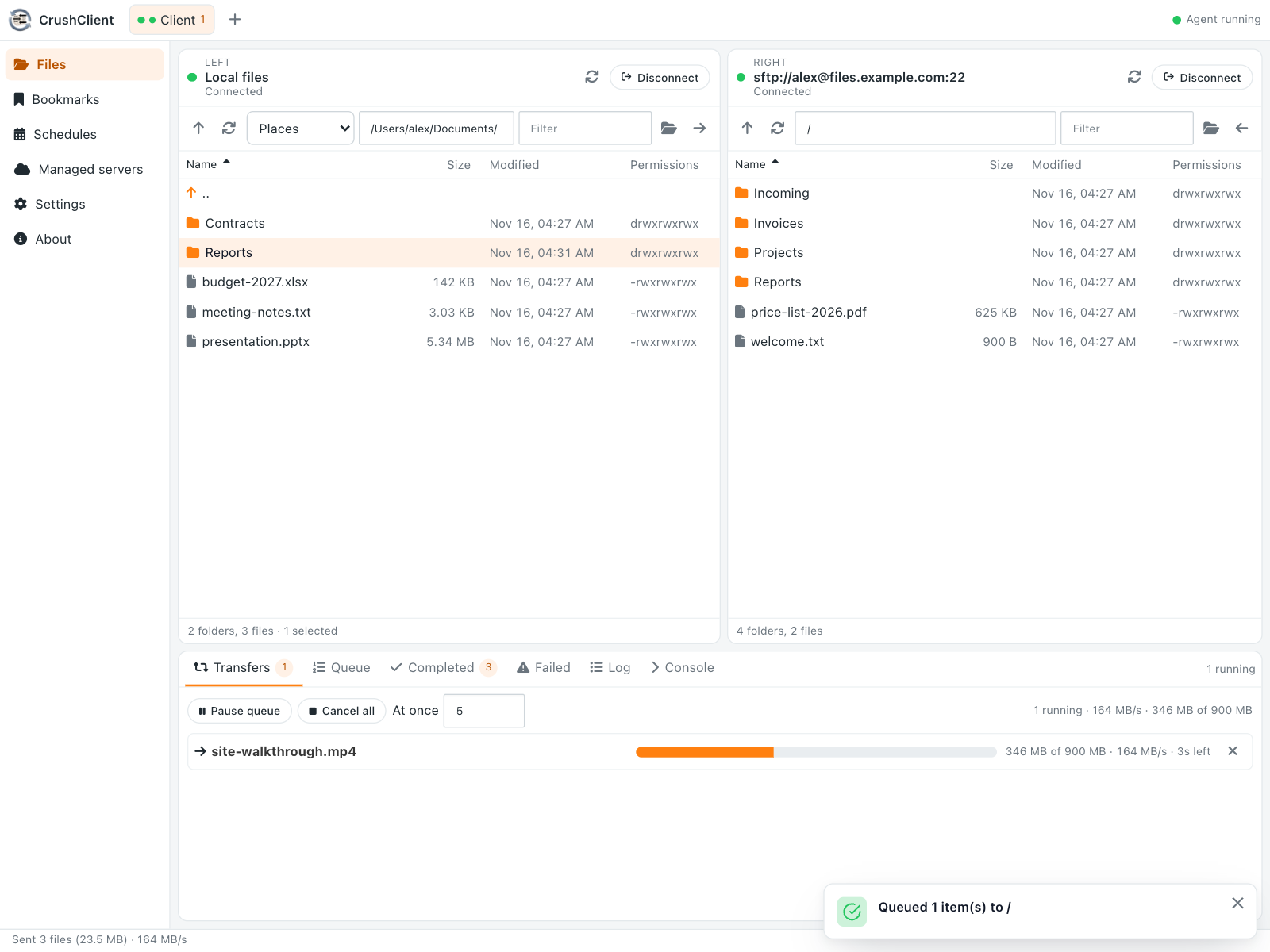
The panel at the bottom shows each file as it transfers, with its speed and the time left. Completed lists what was sent; Failed lists what was not, with the reason and a Retry.
Next#
- Keep connections: Bookmarks.
- Repeat a transfer at set times: Schedules.
- More than one connection at once: tabs, in The window.