Browsing files#
A connected pane lists the files of its location. Both panes work the same way, whether they show this computer or a server.
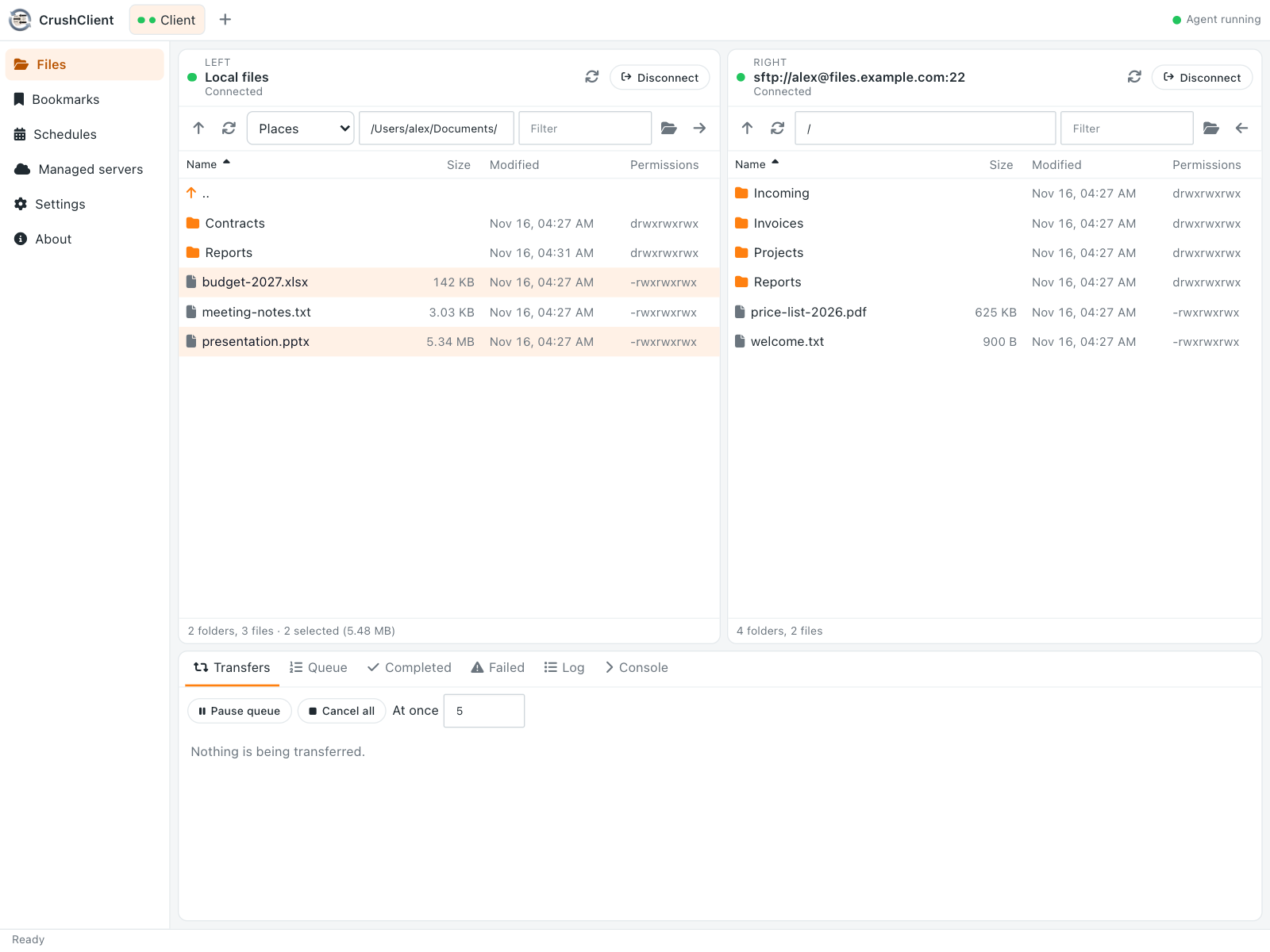
The toolbar#
| Control | What it does |
|---|---|
| ↑ | up one folder |
| Refresh | reads the folder again (F5) |
| Places (local panes) | your home, Desktop, Documents and Downloads |
| The path | type a folder and press Enter to go there |
| Filter | shows only the names that contain what you type (advanced mode) |
| New folder | makes a folder here |
| → or ← | sends the selection to the other pane |
The list#
- Name, Size, Modified and, in advanced mode, Permissions. Click a heading to sort by it; click again to turn the order around. Folders come first.
- Double-click a folder to open it; the .. row goes up.
- The line under the list counts the folders and files, and the size of your selection.
- Very large folders are fine: the list only draws the rows you can see.
Selecting#
| To select | Do |
|---|---|
| one item | click it |
| several | Ctrl-click (⌘-click on a Mac) each one |
| a range | click the first, Shift-click the last |
| everything | Ctrl+A (⌘A) |
| nothing | Esc |
Typing letters jumps to the first name that starts with them.
The right-click menu#
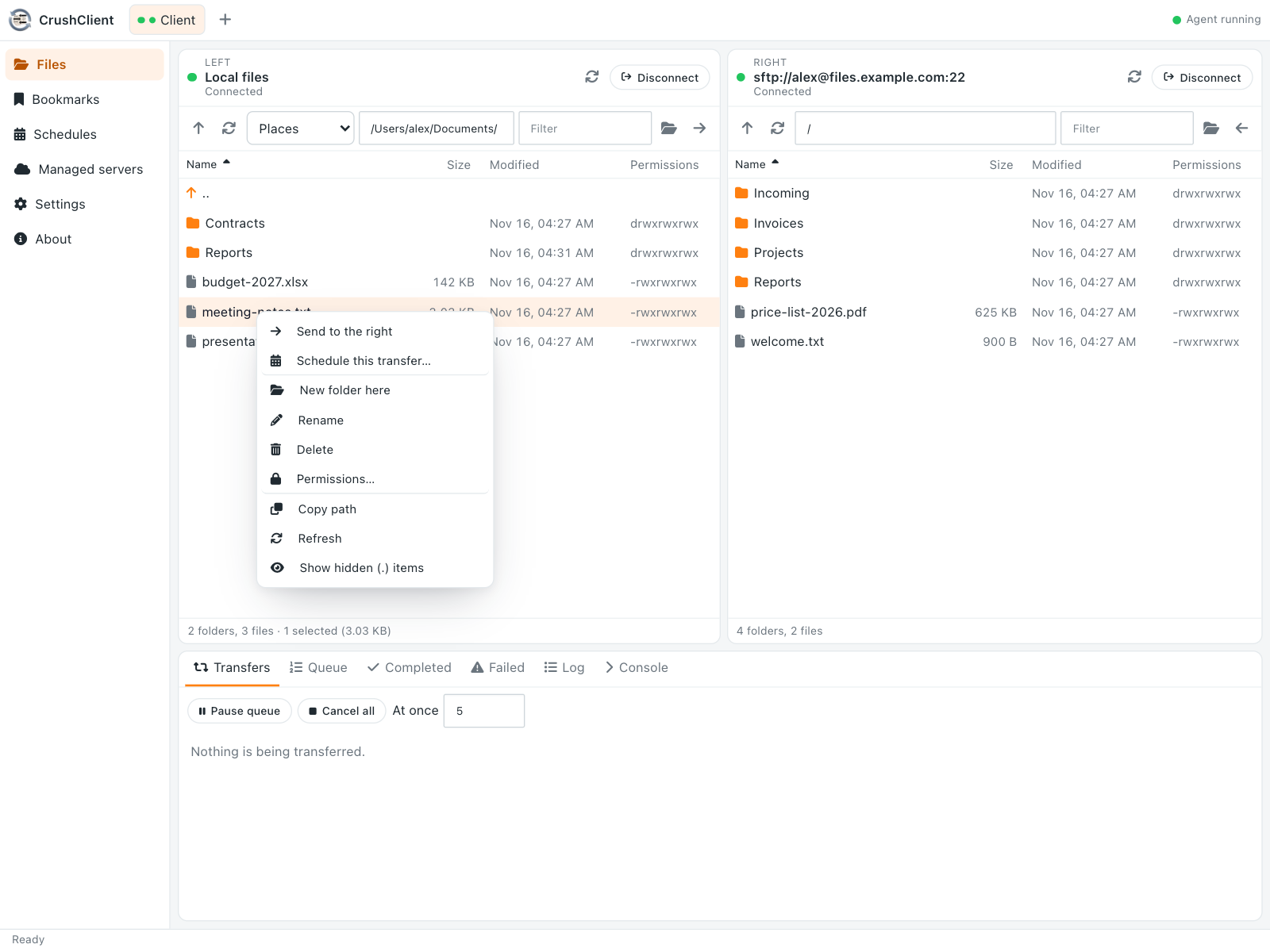
| Item | What it does |
|---|---|
| Send to the right / to the left | transfers the selection to the other pane's folder |
| Schedule this transfer… | makes a schedule that repeats this transfer |
| New folder here | |
| Rename | F2 |
| Delete | asks first, with the number of items; Delete key |
| Permissions… | changes the permissions on a server that supports it (SFTP) |
| Copy path | puts the item's full path on the clipboard |
| Refresh | |
| Show hidden (.) items | shows or hides names that start with a dot |
Dragging#
- Drag a selection onto the other pane to send it to that pane's folder, or onto a folder there to send it into that folder.
- Drag files from your desktop or file manager onto a pane to upload them there.
Every transfer goes through the queue: see Transfers.
Keyboard#
All the keys are on the Keyboard page.