Protocols#
The Protocol list in the connection form, and what each one offers under Advanced options.
| Protocol | For | Usual port |
|---|---|---|
| Local files | folders on this computer | |
| FTP | plain FTP | 21 |
| FTPS (implicit TLS) | FTP inside TLS from the first byte | 990 |
| FTPES (explicit TLS) | FTP that switches to TLS after connecting | 21 |
| SFTP | file transfer over SSH | 22 |
| HTTP (CrushMFT), HTTPS (CrushMFT) | a CrushMFT server's web port, with its fast transfer modes | 80, 443 |
| WebDAV, WebDAV over TLS | WebDAV servers | 80, 443 |
| SMB, SMB3, SMB1 (old servers) | Windows file shares | 445 |
| NFS | NFS exports | |
| Amazon S3 | S3 buckets and S3-compatible storage | 443 |
| S3 (CrushMFT layout) | a bucket in the layout CrushMFT's own S3 storage uses | 443 |
| Azure Storage | blob containers and file shares | 443 |
Every protocol also has Timeouts (connection, read and write, in milliseconds) and, in advanced mode, Max threads for this connection.
FTP, FTPS and FTPES#
| Option | What it does |
|---|---|
| Connection mode | Passive (the usual choice behind a firewall) or Active |
| Encrypt the data channel | FTPS and FTPES: also encrypt the file data, not only the login |
| Do not check the server's certificate (not recommended) | FTPS and FTPES: skips the check for this connection. Prefer answering the trust question. |
| Client certificate keystore and its password | when the server wants a certificate from you |
SFTP#
| Option | What it does |
|---|---|
| Private key file and Private key password | log in with an SSH key instead of, or as well as, a password |
| Needs both the key and the password (two factor) | for servers that require both |
| Use keyboard-interactive login instead of password | for servers that ask their questions interactively |
| Preferred cipher | only when a server needs one particular cipher |
The first connection to a server asks you to check its host key: Trust prompts.
HTTP and HTTPS to CrushMFT#
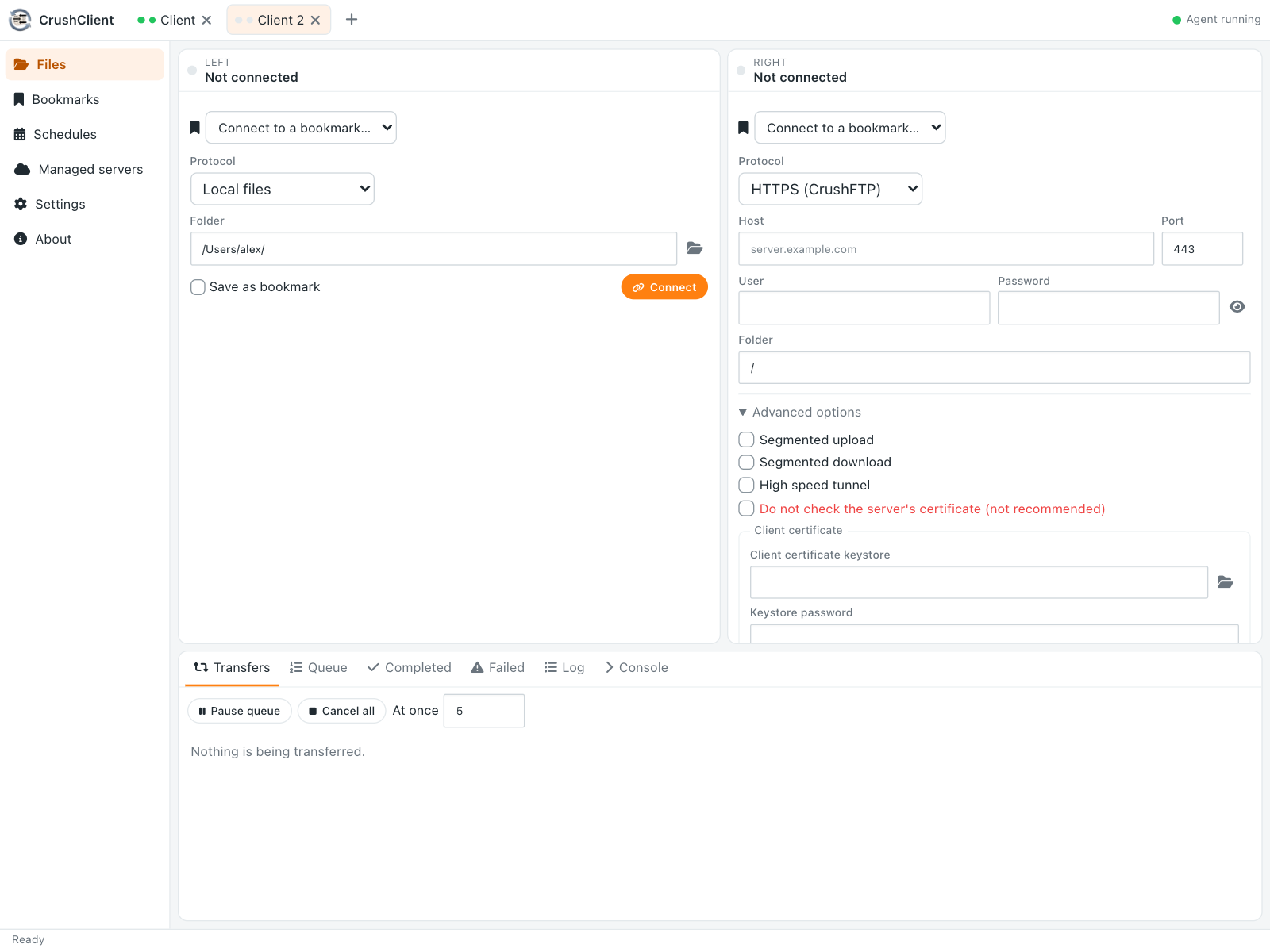
| Option | What it does |
|---|---|
| Segmented upload, Segmented download | sends or fetches a file in several parts at once, which is much faster on fast links |
| High speed tunnel | uses the server's tunnel for links with high latency (see CrushTunnel). It cannot be combined with the segmented modes. |
| Do not check the server's certificate (not recommended) | skips the check for this connection |
| Client certificate keystore and its password | when the server wants a certificate from you |
| Encrypt files with a password (PGP) | encrypts each file with a password before it is sent |
Differential transfers (diffput, diffget on the command line) also need a CrushMFT server on the other side.
WebDAV#
| Option | What it does |
|---|---|
| Use full url for rename | for servers that expect the complete address in a rename |
| Do not check the server's certificate (not recommended) | WebDAV over TLS |
SMB3#
| Option | What it does |
|---|---|
| DFS Enabled | follow DFS links to the server that holds the share |
| Required signing | require signed messages |
Amazon S3 and compatible storage#
Enter the Endpoint (choose a region, or type your provider's address), the Access key ID, the Secret access key, and the Bucket and folder.
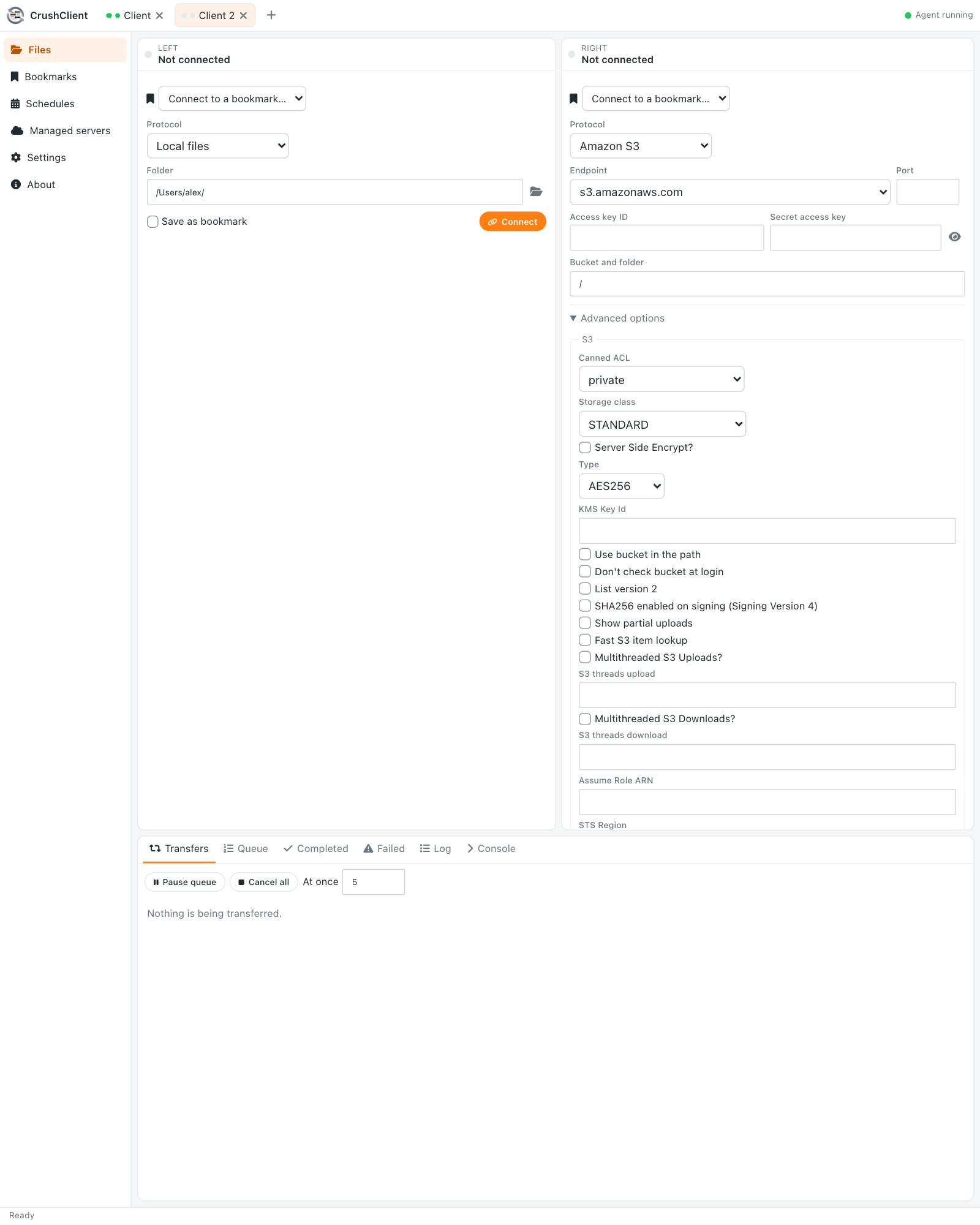
| Option | What it does |
|---|---|
| Canned ACL | the access rule given to uploaded objects (private, public-read, bucket-owner-full-control, …) |
| Storage class | STANDARD, STANDARD_IA, INTELLIGENT_TIERING, GLACIER, DEEP_ARCHIVE and the others |
| Server Side Encrypt?, Type, KMS Key Id | encryption at rest: AES256 or AWS KMS with a key |
| Use bucket in the path | path-style addresses, which many S3-compatible services need |
| Don't check bucket at login | for keys that may not list buckets |
| List version 2 | use the newer listing call |
| SHA256 enabled on signing (Signing Version 4) | signs the content as well |
| Show partial uploads | lists unfinished multipart uploads |
| Fast S3 item lookup | fewer requests per item |
| Multithreaded S3 Uploads? / Downloads? and their thread counts | parts of one file at once |
| Assume Role ARN, STS Region | work under another role |
| Add meta data : MD5 and uploaded by user | stores those with each object |
Azure Storage#
Enter the Storage account, the Account key, and the Share or container and folder.
| Option | What it does |
|---|---|
| Shared access signature token | a SAS token instead of the account key |
| Data Lake Storage Gen2 | for accounts with the hierarchical namespace |
| Upload blob type | blockblob or appendblob |
| Upload buffer size, Max upload threads | tuning for large uploads |
Saving the options#
Whatever you set under Advanced options is saved with a bookmark, so you set it once per server.