Transfers#
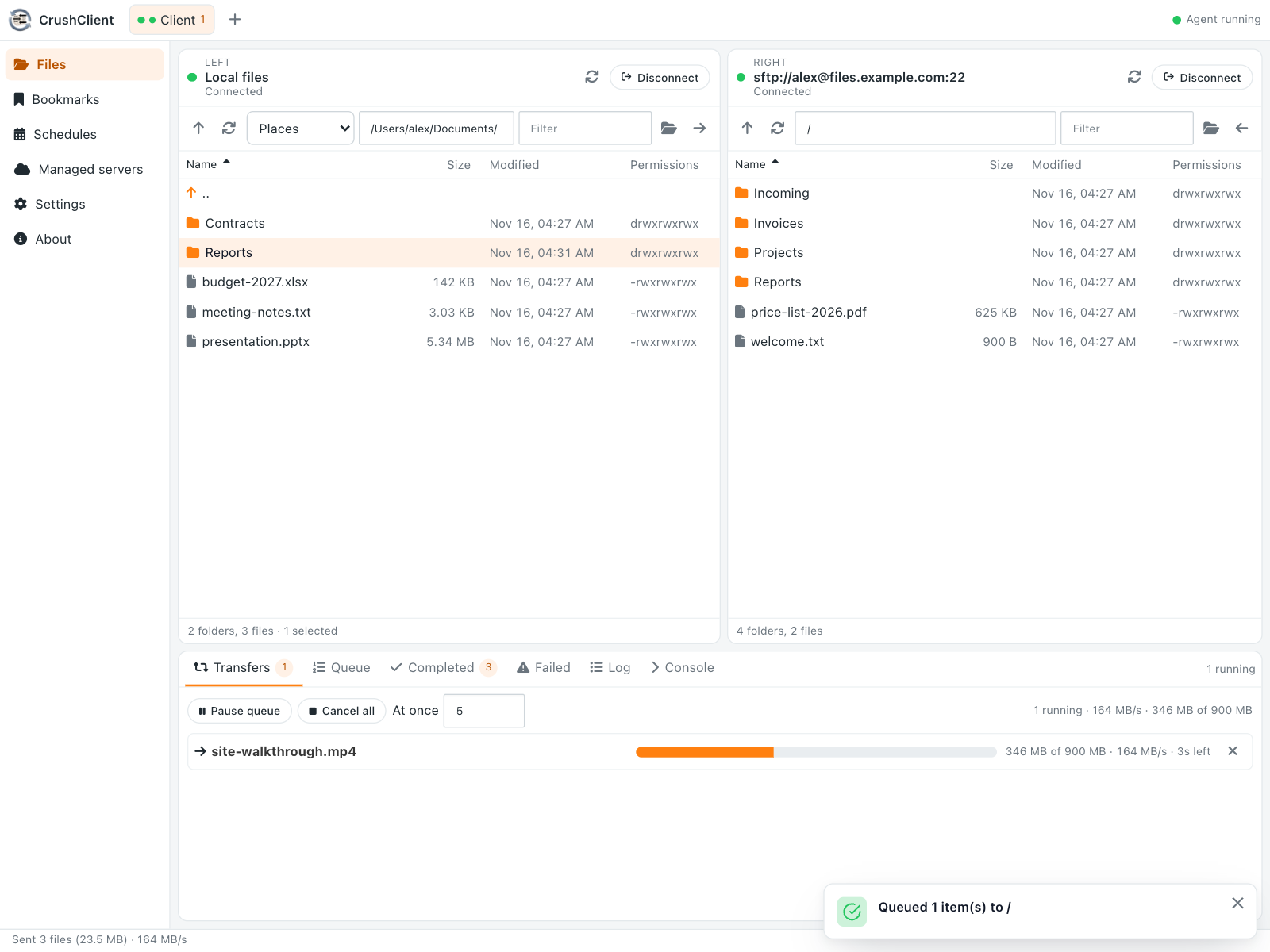
Everything you send goes into the tab's queue. The panel at the bottom shows what is running, what is waiting, what is done and what failed.
Starting a transfer#
Select files or folders in one pane, then:
- drag them onto the other pane (or onto a folder in it); or
- press the arrow button in the pane's toolbar; or
- right-click › Send to the right (or left).
Folders are sent with everything in them. Several files run at the same time.
When something is already there#
If items of the same name exist on the other side, CrushClient asks before it starts:
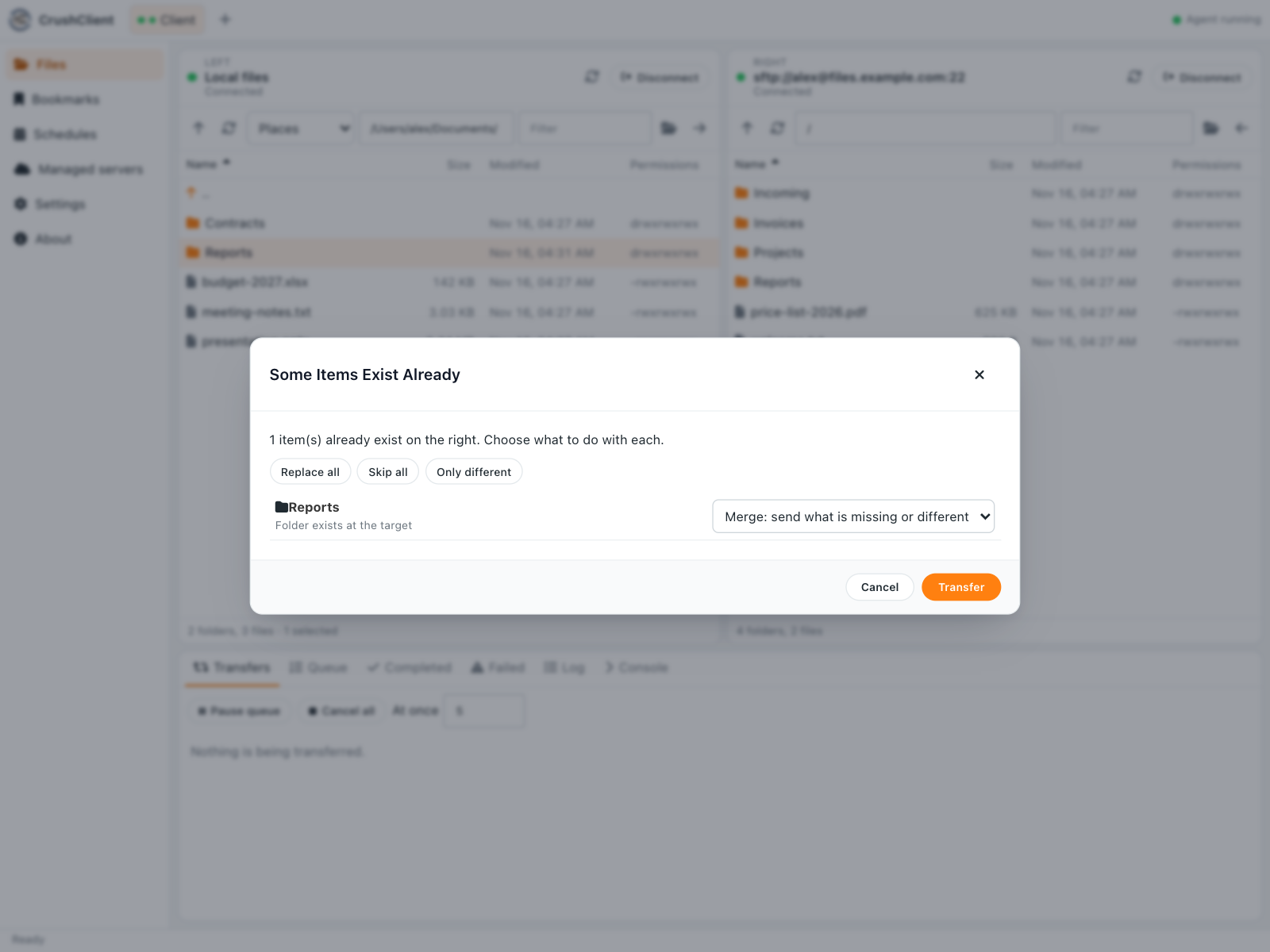
- Replace all, Skip all or Only different (replace only what has another size or date) answer for every item at once.
- Or answer per item. For a folder: Merge: send what is missing or different, Merge: send every file again, Merge: send only files not there yet, or Leave this folder out.
Transfer starts with your choices; Cancel sends nothing. The choice applies to this transfer only.
The panel#
| Tab | Shows | Buttons |
|---|---|---|
| Transfers | each file that is transferring now: its progress, speed and the time left, and a total for all of them | cancel one file; Pause queue; Cancel all; At once |
| Queue | what is waiting | Clear queue |
| Completed | what was transferred, with size and time; skipped items say why they were skipped | Send all again, Clear |
| Failed | what could not be transferred, with the reason | Retry one, Retry all, Clear |
Each tab's name carries a count.
- At once is the number of files transferred at the same time (5 to start with). An administrator can set an upper limit (Admin defaults).
- Pause queue lets the running files finish and starts no new ones until you resume.
- Cancel all stops everything in this tab, after a confirmation.
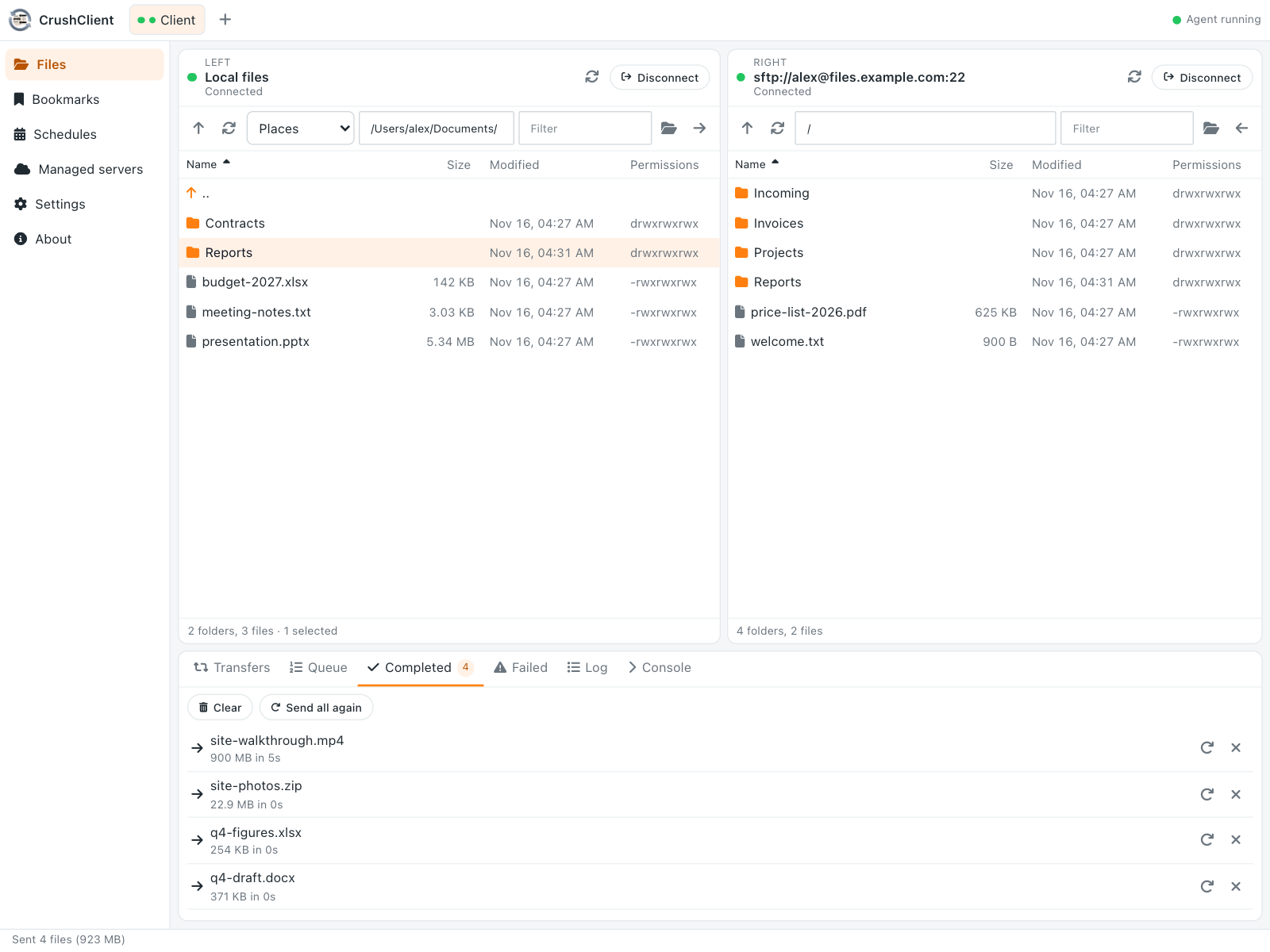
When a transfer finishes, the receiving pane refreshes by itself.
Resume and retry#
- A transfer that is interrupted is tried again by itself.
- A file that was partly sent resumes where it stopped when the server allows it.
- The queue survives a restart. If CrushClient is closed or the computer restarts while transfers are waiting, they are still in the queue afterwards and continue once the tab is connected again.
- A failed item keeps its reason. Retry puts it back in the queue with the same choices.
Speed with CrushMFT servers#
Over HTTPS to a CrushMFT server, turn on Segmented upload and Segmented download in the connection's advanced options to send each file in several parts at once, or the High speed tunnel for links with high latency (Protocols).
The status line#
The line at the bottom of the window adds up what this tab sent and received.