CrushSync#
CrushSync keeps a folder on your computer and a folder on your CrushMFT server the same, in both directions, as changes happen. Edit a file here and it is on the server moments later; a colleague's change arrives on your computer the same way. Everyone who syncs the same server folder sees the same files.
What it does#
- Real time. CrushSync watches the folder. A new, changed, renamed or deleted file is passed on at once, not on the next scheduled run.
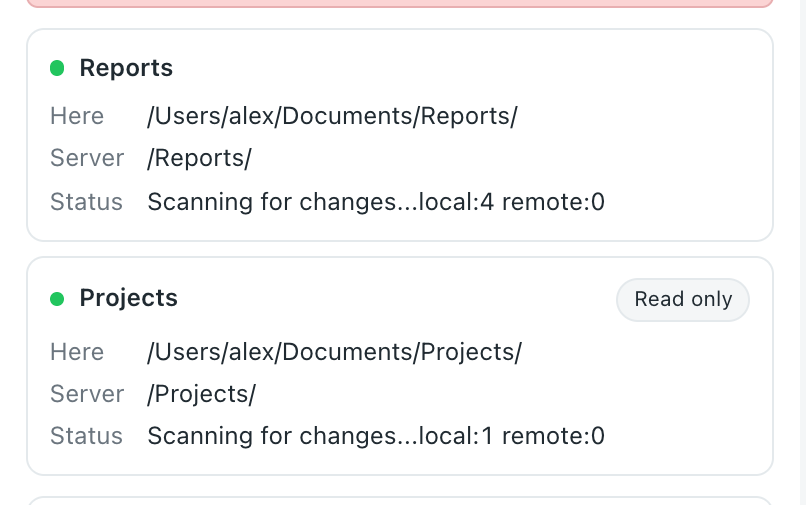
- Both directions, or one: a sync can be read only on your side.
- Only what changed. Of a large file, only the changed parts are sent.
- Works offline. Keep working without a connection; CrushSync catches up when the server is reachable again.
- Revisions. The server keeps earlier versions of each file, so two people editing the same file lose nothing (how a conflict is handled).
- Your server, your data. The files stay on your own CrushMFT server, with its users, its permissions and its login methods. No third party holds them. See the comparison.
- Managed from the server. Which folders sync, and when, is set in the server's Sync Manager page, not on each computer.
How the pieces fit#
| Piece | Where | What it does |
|---|---|---|
| A folder with sync turned on | the CrushMFT server (User Manager) | the server keeps a journal of its changes, and the revisions |
| Sync Manager | a page of the server's WebInterface | sets up the syncs of each computer: local folder, server folder, schedule |
| CrushSync | your computer, in the menu bar or tray | does the syncing, and shows its state |
What you need#
| On the server | CrushMFT with an Enterprise license and a folder with sync turned on (Server setup). CrushMFT 27, which needs no database for it; most of it also works with CrushFTP 11, which keeps the journal in a database. |
| On your computer | Windows 10 or 11, or a Mac with Apple Silicon. The app brings its own Java. |
Download#
The download links will be added here when the builds are published (https://www.crushftp.com/early27/…).
Where to start#
| If you are | Read |
|---|---|
| the administrator | Server setup, The journal on the server, then Sync Manager |
| a user | Install, then First connection |
| watching your syncs | Syncs and status and The tray menu |
| curious how it decides | How syncing works |