Reports#
The server keeps a record of what happens on it: every login, every transfer, every job run, every change an administrator makes. The Reports app is where that record is read: as ready-made reports, as dashboards, by asking questions of your own, and by letting the server watch it for you.
The app is in the menu bar of the admin pages.
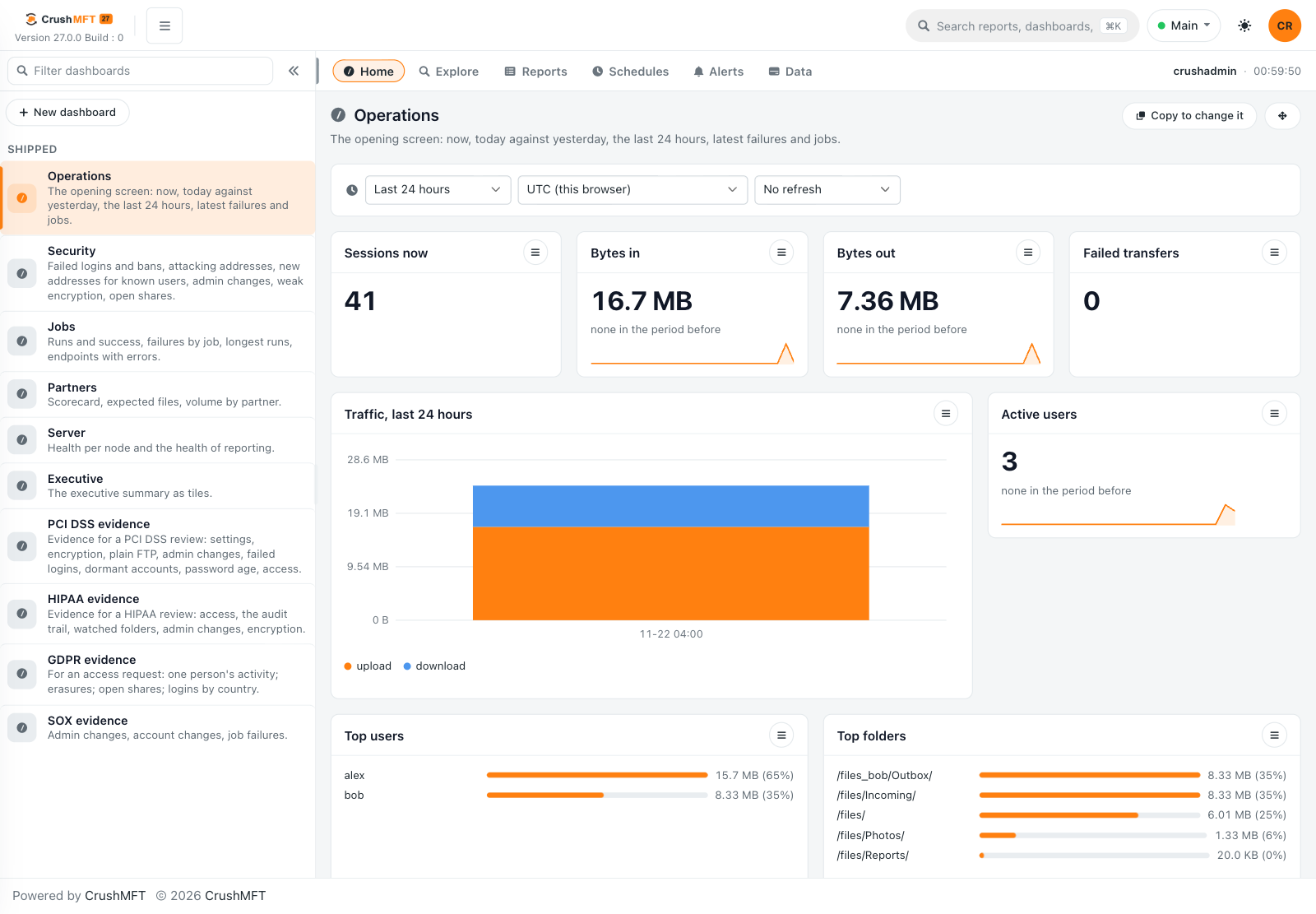
The sections#
| Section | Is for | Page |
|---|---|---|
| Home | dashboards: the state of things at a glance | Home, Pages and dashboards |
| Explore | asking the record a question of your own | Explore |
| Reports | the 104 ready-made reports | Running a report |
| Schedules | reports that run by themselves and are sent | Scheduled reports |
| Alerts | checks that tell you when something is wrong, or when a file you expect did not come | Report alerts and expected files |
| Data | the state of the record itself | The data |
The search field at the top (⌘K) finds any report or dashboard by name.
What there is a report for#
| Group | Reports about | For example |
|---|---|---|
| Files | who did what to which file | Who uploaded a file, Who deleted a file, File history |
| Security | attacks, weak points, and what admins did | Failed logins, Attack summary, Password spray, Encryption in use, Plain FTP, Admin audit, Open shares, Settings scorecard |
| Accounts | users and their logins | Dormant accounts, Expiring accounts, Password age, Accounts without a second factor, New addresses for users, Audit trail |
| Transfers | volume, speed and failures | Upload and download summary, Failed transfers, Transfer speed, Largest files, Never downloaded, Pickup time |
| Jobs | what jobs did and how well | Job history, Job failures, Job health, Missed schedules, A file end to end, AS2 messages |
| Shares, Forms | shares made, forms filled in | Shares, Upload forms |
| Server | the server itself | Current logins, Server health, Licence use, Listener use, Expiry calendar |
| Access | who can reach what | Folder access, Folder permissions, Access review |
| Storage | room used | Folder sizes, Quota use, Storage growth |
| Overview | the big picture | Executive summary, Traffic over time, Busy hours, Top users, Protocol mix |
| Partners | per partner | Partner scorecard, Expected files, Partner statement, Chargeback |
Where the numbers come from#
Reports read three kinds of data:
| Kind | Is | Example |
|---|---|---|
| events | what was recorded as it happened, kept for years | uploads, logins, job runs |
| the live state | what the server knows right now | who is connected, which users exist, what the settings are |
| snapshots | the state as it was, taken weekly | who could reach which folder last March |
Under every table and chart the app says which it used and how long it took: "read 14 rows from the stored events in 0 ms", "from the server's live state, 11 ms".
What is recorded, and for how long, is set in Preferences, Reporting. A new server records from its first start; there is nothing to switch on.
Who may use it#
Reports are a matter of roles:
| To | A role holder needs |
|---|---|
| open dashboards and run reports | Report Viewer |
| save reports and dashboards for others, make schedules and alerts | Report Manager |
| erase a person from the record, verify it, bring in the history of CrushFTP 11 | a full administrator |
A role holder sees only what their scope covers. Somebody who looks after the users of one connection group gets reports about those users and no others, down to the names offered while typing a filter. Failed logins for names that are no account are shown only to those who may see everybody: a name typed into the wrong box can be a password.
End users can be allowed to see their own part of the record: My Activity.
Coming from CrushFTP 11#
- The reports of version 11 have their counterparts here, and schedules made in 11 are converted to run the matching new report.
- The statistics database of version 11 is not used any more. Its history can be brought over once: Bringing the history of CrushFTP 11.
- The record now holds much that 11 never kept: failed logins and failed downloads, the client and the encryption of every session, what jobs did step by step, and every admin change with its before and after.
More#
| how the record is kept on disk | The store on disk |
| keeping it in a database of your own instead | The store in your database |
| the same reports by program | Reports in the API |
| every report, dashboard and set of data, listed | The report catalog |