Languages#
The WebInterface comes in 18 languages. A visitor can be given one, or choose. This page says which languages there are, how the server decides which one somebody sees, and how to change the wording of any text.
The languages#
| Language | Its name in the picker | Code | Texts translated |
|---|---|---|---|
| English | English | en |
567 of 567 |
| Brazilian Portuguese | Português (Brasil) | br |
549 |
| Bulgarian | Български | bg |
549 |
| Chinese | 中文 | cn |
549 |
| Czech | Čeština | cs |
549 |
| Danish | Dansk | da |
549 |
| Dutch | Nederlands | nl |
549 |
| French | Français | fr |
549 |
| German | Deutsch | de |
549 |
| Hungarian | Magyar | hu |
560 |
| Italian | Italiano | it |
549 |
| Korean | 한국어 | ko |
549 |
| Polish | Polski | pl |
549 |
| Romanian | Română | ro |
549 |
| Russian | Русский | ru |
549 |
| Slovak | Slovenčina | sk |
549 |
| Spanish | Español | es |
549 |
| Swedish | Svenska | se |
549 |
The codes are the server's own. Three differ from the usual ones: cn for Chinese, se for Swedish, br for Brazilian Portuguese.
A text that a language does not have yet is shown in English. Those are the newest ones: the messages of the document view, Subtitles, My activity and a few more. The pages of the nine linked languages list them.
Choosing a language#
Where the administrator shows the language picker, it is a small globe: at the top right of the login page, and in the bar at the top after login. Choose a language and the page changes at once, without loading again.
The choice is kept in the browser, if the administrator allows that. It is not part of the account: on another computer the same person starts with the server's language again.
No picker? Then the administrator decided the language. Ask them.
Which language somebody gets#
On the login page#
- The language the visitor picked before, when Remember the visitor's language choice is on and the browser still has it.
- The Default language of the login page.
- English.
The settings are in Preferences: Languages.
After login#
After login the customizations of the user count, so a group or a single user can have a language of their own:
- The language picked before in this browser, when Keep language selection persist across sessions (
saveLanguageSelectionInCookie) is set for the user. - The language of the browser, when Detect language based on users settings (
detectBrowserLanguage) is set and the browser's language is one of the 18. A regional form counts as its language: a browser set to German of Austria gets German. - The Default WebInterface language (
defaultWILanguage) of the user. - English.
The picker after login is shown with Show language selection option (showLanguageSelection), and Show only these languages in language selector (showOnlyTheseLanguages) shortens its list. All of them are in Customizations: Language.
So a login page can greet in English while a group of users works in Polish: give that group defaultWILanguage = pl.
Note
The browser's language is not followed by itself. Without detectBrowserLanguage, a German browser gets the default language like every other.
What is translated#
| Translated | Not translated |
|---|---|
| the login page and the pages for a forgotten password | the admin pages: they are in English |
| the pages of a user: the list, the buttons with their usual names, upload and download, sharing, search, Quick View, User Options | the names of your folders and files |
| the messages of the page: confirmations, errors, progress | what the administrator typed: the names of buttons of their own, the questions of forms, header and footer, the texts of mails |
| texts a server message brings with it, such as the reason a login was refused |
Your own wording#
Any text of the user's pages can be reworded, in any of the languages, English too, without changing the server's own files.
The server's texts are in WebInterface/Files/localizations/, one file per language, named after its code: de.js. Beside them you make a folder custom and put a file of the same name into it that holds only the texts you change:
export default {
  username: "Kennung",
  addFiles: "Dateien auswählen",
};
| Rule | |
|---|---|
| the file's name | the code of the language and .js: custom/de.js, custom/en.js |
| each line | the name of a text, and its new wording in quotes. The names are those in the server's own file for the language: find a text there by its present wording. |
| names with spaces | go in quotes: "Create Folder": "Neuer Ordner", |
| texts you leave out | stay as they are |
| when it shows | the next time somebody loads the page. Nothing is restarted. |
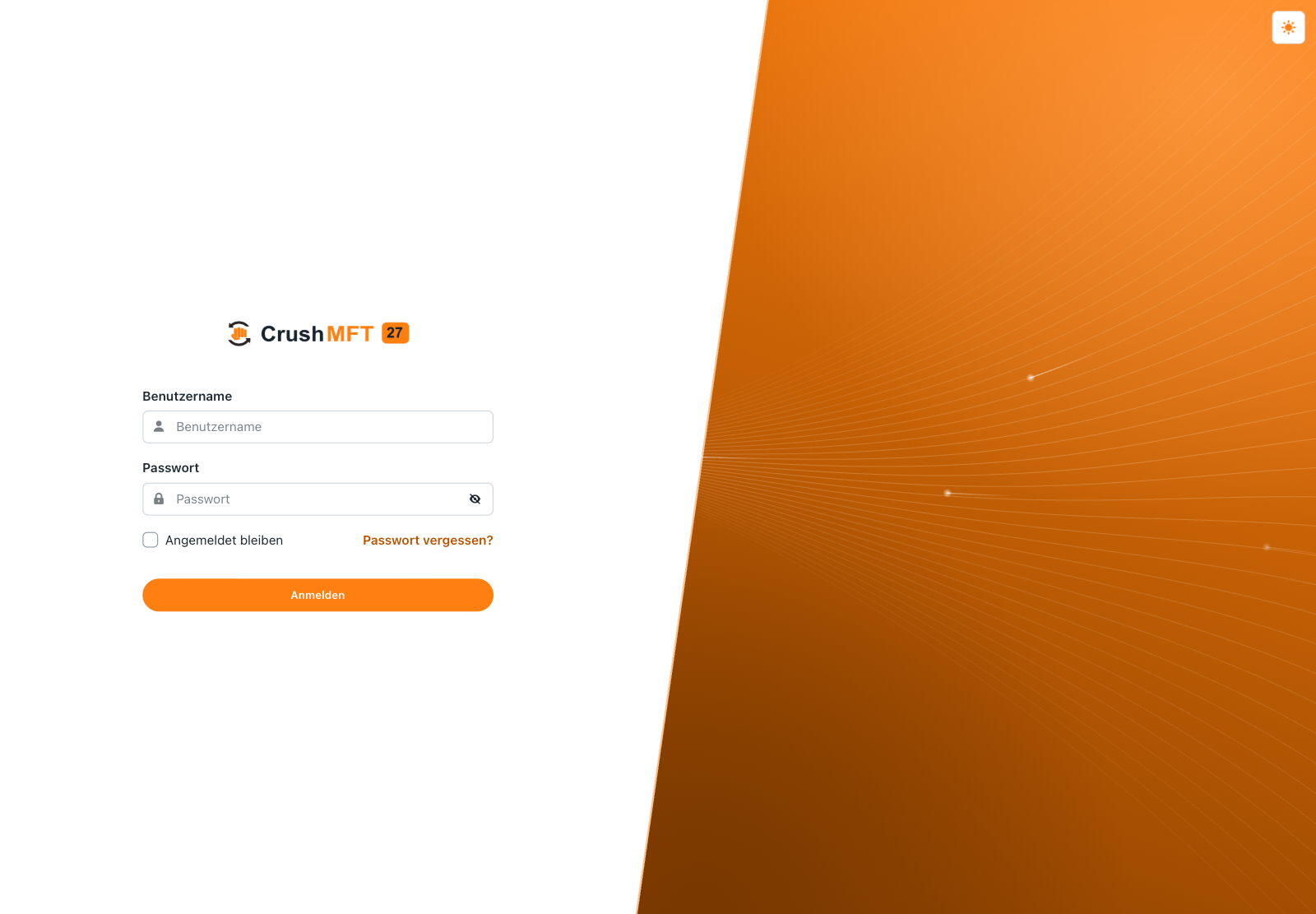
On a test server, a custom/de.js with the first of these two lines changed the login page's "Benutzername" into "Kennung" at the next load.
Uses:
- Your words for things. "Home" becomes "Projects"; "Share" becomes "Send link".
- Filling gaps. Give a language the texts it still shows in English.
- A tone. Formal or informal address, in languages that have both.
Things to know:
- It is for everybody. A
customfile changes the wording for all users of the server who see that language. For another wording per group, use the customizations that hold texts, such as the header, the footer and the names of buttons: Customizations. - A mistake in the file switches it off. If the file cannot be read as script, a missing comma for example, the server's own texts are used and nothing is said. Check after saving that your wording shows.
- Keep a copy. The folder is yours, and an update does not bring one of its own, but check after an update that it is still there.
- Placeholders stay. A text with
{size}or{count}in it gets a value there; keep the placeholder in your wording.
A language that is not in the list#
The list is fixed: there is no setting that adds a 19th language. What you can do is reword one you do not use: a custom file for it, with every text in your language, shows your language under that entry of the picker. The picker still calls it by its old name.
Things to know#
- Right-to-left languages are not among the 18.
- The language does not change the server. File names, dates of files, and what the server writes to its logs are the same for everybody.
- Mails are a separate matter. The mails the server sends, for a share or a forgotten password, have their own texts, one for all languages: Email templates. Write them in the language of your users, or in two languages one under the other.
- Brazilian Portuguese is in the picker and can be set by its code
br, but the lists of languages in Preferences and in the customizations do not offer it by name.
For administrators#
| What | Where |
|---|---|
| the picker and the default language of the login page | Preferences: Languages |
| the language after login, per user or group | Customizations: Language |
| the login page's own texts | The login page |
| the texts of mails | Email templates |
Not tried for this page#
The login page was shown in German on a test server, and a custom file was tried there. The pages after login were not gone through in another language, and the customizations for the language after login were read from the page's code, not tried.