User Config#
The User Config section of Preferences decides where the server keeps its user accounts: in files on its own disk, which is how every server starts, or in an SQL database that you run.
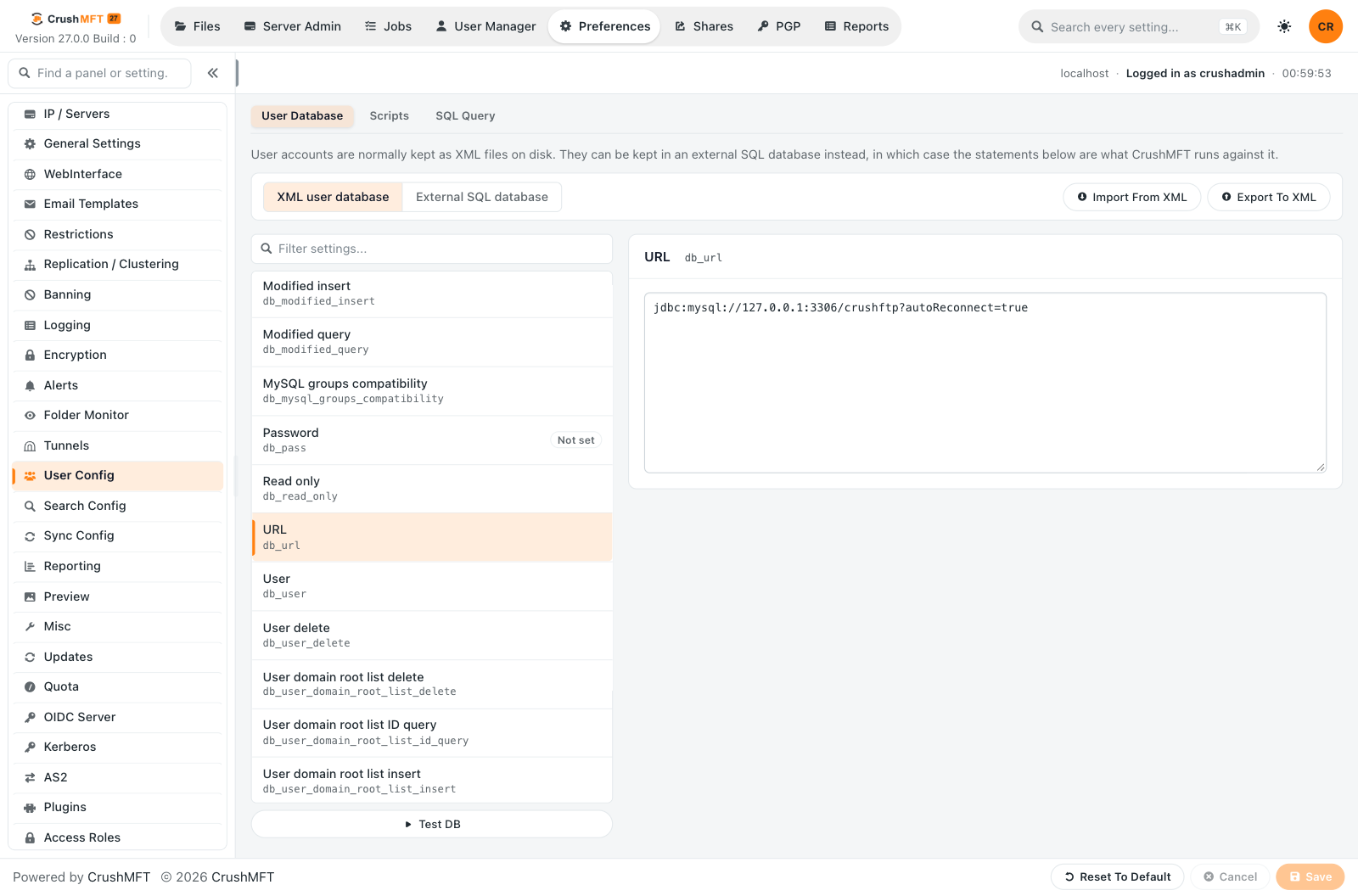
| Tab | Holds |
|---|---|
| User Database | the choice between files and a database, the connection to the database, and the SQL statements the server runs on it |
| Scripts | the scripts that make the tables, for MySQL and for Microsoft SQL Server, see The database table scripts |
| SQL Query | a place to run a statement of your own on that database, see Users in a database |
Files or a database#
| Choice | Where the accounts are |
|---|---|
| XML user database | in the folder users in the server's folder. Each user has a folder of their own with the file user.XML and their virtual file system; the groups and the inheritance of a user connection group are in groups.XML and inheritance.XML. This is how a new server is set. |
| External SQL database | in the tables of a database of yours, which the server reaches through JDBC |
Files are the simple way: there is nothing else to run, and a backup is a copy of the folder. A database is worth its work when several servers must use the same users and cannot share a folder, or when the accounts must be in a place your database tools reach.
Whatever is chosen, it holds everything about an account: the user name and the stored form of the password, every setting, the virtual file system with its permissions, the events, the IP restrictions, the groups and the inheritance. The User Manager works the same on both.
Connection profiles are always kept in files.
Changing the choice#
Warning
The choice counts for every account, the administrators too, from the moment you press Save. If you choose the database before the accounts are in it, or while the server cannot reach it, nobody can log in any more. Follow the order in Users in a database, and read If nobody can log in first.
- Pick XML user database or External SQL database and press Save at the bottom (saving). No restart is needed: the next login already uses the new place.
- The two buttons beside the choice copy the accounts from one place to the other: Import From XML copies the users in the files into the database, Export To XML copies the users in the database into the files. Neither changes the choice.
The list of settings#
The lower part of the tab is one list of everything the server stores about its database for users: the connection, three switches, and the SQL statements. Click a line to see and change its value on the right. Filter settings... narrows the list as you type, and a line with nothing in it is marked Not set. All of it is described in Users in a database.
While XML user database is chosen, none of these settings is used.