Admin#
Admin is the fourth tab of a user in the User Manager. It decides what the user may administer on the server, a few things an ordinary user may do for themselves, and the rules for their passwords.
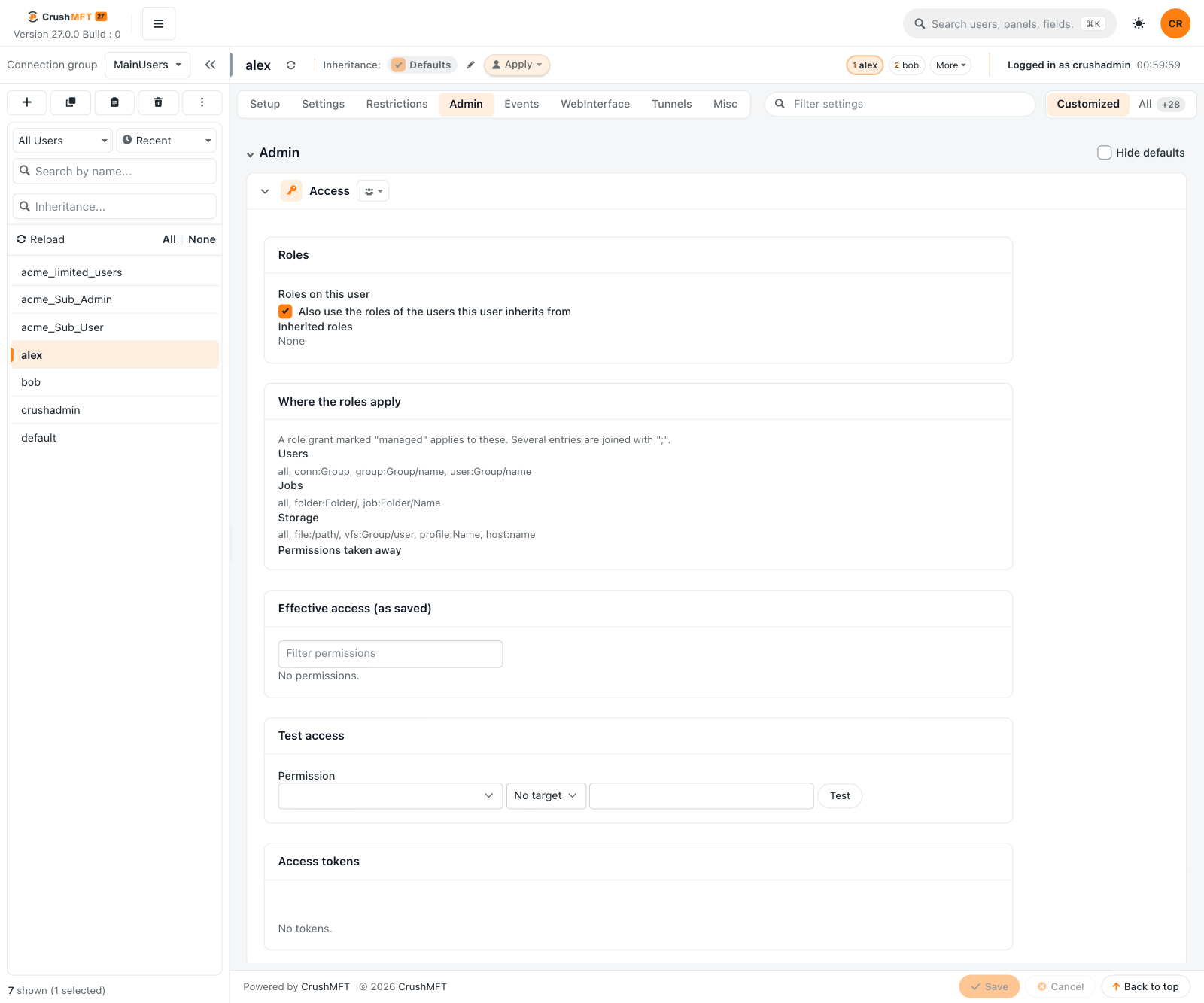
Access#
The upper part is about roles: what this account may do as an administrator.
| Card | What it is |
|---|---|
| Roles | the roles this user holds, and the roles that come from the users they inherit from |
| Where the roles apply | the users, jobs and storage that this user's roles reach |
| Effective access (as saved) | every permission the user ends up with, and why |
| Test access | asks the server whether this user may do one thing to one target |
| Access tokens | the tokens this user has issued for scripts and tools |
See Giving a user roles. The roles themselves are made in Access Roles.
Admin preferences#
Switches from earlier versions that still work. The first group is about commands an ordinary user may use:
| Switch | Allows the user to | New server |
|---|---|---|
| SITE PASS | change their own password | on |
| SITE DOT | have items whose names begin with a dot hidden | on |
| Allow password to be emailed if they forget it. | use the password reminder of the login page | on |
| SITE ZIP | get folder listings in which folders appear as zip files to download | off |
| SITE CHMOD, SITE CHOWN, SITE CHGRP | change permissions, owner and group of files, on servers on Unix | off |
| SITE VERSION, SITE USERS | ask the server for its version, and for who is connected | off |
| SITE KICK, SITE KICKBAN | end other users' sessions, and ban them | off |
| SITE QUIT | shut the server down | off |
| SITE PLUGIN | call plugins | off |
| Allow Web Proxy, Allow Adhoc Web Proxy, Allow HTTP(s) Forward Proxy | use the server as a proxy to other web sites | off |
The second group makes an administrator:
| Switch | What it does |
|---|---|
| Remote Server Administration (Everything) | the user is a full administrator |
| Setup Roles | opens the older admin flags, such as "may edit users" or "may run jobs". They still work; a server that uses roles converts them: see Access Roles. |
| Setup Permissions (limited admin only) | what a limited administrator may see and change on the users they manage: see Site preferences |
| User can administer group named | the group a limited administrator looks after: see Limited admins |
Warning
SITE QUIT, SITE KICKBAN and Remote Server Administration on default would give them to every user. Keep default to the three that are on from the start.
Password rules#
What a new password of this user must look like. Empty means "no rule of this kind".
| Setting | What it does |
|---|---|
| New password minimum length | the fewest characters |
| Minimum numeric characters | the fewest digits |
| Minimum lower case characters, Minimum upper case characters | the fewest small and capital letters |
| Minimum special characters | the fewest characters that are neither letter nor digit |
| Unsafe Password Characters | characters a password may not have in it |
| Password history count | how many earlier passwords are remembered and refused as the new one |
| Number of characters for random passwords | how long the passwords are that Generate Random Password makes |
The rules are checked when a password is set: by the user, by you in the User Manager, and by an import. They are the natural thing to set once on default. When passwords expire, and how soon one may be changed again, is on the Restrictions tab.