CrushSSO#
CrushSSO lets another application of yours sign its users in to the server without their typing a password. The application asks the server for a one-time token for a user, and then sends the user's browser to the server with that token. The server lets the user in, once, with that token.
It is single sign-on for a portal you wrote yourself. For an identity provider such as Entra, Okta or ADFS, use SAMLSSO or CrushOIDC.
It needs an Enterprise licence. The plugin is set up in Preferences › Plugins › CrushSSO. It comes with the server.
How it works#
-
Your application, on its own server, asks for a token for the user
JohnDoe. It makes the call as an account of the server that is a limited administrator:curl --data "command=generateToken&username=JohnDoe" https://portal_account@files.example.com/curlasks for that account's password. The answer:<commandResult><response>AngUeC7PtcJ0zQPfm8E2</response></commandResult> -
Your application sends the user's browser to the server with the name and the token:
https://files.example.com/?u=JohnDoe&p=AngUeC7PtcJ0zQPfm8E2 -
The server finds the token, signs
JohnDoein, and forgets the token. It works once.
The account that asks for tokens must be a limited administrator, not a full one. Give it nothing else: see Limited administrators.
Who the user is#
A token says "this is JohnDoe". What JohnDoe may see comes from one of two places.
The User Manager#
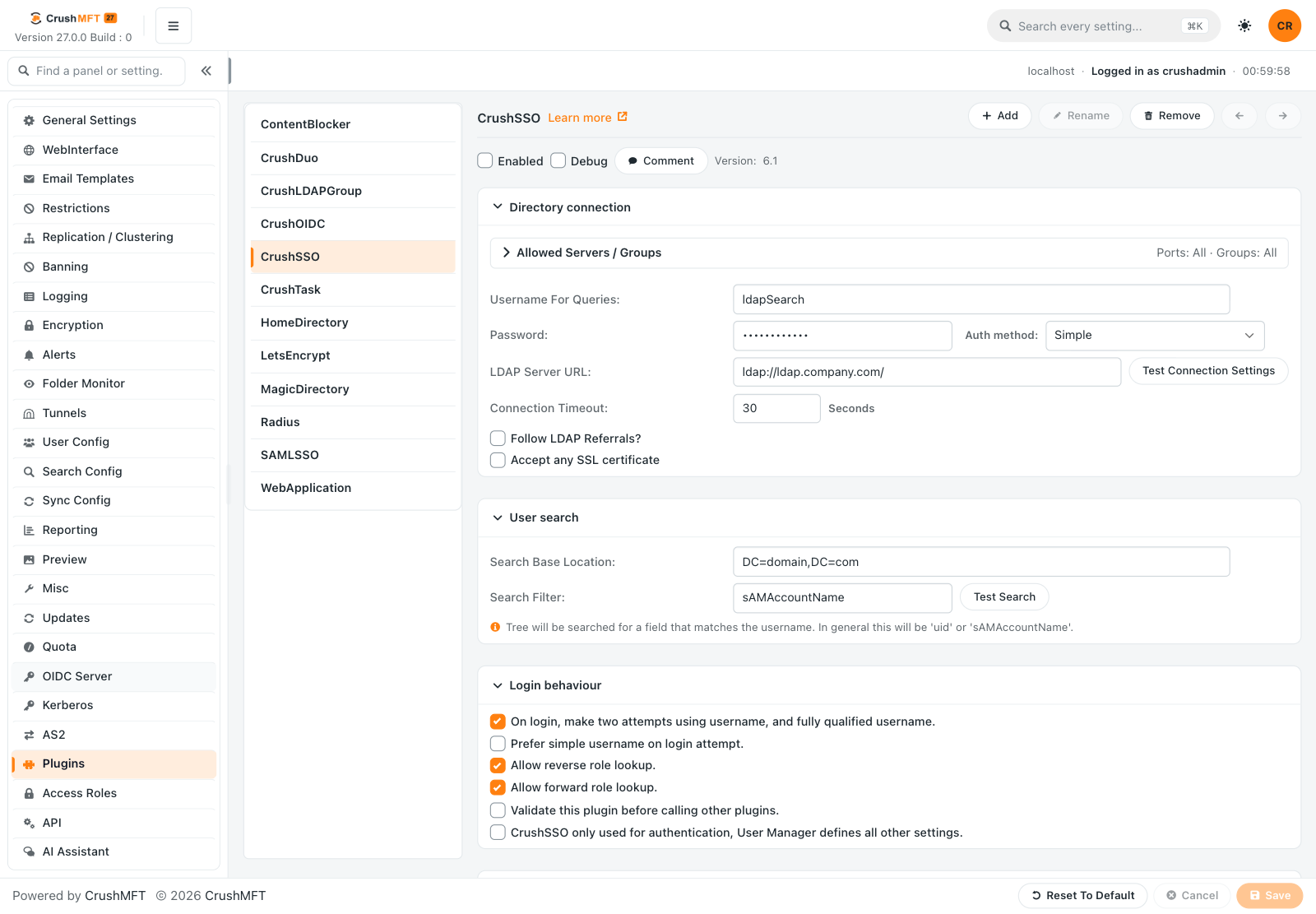
CrushSSO only used for authentication, User Manager defines all other settings.
JohnDoe is a user of the User Manager with folders and settings like any other. The rest of the screen is not used. This is the simple way, and the usual one.
A directory#
With that box off, the plugin looks the user up in an LDAP directory, exactly as CrushLDAPGroup does, and builds the user from what it finds. The screen has the same settings as that plugin, and they mean the same:
| Group of settings | In short |
|---|---|
| Allowed Server Port, Allowed User Groups | where the plugin works |
| Username For Queries, Password, the bind kind (Simple, CRAM-MD5, DIGEST-MD5), LDAP Server URL, Connection Timeout, Follow LDAP Referrals?, Accept any SSL certificate, Test Connection Settings | reaching the directory |
| Search Base Location, Search Filter, Test Search | finding the user |
| LDAP roles the user must be a member of, Role Member Field, Use direct group query., Test Search Role | which groups may sign in, and which settings each group gets |
| Create HomeDirectory folder if it doesn't exists., Use local folder if LDAP's HomeDirectory not found?, Path, Append username to path?, Create folder with username, Create additional subfolders in home directory | the home folder |
| Extra permissions for VFS items, Directory Permissions | the rights: see the permissions block |
| Import settings from user | the template user. default on a new server. |
They are described one by one on the page of CrushLDAPGroup.
Things to know#
- The token is in an address. Addresses are kept in the history of the browser and in the logs of proxies. That is why a token works once: by the time anybody reads it there, it is used up. Send the user to the server at once, and only over HTTPS.
- Ask for the token from your server, never from the user's browser. The call needs the password of the account that may make tokens.
- Anybody who can make tokens can become any user the plugin accepts. Guard that account: a long password, and allowed addresses limited to your application's server.
- The token takes the place of the password, once. The address above is the way for a browser.
- A token for a name that does not exist gets nobody in: the user is still looked up in the User Manager or the directory.
Not tried for this page#
No token was made on the test server. The call and its answer are those the earlier documentation gave; the settings are from the plugin's screen.