WebApplication#
WebApplication lets your own web application decide who may sign in to the server and what they see. At a login the server asks your application over HTTP: "is this name and password good, and what are this user's folders?" The application answers, and the user is in, without existing in the User Manager.
It is for a portal or shop that already has its customers and their passwords, and should not have to copy them anywhere.
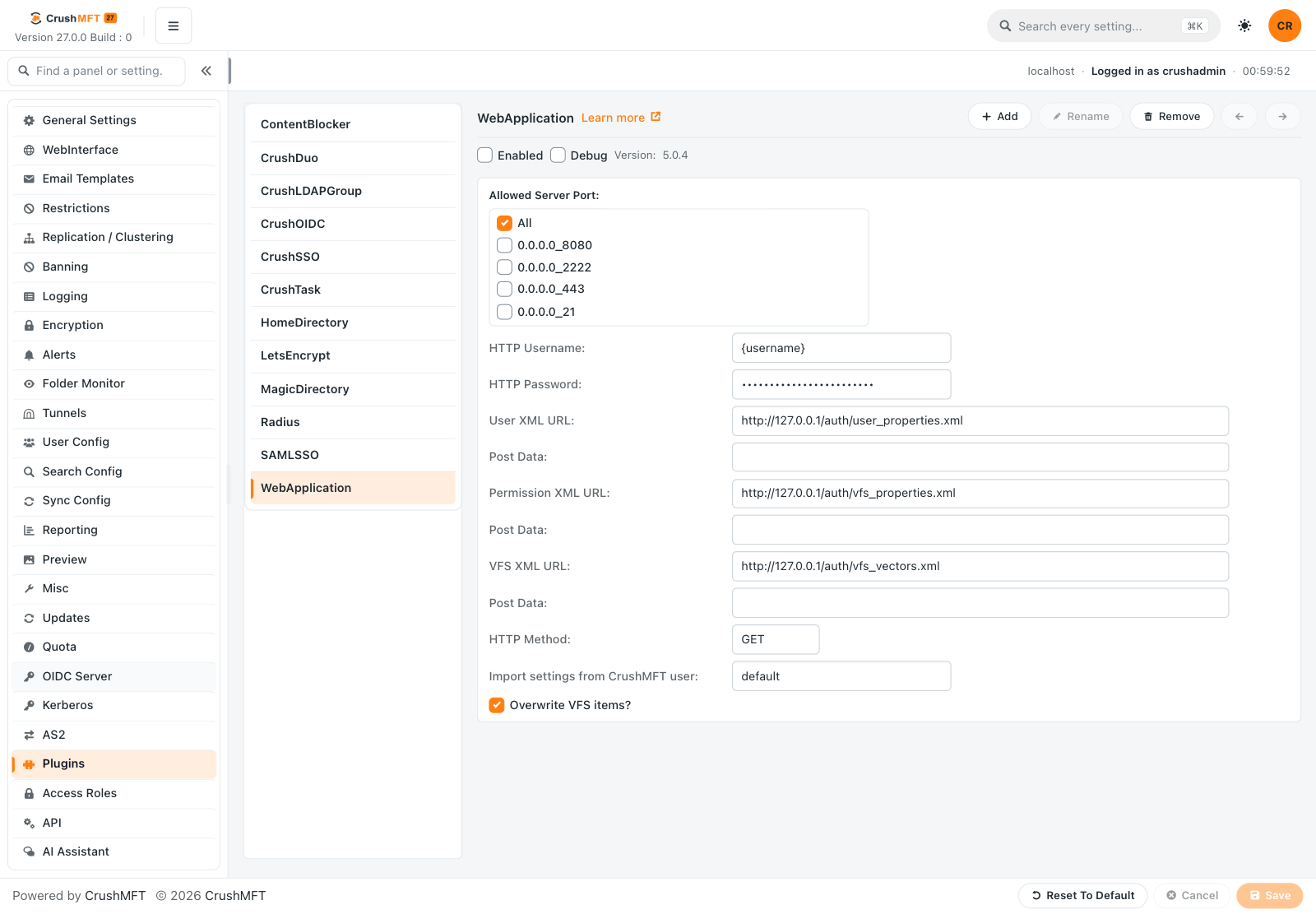
The plugin is set up in Preferences › Plugins › WebApplication. It comes with the server.
The three questions#
For each login the plugin can call three addresses of your application:
| Address | Your application answers with |
|---|---|
| User XML URL | the user: the settings of the account, in the form of the server's own user file |
| Permission XML URL | the rights the user has on their folders |
| VFS XML URL | the folders: where each is, and under which name the user sees it |
If the first answer is not a user, the login is refused by this plugin, and the server goes on to its other users and plugins.
The simplest way to make the answers is to let the server show you: make a user in the User Manager who is set up the way your users should be, and look into that user's folder in users/MainUsers/ on the server. user.XML there is the form of the first answer, VFS.XML of the second, and the files in the folder VFS of the third. Your application fills in the name, the folders and the rights.
Settings#
| Setting | Is | On a new server |
|---|---|---|
| Enabled, Debug | as for every plugin | off |
| Allowed Server Port | the listeners it works for: see what login plugins share | All |
| HTTP Username, HTTP Password | the login the three calls are made with, as HTTP basic authentication. With the values {username} and {password}, the call is made as the person who is signing in, so that your application checks the password by checking the call. |
{username}, {password} |
| User XML URL, Post Data | the first question | http://127.0.0.1/auth/user_properties.xml |
| Permission XML URL, Post Data | the second | http://127.0.0.1/auth/vfs_properties.xml |
| VFS XML URL, Post Data | the third | http://127.0.0.1/auth/vfs_vectors.xml |
| HTTP Method | GET or POST. With POST, the Post Data of each address is sent. |
GET |
| Import settings from CrushMFT user | a user of the User Manager whose settings are the base; what your application answers is laid over it | empty |
| Overwrite VFS items? | the folders your application names replace those of that base user. Off: they are added. | on |
{username} and {password} can also be used in the addresses and in the post data.
Example#
Your portal has https://portal.example.com/crush/user, which checks the login it is called with and answers with the user:
| Setting | Value |
|---|---|
| HTTP Username, HTTP Password | {username}, {password} |
| User XML URL | https://portal.example.com/crush/user |
| Permission XML URL | https://portal.example.com/crush/permissions |
| VFS XML URL | https://portal.example.com/crush/vfs |
| Import settings from CrushMFT user | portal_template, a user that carries the limits and the look |
A customer signs in to the server by SFTP with their portal password. The server calls the three addresses as that customer. The portal says yes and names the customer's folder. The customer sees it.
Things to know#
- Use HTTPS to your application. The calls carry the user's password.
- Passwords only. A login with an SSH key or a certificate carries no password to pass on.
- Every login is three calls. Keep the answers fast; a slow application makes slow logins on every protocol.
- If your application is down, these users cannot sign in. Users of the User Manager still can.
- Not in a DMZ. "WebApplication plugin is not supported in DMZ mode." The internal server asks the application.
- With SAML in front, the same plugin can supply the folders for users that an identity provider signed in: SAMLSSO with a web application.
Not tried for this page#
No application was set up to answer the calls. The page is written from the plugin's screen and from what the plugin's file says it does; the exact form your application must answer in is best taken from a user of your own server, as described above, and tried with Debug on.