Email templates#
An email template is a ready-made mail: who it is from, its subject and its text, with variables for what differs from one mail to the next. Templates are kept in the Email Templates section of Preferences. They need a working mail server, see Sending mail (SMTP).
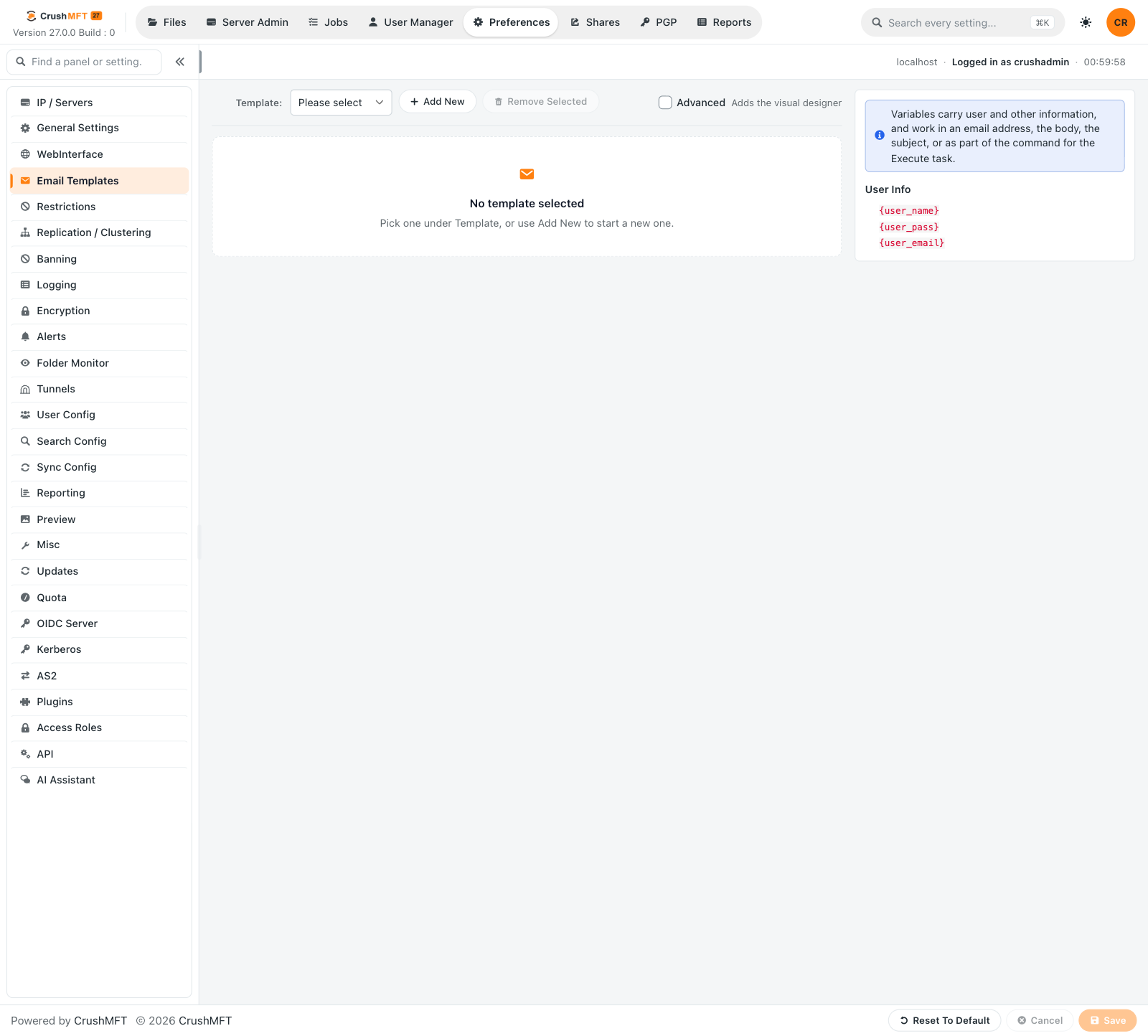
Templates are used in two ways:
- You choose one, wherever the server lets you send a mail: in the email action of an event, in the User Manager when you mail a user their account details, in the mail tasks of a job.
- The server looks for one by its name. For some mails of its own it uses your template when one with exactly that name exists, and a plain built-in text when not. See Names the server looks for.
A new server has one template, New Account, with the subject "New Account Information" and the text "Your username is:{user_name}" and "Your password is:{user_pass}".
The list#
| Control | What it does |
|---|---|
| Template | the templates, sorted by name. Choose one to open it. + Add new at the end of the list does the same as the button. |
| Add New | asks for a name and makes an empty template |
| Remove Selected | removes the open template, after asking "Are you sure you wish to remove the selected template?" |
| Advanced | puts the email designer in the place of the plain text editor |
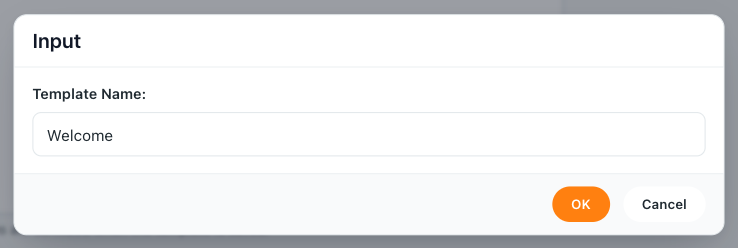
Two templates cannot have the same name: "A template with that name exists, choose another name."
Adding, changing and removing only happens on the screen until you press Save at the bottom (saving).
A template#
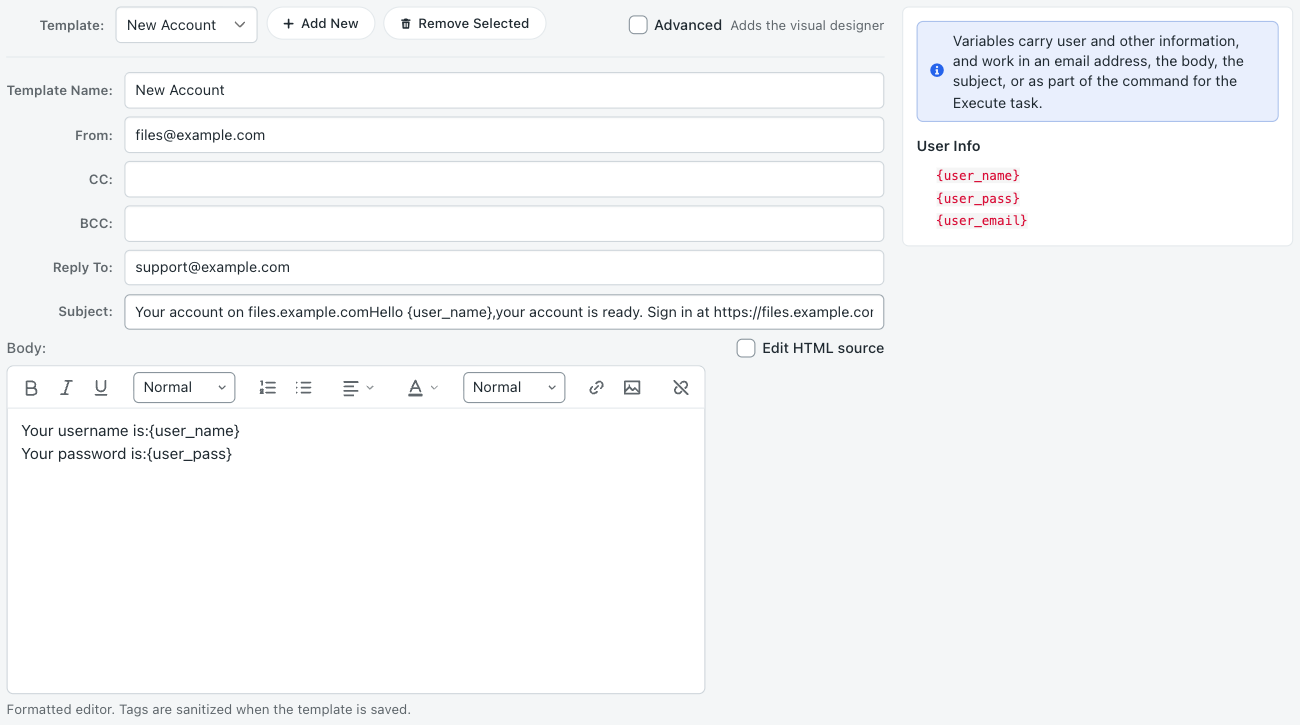
| Field | What it is |
|---|---|
| Template Name | the name you choose the template by. For a mail the server sends by itself it must be exactly the name the server looks for. |
| From | the sender. Fill it in: only some mails fall back to the From email address of the mail server settings when it is empty. |
| CC, BCC | addresses that get a copy, several separated by commas. For some of the server's own mails the CC addresses are the ones the mail goes to, see below. |
| Reply To | the address answers go to, when that is not the sender |
| Subject | the subject of the mail |
| Body | the text of the mail |
The receiver of the mail is not part of a template. It comes from where the template is used: the user the mail is about, or the address you fill in there.
The body#
The body has two editors, switched with Edit HTML source:
| Editor | For |
|---|---|
| the formatted editor | writing text as in a word processor: bold, italic, underlined, headings, lists, alignment, colour, size, links, pictures |
| HTML source | writing the HTML yourself |
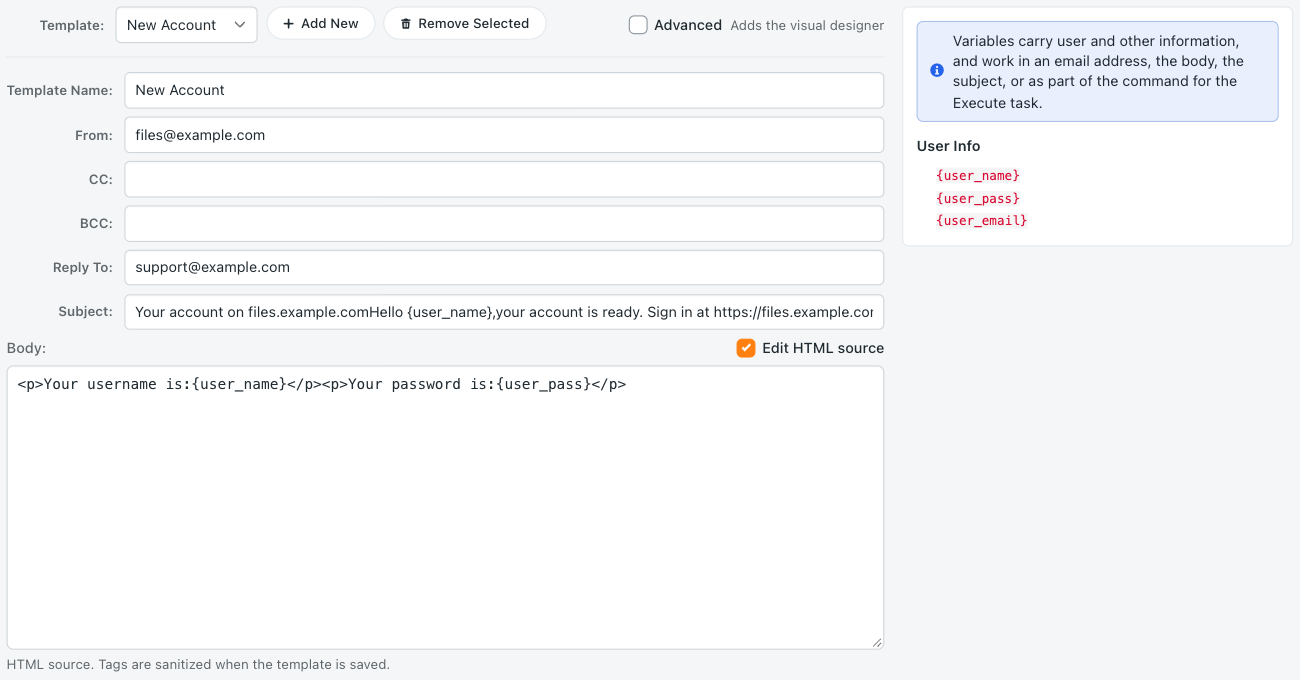
A body with a layout of its own, such as tables or inline styles, opens as HTML source and the switch is locked: "This body carries its own layout or styling, which the formatted editor would rewrite, so it is shown as HTML source." The formatted editor only knows plain formatted text and would throw such a layout away. For a mail with a layout, use the email designer.
When a template is saved, its body is cleaned: scripts and other active content are taken out.
Variables#
A variable is a name in braces that the server replaces when it sends the mail. Variables work in every field of a template: the addresses, the subject and the body. The panel on the right lists the ones about the user:
| Variable | Replaced by |
|---|---|
{user_name} |
the user name |
{user_pass} |
the password, when the server knows it at that moment, as it does when an account is made |
{user_email} |
the email address of the user |
Every other field of a user works the same way, as {user_ and the field's name. What else is available depends on where the template is used: an event adds the variables of the files it is about, a job its own.
{high_priority} anywhere in the subject is taken out and marks the mail as important.
Names the server looks for#
For these mails the server uses a template of yours when one has exactly this name. Without it, the mails marked "built-in text" are sent with a short text of the server's own, and the others are not sent at all. So making one of the others turns that mail on.
| Template name | Sent | To | Without the template | Its own variables |
|---|---|---|---|---|
| Two Factor Auth | when a user must type a one-time code that goes out by mail | the user | built-in text | {auth_token}, the code |
| Verify Email | when a user must confirm an email address with a code | the address being confirmed | built-in text | {token}, the code |
| Change Pass Email | after a user changed their password | the user | not sent | |
| Change Email | after an administrator changed a user's email address | the new and the old address | not sent | {old_email}, {new_email}, {summary} |
| Change User Email | after an administrator saved a user | the template's CC addresses | not sent | {new_email}, {summary} |
| New User Email | after an administrator made a new user | the template's CC addresses | not sent | {user_email} |
| Change Setting Email | after an administrator saved server settings | the template's CC addresses | not sent | {keys}, what was saved; {summary}; {user_name}, who saved it |
The last three are notices for those who run the server: put the addresses to tell in CC.
The mail with the link to set a new password and the password reminder are not templates. Their texts are in General Settings.