The user list and its menu#
The left side of the User Manager is the list of users of the connection group, with the buttons to make, copy and delete them.
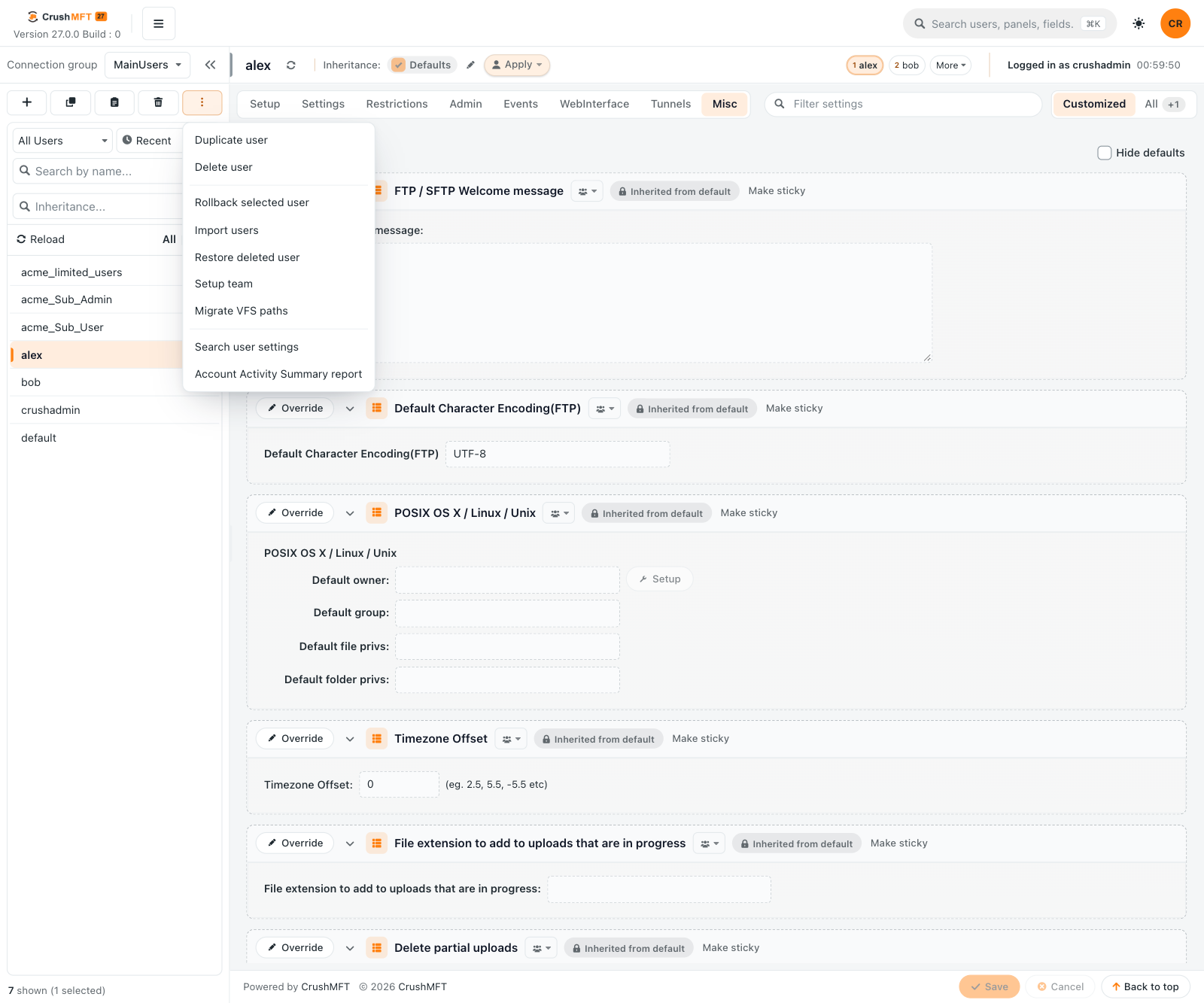
The list#
| Part | What it does |
|---|---|
| All Users | chooses which users are listed: all of them, Not in a group, or the members of one group. The same list has the commands for groups. |
| Recent | lists the users you opened lately |
| Search by name | narrows the list as you type |
| Inheritance | narrows the list to the users that inherit from the name you type |
| Reload | reads the list again from the server |
| All, None | selects every listed user, or none |
Click a user to open it. Ctrl or Cmd with a click adds a user to the selection, Shift selects a range. The line under the list counts: "4 shown (1 selected)".
The buttons#
| Button | What it does |
|---|---|
| Add user | asks for a user name, then for a password, with Generate Random Password to have one made. The user is created at once ("User created: bob") and opened. |
| Duplicate user | asks for a name, with "Copy of" and the old name filled in, and makes a copy of the selected user with everything it has |
| Paste users | takes a list of user names that you paste, separated by new lines, commas or semicolons, and selects those users in the list. Use it to act on the users of a list that somebody sent you. |
| Delete user | deletes the selected users after a question. Tick Run expiration task action with VFS contents? there to also run the task that is set for an expiring account, for instance one that removes the user's files. |
| the three dots | the menu, below |
A new user inherits everything from default: it has no folders of its own and the limits of the default user until you give it something. See Setup.
The menu#
| Command | What it does |
|---|---|
| Duplicate user, Delete user | as the buttons |
| Rollback selected user | lists the earlier saved versions of the user by date and time, and puts the one you choose back |
| Import users | brings users in from a file or from another product: see Importing users from CSV and Importing users from other servers |
| Restore deleted user | lists the users that were deleted and brings one back. "No user(s) available to restore" when there is none. |
| Setup team | makes the three users of a team, see Limited admins |
| Migrate VFS paths | "Migrate users data from one HD to another": replaces one path with another in the folders of every user of the group. Find Path is what the items point to now, Replace Path what they shall point to. Use it after the files were moved to another disk. |
| Search user settings | finds the users that have a text anywhere in their settings, such as a folder path or an address. Select these users selects the hits in the list. |
| Account Activity Summary report | opens the report about the selected users' activity |
Every save of a user keeps the version before it in the server's backup/users folder. That is what Rollback offers, and a deleted user is kept there too, for Restore deleted user.
Warning
Migrate VFS paths changes every user of the connection group in one go. Check the two paths letter by letter, and try it on a copy of the users folder first.