Plugins#
A plugin adds one ability to the server: logins against a directory service, a home folder made at the first login, a certificate from Let's Encrypt, a check on what may be uploaded. The Plugins section of Preferences lists the plugins this server has and holds the settings of each. This page is about what all plugins have in common; each plugin's own settings are described on the plugin's page: see the Plugins overview, which also says which plugin is for what.
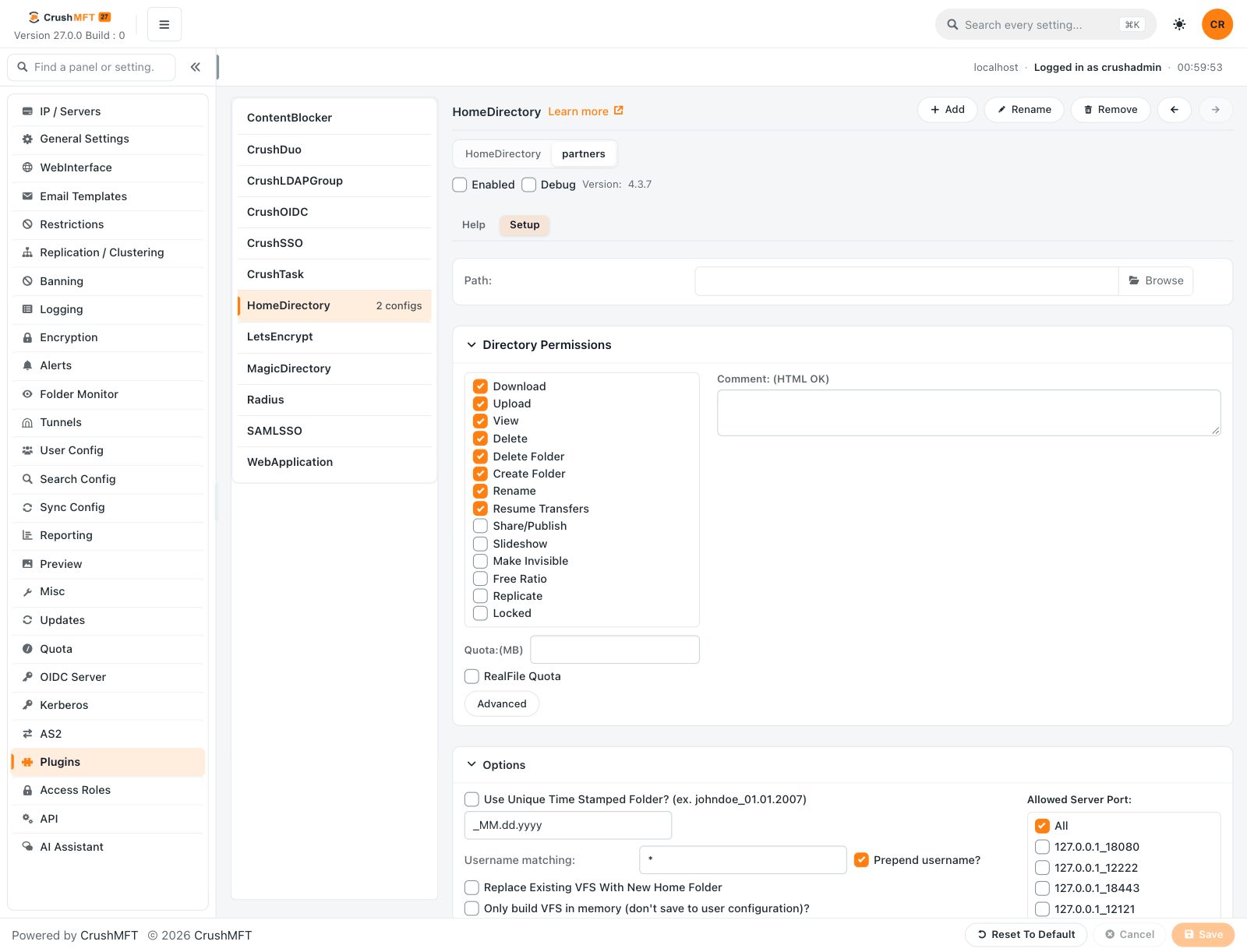
Which plugins are there#
A plugin is a jar file in the folder plugins of the server's folder. The list on the left shows the plugins whose files are there; a server with an empty folder has an empty list. The server reads the folder when it starts, so a plugin that is added or taken away counts after a restart.
Filter plugins above the list narrows it as you type.
Among the plugins the page has screens for:
| For | Plugins |
|---|---|
| Logins against another system | CrushLDAPGroup (LDAP and Active Directory), SAMLSSO (SAML), CrushOIDC (OpenID Connect), Radius, CrushSSO, UniSSO |
| A second factor | CrushDuo, SecureAuth |
| Users and their folders | HomeDirectory, MagicDirectory |
| Files as they come in | ContentBlocker, AutoUnzip, FileEncryptDecrypt |
| The server itself | LetsEncrypt, CrushNoIP, PreferencesController |
| Other systems | PostBack, LaunchProcess, SalesForce, WebApplication |
A plugin#
Click a plugin to open it. Above its own settings every plugin has the same things:
| Control | What it does |
|---|---|
| Enabled | the configuration is used. A plugin that is not enabled does nothing, whatever is filled in. |
| Debug | the plugin writes what it does to the log, under the kind PLUGIN. That kind is not logged on a new server: tick it in What is logged. |
| Version | the version of the plugin's file |
| Help, Setup | two tabs: a short description of the plugin, and its settings |
Some plugins have test buttons of their own, such as a test login. They ask the server to try with the values that are on the screen.
Several configurations of one plugin#
A plugin can be set up more than once: two LDAP servers, or one home folder rule for staff and one for partners. Each set of settings is a configuration. They are shown as tabs under the plugin's name, and the list shows how many a plugin has.
| Button | What it does |
|---|---|
| Add | asks for a name and makes another configuration of this plugin, as a copy of the one that is open: "Please enter a name for this plugin clone" |
| Rename | gives the open configuration another name |
| Remove | removes the open configuration, after a question. The first one, which carries the plugin's own name, stays: "You can not remove the base plugin instance." |
| the arrows | move the open configuration one place to the left or right, after a question |
Add, rename and remove are stored at once and answer with "Configuration added", "Configuration renamed" or "Configuration removed". A new configuration is not enabled until you tick Enabled in it.
Saving#
Changes to a plugin's settings are part of Save at the bottom (saving). If something in the settings is not right, the page lists it under "Not saved" and saves nothing. If you go to another plugin with unsaved changes, it asks first.