Finding a setting#
The server has several thousand settings in a handful of apps. The search field in the menu bar finds one by a word from its label, wherever it is.
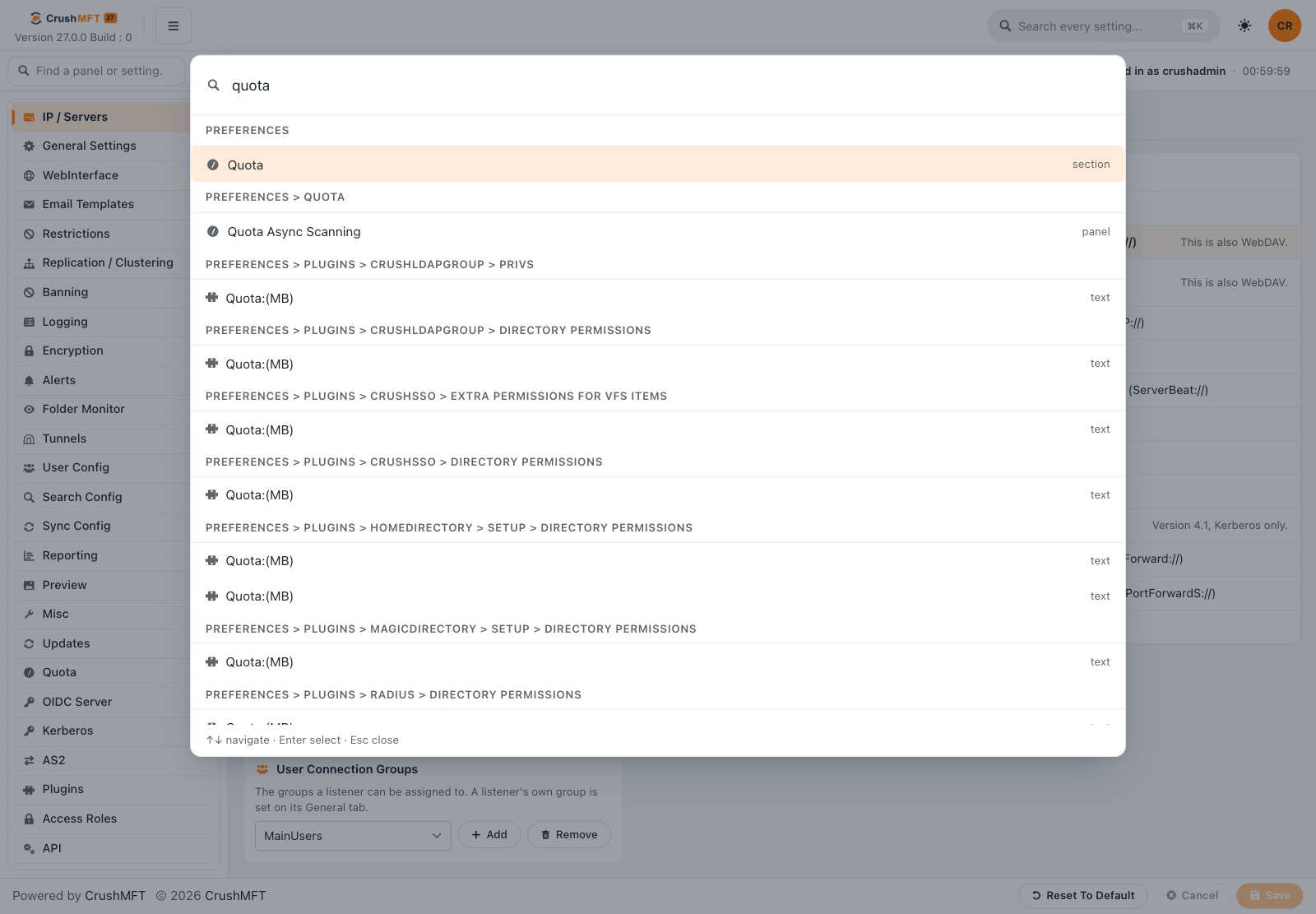
The search field#
Click the field in the menu bar, or press Cmd+K (Ctrl+K on Windows and Linux), and type. Results come as you type. Each line has:
| Part | What it is |
|---|---|
| the path, in small capitals | where the hit is: PREFERENCES > QUOTA > QUOTA ASYNC SCANNING, USER MANAGER > SETTINGS |
| the label | the setting, panel or section that was found |
| the kind | section, panel, checkbox, text and so on |
The search goes across the apps: a search in Preferences also finds what is in the User Manager, and the settings of every plugin. Choose a line, with the mouse or with the arrow keys and Enter, to go there.
In Preferences the field is called Search every setting.... In Server Admin it is Search actions... and lists the places of that app first: Open Dashboard, Open Status, Open Cluster, Open About, Open Reports, each with a number to press.
The filter of Preferences#
Preferences has a second field, at the top of its list of sections: Find a panel or setting.... It narrows the list of sections to the ones that hold what you type.
Tips#
- Search for the word on the screen, not for the name of the key in
prefs.XML. - One word is usually enough:
quota,hsts,banner. - When a word gives many hits, as
quotadoes with all the plugins that have a quota field, read the path to pick the right one.