Replication / Clustering#
Two or more servers can keep each other up to date: a user that is changed on one is changed on the others, and so are jobs, preferences and shares. The Replication / Clustering section of Preferences holds the settings for that on this server: who its peers are, what is passed on, and the mirroring of files to a second server.
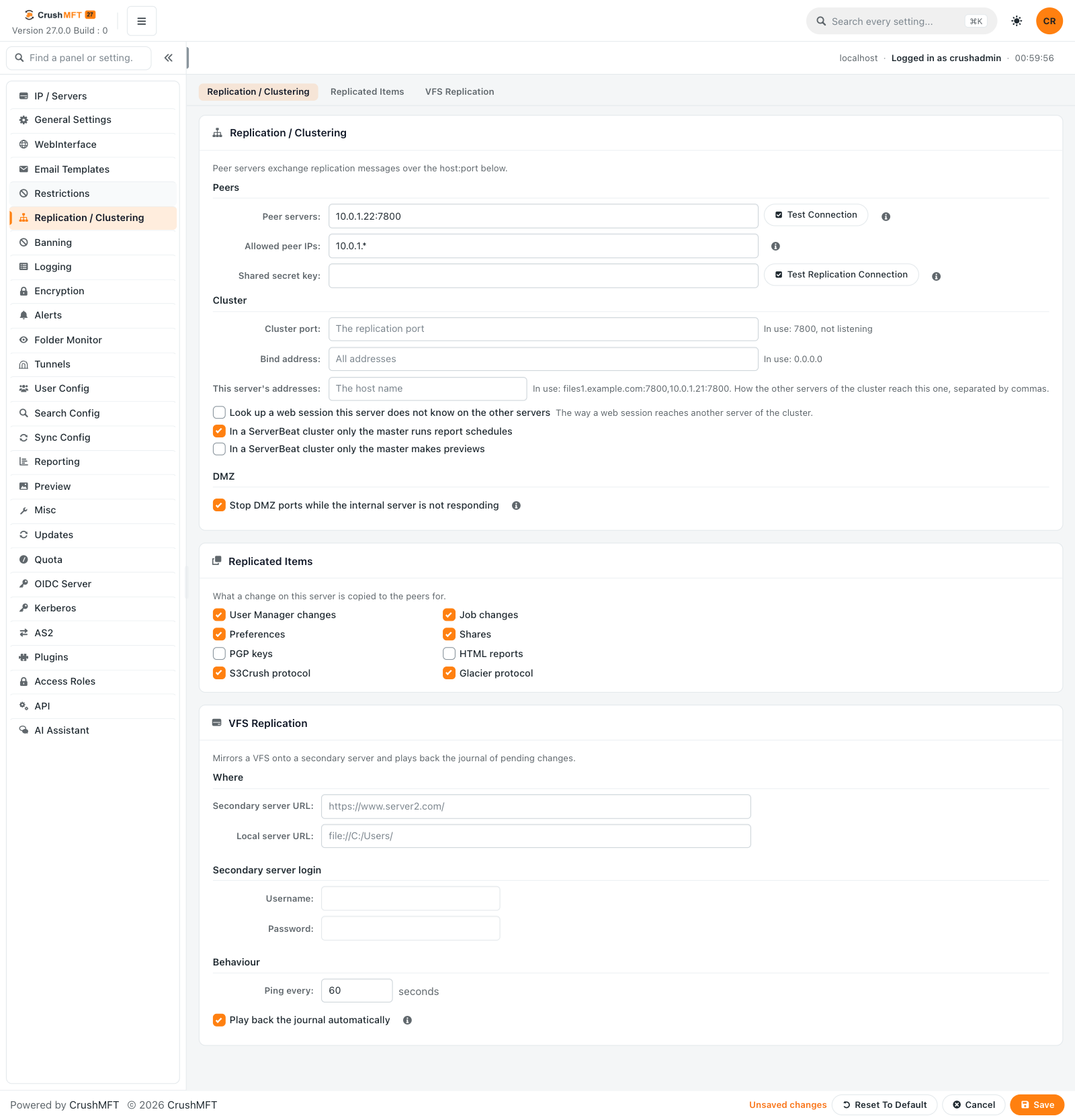
| Tab | Holds |
|---|---|
| Replication / Clustering | the peers, this server's own cluster port and addresses, and one setting for DMZ servers |
| Replicated Items | which kinds of change are passed on |
| VFS Replication | mirroring the files of a virtual file system to a secondary server |
Save at the bottom saves all three (saving).
Building a cluster, with servers joining and leaving, is done in Server Admin, under Cluster. When this server is in a cluster, the tab says so at its top with a link to that place.
Peers#
| Setting | Key | What it is | Default |
|---|---|---|---|
| Peer servers | replicate_session_host_port |
the other server's address and replication port, as host:port, such as 10.0.1.22:7800 |
empty |
| Test Connection | checks that this server can reach each address in Peer servers, all at the same time, and lists the answer for each within seconds: connected, or the reason. A peer that does not answer: "No answer from host:port within 7 seconds." With nothing filled in it answers "Please enter a server host:port or URL value". | ||
| Allowed peer IPs | replicated_server_ips |
the addresses that may send replication messages to this server, with * for any part: 10.0.1.* |
*, any address |
| Shared secret key | replication_auth_token |
a secret that all servers must have the same, or they cannot pass replication messages to each other. Stored encrypted. | empty |
| Test Replication Connection | has the server ask the saved peers, all at the same time, and lists what each one answers, after 20 seconds at most. With a list of peers typed and not saved it says "Save first". A peer that has not answered by then: "FAILED: no answer within 20 seconds." |
Fill these in on both servers, each pointing at the other, and narrow Allowed peer IPs to the peer's address: * lets any machine that knows the secret talk to the replication port.
In a cluster whose servers trust each other by their keys, the three fields are shown but cannot be changed, with the note "Not used: replication is pinned to the servers' keys. The servers replicate with the members of the cluster."
Cluster#
These three describe this server to the others. They are kept on this server only and are not copied to the peers.
| Setting | What it is | Empty means |
|---|---|---|
| Cluster port | the port this server listens on for the other servers | the replication port, 7800 |
| Bind address | the address of this machine the port is opened on | all addresses |
| This server's addresses | how the other servers of the cluster reach this one, as host:port, separated by commas |
the host name and every address of the machine |
Beside each field the page shows what is in use at the moment: the port and whether it is listening, the bind address, and the list of addresses. On a machine with several network cards, fill in This server's addresses with the one address the other servers should use.
DMZ#
| Setting | Key | What it does | Default |
|---|---|---|---|
| Stop DMZ ports while the internal server is not responding | stop_dmz_ports_internal_down |
on a DMZ server: when the internal server that controls it does not answer, the DMZ server closes its ports. A load balancer in front then sees that this DMZ server is down and sends connections to another one. Off: the ports stay open and every login fails. | on |
Replicated Items#
What a change on this server is copied to the peers for.
| Setting | Key | Passes on | Default |
|---|---|---|---|
| User Manager changes | replicate_users |
users, groups, inheritance | on |
| Job changes | replicate_jobs |
jobs | on |
| Preferences | replicate_preferences |
the settings of Preferences | on |
| Shares | replicate_shares |
shares made by users | on |
| PGP keys | replicate_pgp |
the PGP keys of the server | off |
| HTML reports | replicate_reports |
reports saved as HTML | off |
| S3Crush protocol | s3crush_replicated |
changes to files kept in the server's own S3 format | on |
The three cluster fields above are never passed on: they describe one machine.
VFS Replication#
Replication above is about settings. This part is about files: it mirrors what users do in a virtual file system onto a second server, and keeps a journal of the changes that could not be passed on yet.
| Setting | Key | What it is | Default |
|---|---|---|---|
| Secondary server URL | replicated_vfs_url |
the address of the second server, such as https://files2.example.com/ |
empty |
| Local server URL | replicated_vfs_root_url |
the folder on this server whose content is mirrored, as a URL, such as file:///data/files/ |
empty |
| Username, Password | replicated_vfs_user, replicated_vfs_pass |
the account this server logs in with on the second server | empty |
| Ping every | replicated_vfs_ping_interval |
seconds between two checks that the second server is there | 60 |
| Play back the journal automatically | replicated_auto_play_journal |
when the second server is back after it could not be reached, the changes that waited in the journal are sent by themselves. Turn it off if the second server is expected to be offline often, and play the journal back by hand. | on |