The change log and audit#
Every job can keep a list of who changed what in it, and when. It answers the question that comes up when a job that ran for a year fails on Monday: what changed?
Turning it on#
The change log is kept while Audit job changes is ticked in the Jobs settings. It is one switch for all jobs.
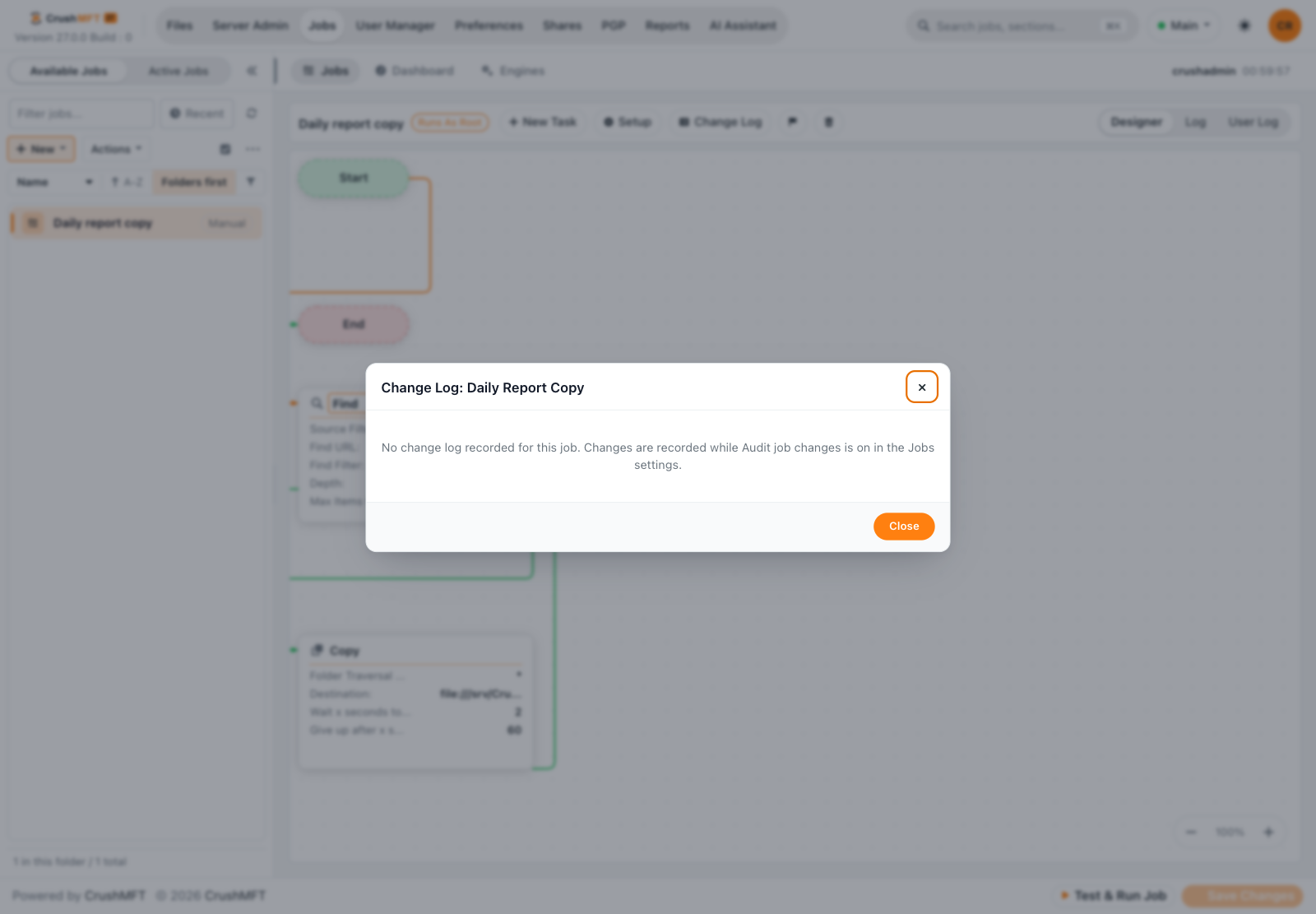
While it is off, the dialog says: "No change log recorded for this job. Changes are recorded while Audit job changes is on in the Jobs settings."
Reading it#
Change Log in the bar of the designer opens Change Log: and the job's name.
- The changes are grouped by day, each with its time, the admin who made it, and what was changed.
- A task is named as its name with its kind and id:
Fetch invoices(Find/a1B2c3D4). - Filter by user, task or change shortens the list as you type, with a count: "3 of 41".
- Newest first / Oldest first turns the order round. The page remembers your choice.
What is recorded#
Each change made in the designer: a task added, removed or renamed, a setting of a task changed, a line drawn or removed, a change in the job's Setup. One entry per change, written when the job is saved. A change that is not saved leaves no entry.
Not recorded there: runs (those are under Active Jobs), and changes made to the job's file outside the app.
The log is part of the job: it is exported with it and travels with it to another server. It is kept after a job is renamed; entries from before then show the old name.
The other records#
| Record | Holds | Where |
|---|---|---|
| the server's audit log | who saved, ran, approved or was refused which job, with their address | Logging |
| the alert Job Changes | a mail whenever a job is changed, saying which job and what | Alerts |
| Last modified jobs | the jobs changed most recently, with who and when | the Dashboard: Overview |
| the authority record | who saved the job last, and when | the badge in the designer: Who may see, change and run a job |
Going back#
The change log says what was changed; it does not undo it. To be able to go back, Export… a job before a big change, or rely on the server's backups of the jobs folder.