HTTP and HTTPS (CrushMFT) servers#
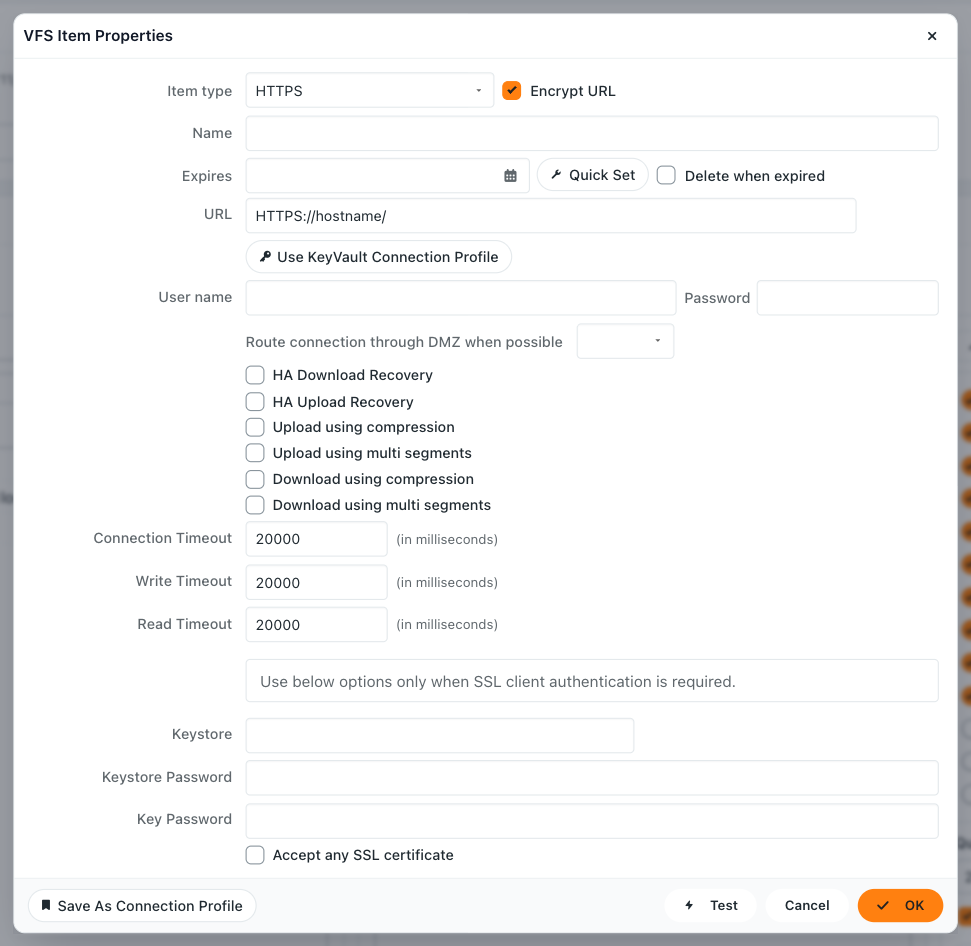
The item types HTTP and HTTPS of a VFS point at a folder on another CrushMFT server, over its web port. The two servers then talk in CrushMFT's own way, which knows more than the open protocols: transfers in several streams, compression, and the passing on of a login.
Use it between your own CrushMFT servers: a central server whose users reach files that live on a branch server, or a server in one network that offers folders of a server in another.
For web servers that are not CrushMFT, use WebDAV if they offer it.
The address#
HTTPS://files.example.com/ or, with a port and a folder, HTTPS://files.example.com:8443/Projects/. The folder at the end is a folder of the account on the other server; it becomes the top of what the user sees here.
User name and Password are an account on the other server. What that account may do there is the outer limit; the permissions of the item narrow it further.
With {username} and {password} in the address, each user is logged in to the other server as themselves. Both servers then need the same users, which a shared user source or replication gives.
Options#
| Option | What it does | New item |
|---|---|---|
| Upload using multi segments | an upload is cut into pieces that travel over several connections at once. Faster on lines where one connection is slow. | off |
| Download using multi segments | the same for downloads. The server turns it off by itself when its memory is more than 60 percent in use. | off |
| Upload using compression, Download using compression | the data is compressed on the way. Worth it for text and databases on a slow line; a waste for files that are compressed already, such as pictures, video and zip files. | off |
| Accept any SSL certificate | HTTPS only: does not check the other server's certificate. For tests only. | off |
| Keystore, Keystore Password, Key Password | HTTPS only: a certificate of your own to show, when the other server asks clients for one |
The options every type has are on Advanced options of a VFS item.
Certificates#
Use HTTPS. The other server's certificate must be trusted by this one and must carry the name in the address: connecting by IP address to a certificate issued for a name fails. For your own servers with certificates of your own authority, add that authority to what the server trusts, or pin the certificate: see SSL and Encryption.
Testing#
Test logs in and lists. On the test server, an item pointing at the server's own web port with a second user's login answered with the "Success" notice.
| What you see | Usually |
|---|---|
| the login is refused | the account, or a restriction on it: allowed addresses, allowed protocols, days and hours. The other server's log says which. |
| too many logins | the account's limit of simultaneous logins. Many users here share one account there. Raise Max simultaneous logins of that account. |
| a certificate error | the name in the address, or trust |
| it works, and is slow | try multi segments; look at speed limits of the account on the other server |
Things to know#
- Every user of this server who uses the item is one more session of the same account on the other server. Its limits, its quota and its log lines are shared by all of them.
- Events and filters of the other server apply to what arrives there, in addition to those here.
- Between a DMZ server and its internal server, this is not what you set up: that link is made in the server's DMZ settings.