Report alerts and expected files#
A report tells you what happened when you look. An alert looks for you: the server asks a question of the record every few minutes and acts when the answer crosses a line. An expected file is the special case partners care about most: a file that should have come by a certain time, and did not.
Both are in the Alerts section of the Reports app: "Checks that fire the server's alert actions (e-mail, a job, an SNMP trap)." Making them needs the Report Manager role.
What happens when one fires#
Every firing is kept in two places:
- the server's log:
REPORT: alert <name> fired: <why> - the record, as a security event with the action
report_alert, the alert's name and the reason. It shows in Explore under security.
An alert here has no recipients of its own. It hands the firing to the server's alerts in Preferences, Alerts, which send the mail, start the job or send the trap: make one alert there of the type Report Alert, once, and every report alert and missing expected file reaches it. Its mail can use {alert_name} (the report alert's name), {alert_msg} (what happened), {alert_why} (the numbers behind it) and {alert_sub_type}: condition or problem for an alert, expected_file for a missing file, schedule for a report schedule's problem. To send different firings to different people, give the alert a condition on {alert_name}: see Alert types.
Alerts#
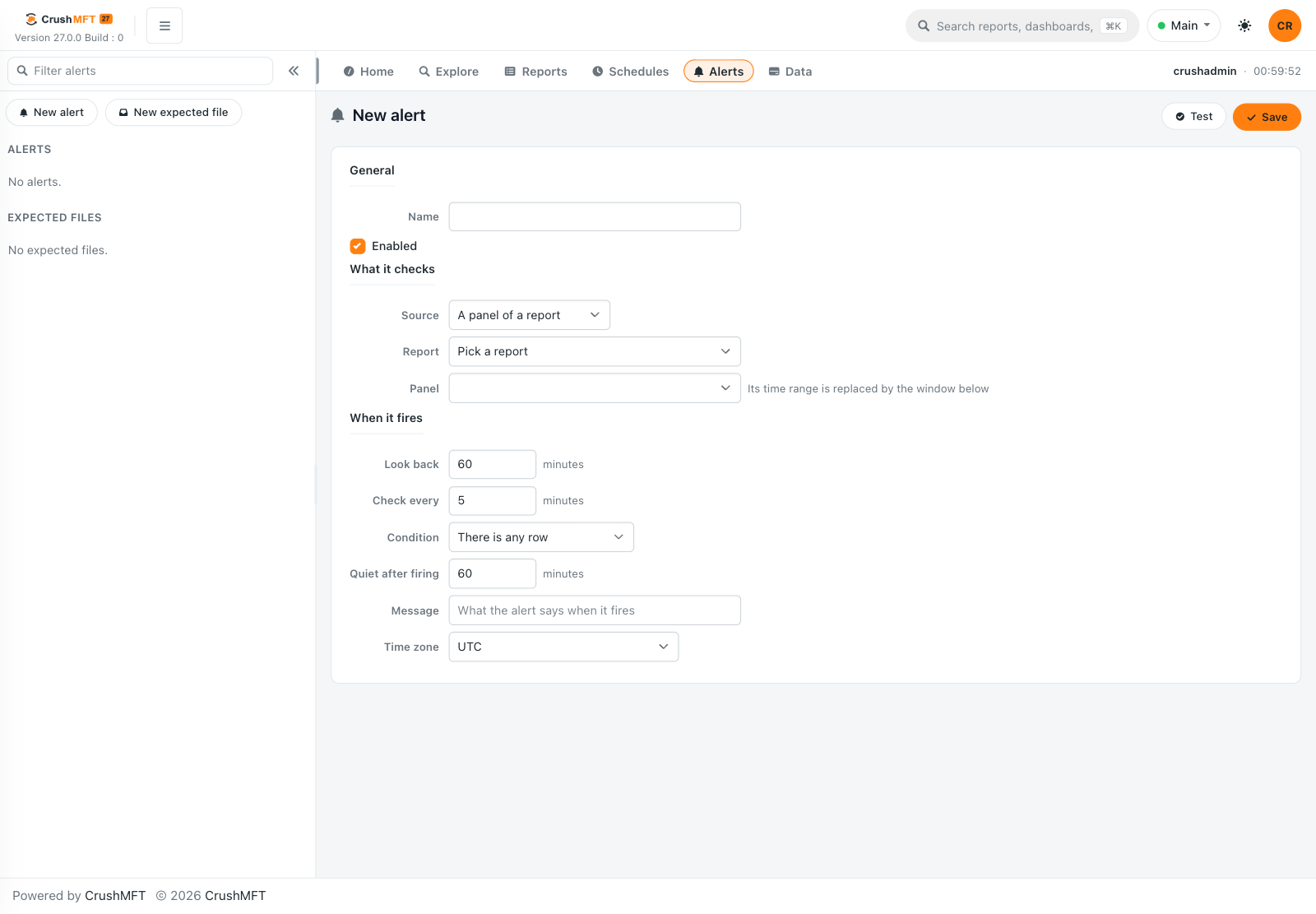
New alert, or Make an alert in the menu of any panel or tile, or in Explore.
What it checks#
| Field | What it does |
|---|---|
| Name, Enabled | |
| Source | A panel of a report: choose the Report and the Panel. "Its time range is replaced by the window below". Or A query (from Explore): the question as it was built there. |
When it fires#
| Field | What it does |
|---|---|
| Look back | the window, in minutes: the question is asked about the last so many minutes |
| Check every | how often it is asked, in minutes |
| Condition | see below |
| Measure | "The column of the result to compare" |
| Value | the line to cross. "For a usual level: how many times the 8-week average" |
| Quiet after firing | minutes during which it does not fire again. Without it, a condition that stays true would fire at every check. |
| Message | the text that goes into the mail, the job or the trap |
| Time zone |
| Condition | Fires when | For |
|---|---|---|
| There is any row | the answer is not empty | "a login to a disabled account", "an admin change outside working hours" |
| A value is above | the measure is over the value | "more than 50 failed logins in 10 minutes" |
| A value is below | it is under | "fewer than 10 uploads in the last hour of a working day" |
| Above its usual level, times | it is so many times the average of the same weekday over the last 8 weeks | "three times the usual downloads": catches the unusual without your knowing what usual is |
| Below its usual level, times | it is that much lower | a partner that has gone quiet |
| Nothing happened | the answer is empty | "no upload from ACME for 24 hours" |
Test#
Test asks the question now and says what would happen: "It would fire now: …" or "It would not fire now (0 rows in the window)."
It also replays the last week: how often the alert would have fired, and when. An alert that would have fired forty times last week is set too tight; one that would never have fired on the day you remember the trouble is set too loose. Tune it here before it wakes anybody.
A saved alert shows its last results in a line: "Last 10 results: ok, ok, fired, ok …".
Expected files#
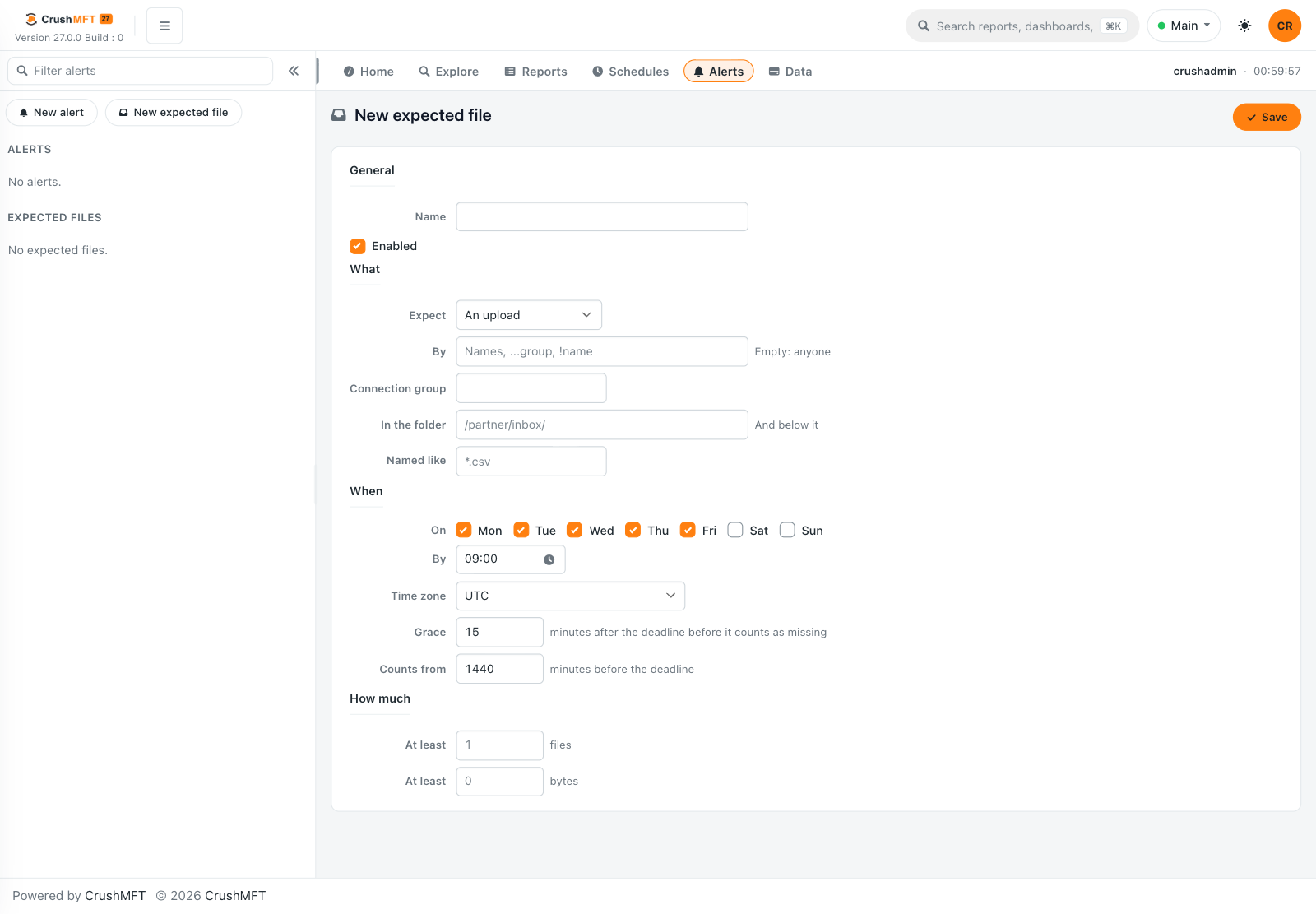
New expected file describes a file that should arrive, or be fetched, regularly.
| Part | Field | What it does |
|---|---|---|
| General | Name, Enabled | |
| What | Expect | An upload, A download, or A job's delivery (then: which Job) |
| By | the user. "Empty: anyone" | |
| Connection group | ||
| In the folder, And below it | where | |
| Named like | a pattern, such as orders_*.csv |
|
| When | On | the week days: Mon … Sun |
| By | the deadline, as a time of day | |
| Time zone | of the deadline | |
| Grace | "minutes after the deadline before it counts as missing" | |
| Counts from | "minutes before the deadline": how early a file may come and still count for this day | |
| How much | At least … files | |
| At least … bytes | an empty file does not count as a delivery |
Each day it applies to, the expectation ends as one of:
| met | the file came in time |
| missing | at the deadline plus the grace, it had not come. This is what fires, in the way described under What happens when one fires. |
| late | it came after that. A missing file that arrives later turns into a late one. |
A saved expectation shows its last ten marks, and the reports Expected files and Partner scorecard add them up per partner and month: "Expected files: met, late and missing, by expectation and month."
Examples#
| Expectation | Set as |
|---|---|
| ACME uploads the day's orders by 6:00, Monday to Friday | An upload, by acme, in /in/orders/, named orders_*.csv, Mon-Fri, by 06:00, grace 30 |
| the bank fetches the payment file by noon | A download, in /out/payments/, by 12:00 |
| the nightly job delivers to the warehouse | A job's delivery, job "Nightly to warehouse", every day, by 04:00, at least 1 file |
Things to know#
- Nobody is told by the alert alone: see What happens when one fires.
- An alert runs with the access of whoever saved it, like a schedule. If that account goes, the alert is skipped, and that is logged and recorded like a firing.
- Alerts read the record. What the record does not hold cannot be alerted on: check what is recorded.
- For things that are not in the record, such as a disk running full or a cluster node going down, the server's own alerts are the place: Preferences, Alerts.
- Cost. Each alert is a small report every few minutes. Ten are nothing; hundreds with wide windows are work for the server. Keep the window as short as the question allows.