HomeDirectory#
HomeDirectory gives a user a folder of their own at their first login. The folder is made, named after the user, and put into the user's list of folders with the rights you chose.
It saves the step nobody wants to do by hand: you make a user, or a directory service hands one over, and the first time they sign in their home folder is there.
The plugin is set up in Preferences › Plugins › HomeDirectory. It comes with the server.
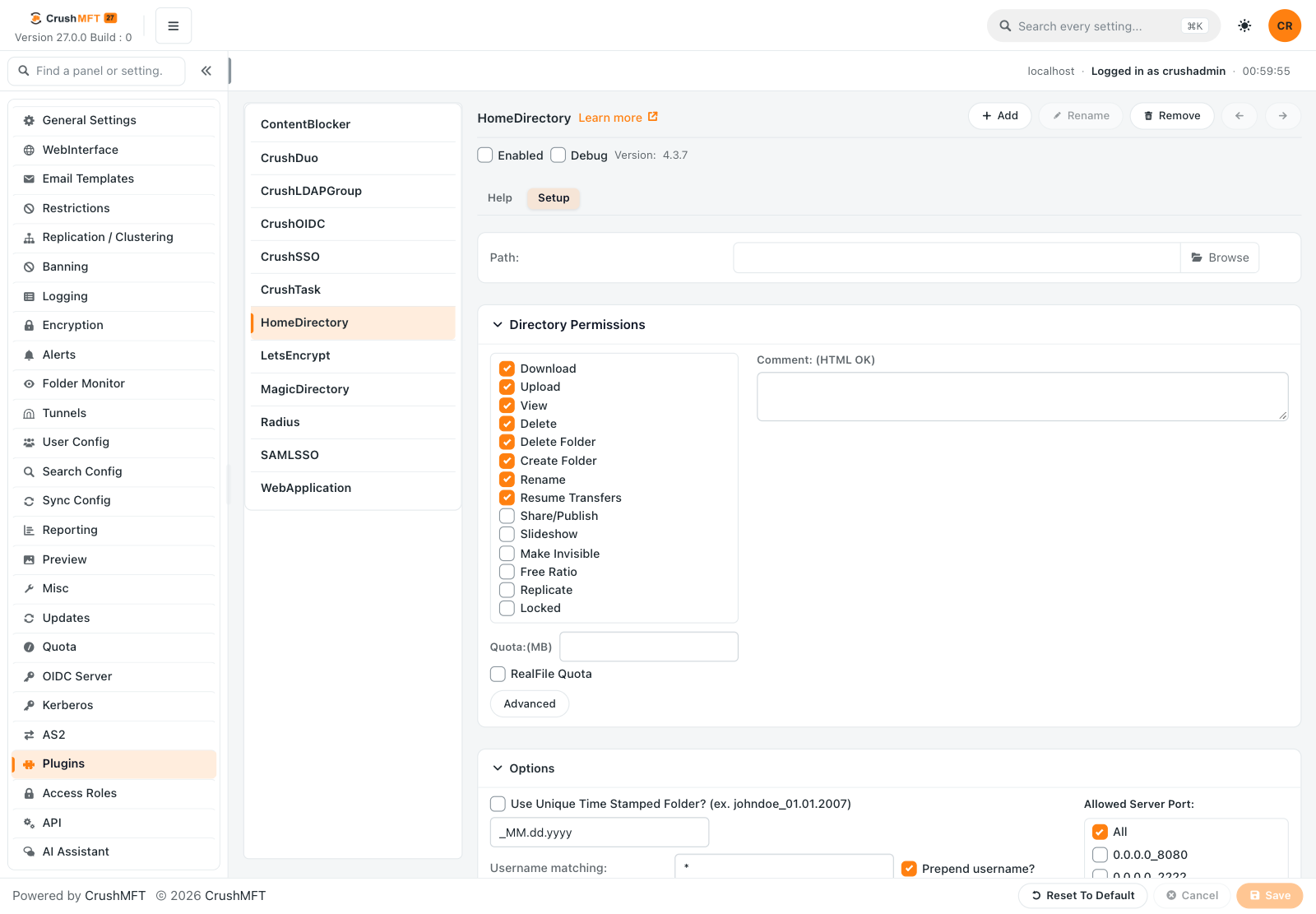
Settings#
| Setting | Is | On a new server |
|---|---|---|
| Enabled, Debug | as for every plugin | off |
| Path | the folder in which the home folders are made. Browse picks it. It can be on the server's disk or anywhere else the server can reach: an S3 bucket, a share, another server. For such a place the screen shows the same options as a folder of that kind has in a user's VFS. | empty |
| Directory Permissions | what the user may do in their home folder: see the permissions block | download, upload, view, delete, resume, rename, create and delete folders |
| Allowed Server Port | the listeners it works for: see what login plugins share | All |
| Username matching | the users it works for. * is everybody; acme_* only those. |
* |
| Use Unique Time Stamped Folder? (ex. johndoe_01.01.2007) | the folder gets the date after the name, in the format beside it, so that every day (or hour, with a finer format) has a folder of its own | off, format _MM.dd.yyyy |
| Prepend username? | the folder is named after the user. Off, with a time stamp: the folder is named by the time alone. | on |
| Replace Existing VFS With New Home Folder | the user gets the home folder even when they already have folders, and those are taken away | off |
| Only build VFS in memory (don't save to user configuration)? | the home folder is given for this login and not written to the user | off |
| Only run if configured for a login event? | the plugin does nothing by itself; it works only for users who have a login event that runs it | off |
| Create additional subfolders in home directory | folders made inside each new home, each with rights of its own: Add, Edit, Remove. For example inbox to upload into and outbox to fetch from. |
none |
What happens at a login#
- The user's name and password are checked as always. HomeDirectory acts after a login that succeeded.
- If the user already has folders, nothing happens, unless Replace Existing VFS With New Home Folder is on.
- The folder Path + user name is made, if it is not there.
- It is put into the user's list of folders with the chosen rights, and that is written to the user, so that the next login finds it.
A user whose only folder is their home folder lands inside it: they see its content, not a list with one folder.
On a test server, with Path /srv/homes/ and a new user hank who had no folders: after the first login the folder /srv/homes/hank/ existed, a file that user uploaded was in it, and the user's settings held the folder with the rights of the plugin. Other users were untouched.
Uses#
| For | Set |
|---|---|
| a home folder for every new user | Path, and nothing else |
| home folders only for partners | Username matching partner_* |
| home folders for users that come from a directory | nothing more: the plugin acts after any successful login, also one that CrushLDAPGroup or SAMLSSO accepted. Those plugins can also make home folders themselves. |
| an inbox and an outbox in every home | two entries under Create additional subfolders, the first with upload only, the second with download only |
| a new folder for each day's deliveries | Use Unique Time Stamped Folder? with Only build VFS in memory: each day the user lands in a fresh folder |
| home folders in a bucket | an s3:// address as Path |
Things to know#
- Not in a DMZ. "HomeDirectory plugin is not supported in DMZ mode." The internal server makes the folders.
- The name of the folder is the user name as typed, so use Username matching and sound user names; the plugin does not act for
anonymous. - Changing Path later does not move anybody. Users who have their folder keep it where it is. The new place is for new users.
- The plugin gives; it does not take. Deleting a user does not delete the home folder.
- Templates do the rest. Limits, the look of the web interface and events come from the user's group or the default user: Templates.
- Several rules: make a second configuration, for example staff on the disk and partners in a bucket, each with its Username matching.
Not tried for this page#
Time stamped folders, sub folders, a place that is not on the disk, the memory-only form and the login event.