Log targets#
A log target is a place the server sends its log to, besides its own log file: a syslog server, a database, a file, or the console. A target can get the log lines as they are, or a record of the events that matter in a form that security tools (SIEM) read without a parser of your own. Targets are set on the Log Targets tab of the Logging section of Preferences.
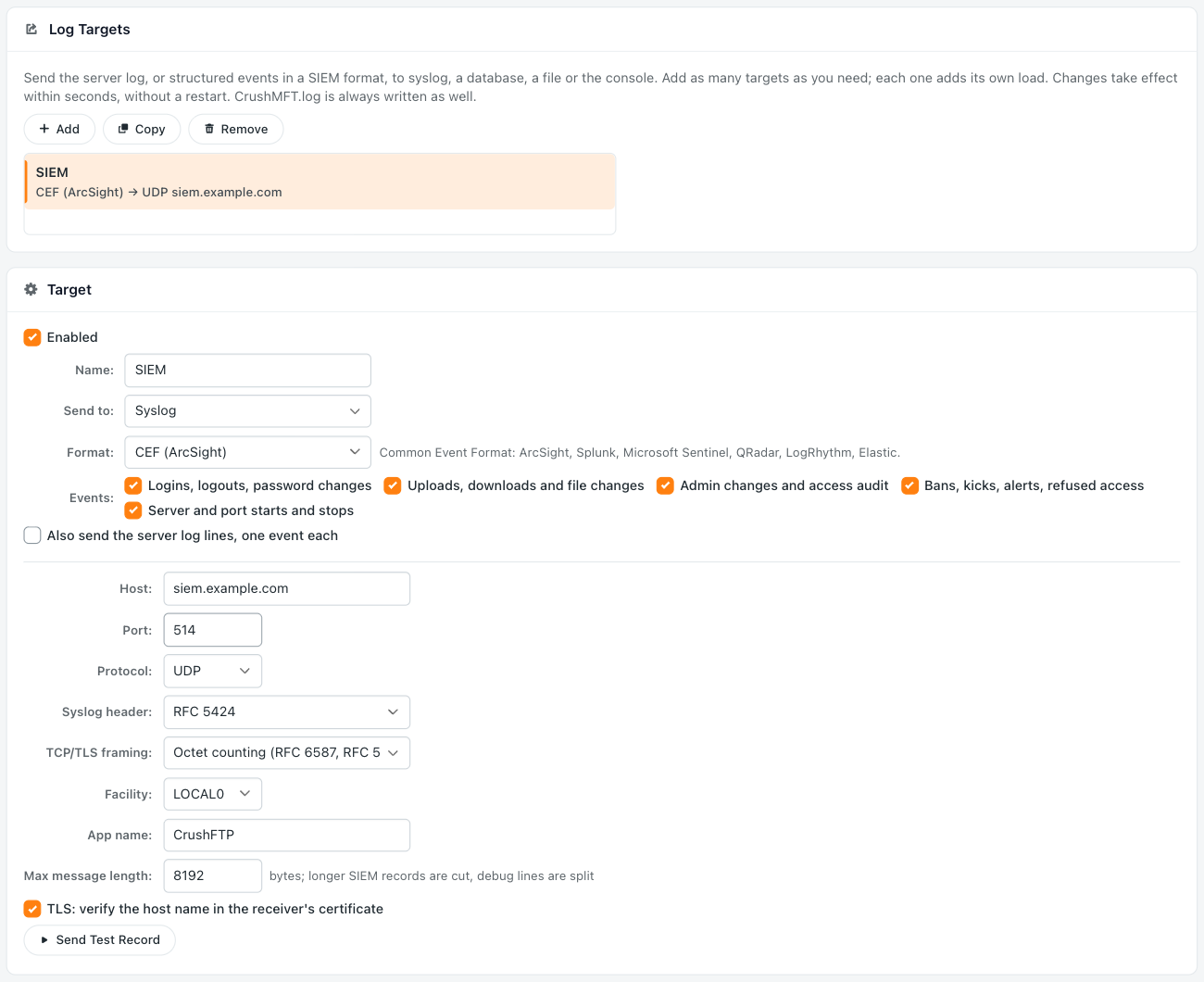
- You can have as many targets as you need. Each one costs the server some work of its own.
- A change counts within seconds of Save, without a restart.
CrushMFT.logis always written as well.
The list#
Add makes a new target and opens it, Copy makes a copy of the selected one, Remove removes it. Each target is shown with its name, its format, where it sends to, and "(off)" when it is not enabled. A new server has none: "No log targets. CrushMFT.log is still written."
A target#
| Setting | What it is | Default |
|---|---|---|
| Enabled | untick to stop the target without removing it | on |
| Name | a name of your own | |
| Send to | Syslog, Database, File, Console (System.out) or Custom class. The fields below it follow. | Syslog |
| Format | what is sent, see below | CEF |
| Events | for the SIEM formats: which kinds of events are sent | all five |
| Also send the server log lines, one event each | for the SIEM formats: every line of the log is sent too, as an event of its own | off |
| Send Test Record | sends one test record to the target as it is on the screen, saved or not |
Formats#
| Format | What it is | Read by |
|---|---|---|
| CrushMFT debug log | the lines of CrushMFT.log, as they are |
people, and tools you have taught the format |
| CEF (ArcSight) | Common Event Format | ArcSight, Splunk, Microsoft Sentinel, QRadar, LogRhythm, Elastic |
| LEEF 2.0 (QRadar) | Log Event Extended Format, tab separated | IBM QRadar |
| JSON, Elastic Common Schema | one JSON object per line, in the fields of ECS 8.11 | Elastic, OpenSearch, Splunk, Datadog, Graylog |
| JSON, OCSF | one JSON object per line, in OCSF 1.3 | AWS Security Lake, Splunk, Sentinel, CrowdStrike |
With the debug log format, a target gets what the log file gets: the same lines, after the same choices of what is logged and the same filter. With one of the other four it gets events.
Events#
An event is one thing that happened, with who, from where, what and how it ended in fields of their own.
| Events | Cover |
|---|---|
| Logins, logouts, password changes | every login that worked or failed, every logout, every changed password |
| Uploads, downloads and file changes | uploads, downloads, deletes, renames, moves, new folders, shares, and the ones that failed |
| Admin changes and access audit | every command of an administrator that changes something, changes of roles, tokens that were issued |
| Bans, kicks, alerts, refused access | addresses that were banned, sessions that were ended, alerts that fired, things an administrator was refused |
| Server and port starts and stops | the server and each listener starting and stopping |
They are the same for every protocol: an upload by SFTP and one through the browser are the same kind of event.
Syslog#
| Setting | What it is | Default |
|---|---|---|
| Host | the syslog server. Several are separated by commas, each with a port of its own if needed: a.example.com:514, b.example.com:514. |
|
| Port | its port | 514 |
| Protocol | UDP, TCP or TLS | UDP |
| Syslog header | RFC 5424, the current form, or RFC 3164 (BSD), the old one | RFC 5424 |
| TCP/TLS framing | how messages are told apart on a TCP or TLS connection: Octet counting (RFC 6587, RFC 5425), or Newline after each message | Octet counting |
| Facility | the syslog facility: USER, AUTH, AUTHPRIV, DAEMON, FTP, AUDIT, or LOCAL0 to LOCAL7 | LOCAL0 |
| App name | the name the messages carry | CrushMFT |
| Max message length | in bytes. A longer SIEM record is cut; a longer log line is split. | 8192 |
| TLS: verify the host name in the receiver's certificate | with TLS, the certificate must be for the host name you typed | on |
Over UDP nothing tells the server whether a message arrived. Use TCP or TLS when records must not be lost, and TLS when the network between is not your own.
Database#
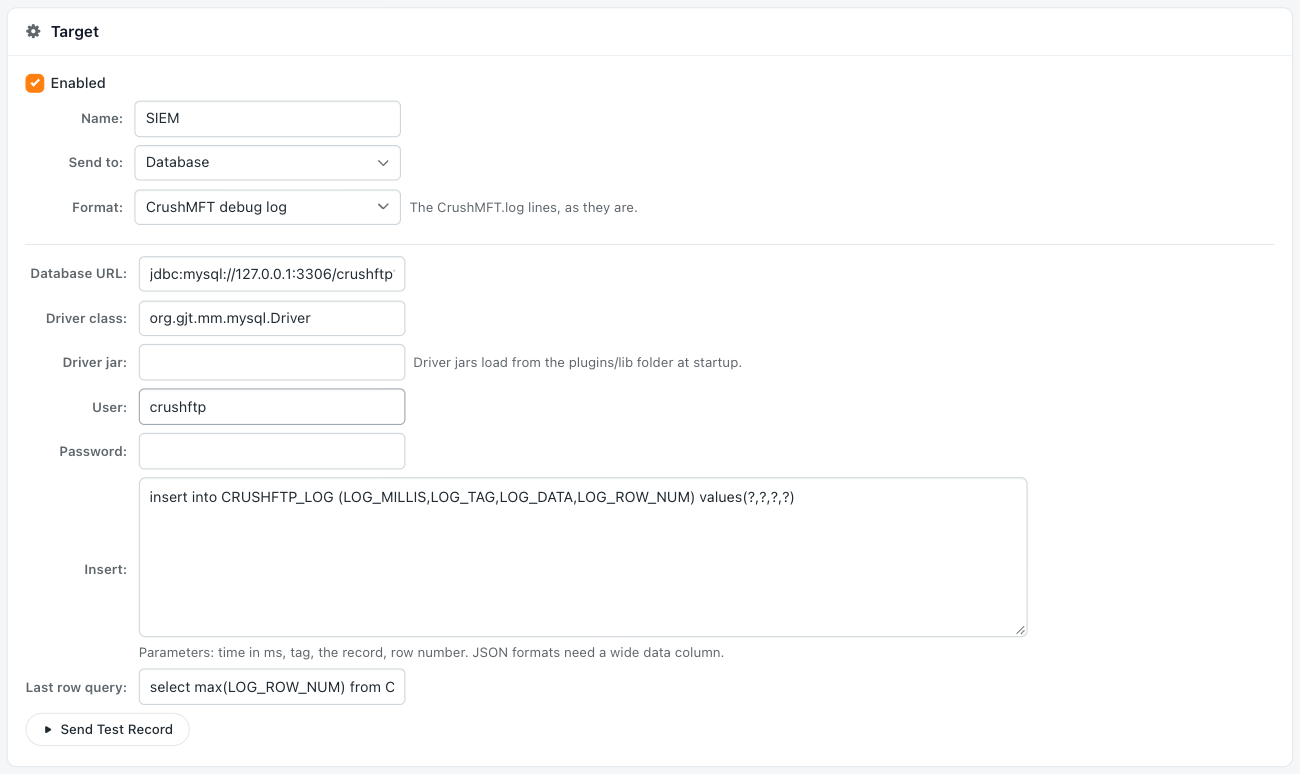
Writes each record as a row of one table, through JDBC.
| Setting | What it is | Default |
|---|---|---|
| Database URL | the JDBC address of the database | jdbc:mysql://127.0.0.1:3306/crushftp?autoReconnect=true |
| Driver class | the class of the JDBC driver | org.gjt.mm.mysql.Driver |
| Driver jar | the file of the driver. Driver jars are loaded from the server's plugins/lib folder when it starts, so put the file there and restart once. |
|
| User, Password | the database account. The password is stored encrypted. | crushftp |
| Insert | the statement that writes a row. Its four parameters are, in this order: the time in milliseconds, the tag, the record, and the row number. | insert into CRUSHFTP_LOG (LOG_MILLIS,LOG_TAG,LOG_DATA,LOG_ROW_NUM) values(?,?,?,?) |
| Last row query | a query that gives the highest row number so far, so that numbering goes on after a restart | select max(LOG_ROW_NUM) from CRUSHFTP_LOG |
Make the table first. With a JSON format, the column for the record must be wide enough for a whole JSON object: a large text type.
File#
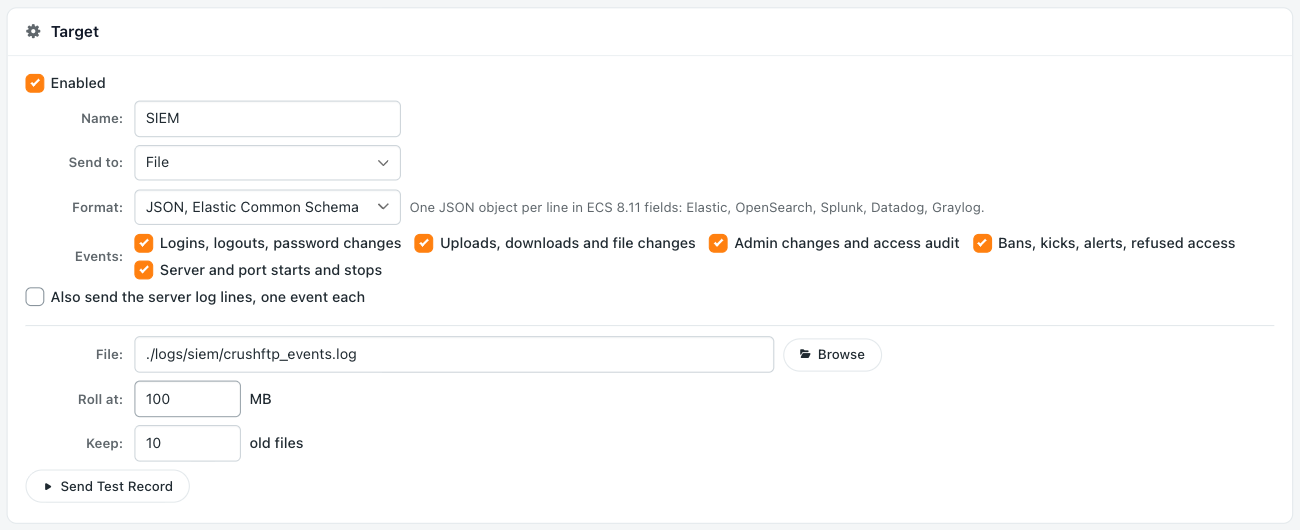
Writes the records to a file of their own, one per line, and rolls it.
| Setting | What it is | Default |
|---|---|---|
| File | the file to write. Browse picks the place. | ./logs/siem/crushftp_events.log |
| Roll at | the size in MB at which the file is closed and a new one started | 100 |
| Keep | how many old files are kept | 10 |
This is the way for a log shipper, such as an agent of your SIEM, that reads files from the server machine.
Console (System.out)#
Writes one record per line to the server's standard output. Container platforms collect that by themselves, so this is the target for a server that runs in Docker or Kubernetes.
Custom class#
For your own Java code: Class names a class that extends crushftp.handlers.LoggingProvider. It gets the log lines in the debug log format.
Testing a target#
Send Test Record builds the target as it is on the screen and sends one record through it.
SUCCESS: test record sent (syslog, cef). UDP cannot confirm delivery: check the receiver.
Look for the record at the receiver. Over syslog with RFC 5424 and CEF it looks like this:
<134>1 2026-11-20T15:04:36.727+02:00 files CrushMFT - - - CEF:0|CrushFTP|CrushMFT|27.0.0_0|server.test|Test|3|rt=1795179876718 externalId=mwozqxym-1 dvchost=files cat=server act=test outcome=success msg=Test record from CrushMFT on files (Preferences, Logging, Log Targets)
The panel checks a target when you save or test: "A syslog target needs a host.", "The syslog port must be a number."
When a target cannot keep up#
Each target has a queue of its own, of 10,000 records, and sends from it without holding the server up. If the receiver is down or too slow and the queue fills, further records for that target are dropped and counted; the other targets and the log file are not touched. The counts are among the metrics.