Users in a database#
The server can keep its user accounts in an SQL database of yours instead of in files. This page is about the User Database and SQL Query tabs of the User Config section of Preferences: the connection, the statements, moving the accounts over, and what to do when it goes wrong.
What you need#
- A database the server can reach, with an account that may read and write its tables. The scripts that come with the server are for MySQL (and MariaDB) and for Microsoft SQL Server.
- The tables, made with the script on the Scripts tab: see The database table scripts.
- The JDBC driver of that database, as a jar file in the folder
plugins/libof the server's folder. The server does not come with one.
Note
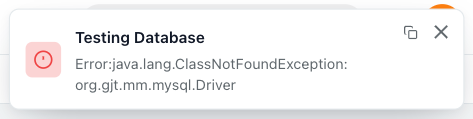
The server loads driver jars only when it starts. Put the jar into plugins/lib and restart the server once. Until then every test answers ClassNotFoundException.
Moving to a database#
Do it in this order. The choice itself comes last.
- Make the tables in your database.
- Put the driver jar into
plugins/liband restart the server. - On the User Database tab, fill in Driver, URL, User and Password (below).
- Press Test DB until it answers
Success. - Press Save, so that the connection is stored. Leave XML user database chosen.
- Press Import From XML. It asks first, saying what will be replaced, copies the users of the files into the database, and answers
Success.with what was copied. - Check that they arrived: on the SQL Query tab, run
SELECT USERNAME, SERVER_GROUP FROM USERS ORDER BY USERNAME. Your administrator must be in the list. - Choose External SQL database and press Save.
- Keep this browser window open, and log in from another browser. If that works, you are done.
Step 9 matters: an administrator who is already logged in keeps working after the change, so the window you saved from tells you nothing. Only a fresh login shows whether the database is used and has your users.
The connection#
Click a line of the list to change its value on the right.
| Setting | Key | What it is | Default |
|---|---|---|---|
| Driver | db_driver |
the class name of the JDBC driver | org.gjt.mm.mysql.Driver |
| URL | db_url |
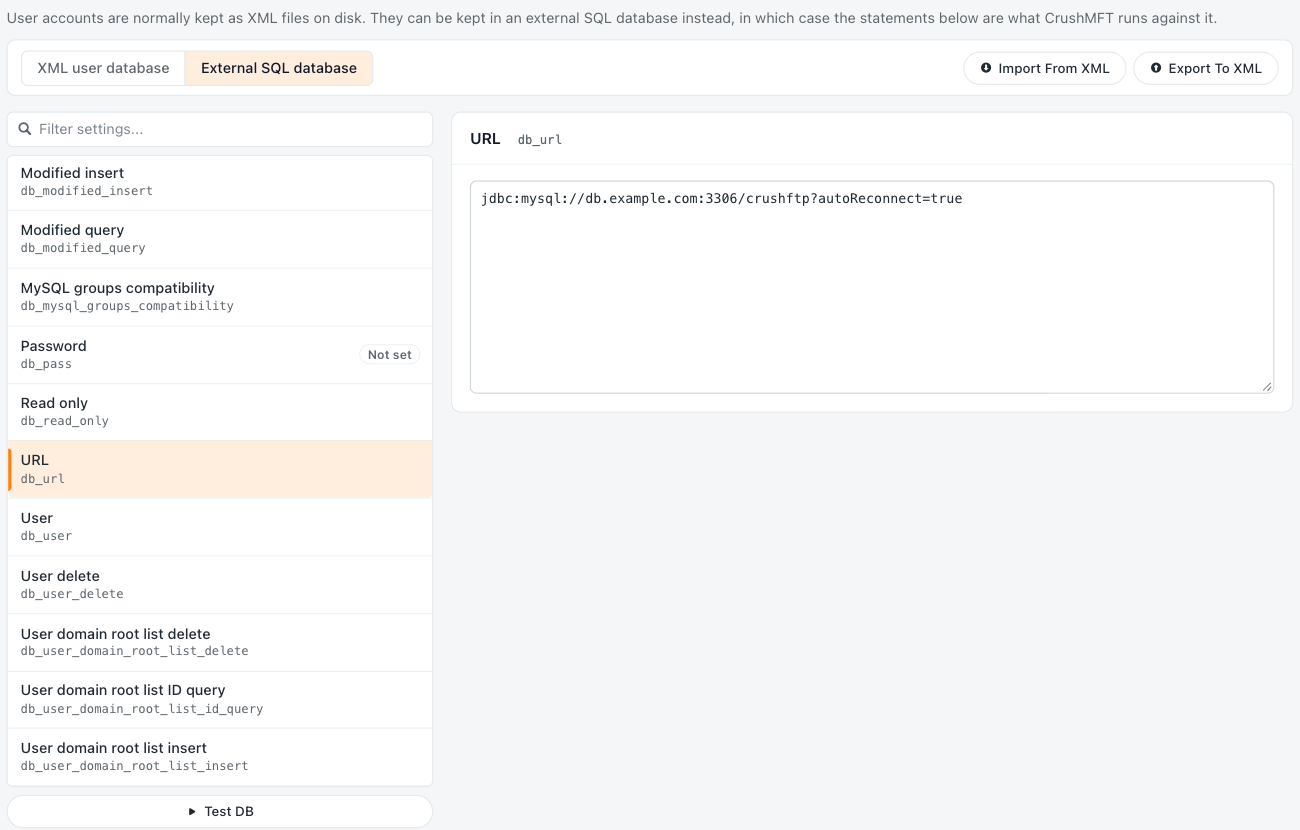
the JDBC address of the database | jdbc:mysql://127.0.0.1:3306/crushftp?autoReconnect=true |
| User | db_user |
the database account | crushftp |
| Password | db_pass |
its password. It is typed into a masked field and stored encrypted. | empty |
| Driver file | db_driver_file |
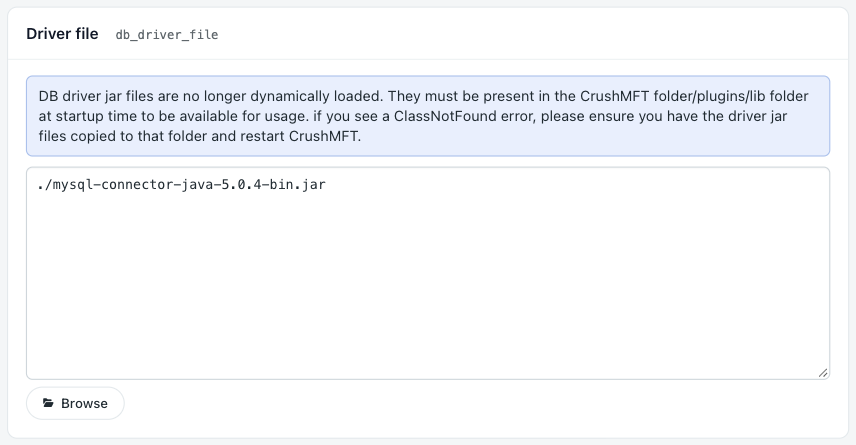
kept from earlier versions, which loaded the driver from this file. The server now takes the driver from plugins/lib, and this value is not used. |
./mysql-connector-java-5.0.4-bin.jar |
The default driver class is the name old MySQL drivers had. Use the class name your driver's own documentation gives. These are the usual ones:
| Database | Driver class | URL looks like |
|---|---|---|
| MySQL, Connector/J 8 and later | com.mysql.cj.jdbc.Driver |
jdbc:mysql://db.example.com:3306/crushftp |
| MariaDB | org.mariadb.jdbc.Driver |
jdbc:mariadb://db.example.com:3306/crushftp |
| Microsoft SQL Server | com.microsoft.sqlserver.jdbc.SQLServerDriver |
jdbc:sqlserver://db.example.com:1433;databaseName=crushftp |
Test DB#
Test DB opens a connection with the driver, URL, user and password as they are on the screen, saved or not, and closes it again.
| Answer | What it means |
|---|---|
Success |
the server reached the database and logged in |
Error:java.lang.ClassNotFoundException: org.gjt.mm.mysql.Driver |
no driver with that class name is loaded: the jar is not in plugins/lib, the server was not restarted since it was put there, or the class name is wrong |
any other Error: |
what the driver said: a wrong host or port, a wrong account or password, a database that does not exist |
The test only connects. It does not look for the tables.
The three switches#
| Setting | Key | What it does | Default |
|---|---|---|---|
| Debug | db_debug |
writes every step the server takes on the database to the log, under the kind USER_OBJ. That kind is not logged on a new server: tick it in What is logged to see the lines. | true |
| Read only | db_read_only |
true: the server never writes to the database. Use it for a server that must only read users another server looks after. A change made in this server's User Manager is then refused, and the User Manager says that the database is read only. |
false |
| MySQL groups compatibility | db_mysql_groups_compatibility |
GROUPS is a reserved word in MySQL 8, so the table name must be written in backticks there, which other databases do not accept. You do not have to set this: at its first connection the server asks the database what it is, sets the value to true for MySQL and MariaDB and to false for anything else, and says so in the log. |
true |
The values of the three are the words true and false.
A connection that fails is always logged, with or without Debug, as SQL users connection problem: and the reason.
The statements#
All other lines are the SQL statements the server runs, one per thing it does. Each ? is a value the server fills in. They fit the tables of the scripts as they are; change one only if your tables or your database need it, and keep the number and order of its ?.
| Lines | Table | Used for |
|---|---|---|
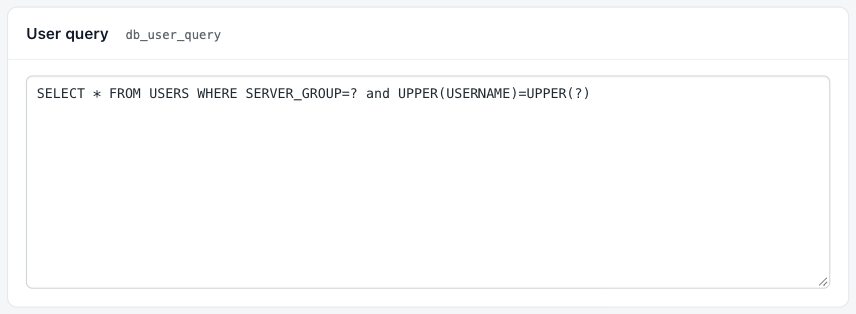
| User query, Users query, User insert, User update, User delete | USERS |
finding one user, listing all users of a user connection group, making, renaming, changing the password of, and deleting a user |
| User email query | USERS, USER_PROPERTIES |
finding the user that has an email address, for the password reminder |
| User properties ... | USER_PROPERTIES |
every setting of a user, one row per setting |
| User inheritance ... | INHERITANCE |
which users a user inherits from |
| Groups ... | GROUPS |
the groups and their members |
| User VFS ... | VFS |
the items of a user's virtual file system |
| User VFS permissions ... | VFS_PERMISSIONS |
the permissions on those items |
| User VFS properties ... | VFS_PROPERTIES |
further settings of those items |
| User events ... | EVENTS5 |
a user's events |
| User IP restrictions ... | IP_RESTRICTIONS |
a user's allowed and refused addresses |
| User domain root list ... | DOMAIN_ROOT_LIST |
a user's start folder per host name |
| User web buttons ..., User web customizations ... | WEB_BUTTONS, WEB_CUSTOMIZATIONS |
a user's buttons and settings of the web interface |
| Modified query, Modified insert, Modified delete | MODIFIED_TIMES |
the mark that tells other servers something changed, see below |
A user is stored by deleting their rows in a table and writing them again, which is why most tables have a delete, an insert and a query and no update.
The server corrects a few statements that old versions had wrong when it loads them, and adds any statement that is missing with its default.
Import and export#
| Button | What it copies |
|---|---|
| Import From XML | the users in the files into the database |
| Export To XML | the users in the database into the files |
Both use the connection that is saved, not what is on the screen. Each asks first, and says what it will replace. With more than one user connection group, a window asks which group to copy. The extra virtual file systems of the users are copied along.
- A user that is already there is overwritten; a user that is only in the place you copy to stays.
- The groups and the inheritance of the place you copy to are replaced by those of the place you copy from.
- The answer is the server's own:
Success.with what was copied, orError:with the reason and "Nothing was changed."
Both check the database before they touch anything. If it cannot be reached, is read only, or holds no users to copy, nothing is changed: "Error: The database can't be used … Nothing was changed."
Moving back to files#
- While the database is in use and Test DB answers
Success, press Export To XML. - Look into the folder
usersof the server's folder: every user has a folder there. - Choose XML user database and press Save.
- Log in from another browser.
If nobody can log in#
After the choice was saved, a login that cannot find its user in the database is refused like a wrong password. That happens when the driver is not loaded and when the users were never imported. When the database cannot be reached at all, the login page says that logins are not possible right now.
To go back to the files, open prefs.XML in the server's folder in a text editor and set these two lines:
<xmlUsers>true</xmlUsers>
<externalSqlUsers>false</externalSqlUsers>
Save the file. The server reads it again by itself within seconds, and logins work as before: no restart is needed.
Several servers on one database#
Servers that have the same connection settings share the users. Each server keeps the users it has loaded in memory, up to 500 of them, so that a login does not ask the database for everything again. To know when to forget them, the servers use the table MODIFIED_TIMES: a server that changes a user, a group or the inheritance writes a new time there, and every server compares that value with the one it saw last before it uses its memory.
If a program of your own changes rows in the tables, it must change that mark too, or the servers go on using what they remember. The rows are one per user connection group, with PROP_NAME USERS or INHERITANCE; write any new text into PROP_VALUE.
A server writes the mark for a changed user because sql_users_reset_cache_on_changes in prefs.XML is true, which it is unless you change it there. Leave it so when more than one server uses the database.
The SQL Query tab#
A place to run one statement on the database, with the connection as it is on the User Database tab at that moment.
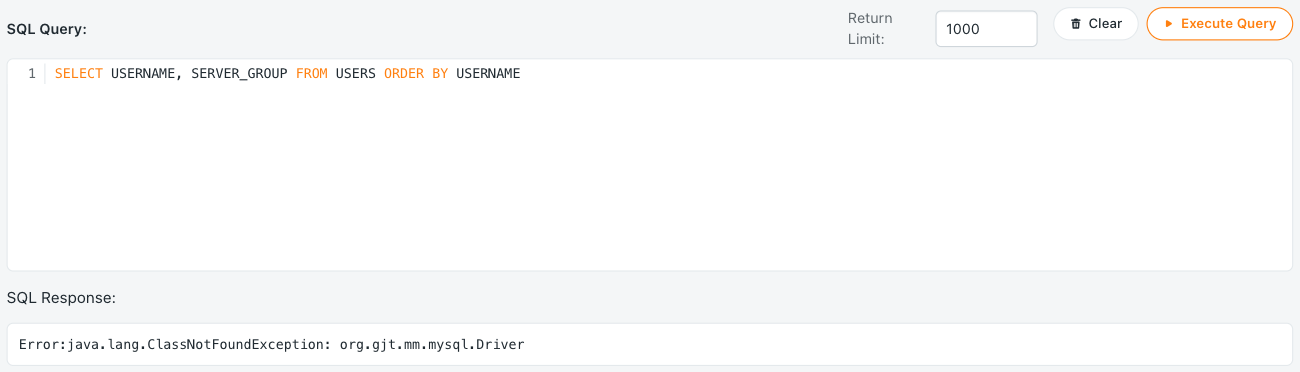
| Control | What it does |
|---|---|
| SQL Query | the statement, with line numbers and coloring |
| Return Limit | the most rows a SELECT gives back. 1000 unless you change it. |
| Execute Query | runs it |
| Clear | empties the statement and the answer |
| SQL Response | the answer: a table with the number of rows and columns and a Copy as CSV button, or a message |
- A statement that begins with
SELECTgives a table. Columns whose names begin withSQL_FIELD_are shown without that beginning. - Anything else is run as a change and answers with a count, such as
1 rows updated.: anINSERT, anUPDATE, aDELETE. - A statement that has
USEand a space anywhere in it, in capitals or not and even as the end of a longer word, is refused withInvalid SQL statement. - An error of the database is shown as it came.
Warning
This runs with the rights of the database account, on the tables that hold your users. There is no undo. Nothing is saved by this tab, and nothing asks before a DELETE runs.
Two further commands move a whole table to and from a file in the server's folder. They are kept from earlier versions:
| Command | What it does |
|---|---|
EXPORTCSV:USERS.csv |
writes every row of the table USERS into the file USERS.csv in the server's folder, values in quotes and separated by commas, and answers with the number of rows |
IMPORTCSV:USERS.csv |
reads that file and inserts each line as a row of the table USERS |
The table is the name of the file without its ending.