MiniURLs#
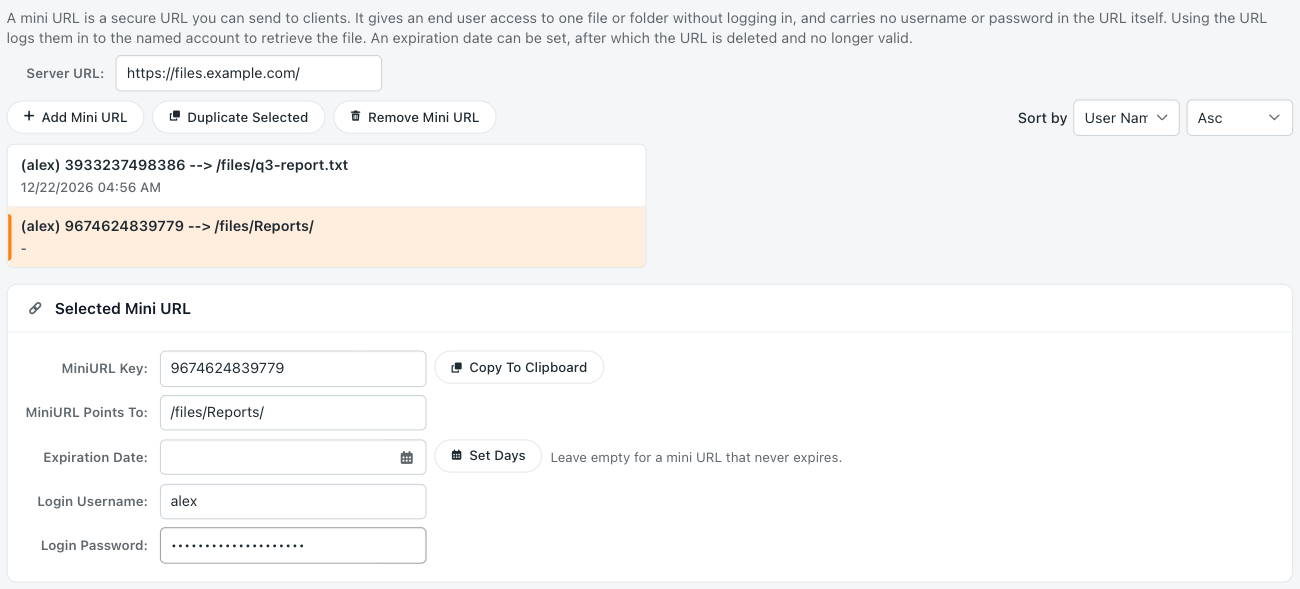
A MiniURL is a short web address that gives one file or one folder to whoever has it, without a login. The address holds only a key, such as https://files.example.com/9234363683637. No user name and no password are in it: the server keeps them with the key, and logs the visitor in under that account by itself.
MiniURLs are made on the Mini URLs tab of the WebInterface section of Preferences.
Warning
Whoever has a MiniURL has what it points to, with the rights of its account. Give it an end date, point it at as little as possible, and use an account that may do no more than is needed.
The list#
| Control | What it does |
|---|---|
| Server URL | the address of your server as people outside reach it, ending in /. It is only used to build the full address for Copy To Clipboard. |
| Add Mini URL | adds a MiniURL with a new key and opens it below |
| Duplicate Selected | adds a copy of the selected one, with a key of its own |
| Remove Mini URL | removes the selected one, after asking |
| Sort by | sorts the list by User Name, Key, Path or Expiration Date, Asc or Desc |
Each line shows the account, the key, what it points to, and under it the end date, or - for none. A new server has none: "No mini URLs defined."
A MiniURL#
| Field | What it is |
|---|---|
| MiniURL Key | the secret part of the address. It is made for you: 13 digits. You can type one of your own; keep it long and hard to guess. |
| Copy To Clipboard | copies the full address, the Server URL and the key. Where the browser does not allow copying, the address is shown for you to copy. |
| MiniURL Points To | the file or folder, as the account sees it, such as /files/q3-report.txt or /files/Reports/ |
| Expiration Date | the moment the MiniURL stops working. Empty: it never ends. |
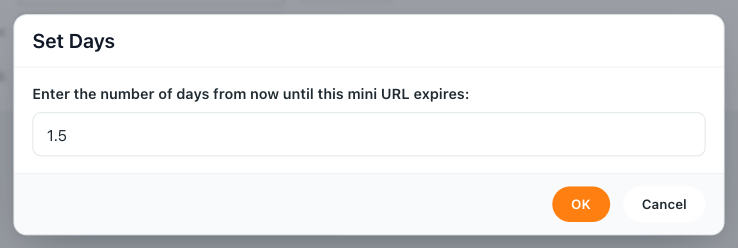
| Set Days | fills in the end date as a number of days from now |
| Login Username, Login Password | the account the visitor is logged in under. It must exist, and the password must be right: the server logs in with them like anyone else would. |
A key or a path that is only * is refused: 'A key of "" is not allowed.', 'A redirect of "" is not allowed.'
Nothing works until you press Save at the bottom.
What the visitor gets#
| The MiniURL points to | The visitor gets |
|---|---|
| a file | the file, as a download. Nothing else: the browser is not logged in, and a login it already had on the server stays as it was. |
| a file that is not there | "not found", also without being logged in |
| a folder | the WebInterface, opened in that folder and logged in as the MiniURL's account. From there the visitor can do what that account may do. |
A key the server does not know is answered like any address without a login: the visitor is asked to log in.
A MiniURL whose end date has passed is removed from the list the first time someone uses it after that.
The key is the last part of the address. Upper and lower case do not matter.
Good practice#
- Make an account for MiniURLs that sees only the folders you hand out, read-only. Do not use an administrator.
- Changing the password of the account stops every MiniURL made with the old one, until you type the new password into each.
- For links that users make themselves, for a file or a folder and for a time, use shares. A MiniURL is made by an administrator, here.