Setup#
Setup is the first tab of a user in the User Manager: who the user is, how they prove it, and which folders they get.
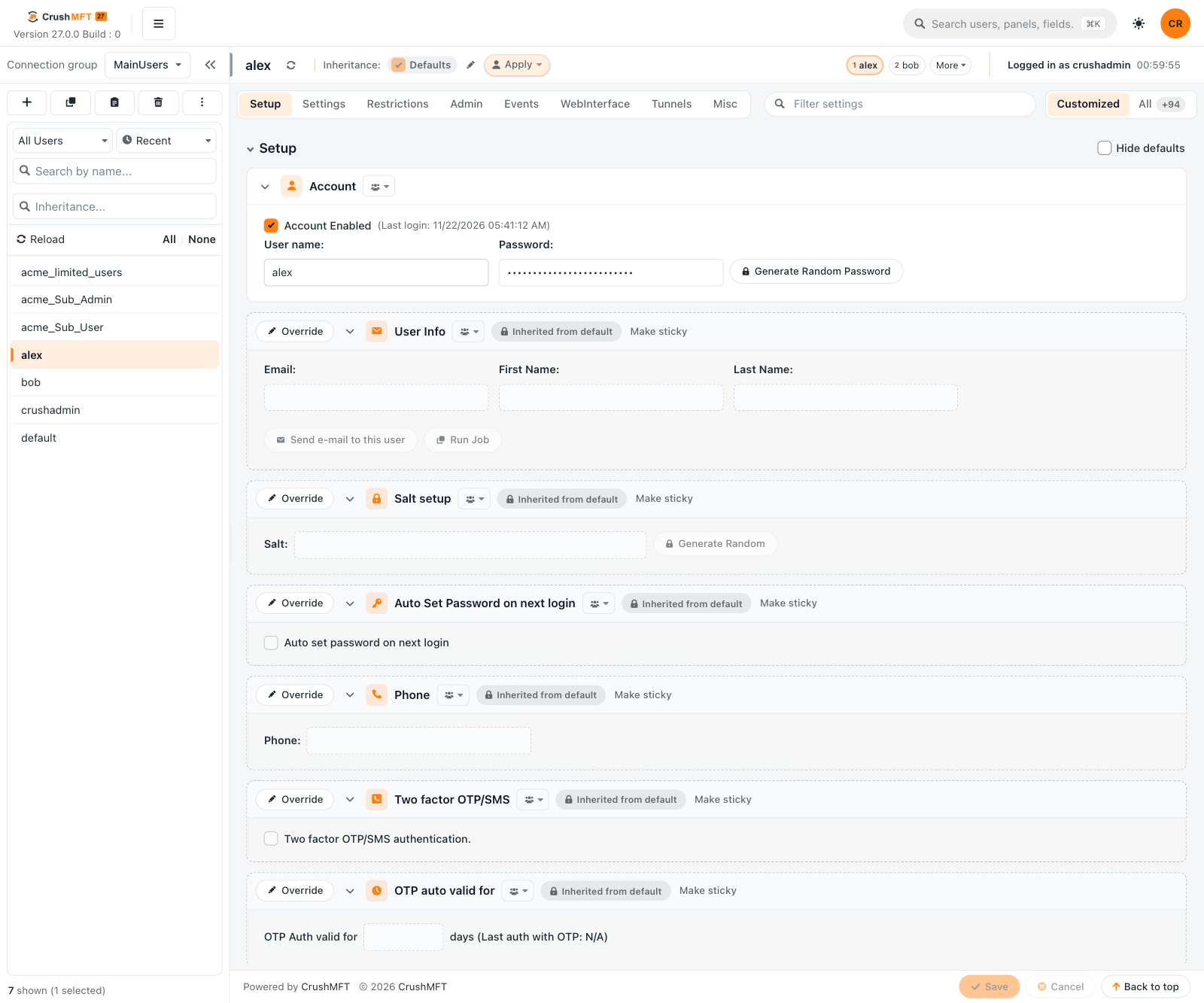
Account#
| Setting | What it does |
|---|---|
| Account Enabled | untick to lock the user out without deleting anything. Beside it is the time of the user's last login. |
| User name | the login name. Capitals do not matter at login. |
| Password | the password. It is shown as dots, and stored as a hash, never as it was typed. Type a new one over it to change it. |
| Generate Random Password | makes a password, as long as the rules in Admin say, and shows it once so that you can pass it on |
User Info#
| Setting | What it is |
|---|---|
| the user's address: for the password reminder, for shares, and for events that write to the user | |
| First Name, Last Name | shown in mails and reports |
| Send e-mail to this user, Run Job | see Send email, run a job, MiniURL |
Password details#
| Card | What it does |
|---|---|
| Salt setup | a salt that is mixed into the password hash, for hash kinds that take one. Generate Random makes one. Leave it empty unless you import salted hashes. |
| Auto Set Password on next login | the next password the user logs in with becomes their password. For moving users whose passwords you do not know: the first login sets it. Turn it off again afterwards. |
A second factor#
| Card | What it does |
|---|---|
| Phone | the number a one-time code is sent to by SMS |
| Two factor OTP/SMS | asks for a one-time code besides the password. Tick All, or the protocols it is asked on: FTP, FTPS, SFTP, HTTP, HTTPS, WebDAV. |
| OTP auto valid for | for how many days after a code was accepted the same device is not asked again. It also shows when the user last gave a code. |
| Two factor authentication secret | the secret of the user's authenticator app, once they have set one up. Clear Secret removes it, so that the user sets up the app again at the next login: use it when a phone was lost. |
How codes are sent, and the authenticator app, are set for the server in General Settings.
VFS#
The user's folders. Server's Files on the left is the server machine, User's Stuff on the right is what the user sees, and the switches beside it are what the user may do with the item that is selected. See The VFS editor.
A user with nothing in User's Stuff, and no inherited folders, can log in and sees an empty list.
VFS Linking#
Other users whose folders this user gets as well. See Linking a VFS.