The Proxy tab#
A user's storage does not have to be on the server machine. It can be another server, reached by FTP, SFTP, HTTP and so on, and CrushMFT then passes the user's files through: it acts as a proxy. The Proxy tab of the WebInterface section of Preferences holds a few settings for that case.
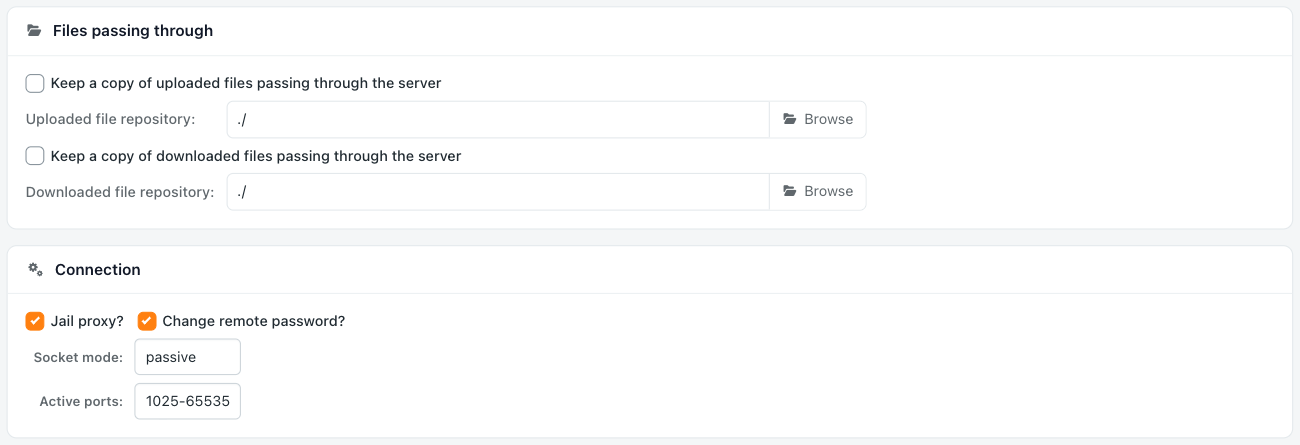
Several settings on this tab are kept from earlier versions and no longer do anything in CrushMFT 27. They are marked "not used" below, so that you do not rely on them.
Files passing through#
The server can keep its own copy of every file that passes through it to or from storage on another server. Files in folders of the server machine are not copied: they are there already.
| Setting | What it does | Default |
|---|---|---|
| Keep a copy of uploaded files passing through the server | every file a user uploads to storage on another server is also written to the repository below | off |
| Uploaded file repository | the folder for these copies. Browse picks one. | ./, the server's own folder |
| Keep a copy of downloaded files passing through the server | the same for every file a user downloads from storage on another server | off |
| Downloaded file repository | the folder for these copies | ./ |
Inside a repository, a copy is stored under the user name and the path the user saw, with the date and time in front of the file name. So two uploads of the same file are two copies.
Warning
Nothing removes these copies. A busy server fills the disk of the repository in time: watch it with a disk space alert, and clear old copies with a job.
Connection#
| Setting | What it does | Default |
|---|---|---|
| Jail proxy? | over SFTP, a session starts at the top of the user's folders and reaches nothing outside them. Off: when the user's storage is another server, the session starts in the folder that server puts the user in, and a path outside the user's folders is tried through the folder above it. Leave it on. | on |
| Change remote password? | when a user whose storage is another server by FTP, HTTP or HTTPS changes their password here, the new password is sent on to that server too, so that the two stay the same | on |
| Socket mode | not used | passive |
| Active ports | not used here. The range of ports for FTP active mode is set on each FTP storage item, where it has the same name. | 1025-65535 |
Storage on another server#
To give a user storage on another server, add that server to the user's folders in the User Manager. To pass web requests on to another web server, use the reverse proxy of a web listener (IP / Servers).